
NEC RMT-PJ37 remote control Projector Press buttons
- Remote control proper use: Projector
- Brand compatibility: NEC
- Product colour: Black
- Input type: Press buttons
Where to buy
We're not tracking prices for this product yet. Check current prices directly at:
We may earn a commission when you buy through links on this page — at no extra cost to you. Learn more
Specifications
Design
- Built-in displayA display which is part of the product, so you do not need to attach another display.
- No
- Remote control proper useHow the remote control should be used, and what it should be used for.
- Projector
- Product colourThe colour e.g. red, blue, green, black, white.
- Black
- Input typeThe way in which commands or signal are inputted in product.
- Press buttons
Features
- Brand compatibilityWhat other brands this brand can be used with.
- NEC
Other features
- Compatible productsOther products that can be used with this product.
- NP-PA521U, NP-PA521U-13ZL, NP-PA571W, NP-PA571W-13ZL, NP-PA621X, NP-PA621X-13ZL, NP-PA622U, NP-PA622U-13ZL, NP-PA653U, NP-PA653U-41ZL, NP-PA653UL, NP-PA653UL-41ZL, NP-PA672W, NP-PA672W-13ZL, NP-PA722X, NP-PA722X-13ZL, NP-PA803U, NP-PA803U-41ZL, NP-PA803UL, NP-PA803UL-41ZL, NP-PA853W, NP-PA853W-41ZL, NP-PA903X, NP-PA903X-41ZL
Database Right data-sheet 2026 Icecat. All rights reserved. Provided “as is”, without warranty — check details with the store before buying.
Price history (90 days, best daily price)
Price history is still being collected for this product — check back soon.
Alternative models

NEC RMT-PJ38 remote control Projector Press buttons
Specs & where to buy
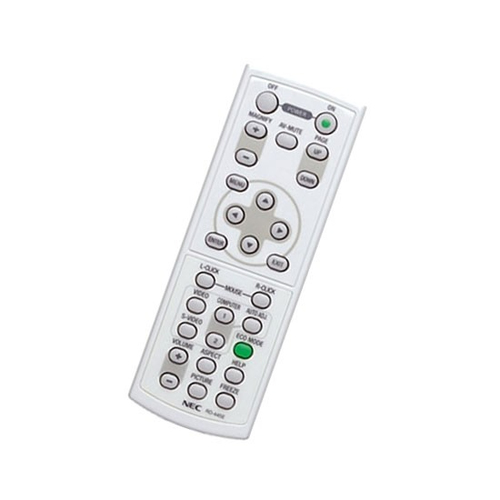
NEC RMT-PJ29 remote control IR Wireless Projector Press buttons
Specs & where to buy

NEC RMT-PJ40 remote control Projector Press buttons
Specs & where to buy

NEC RMT-PJ26 remote control Projector Press buttons
Specs & where to buy

NEC RMT-PJ39 remote control Projector Press buttons
Specs & where to buy

NEC RMT-PJ30 remote control Projector Press buttons
Specs & where to buy