
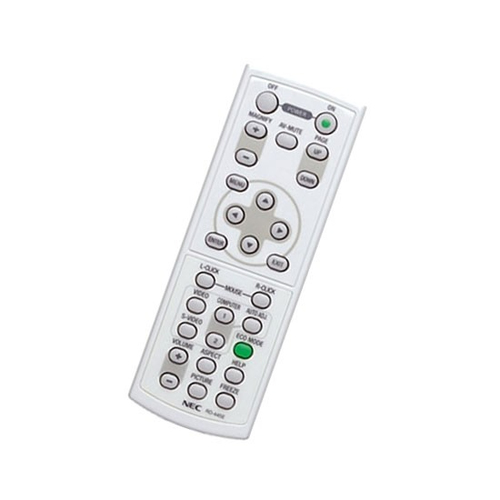
NEC RMT-PJ30 remote control Projector Press buttons
- Windows operating systems supported
- Number of devices supported: 1
- Frequency band: 2.4 GHz
- Plug and Play
- Remote control proper use: Projector
- Product colour: Grey
Where to buy
We're not tracking prices for this product yet. Check current prices directly at:
We may earn a commission when you buy through links on this page — at no extra cost to you. Learn more
About this product
Easy control from remote allows you to adjust lamp mode, aspect ratio, volume and image all with the
touch of a button.
Specifications
Other features
- USB requiredIndicates whether a USB connection is mandatory for the product to function.
- No
Features
- Windows operating systems supportedWindows vesions wich can be used with the device.
- Yes
- Plug and PlayIndicates whether this product supports is "plug and play". Plug and play is hardware or software that, after being installed ("plugged in"), can immediately be used ("played with"), as opposed to hardware or software which requires configuration.
- Yes
- CompatibilityThe other products, software and hardware this product can be used with.
- NEC NP110 NP115 NP1200 NP215 NP216 NP2200 NP43 NP64 NP-V260 NP-V260X NP-V300X
Network
- Ethernet LANAn Ethernet LAN (Local Area Network) interface is present, for a wired conection via a cable.
- No
- Wi-FiPopular technology that allows an electronic device to exchange data or connect to the internet wirelessly using radio waves.
- No
Performance
- Number of devices supportedThe amount of devices that can be used with this product.
- 1
Keyboard
- Frequency bandA small section of the spectrum of radio communication frequencies, in which channels are usually used or set aside for the same purpose e.g.for a channel on FM radio; for mobile networks to communicate with mobile phones.
- 2.4 GHz
Design
- Built-in displayA display which is part of the product, so you do not need to attach another display.
- No
- Remote control proper useHow the remote control should be used, and what it should be used for.
- Projector
- Product colourThe colour e.g. red, blue, green, black, white.
- Grey
- Input typeThe way in which commands or signal are inputted in product.
- Press buttons
Database Right data-sheet 2026 Icecat. All rights reserved. Provided “as is”, without warranty — check details with the store before buying.
Price history (90 days, best daily price)
Price history is still being collected for this product — check back soon.
Alternative models

NEC RMT-PJ26 remote control Projector Press buttons
Specs & where to buy

NEC RMT-PJ25 remote control Projector Press buttons
Specs & where to buy
NEC RMT-PJ29 remote control IR Wireless Projector Press buttons
Specs & where to buy

NEC RMT-PJ23 remote control IR Wireless Projector Press buttons
Specs & where to buy

NEC RMT-PJ37 remote control Projector Press buttons
Specs & where to buy

NEC RMT-PJ06 remote control IR Wireless Projector Press buttons
Specs & where to buy