
GIGABYTE AORUS FI32Q-X computer monitor 81.3 cm (32") 2560 x 1440 pixels Quad HD LED Black
- Screen: 81.3 cm (32"), 2560 x 1440 pixels, SS-IPS, Flat
- Refresh rate: 270 Hz, 1 ms response time
- Brightness: 400 cd/m²
- Ports: 2 × HDMI, 1 × DisplayPort
- Stand: height-adjustable, tilt, VESA 100 x 100 mm
- Extras: speakers, USB hub
- Colour: Black
Where to buy
We're not tracking prices for this product yet. Check current prices directly at:
We may earn a commission when you buy through links on this page — at no extra cost to you. Learn more
About this product
QUANTUM DOT
VIBRANT AND AMAZING DISPLAY OF COLORS
With Quantum Dot technology, AORUS FI32Q X is able to offer a more vibrant display with a wider color gamut and greater brightness and HDR effects.
QHD WITH 240Hz (OC 270Hz)
SUPPORTS ADAPTIVE-SYNC TECHNOLOGY
32” QHD panel (2560 x 1440 resolution) in a 16:9 aspect ratio with a 240Hz (OC 270Hz) refresh rate for fluid gameplays.
IPS SPLENDID COLOR IN 1MS
BEAUTY AND THE BEAST WITHIN
Super Speed IPS panel provides splendid color while the Super Speed crystals reduce the response time to 1ms GTG. Super responsive in the glamorous display, what else you could ask for?
8-bit with 99% AdobeRGB
FEEL THE TRUE COLORS
The native 8-bit panel with 99% of DCI-P3 color space, offering the richer variety of color graduations and greater accuracy!
HDR & HLG
EXPAND THE COLOR RANGE
High Dynamic Range (HDR) is gaining interests from a wide range of applications, including gaming, movie entertainment, and creation of multimedia content. Moreover, this model supports HLG (Hybrid Log-Gamma), allowing users to truly enjoy the content originally created by broadcasting platform!
ULTRAFAST GAMING - HDMI2.1
VRR & ALLM
The newest HDMI 2.1 can improve your gaming experience by providing a higher bandwidth of 4K@120Hz, offering a competitive advantage on a range of games from adventure to shooters. The new standard also supports the next-gen consoles.
DESIGN CONCEPT
DIGITAL WORLD
In the AORUS dimension, everything is constructed digitally. The lighting and patterns are mapped onto the products with an efficient, free flowing style.
Welcome to the Digital Code Era.
AIM STABILIZER SYNC
ADVANCED AIMING SKILL
Upgraded Aim Stabilizer is able to conduct the motion blur reduction and V-Sync technology at the same time! Greatly improving your FPS aim!
DASHBOARD
NOT A THING CAN BLOCK IT
The AORUS Dashboard shows you critical hardware information in real-time. No matter what kind of scenario, it won't be blocked by any game. It's even customizable that you get to choose to show the info that matters to you most !
BLACK EQUALIZER
ADJUST THE BLACKNESS LEVEL
This feature will deepen the details of the dark part without affecting other display areas.
GAMEASSIST
ENHANCE YOUR GAMING SKILLS
The GameAssist equips you extra power to win at battlefields: customizable crosshairs, onscreen timer/counter, PIP/PBP, Eagle Eye, HDR Mode etc. Whatever you need, you name it, we offer it!
OSD SIDEKICK
EASIEST WAY TO SET MONITORS
The exclusive AORUS OSD Sidekick allows you to quickly set the display options with keyboard and mouse. It's even better now you can enjoy the up-to-date gaming experience through the latest exclusive Auto-Update function!
ANC FOR CONSOLE
ENJOY NOISE CANCELLATION EVEN WITHOUT HEADSETS ON!
AORUS monitors provide up to 120dB Signal-to-Noise ratio playback quality, and support up to 600 ohm headphones. The latest upgrade is that gamers get to acquire noise cancellation effect with or without headsets on!
KVM
ONE FOR ALL
KVM feature allows you to control multiple devices via one set of keyboard, video and mouse.
6 AXIS COLOR CONTROL
HIGHER LEVEL OF CUSTOMIZED COLOR ADJUSTMENT
With the help of Six Axis Control, you get to control six colors (red, green, blue, cyan, magenta, and yellow) individually. You can adjust the monitor to specific color profiles, this allows you to more accurately display the color gamut on the monitor.
RGB FUSION 2.0
CREATE YOUR OWN GAMING AMBIENCE WITH RGB FUSION 2.0
AORUS Gaming monitor uses the most advanced LED systems, combined with the power of RGB Fusion, you'll have the coolest system that everyone gets envious of. Through RGB Fusion app, you get to create the one of a kind gaming ambience !
AUDIOPHILE SOUND SYSTEM
HIGH-END DESIGN EMBEDDED FOR PURE, RESONATING SOUND
ESS SABRE adopts the concept of a high-end audiophile sound system design into a micro system on the monitor. It provides a pure yet powerful sound, resonating classical orchestral sounds or blasts in your virtual warzone. Enjoy the depth of the music and the immersive sound profile.
AORUS C-CLAMP DESK MOUNT
GET A STYLISH DESK WITHOUT SACRIFICING FUNCTIONALITY
The exclusive monitor arm offers secure fastening of the screen and releases more workspace, giving you more freedom and flexibility at your desk!
(C-Clamp Desk Mount Included)
ERGONOMIC DESIGN
EASY TO GET THE PERFECT VIEWING ANGLE
AORUS Gaming monitor features an exclusive stand that's ergonomically designed to offer extensive range of height, tilt, pivot, and swivel adjustments.
FLICKER-FREE
Without causing eye strain and other injuries.
USB CHARGER
SuperSpeed USB charger provides 5V/1.5A power.
POWER BOARD BUILD-IN
No additional bulky adapter needed.
Documents
- ManualUser manual ↗
- Product information sheetEU Product Fiche ↗
Specifications
Key specifications
- Display diagonalSize of the display for this product, measured diagonally, usually in inches.
- 81.3 cm (32")
- Display resolutionThe number of distinct pixels in each dimension that can be displayed. It is usually quoted as width × height, with the units in pixels: for example, "1024 × 768" means the width is 1024 pixels and the height is 768 pixels. The higher the number of pixels, the sharper the image.
- 2560 x 1440 pixels
- Panel typeThe technology used to manufacture the panel, such as AMOLED or AH-IPS.
- SS-IPS
- Screen shapeDescribes the physical curvature of the display panel, such as whether it is flat or curved.
- Flat
- Maximum refresh rateThe highest number of times per second the image is updated, measured in hertz (Hz).
- 270 Hz
- Response timeThe response time is the time difference between the moment that a source (for example a video card) sends a signal and that equipment (for example a monitor) receives or display the signal. (Used abbreviations: R/F = Rise and Fall.)
- 1 ms
- Display brightness (typical)Display brightness, measured by its Luminance, presented as a figure in nits. Typical brightness ratings for monitors range from 250 to 350 nits with a target value of between 80 to 120 nits being suitable for most displays in a normal viewing environment.
- 400 cd/m²
- HDMI ports quantityThe number of sockets (ports) for HDMI connections. HDMI (High-Definition Multimedia Interface) is a compact audio/video interface for transferring uncompressed video data and compressed/uncompressed digital audio data from a HDMI-compliant device ("the source device") to a compatible computer monitor, video projector, digital television, or digital audio device. HDMI is a digital replacement for…
- 2
- DisplayPorts quantityNumber of DisplayPorts. A DisplayPort is a digital display interface developed by the Video Electronics Standards Association (VESA). The interface is primarily used to connect a video source to a display device such as a computer monitor, though it can also be used to carry audio, USB, and other forms of data.
- 1
- Height adjustmentThe part of the device that can be adjusted to change the height.
- Yes
- Tilt adjustmentThe tilt, which means the angle at which the device is pointing (up or down), can be changed.
- Yes
- Panel mounting interfaceThe product can be used wih VESA mounting interfaces.
- 100 x 100 mm
- Built-in speaker(s)The device contains speaker(s) to produce sound.
- Yes
- Built-in USB hubWhether or not the device features a USB hub to connect more than one other device via USB.
- Yes
Show all 94 specificationsShow key specifications only
Design
- VESA mountingIndicates whether the product supports the VESA mounting standard for attachment to compatible arms, brackets, or wall mounts.
- Yes
- Market positioningUnder which category can the device be positioned in the market, e.g. camera phone.
- Gaming
- Product colourThe colour e.g. red, blue, green, black, white.
- Black
- Panel mounting interfaceThe product can be used wih VESA mounting interfaces.
- 100 x 100 mm
- Front bezel colourThe colour of the frame surrounding the front of the display (e.g. Black, Silver).
- Black
- Detachable standIndicates whether the support base can be removed from the main unit.
- Yes
- Feet colourThe colour of the feet, which are the projecting part on which a device/piece of furniture, or each of its legs, stands.
- Black
Ports & interfaces
- Built-in USB hubWhether or not the device features a USB hub to connect more than one other device via USB.
- Yes
- USB hub versionThe technical standard of the USB hub, if available, which determines the maximum data transfer speed (e.g., 3.2 Gen 1).
- 3.2 Gen 1 (3.1 Gen 1)
- Number of USB Type-B upstream ports quantityThe total number of USB Type-B ports available to connect the device to a host computer for data transmission.
- 1
- Number of USB Type-C upstream ports quantityThe total number of USB Type-C ports available to connect the device to a host computer or source.
- 1
- USB Type-A downstream ports quantityThe number of USB Type-A ports available for connecting peripheral devices to the unit.
- 2
- USB Power Delivery up toThe maximum amount of power the device can provide or receive via a USB connection, measured in watts.
- 18 W
- HDMIHDMI (High-Definition Multimedia Interface) is a compact audio/video interface for transferring uncompressed video data and compressed/uncompressed digital audio data from a HDMI-compliant device ("the source device") to a compatible computer monitor, video projector, digital television, or digital audio device. HDMI is a digital replacement for existing analog video standards.
- Yes
- HDMI ports quantityThe number of sockets (ports) for HDMI connections. HDMI (High-Definition Multimedia Interface) is a compact audio/video interface for transferring uncompressed video data and compressed/uncompressed digital audio data from a HDMI-compliant device ("the source device") to a compatible computer monitor, video projector, digital television, or digital audio device. HDMI is a digital replacement for…
- 2
- HDMI versionThe specific release version of the High-Definition Multimedia Interface standard supported by the device (e.g. 1.3 or 2.0).
- 2.1
- DisplayPorts quantityNumber of DisplayPorts. A DisplayPort is a digital display interface developed by the Video Electronics Standards Association (VESA). The interface is primarily used to connect a video source to a display device such as a computer monitor, though it can also be used to carry audio, USB, and other forms of data.
- 1
- DisplayPort versionThe specific release version of the DisplayPort standard supported by the device (e.g., 1.2 or 1.4).
- 1.4
- Headphone outThe socket for connecting headphones to the device.
- Yes
- Headphone outputsNumber of sockets /ports where headphones are connected.
- 1
- Headphone connectivityHow headphones connect to a device e.g. wirelessly or via a cable and connector.
- 3.5 mm
- Microphone inThe socket where a microphone is connected to the device.
- Yes
- PC Audio inThe socket (port) for the PC audio input.
- Yes
- Built-in KVM switchIndicates whether the product includes an integrated keyboard, video, and mouse switch to control multiple computers with a single set of peripherals.
- Yes
- AC (power) inIndicates whether the device can be powered directly via an alternating current (AC) power source.
- Yes
Audio
- Built-in speaker(s)The device contains speaker(s) to produce sound.
- Yes
Multimedia
- Built-in cameraThe product has an integrated camera.
- No
Display
- Display diagonalSize of the display for this product, measured diagonally, usually in inches.
- 81.3 cm (32")
- Display resolutionThe number of distinct pixels in each dimension that can be displayed. It is usually quoted as width × height, with the units in pixels: for example, "1024 × 768" means the width is 1024 pixels and the height is 768 pixels. The higher the number of pixels, the sharper the image.
- 2560 x 1440 pixels
- Native aspect ratioThe aspect ratio is the ratio of the width of an image to its height. The native aspect ratio is the one which the projector/display is particularly designed for. Images shown in native aspect ratio will utilize the entire resolution of the display and achieve maximum brightness. Images shown in other than native aspect ratio will always have less resolution and less brightness than images shown…
- 16:9
- Display technologyThe technology used in the display e.g. plasma, LED.
- LED
- TouchscreenA screen of a laptop, smartphone, etc., that responds to touch so you can control the interface using your fingers.
- No
- Native refresh rateThe number of times per second the hardware updates, measured in hertz (Hz).
- 60 Hz
- HD typeType of supported High Definition (e.g. Full HD, 4K Ultra HD).
- Quad HD
- Panel typeThe technology used to manufacture the panel, such as AMOLED or AH-IPS.
- SS-IPS
- Backlight typeThe technology used to illuminate the display panel, such as CCFL or various LED configurations (e.g., Edge LED, Full-Array).
- Edge LED
- Display brightness (typical)Display brightness, measured by its Luminance, presented as a figure in nits. Typical brightness ratings for monitors range from 250 to 350 nits with a target value of between 80 to 120 nits being suitable for most displays in a normal viewing environment.
- 400 cd/m²
- Response timeThe response time is the time difference between the moment that a source (for example a video card) sends a signal and that equipment (for example a monitor) receives or display the signal. (Used abbreviations: R/F = Rise and Fall.)
- 1 ms
- Anti-glare screenAlways gives an optimal view, even in direct sunlight.
- Yes
- Screen shapeDescribes the physical curvature of the display panel, such as whether it is flat or curved.
- Flat
- Contrast ratio (typical)The difference in light intensity between the brightest white and the darkest black.
- 1000:1
- Maximum refresh rateThe highest number of times per second the image is updated, measured in hertz (Hz).
- 270 Hz
- Viewing angle, horizontalMaximum horizontal angle at which a display can be viewed with acceptable visual performance.
- 178°
- Viewing angle, verticalMaximum vertical angle at which a display can be viewed with acceptable visual performance.
- 178°
- Pixel pitchThis is the parameter of a picture tube, which specifies the shortest distance between two dots of the same colour. The principle is: the smaller the dot pitch, the better sharpness of image.
- 0.2767 x 0.2767 mm
- Viewable size, horizontalThe viewable size is often somewhat smaller than the actual size of a monitor, because there is a border around the image.
- 70.8 cm
- Viewable size, verticalThe height of the screen area that can actually display an image, measured in millimetres or inches.
- 39.9 cm
- High Dynamic Range (HDR) technologyThe specific standard or version of high contrast and color reproduction used to enhance the detail in the darkest and brightest areas of an image (e.g. DisplayHDR 600).
- High Dynamic Range (HDR) 600
- Colour depthThe number of bits used to represent the colour of a single pixel, which determines the total number of possible colours that can be displayed.
- 8 bit
- Colour gamut standardThe specific color space standard the device is designed to reproduce, such as Adobe RGB or DCI-P3.
- Adobe RGB
- sRGB coverage (typical)The percentage of the sRGB color space that the device is capable of reproducing.
- 157%
- Adobe RGB coverageThe percentage of the Adobe RGB color space that the device is capable of displaying.
- 99%
Other features
- HBR3 supportIndicates whether the product supports High Bit Rate 3 (HBR3), allowing for higher data transfer speeds and resolutions.
- Yes
Packaging content
- Stand includedIndicates whether a support stand is supplied with the product.
- Yes
- Cables includedSpecifies the types and quantities of connection cables provided with the product (e.g., 3.5 mm to 3.5 mm or SATA).
- AC, DisplayPort, HDMI, USB, USB Type-C
- Quick start guideInstructions, either online, as a computer program or in paper form, to allow you to set up and start using the product quickly.
- Yes
Weight & dimensions
- Width (with stand)The total horizontal measurement of the product when the supporting stand is attached, measured in millimetres.
- 729.1 mm
- Depth (with stand)The measurement of the product from front to back when any supporting accessory or base is attached, expressed in millimetres or centimetres.
- 293 mm
- Height (with stand)The total vertical measurement of the product including its base or support structure, expressed in millimetres or centimetres.
- 596.7 mm
- Weight (with stand)The total mass of the unit including its supporting base, measured in kilograms or grams.
- 10.3 kg
- Width (without stand)The horizontal measurement of the device excluding the base or support structure, expressed in millimetres.
- 729.1 mm
- Depth (without stand)The measurement of the product from front to back without its base or support, typically expressed in millimetres or centimetres.
- 71.1 mm
- Height (without stand)The vertical measurement of the device when the stand is removed, measured in mm.
- 433 mm
- Weight (without stand)The mass of the device excluding the support base, measured in g.
- 7 kg
Power
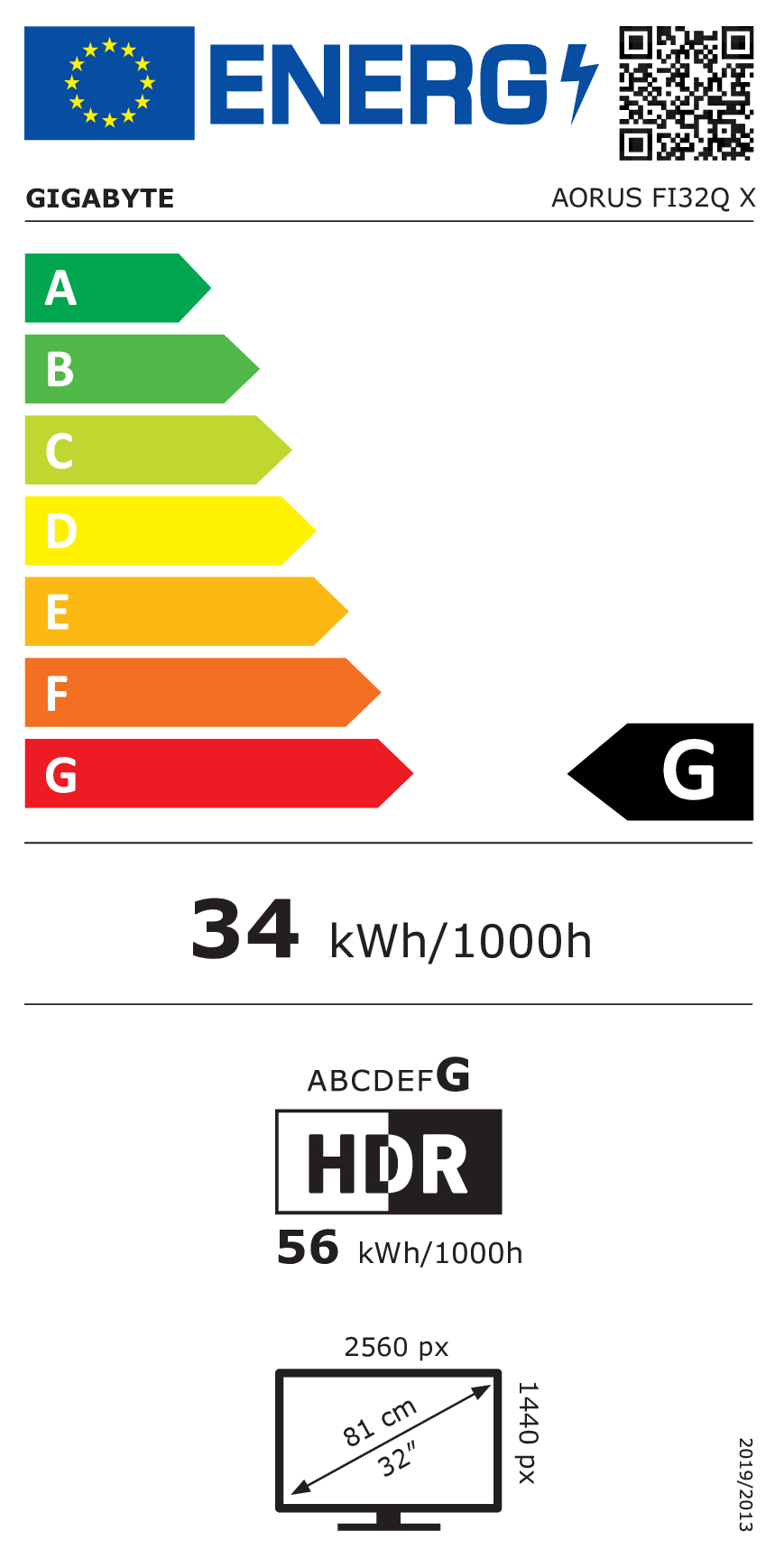
- Energy efficiency class (SDR)The energy efficiency rating of the device when operating in Standard Dynamic Range (SDR) mode, categorized from A to G.
- G
- Energy efficiency class (HDR)The energy efficiency rating of the device when High Dynamic Range (HDR) mode is active, ranging from A to G.
- G
- Energy consumption (SDR) per 1000 hoursThe amount of electric energy consumed by the device during standard dynamic range (SDR) operation over a period of 1000 hours, measured in kilowatt-hours (kWh).
- 34 kWh
- Energy consumption (HDR) per 1000 hoursThe amount of electrical energy consumed by the device when displaying High Dynamic Range (HDR) content over a period of 1000 hours, measured in kilowatt-hours (kWh).
- 56 kWh
- Power consumption (standby)The amount of electricity that is consumed when the product is on standby.
- 0.5 W
- Power consumption (max)The maximum amount of power used by the device.
- 160 W
- Power consumption (off)The amount of electrical energy consumed by the device when it is switched off, measured in watts.
- 0.3 W
- Power consumption (PowerSave)The amount of electrical energy consumed by the device when it is operating in a power-saving mode, measured in Watts.
- 0.5 W
- AC input voltageThe voltage of the AC electricity that is inputted into the product.
- 100 - 240 V
- AC input frequencyThe range of alternating current frequencies the device can accept from the power source, measured in hertz (e.g., 45 - 65).
- 50 - 60 Hz
- Power supply typeThe type of power supply which this product uses.
- Internal
- Energy efficiency scaleThe range of energy efficiency classes used to rate the product's power consumption, such as A to G.
- A to G
Security
- Cable lock slotHoles on the edge of devices through which a cable lock can be passed, so the device can be locked to a desk etc.
- Yes
- Cable lock slot typeThe standard of the security slot used to attach a physical locking cable to the device (e.g. Kensington or Noble).
- Kensington
Ergonomics
- Height adjustmentThe part of the device that can be adjusted to change the height.
- Yes
- Adjustable height (max)The maximum distance the unit can be raised vertically from its lowest position, measured in millimetres.
- 13 cm
- PivotIndicates whether the device can be rotated 90 degrees to switch between landscape and portrait orientation.
- Yes
- Pivot angleThe range of motion available for rotating the unit around its vertical axis, typically measured in degrees.
- 0 - 90°
- SwivellingIndicates whether the product has a mechanism that allows it to rotate horizontally.
- Yes
- Swivel angle rangeThe minimum and maximum degrees to which the unit can be rotated horizontally.
- -20 - 20°
- Tilt adjustmentThe tilt, which means the angle at which the device is pointing (up or down), can be changed.
- Yes
- Tilt angle rangeThe minimum and maximum angles at which the unit can be tilted, typically expressed in degrees.
- -5 - 21°
Management features
- On Screen Display (OSD)Indicates whether the device can display a graphical menu or information directly on the screen for adjusting settings and viewing status.
- Yes
Performance
- Flicker-free technologyIndicates whether the device employs technology to reduce or eliminate screen flickering to decrease eye strain during prolonged use.
- Yes
- High Dynamic Range (HDR) supportedIndicates whether the device supports High Dynamic Range for improved contrast and a wider range of colours and luminosity.
- Yes
Packaging data
- Package widthThe distance from one side of the packaging to the other.
- 1000 mm
- Package depthThe distance from the front to the back of the packaging.
- 198 mm
- Package heightThe distance from the top to the bottom of the packaging.
- 570 mm
- Package weightWeight of the packaged product.
- 15.4 kg
- Package typeThe type of product package e.g. box.
- Box
Database Right data-sheet 2026 Icecat. All rights reserved. Provided “as is”, without warranty — check details with the store before buying.
Expert reviews
- 80
kitguru.net2022
There's a lot to like about the Gigabyte Aorus FI32Q X. We mentioned at the start of this review that it looks very strong on paper, and by and large those strengths do come through in the real world.For starters, it might sound obvious but the 240Hz refr...
- +
- Punchy colours with Quantum Dot tech, 240Hz refresh rate that can be overclocked to 270Hz, Impressive response times mean minimal ghosting during gameplay, Excellent colour accuracy, especially once calibrated, Gigabyte includes a number of useful feature...
- −
- Pricey, Contrast isn’t wonderful, Missing true variable overdrive,
Price history (90 days, best daily price)
Price history is still being collected for this product — check back soon.
Alternative models

GIGABYTE M32QC
computer monitor 80 cm (31.5") 2560 x 1440 pixels Quad HD LED Black

GIGABYTE FO48U
computer monitor 120.7 cm (47.5") 3840 x 2160 pixels 4K Ultra HD OLED Black
GIGABYTE AORUS FI32Q X 32” QHD Gaming Monitor - 2560 x 1440
240Hz, 1ms, 400 cd/m², AMD FreeSync Premium Pro, Display HDR600, HDMI 2.1, Displayport 1.4

GIGABYTE G34WQC A 34" WQHD Curved Gaming Monitorr - 3440 x 1440, 1500R
144Hz, 1ms, 350 cd/m², FreeSync Premium, Display HDR400, HDMI 2.0, Displayport 1.4

GIGABYTE G34WQC A
computer monitor 86.4 cm (34") 3440 x 1440 pixels UltraWide Quad HD LCD Black

GIGABYTE M34WQ 34" WQHD Gaming Monitor - 3440 x 1440
144Hz, 1ms, 400 cd/m², FreeSync Premium, DisplayHDR400, HDMI 2.0, Displayport 1.4
Accessories & compatible products

R-Go Tools Monitor arm R-Go Zepher Single, fully adjustable, 0-8 Kg load capacity, 100% circular, black

R-Go Tools Monitor arm R-Go Caparo Single, fully adjustable with gas spring, 3-9 kg load capacity, 100% circular, black

R-Go Tools Monitor arm R-Go Zepher Dual, for two monitors, fully adjustable, 0
8 kg load capacity, 100% circular, black
