
BenQ XL2730Z computer monitor 68.6 cm (27") 2560 x 1440 pixels Full HD LED Black, Red
- Screen: 68.6 cm (27"), 2560 x 1440 pixels, TN
- Refresh rate: 1 ms response time
- Brightness: 350 cd/m²
- Ports: 2 × HDMI, 1 × DisplayPort
- Stand: height-adjustable, tilt, VESA 100 x 100 mm
- Extras: USB hub
- Colour: Black, Red
All 70 specificationsProduct page at benq.com ↗
Versions
 Black
 Black, Red
Where to buy
We're not tracking prices for this product yet. Check current prices directly at:
We may earn a commission when you buy through links on this page — at no extra cost to you. Learn more
About this product
Gaming Is in the Details that Matter
From years expertise in the development of professional gaming monitors and every close encounter with legendary gamers around the world, we have learned that what defines a truly victorious gaming monitor, or should you say “the best gaming monitor”, really depends on the performance-driven features that make the critical difference between victory and defeat. Gaming is in the details that matter. This is why our engineers and designers strive to perfect every detail that may ultimately contribute to the triumph of the game.
Fast 1ms GTG Response Time
Fast response time of 1ms GTG means speed without the smear for an enhanced gaming experience. Fast-moving action and dramatic transitions will be rendered smoothly without the annoying effects of smearing or ghosting. Control your gaming destiny and don't leave it in the hands of slow display.
Motion Blur Reduction for Extra Clarity Throughout the Game
BenQ’s new Motion Blur Reduction technology further enhances an ultra-smooth, free-of-blur gaming experience, particularly for action-packed FPS games where every millisecond count. With Motion Blur Reduction, gamers no longer suffer from time and gaming comfort lost to poor vision quality created by motion blur and lagging. Instead, they have everything to gain with more reaction time advantage on their side to achieve ultimately a flawless victory.
20-Level Color Vibrance Setting to Optimize Gaming Precision
It is absolutely vital that the XL2730Z give you the flexibility you need to get the color performance you seek. This is why BenQ built into the monitor 20 levels of Color Vibrance setting to meet gamers’ specific viewing requirements and preferences for all types of gameplay. This unique feature is accessible via On Screen Display (OSD) or Display Pilot for added convenience.
Customize Your Individual Viewing Preference
The Display Mode and Smart Scaling features allow you to change the monitor view to suit your preference and to simulate any in-game experience. Using the Display Mode function, the monitor can be easily changed between 8 different screen sizes, from 17”, 19”, 19”W, 21.5”, 22”W, 23”W, 23.6”W and 24”W.
If you’re looking to customize your screen size further, you can also take advantage of the Smart Scaling feature. The Smart Scaling feature gives you the flexibility to freely scale the screen content to any custom size. With just one monitor, you can simulate any game play and practice under different display sizes for tournaments. Use the Display Mode and Smart Scaling together to get the possible view for any application or game.
The Black eQualizer for Total Visibility
Poor visibility in dark scenes can cost even the most skillful gamers their game. To give you unprecedented level of control and visibility for console gaming, the XL2730Z is built with the Black eQualizer color engine technology to brighten dark scenes without over-exposing the bright areas. This helps preserve vital details, enabling you to spot your enemies easily in critical combat and react quickly in any situation. What’s more, with maximized visual clarity, you’ll also experience more eye comfort and less eye fatigue during intense games or after a long day of practice.
Adjustment Scale Design for Effortless Set-up Every Time
To ensure that gamers can duplicate the exact same monitor set-up with the highest accuracy, efficiency and convenience, BenQ made a few additions to the XL2730Z’s Adjustment Scale Design. The adjustable height stand is now scaled with 14 height levels trackable by a moving marker. Trackable scales are also added to the screen, which tilts forward and backward to 0°, 10° and 20°, and swivels left and right to a wide range of angles. Every XL2730Z can be your personal XL2730Z.
S Switch Arc with a Rounder Fit for More Comfort
The S Switch Arc is an external controller that comes with preset buttons that can be customized with personal display settings for gaming, work or entertainment use. The S Switch Arc not only sports a quick key for the Auto Game Mode but also a rounder look for a more natural and comfortable grip that enables gamers to best navigate between game modes.
Display Pilot for On-Screen Display Navigation
The newly upgraded Display Pilot function allows users to make all the on-screen display adjustments, plus provides them with direct access to the Game Mode Loader feature for downloading and installing the preset display settings of their favorite game or professional gamer’s screen instantly.
Auto Game Mode Setting for Added Ease and Convenience
The Auto Game Mode enables the XL2730Z to detect the genre of the game being played and switch the display setting to the corresponding game mode automatically. It is also designed to make new game mode recommendations for download. This unique feature is accessible through the On Screen Display (OSD) setting as well as the Display Pilot software or the S Switch Arc that has a quick key built in for this mode.
Game Mode to Go for Universal Access Wherever You Go
To save gamers the hassle of having to re-download and reset game modes, the XL2730Z allows gamers to store game modes onto a USB flash drive for easy and simple carriage. They can also share their own game modes with everyone via cloud storage or social media platforms. This innovative feature allows gaming communities to share, collaborate and bond freely with ease.
A Superior Build for a Rock-Steady Gameplay
Sporting the latest angular, compact base that aligns perfectly parallel to the desk surface and a monitor stand meticulously placed in golden ratio to counter balance the display, the next-generation base stand design offers a new level of stability for the steadiest gameplay – with stringent swivel and shock testing results to prove it. Additionally, the reduced width and depth further shortens the distance between the keyboard and the monitor, bringing you closer than ever to the game.
Documents
Specifications
Key specifications
- Display diagonalSize of the display for this product, measured diagonally, usually in inches.
- 68.6 cm (27")
- Display resolutionThe number of distinct pixels in each dimension that can be displayed. It is usually quoted as width × height, with the units in pixels: for example, "1024 × 768" means the width is 1024 pixels and the height is 768 pixels. The higher the number of pixels, the sharper the image.
- 2560 x 1440 pixels
- Panel typeThe technology used to manufacture the panel, such as AMOLED or AH-IPS.
- TN
- Response timeThe response time is the time difference between the moment that a source (for example a video card) sends a signal and that equipment (for example a monitor) receives or display the signal. (Used abbreviations: R/F = Rise and Fall.)
- 1 ms
- Display brightness (typical)Display brightness, measured by its Luminance, presented as a figure in nits. Typical brightness ratings for monitors range from 250 to 350 nits with a target value of between 80 to 120 nits being suitable for most displays in a normal viewing environment.
- 350 cd/m²
- HDMI ports quantityThe number of sockets (ports) for HDMI connections. HDMI (High-Definition Multimedia Interface) is a compact audio/video interface for transferring uncompressed video data and compressed/uncompressed digital audio data from a HDMI-compliant device ("the source device") to a compatible computer monitor, video projector, digital television, or digital audio device. HDMI is a digital replacement for…
- 2
- DisplayPorts quantityNumber of DisplayPorts. A DisplayPort is a digital display interface developed by the Video Electronics Standards Association (VESA). The interface is primarily used to connect a video source to a display device such as a computer monitor, though it can also be used to carry audio, USB, and other forms of data.
- 1
- Height adjustmentThe part of the device that can be adjusted to change the height.
- Yes
- Tilt adjustmentThe tilt, which means the angle at which the device is pointing (up or down), can be changed.
- Yes
- Panel mounting interfaceThe product can be used wih VESA mounting interfaces.
- 100 x 100 mm
- Built-in USB hubWhether or not the device features a USB hub to connect more than one other device via USB.
- Yes
- Product colourThe colour e.g. red, blue, green, black, white.
- Black, Red
Show all 70 specificationsShow key specifications only
Design
- VESA mountingIndicates whether the product supports the VESA mounting standard for attachment to compatible arms, brackets, or wall mounts.
- Yes
- Market positioningUnder which category can the device be positioned in the market, e.g. camera phone.
- Gaming
- Product colourThe colour e.g. red, blue, green, black, white.
- Black, Red
- Panel mounting interfaceThe product can be used wih VESA mounting interfaces.
- 100 x 100 mm
Ports & interfaces
- Built-in USB hubWhether or not the device features a USB hub to connect more than one other device via USB.
- Yes
- USB hub versionThe technical standard of the USB hub, if available, which determines the maximum data transfer speed (e.g., 3.2 Gen 1).
- 3.2 Gen 1 (3.1 Gen 1)
- USB upstream port typeThe connector type used for the upstream connection to a host device (e.g., USB Type-B or USB Type-C).
- USB Type-B
- Number of upstream portsThe total number of available ports used to connect the device to a computer or another network source.
- 1
- Number of USB Type-B upstream ports quantityThe total number of USB Type-B ports available to connect the device to a host computer for data transmission.
- 1
- USB Type-A downstream ports quantityThe number of USB Type-A ports available for connecting peripheral devices to the unit.
- 2
- VGA (D-Sub) ports quantityNumber of VGA (D-Sub) ports (connecting interfaces) in the device. The VGA (D-Sub) connector is a 15 pin connector between a computer and a monitor. It was first introduced in 1987 by IBM.
- 1
- DVI portDigital Visual Interface (DVI) is a video display interface to connect a video source to a display device, such as a computer monitor.
- Yes
- HDMI ports quantityThe number of sockets (ports) for HDMI connections. HDMI (High-Definition Multimedia Interface) is a compact audio/video interface for transferring uncompressed video data and compressed/uncompressed digital audio data from a HDMI-compliant device ("the source device") to a compatible computer monitor, video projector, digital television, or digital audio device. HDMI is a digital replacement for…
- 2
- DisplayPorts quantityNumber of DisplayPorts. A DisplayPort is a digital display interface developed by the Video Electronics Standards Association (VESA). The interface is primarily used to connect a video source to a display device such as a computer monitor, though it can also be used to carry audio, USB, and other forms of data.
- 1
- Headphone outThe socket for connecting headphones to the device.
- Yes
- Headphone outputsNumber of sockets /ports where headphones are connected.
- 1
- Microphone inThe socket where a microphone is connected to the device.
- Yes
- HDCPHigh-bandwidth Digital Content Protection (HDCP) is a form of digital copy protection to prevent copying of digital audio and video content as it travels across connections.
- Yes
Multimedia
- Built-in cameraThe product has an integrated camera.
- No
Display
- Display diagonalSize of the display for this product, measured diagonally, usually in inches.
- 68.6 cm (27")
- Display resolutionThe number of distinct pixels in each dimension that can be displayed. It is usually quoted as width × height, with the units in pixels: for example, "1024 × 768" means the width is 1024 pixels and the height is 768 pixels. The higher the number of pixels, the sharper the image.
- 2560 x 1440 pixels
- Native aspect ratioThe aspect ratio is the ratio of the width of an image to its height. The native aspect ratio is the one which the projector/display is particularly designed for. Images shown in native aspect ratio will utilize the entire resolution of the display and achieve maximum brightness. Images shown in other than native aspect ratio will always have less resolution and less brightness than images shown…
- 16:9
- Display technologyThe technology used in the display e.g. plasma, LED.
- LED
- TouchscreenA screen of a laptop, smartphone, etc., that responds to touch so you can control the interface using your fingers.
- No
- HD typeType of supported High Definition (e.g. Full HD, 4K Ultra HD).
- Full HD
- Panel typeThe technology used to manufacture the panel, such as AMOLED or AH-IPS.
- TN
- Display brightness (typical)Display brightness, measured by its Luminance, presented as a figure in nits. Typical brightness ratings for monitors range from 250 to 350 nits with a target value of between 80 to 120 nits being suitable for most displays in a normal viewing environment.
- 350 cd/m²
- Response timeThe response time is the time difference between the moment that a source (for example a video card) sends a signal and that equipment (for example a monitor) receives or display the signal. (Used abbreviations: R/F = Rise and Fall.)
- 1 ms
- Supported graphics resolutionsThe graphic resolutions that can be displayed by the device. The graphic resolution describes the width and height dimensions of a display, such as a computer monitor, measured in pixels.
- 2560 x 1440
- Aspect ratioThe aspect ratio is the ratio of the width of a shape to its height. For example, 4:3 is common for standard displays and 16:9 is the ratio for Widescreen TV.
- 16:9
- Contrast ratio (typical)The difference in light intensity between the brightest white and the darkest black.
- 1000:1
- Contrast ratio (dynamic)A property of a display system, defined as the ratio of the luminance of the brightest color (white) to that of the darkest color (black) that the system is capable of producing.
- 12000000:1
- Viewing angle, horizontalMaximum horizontal angle at which a display can be viewed with acceptable visual performance.
- 170°
- Viewing angle, verticalMaximum vertical angle at which a display can be viewed with acceptable visual performance.
- 160°
- Display number of coloursThe total number of distinct colours that the device is capable of displaying (e.g. 1.07 billion colours).
- 16.78 million colours
- Pixel pitchThis is the parameter of a picture tube, which specifies the shortest distance between two dots of the same colour. The principle is: the smaller the dot pitch, the better sharpness of image.
- 0.233 x 0.233 mm
- Horizontal scan rangeThe range of horizontal frequencies the device can process and display, measured in kHz.
- 24 - 120 kHz
- Vertical scan rangeThe range of vertical frequencies the device can process and display, measured in hertz (Hz).
- 24 - 120 Hz
- Digital horizontal frequencyThe range of horizontal scanning frequencies the device can support, measured in kHz.
- 56 - 144 kHz
- Digital vertical frequencyThe range of refresh rates the device can support when operating in digital mode, measured in Hertz (Hz).
- 56 - 144 Hz
- Colour gamutThe range of colours that the display can accurately reproduce, typically expressed as a percentage of a standard colour space (e.g. sRGB or Adobe RGB).
- 72%
Thin Client
- Thin client installedThe product includes a thin client, which is a computer or a computer program which depends heavily on some other computer (its server) to fulfill its computational roles. This is different from the traditional fat client, which is a computer designed to take on these roles by itself. The specific roles assumed by the server may vary, from providing data persistence (for example, for diskless nod…
- No
Other features
- TV tuner integratedDevice has an in-built TV tuner.
- No
- Supplied AC adapter typeThe type of power supply provided with the product to connect it to an alternating current source (e.g. AC).
- LED
- 3DThe device can be used with 3D technology.
- No
Sustainability
- Sustainability certificatesThe environmental or ethical certifications the product has received to verify its sustainability standards (e.g., ASC or ACT Organic).
- ENERGY STAR
Packaging content
- Cables includedSpecifies the types and quantities of connection cables provided with the product (e.g., 3.5 mm to 3.5 mm or SATA).
- AC, DisplayPort, DVI, USB
Weight & dimensions
- Width (with stand)The total horizontal measurement of the product when the supporting stand is attached, measured in millimetres.
- 633.7 mm
- Depth (with stand)The measurement of the product from front to back when any supporting accessory or base is attached, expressed in millimetres or centimetres.
- 226 mm
- Height (with stand)The total vertical measurement of the product including its base or support structure, expressed in millimetres or centimetres.
- 417.4 mm
- Width (without stand)The horizontal measurement of the device excluding the base or support structure, expressed in millimetres.
- 633.7 mm
- Depth (without stand)The measurement of the product from front to back without its base or support, typically expressed in millimetres or centimetres.
- 61 mm
- Height (without stand)The vertical measurement of the device when the stand is removed, measured in mm.
- 372.6 mm
- Weight (without stand)The mass of the device excluding the support base, measured in g.
- 7.5 kg
Power
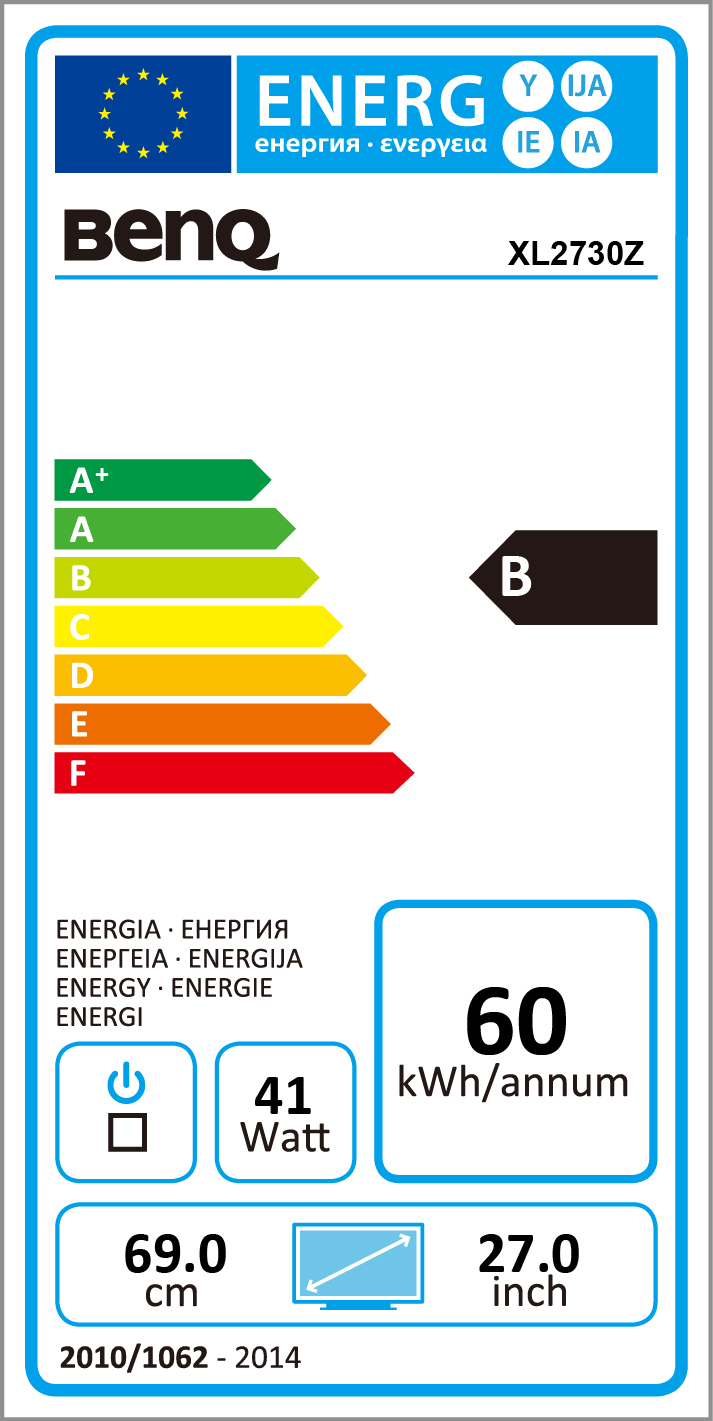
- Power consumption (typical)Amount of power consumed by this model, often expressed in watts (W). Typical values that manufacturers give are power consumption when off, standby/suspended mode, typical use, maximum usage.
- 65 W
- Power consumption (off)The amount of electrical energy consumed by the device when it is switched off, measured in watts.
- 0.5 W
- Power consumption (PowerSave)The amount of electrical energy consumed by the device when it is operating in a power-saving mode, measured in Watts.
- 0.5 W
- AC input voltageThe voltage of the AC electricity that is inputted into the product.
- 90 - 264 V
Security
- Cable lock slotHoles on the edge of devices through which a cable lock can be passed, so the device can be locked to a desk etc.
- No
Ergonomics
- Height adjustmentThe part of the device that can be adjusted to change the height.
- Yes
- Adjustable height (max)The maximum distance the unit can be raised vertically from its lowest position, measured in millimetres.
- 14 cm
- PivotIndicates whether the device can be rotated 90 degrees to switch between landscape and portrait orientation.
- Yes
- Pivot angleThe range of motion available for rotating the unit around its vertical axis, typically measured in degrees.
- 0 - 90°
- SwivellingIndicates whether the product has a mechanism that allows it to rotate horizontally.
- Yes
- Swivel angle rangeThe minimum and maximum degrees to which the unit can be rotated horizontally.
- -45 - 45°
- Tilt adjustmentThe tilt, which means the angle at which the device is pointing (up or down), can be changed.
- Yes
- Tilt angle rangeThe minimum and maximum angles at which the unit can be tilted, typically expressed in degrees.
- -5 - 20°
Management features
- On Screen Display (OSD)Indicates whether the device can display a graphical menu or information directly on the screen for adjusting settings and viewing status.
- Yes
- Number of OSD languagesThe total number of different languages available for the on-screen display menu (e.g. 15).
- 17
Features
- Windows operating systems supportedWindows vesions wich can be used with the device.
- Yes
Database Right data-sheet 2026 Icecat. All rights reserved. Provided “as is”, without warranty — check details with the store before buying.
Expert reviews
- 85
kitguru.net2017
The BenQ ZOWIE XL2730 is an accomplished gaming monitor with few significant flaws. The image quality is good out of the box, and can be calibrated to a superb level. The range of options for gamers is extensive, giving plenty of control over how image qu...
- +
- Great colour fidelity, particularly when calibrated, 144Hz refresh, Lots of settings to improve performance for gaming, Adaptive Sync, S switch Arc external control device
- −
- Slightly pricier than competition, Only two downstream ports on USB hub
- 80
avforums.com2015
The BenQ XL2730Z makes an excellent choice for gamers with Adaptive Sync technology, low input lag, the ability to take a 144Hz video signal, via its HDMI 2.0 input and DisplayPort connection, plus a range of features designed to provide a competitive adv...
- +
- Great motion handling, Fairly low input lag, Accurate colours post calibration, Some useful features, Excellent connectivity, Good build quality
- −
- A couple of uniformity issues, Inaccurate in default picture modes
- 90
xsreviews.co.uk2015
The BenQ XL2730Z is a well-designed monitor, perfectly suited for competitive gamers looking for an edge. 1440p and 144 Hz monitors make a lot of sense right now, and the XL2730Z distinguishes itself with solid performance and practical extra features. Wh...
- +
- Hits that optimum 1440p + 144Hz sweet spot, Fun and useful extras (USB + audio ports, headphone hook), Easy to use OSD with many useful features
- −
- TN display with washed out colours and poor viewing angles, Not the cheapest option on the market, Score, Links, Buy the BenQ XL2730Z on Amazon, Official BenQ XL2730Z web page
- 96
techteamgb.co.uk2015
Freaking amazing, and gets the Top Tier Award!
Read the review at techteamgb.co.uk ↗
Price history (90 days, best daily price)
Price history is still being collected for this product — check back soon.
Alternative models

BenQ RL2455HM
computer monitor 61 cm (24") 1920 x 1080 pixels Full HD LED Black

BenQ GL2450
computer monitor 61 cm (24") 1920 x 1080 pixels Full HD LED Black

BenQ XL2730Z
computer monitor 68.6 cm (27") 2560 x 1440 pixels 2K Ultra HD LED Black

BenQ GW2265HM
computer monitor 54.6 cm (21.5") 1920 x 1080 pixels Full HD LED Black

BenQ BL2420PT
computer monitor 60.5 cm (23.8") 2560 x 1440 pixels Quad HD LED Black

BenQ RL2755HM
computer monitor 68.6 cm (27") 1920 x 1080 pixels Full HD LED Black