
Barco wePresent WiPG-1000 wireless presentation system HDMI + VGA (D-Sub) Desktop
- Form factor: Desktop
- Quick start guide
- Windows operating systems supported: Windows 10, Windows 7, Windows 8
- Mac compatibility
- Power source type: DC
- Input voltage: 5 V
Where to buy
We're not tracking prices for this product yet. Check current prices directly at:
We may earn a commission when you buy through links on this page — at no extra cost to you. Learn more
About this product
WiPG-1000 is the base model presentation solution from the wePresent product line. The entry-level model is packed-full features making it an affordable solution for classrooms, huddle spaces and meeting rooms. WiPG-1000 can connect to your display via HDMI or VGA outputs offering up to 1080p presentations, there’s even an audio jack for secondary audio system support.
Present with any device
In today’s Bring Your Own Device environments, cross platform presentations are more important than ever. wePresent makes it easy for users with any device of any type to connect and present their content quickly and easily even without software installation. WiPG-1000 also allows users to share audio/ video content from an iOS device, using Apple's native Airplay protocol.
Multiple users for simultaneous presentations
Meetings and classrooms come in a variety of sizes. To help manage even the largest environments, wePresent offers interactive presentation and collaboration solutions that allow up to 64 users to connect and participate. All connected users can take turns presenting, fostering a truly collaborative multi-user experience. Using conference control, moderators can select any of the connected participants from the on-screen queue to present, up to 4 at a time.
Flexible connections & networking with security in mind
WiPG-1000 offers a configurable Wireless Access Point (WAP). Broadcast an additional wireless SSID signal for your team or guests to make a connection. The unit offers enterprise level security with SALSA20 data encryption, gatekeeper settings, and individualized control over IP settings.
Built in features for interactive experiences
WiPG-1000 offers on board USB ports to connect a Bluetooth mouse to enable the use of conference controls on screen. For environments with touchscreen displays, WiPG-1000 offers support for touchscreen control.
Specifications
Design
- Form factorThe shape or design of the product.
- Desktop
- Product colourThe colour e.g. red, blue, green, black, white.
- Black
Packaging content
- Quick start guideInstructions, either online, as a computer program or in paper form, to allow you to set up and start using the product quickly.
- Yes
Features
- Windows operating systems supportedWindows vesions wich can be used with the device.
- Windows 10, Windows 7, Windows 8
- InterfaceInterface ports to connect pieces of equipment. USB (Universal Serial Bus) has become the most popular wired interface to connect peripherals. USB 2.0 supports speeds up to 480 Mbit/s (USB 1: 12 Mbit/s). The interface FireWire is also known as the IEEE 1394 standard. Enhanced IDE (EIDE)is sometimes referred to as Fast ATA, Fast IDE or ATA-2.
- HDMI + VGA (D-Sub)
- Maximum operating distanceThe maximum distance from which you can operate the device.
- 30 m
Other features
- Mac compatibilityProduct can be used with Apple Mac software and/or hardware.
- Yes
Software
- Mac operating systems supportedMac operating systems e.g. OS X can be used with the device.
- Mac OS X 10.10 Yosemite, Mac OS X 10.11 El Capitan, Mac OS X 10.12 Sierra, Mac OS X 10.9 Mavericks
System requirements
- Mobile operating systems supportedThe operating systems e.g. Android, iOS, that can be used with the mobile device.
- Android 4.1, Android 4.2, Android 4.2.1, Android 4.3, Android 4.4, Android 5.0, Android 5.1, Android 6.0, Android 7.1, iOS 4.2, iOS 4.3, iOS 5.0, iOS 6.0, iOS 6.1, iOS 7.0, iOS 7.1, iOS 7.2, iOS 8.0, iOS 8.1, iOS 8.2, iOS 8.3, iOS 8.4, iOS 9.0, iOS 9.1, iOS 9.2, iOS 9.3
Power
- Power source typeWhat the power source is.
- DC
- Input voltageThe voltage (V) which is required to power the product.
- 5 V
Ports & interfaces
- Number of HDMI outputsPort (socket) for HDMI output.
- 1
- VGA (D-Sub) output portsThe number of VGA (D-Sub) interfaces available for transmitting video signals from the device.
- 1
- Ethernet LAN (RJ-45) portsNumber of Ethernet LAN (RJ-45) ports (connecting interfaces) in the device. Ethernet LAN (RJ-45) ports allow a computer to connect to the ethernet.
- 1
- USB 2.0 ports quantityNumber of USB 2.0 ports (connecting interfaces) in the device. USB 2.0 was released in April 2000 (now called "Hi-Speed"), adding higher maximum signaling rate of 480 Mbit/s (effective throughput up to 35 MB/s or 280 Mbit/s), USB 2.0 ports are usually black.
- 3
- 3.5 mm (1/8-inch) outIndicates whether the device features a 3.5 mm (1/8-inch) audio output jack.
- Yes
Network
- Wi-Fi standardsThe type of wireless local area network (LAN). It can be ad-hoc, where units in a network communicate peer-to-peer, or Infrastructure, where units communicate with each other via an access point A LAN interconnects computers in a small area e.g. home, school or office.
- 802.11a, Wi-Fi 5 (802.11ac), 802.11b, 802.11g, Wi-Fi 4 (802.11n)
- Ethernet LANAn Ethernet LAN (Local Area Network) interface is present, for a wired conection via a cable.
- Yes
Keyboard
- Frequency bandA small section of the spectrum of radio communication frequencies, in which channels are usually used or set aside for the same purpose e.g.for a channel on FM radio; for mobile networks to communicate with mobile phones.
- 2.4 & 5
Performance
- Security algorithmsSecurity algorithms are used to provide authentication, cipher key generation, integrity and radio link privacy to users on mobile networks. The security algorithms supported are the ones that can be used with this product.
- WEP, WPA, WPA2-PSK
- Reset buttonIndicates whether the device features a dedicated button to restore the unit to its original factory settings.
- Yes
- Number of usersThe number of people that use or can use this product.
- 64 user(s)
Display
- Supported video modesThe video modes that can be displayed by the device.
- 1080p
Camera
- Maximum frame rateThis is the maximum frame rate, also known as frame frequency and frames per second (FPS). It is the frequency (rate) at which an imaging device produces unique consecutive images called frames. The term applies equally well to film and video cameras, computer graphics, and motion capture systems. Frame rate is most often expressed in frames per second (FPS) and is also expressed in progressive s…
- 30 fps
Database Right data-sheet 2026 Icecat. All rights reserved. Provided “as is”, without warranty — check details with the store before buying.
Price history (90 days, best daily price)
Price history is still being collected for this product — check back soon.
Alternative models
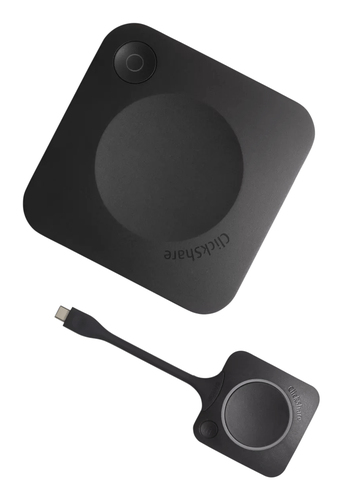
Barco ClickShare C‑10 wireless presentation system HDMI Desktop

Barco CX‑50 G2 wireless presentation system HDMI Desktop

Barco ClickShare CX‑20 Gen 2 wireless presentation system HDMI Desktop

Barco ClickShare CX-50 wireless presentation system HDMI Desktop

Barco ClickShare C-5 Gen2 wireless presentation system HDMI Dongle
