
Samsung DM65E-BR interactive whiteboard 165.1 cm (65") 1920 x 1080 pixels Touchscreen Black
- Skärm diagonal: 165,1 cm (65")
- Kabel inkluderad: AC
- Fjärrkontroll ingår
- Batterier medföljer
- Snabbstartsguide
- Penna ingår
Var du köper
Vi bevakar inte priser för den här produkten än. Se aktuella priser direkt hos:
Vi kan få provision när du köper via länkar på den här sidan — utan extra kostnad för dig. Läs mer
Om produkten
A Smoother, More Interactive Writing Experience Using Touch
Featuring a pre-assembled Touch Overlay and a variety of collabouration-enhancing capabilities, the Samsung e-Board display alleviates misconceptions that digital display writing is complex and unnatural. Instead, the DME-BR’s touchscreen offers a smooth and comfortable writing experience. The DME-BR display’s hand touch function enables up to 10 different participants to touch the display’s screen using two fingers to make content selections, comments or edits, with those individual actions easily recognisable to the entire group. This versatile usability promotes efficiency and productivity by compiling individual feedback within a single source and offering greater visibility to all participants of discussed content.
For added convenience, the Samsung e-Board display also comes with a hand eraser tool useful for erasing larger areas of the screen. Instead of users having to search for and work through a specific removal function key, the simple and intuitive hand eraser makes content revision fast and user-friendly.
A More Engaging, Interactive Content Management Experience
The Samsung SMART Signage e-Board display’s embedded MagicIWB S2* interactive content management software solution transforms a traditional presentation into a dynamic business or educational experience. As an all-in-one touch solution, Samsung’s free MagicIWB S2 programme delivers added flexibility for extensive collabouration before, during and after meetings or classes without requiring the use of separate dedicated PCs or additional devices. A touch-activated floating menu enables users to independently control, display and shuffle between multiple screens and various text, image, audio and video content files. Once sessions conclude, MagicIWB S2’s compatibility with standard office software programs lets users update, save, capture, print and share files for later viewing. With the support of the MagicIWB S2 solution, the Samsung e-Board display enhances the overall knowledge-sharing process through deeper engagement and all-inclusive file management.
Versatile Usability with Extensive Connectivity and Easy-to-Use Touch Capability
Today’s business and educational environments require advanced compatibility for users to easily read and share content. Through its enhanced and versatile connectivity, Samsung’s e-Board display allows users to access, share and revise content via their own laptops, tablets and smartphones. This superior connectivity stems from the display being equipped to support a range of signal input sources, including HDMI, D-Sub, DisplayPort (DP), DVI and USB ports, which are compatible with nearly all external devices.
Furthermore, the Samsung e-Board display’s auto switching for the touch function eliminates the headache of needing two different cables to use touch with a notebook PC. Instead, the display features an easily assessable touch out cable (USB upstream) on the side of the front pen tray. Users just need to plug the single touch cable into the USB, connect the cable to the notebook PC and setup source. Together, these integrated solutions simplify multi-device setup and connectivity, as well as ensure convenient utilisation of the display’s advanced touch capability.
An Intuitive Design that Promotes Efficiency and Usability
The Samsung SMART Signage e-Board display’s pre-assembled design allows users to comfortably install, control and work with the all-in-one e-Board solution. As part of its professional-grade design, the Samsung e-Board display incorporates a front pen tray for convenient storage and easy access to display components. With a design format resembling that of an analog white board, the Samsung e-Board helps ensure user familiarly and seamless technology adoption, while also bringing design sophistication and advanced functionality to business and educational environments. Additionally, the display’s design positions simplified hot keys on the front and side of the pen tray. The shortcut hot keys allow users to easily locate and select frequently-used functions, including touch on/off, quick menu, power on/off, touch out USB and HDMI, with the simple push of a button.
With the Samsung SMART Signage e-Board, business professionals and educators can economically utilise space while delivering the functionality essential for effective collabouration and productivity.
Dokument
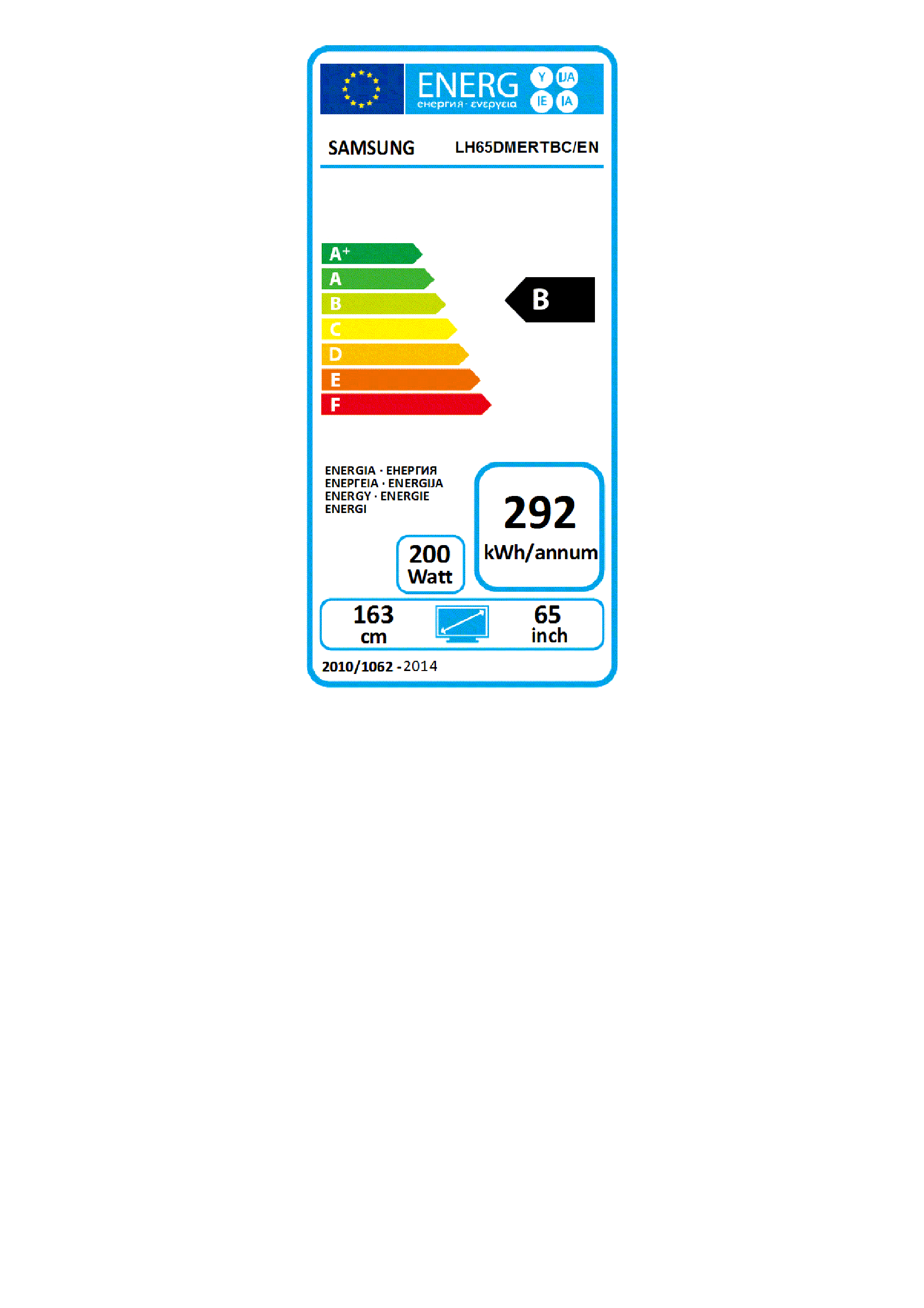
- ProduktinformationsbladEU Product Fiche ↗
Specifikationer
Viktigaste specifikationer
- Skärm diagonalStorlek av skärmen för denna produkt; uttryckt i tummar diagonalt
- 165,1 cm (65")
- Kabel inkluderad
- AC
- Fjärrkontroll ingårBeskrivning av funktioner handhållen fjärrkontroll
- Ja
- Batterier medföljer
- Ja
- Snabbstartsguide
- Ja
- Penna ingår
- Ja
- Medföljande programvara
- MagicIWB I2
- Temperatur vid drift
- 0 - 40 ° C
- Intervall för relativ operativ luftfuktighet
- 10 - 80%
- Strömförbrukning (max)
- 264 W
Visa alla 50 specifikationerVisa bara de viktigaste specifikationerna
Display
- Skärm diagonalStorlek av skärmen för denna produkt; uttryckt i tummar diagonalt
- 165,1 cm (65")
- LjusstyrkaLjusstyrka är antalet utstrålande ljus skärmen avger. Ljusstyrkan mäts i candela per kvadratmeter; allmän känt som 'nits'.
- 380 cd/m²
- Antal färger
- 1,073 miljarder färger
- UpplösningSkärmupplösning for systemet
- 1920 x 1080 pixlar
- HD-typ
- Full HD
- Typ av LED-bakgrundsbelysning
- Direct-LED BLU
- Kontrastförhållande (medel)Ljusskillnaden mellan den mörkaste svarta och den ljusaste vita
- 4000:1
- Kontrastförhållande (dynamisk)
- 50000:1
- Svarstid (medel)Svarstiden är tidsskillnaden mellan momentet en källa (till exempel ett videokort) sänder en signal och när utrustningen (till exempel en skärm) mottar signalen. (använda förkortningar: R/F = Rise and Fall.)
- 6 ms
- Pekskärm
- Ja
- Betraktningsvinkel (horisontell)
- 178°
- Synfältsvinkel (vertikal)
- 178°
- PixelavståndAvståndet mellan två pixlar
- 0,248 x 0,744 mm
- Färgomfång
- 72%
- Horisontellt sökområde
- 30 - 81 kHz
- Vertikalt sökområde
- 48 - 75 hz
Förpackningens innehåll
- Kabel inkluderad
- AC
- Fjärrkontroll ingårBeskrivning av funktioner handhållen fjärrkontroll
- Ja
- Batterier medföljer
- Ja
- Snabbstartsguide
- Ja
- Penna ingår
- Ja
Programvara
- Medföljande programvara
- MagicIWB I2
Vikt & dimension
- Bredd
- 1535,3 mm
- Djup
- 76,6 mm
- HöjdHöjd av produkten
- 910,4 mm
- ViktProduktens vikt utan förpackning (nettovikt). Om möjligt nettovikten är angett inklusive standardtillbehör och förråd.Obs, ibland anger tillverkaren en för kommersiell interpretation av produktvikten, där han lämnar ut vikten av tillbehör och/eller förråd.
- 46,1 kg
Miljökrav
- Temperatur vid drift
- 0 - 40 ° C
- Intervall för relativ operativ luftfuktighet
- 10 - 80%
Strömtillförsel
- Strömförbrukning (max)
- 264 W
- Strömförbrukning (vanlig)Mängden energi förbrukat av denna modell; uttryckt i watt. Typiska värden tillverkare anger är energiförbruk när stängd av, standby/suspended mode, vanlig bruk, maximum bruk.
- 200 W
- Strömförbrukning i avslaget läge
- 0,5 W
- AC-inspänning
- 100 - 240 V
- Växelström Frekvens
- 50 - 60 hz
Design
- Produktens färg
- Svart
- VESA-fäste
- Ja
- Gränsssnitt för panelmontering
- 400 x 400 mm
Certifikat
- Certifiering
- FCC (USA): Part 15, Subpart B Class A, CE (Europe): EN55022: 2006 + A1: 2007, EN55024: 1998 + A1: 2001 + A2: 2003, VCCI (Japan): VCCI V-3/2010.04 Class A, KCC/EK (Korea): Tuner: KN13/KN20, Tunerless: KN22/KN24, BSMI (Taiwan): CNS13438 (ITE EMI) Class A/CNS13439 (AV EMI)/CNS14409 (AV EMS)/CNS14972 (Digital), C-Tick (Australia): AS/NZS CISPR22:2009, CCC (China): GB9254-2008, GB17625,1-2012, GOST (Russia/CIS): GOST R 51317 Series, GOST 22505-97, EN55022: 2006 + A1: 2007, EN55024: 1998 + A1: 2001 + A2: 2003 CB (Europe): IEC60950-1/EN60950-1, CCC (China): GB4943.1-2011, PSB (Singapore): PSB + IEC60950-1, NOM (Mexico): NOM-001-SCFI-1993, IRAM (Argentina): IRAM + IEC60950-1, SASO (Saudi Arabia): SASO + IEC60950-1, BIS (India): IEC60950-1/IS13252, NOM (Mexico): Tuner: NOM-001-SCFI-1993, Tunerless: NOM-019-SCFI-1998, KC (Korea): K 60950-1, EAC (Russia): EAC + IEC60950-1, INMETRO (Brazil): INMETRO + IEC60950-1, BSMI (Taiwan): BSMI + IEC60950-1, RCM (Australia): IEC60950-1/AS/NZS 60950-1, CSA (Canada): cUL, UL (USA): cUL60950-1, TUV (Germany): CE, NEMKO (Norway): CE
Anslutningar
- Antal HDMI-portar
- 3
- Komponentvideo in (YPbPr / YCbCr)
- 1
- DisplayPort-version
- 1,2
- Antal Displayportar
- 1
Nätverk
- Wi-Fi
- Ja
- Nätverksansluten (Ethernet)
- Nej
Projektor
- Inbyggd projektor
- Nej
Ljud
- Inbyggda högtalare
- Ja
- Antal inbyggda högtalare
- 2
Förpackning
- Förpackningens breddEn lista med vilka tjänster och mjukvaror som följer med produkten
- 1665 mm
- LåddjupFör att visa hur mycket som kan bli skrivit eller läst på tejpen
- 250 mm
- Förpackningens höjdTjockleken på tejpen är uttryckt i microner
- 1040 mm
- Vikt inkl. förpackningVikt av den förpackade produkten i gram.
- 54,1 kg
Database Right data-sheet 2026 Icecat. All rights reserved. Tillhandahålls ”i befintligt skick”, utan garanti — kontrollera detaljerna med butiken innan du köper.
Prishistorik (90 dagar, bästa dagspris)
Vi samlar fortfarande in prishistorik för den här produkten — titta in igen snart.
Alternativa modeller

Samsung DM65E-BC interactive whiteboard
165.1 cm (65") 1920 x 1080 pixels Touchscreen Black HDMI

Samsung DM75E-BR interactive whiteboard
190.5 cm (75") 1920 x 1080 pixels Touchscreen Black

Samsung DM82E-BR interactive whiteboard Black

Samsung DM65E-BR interactive whiteboard
165.1 cm (65") 1920 x 1080 pixels Touchscreen Black USB

Samsung DM82E-BR interactive whiteboard 2.08 m
(82") 1920 x 1080 pixels Touchscreen Black USB
Samsung DM82E-BM interactive whiteboard 2.08 m
(82") 1920 x 1080 pixels Touchscreen Black
Tillbehör och kompatibla produkter

Samsung DM65E Digital signage flat panel
165.1 cm (65") LED Wi-Fi 450 cd/m² Full HD Black 24/7

Samsung ED65E Digital signage flat panel
165.1 cm (65") LED 400 cd/m² Full HD Black Touchscreen

Samsung WMN6575SD signage display mount Black
