
Contour Design RollerMouse Red Plus Wireless
- Anslutning: RF Trådlös
- Sensor: 2800 DPI
- Knappar: 7, Boll
- Form: Ambidextrous
- Avsedd för: Kontor
- Färg: Svart, Silver
Var du köper
Vi bevakar inte priser för den här produkten än. Se aktuella priser direkt hos:
Vi kan få provision när du köper via länkar på den här sidan — utan extra kostnad för dig. Läs mer
Om produkten
Contour RollerMouse Red plus Wireless – Freedom of movement
With the Contour RollerMouse Red plus Wireless you really get the freedom to move around in – and with – your workplace. RollerMouse Red plus Wireless is an ergonomic mouse designed to give you the same full control that you get from RollerMouse Red, but with the freedom of movement that a wireless connection gives you. So if you work in a hot-desking environment, or if you move your workplace from time to time, you no longer need to go without all the benefits of the Contour RollerMouse that you know and love.
Ground-breaking technology provides optimal efficiency
Contour RollerMouse Red plus Wireless features the same award-winning aluminium housing, the same ground-breaking technology, advanced rollerbar and seven central buttons that you will recognise from RollerMouse Red, which all help to increase your productivity.
The rollerbar very accurately detects both large-scale movements and micro-movements of your cursor position, allowing you to work calmly and comfortably – and at your pace. This gives you optimal efficiency and precision.
The surface, and the large rollerbar, give you better control over the cursor and reduce hand, arm and shoulder strain. Furthermore, the mechanical click has been replaced by an electronic click to eliminate unnecessary strain and to minimise the risk of mouse-related injuries and pain.
Improve your performance with RollerMouse Red
RollerMouse Red is a series of centred mice with an award-winning design that ensures you have variation and control when spending many hours working in front of a computer. RollerMouse Red’s buttons and open rollerbar allow you to alternate between your right and left hands. It minimises repetitive strain injuries associated with one-sided use of muscles and tendons, and ensures an increased performance after a long day working with a mouse.
Great range and precision
No matter whether you work with one screen or more, RollerMouse Red has been optimised to facilitate screen navigation, and the cursor’s range can be altered, meaning you can easily work with multiple screens at the same time. The stable rubber-covered rollerbar with its textured surface makes it easy to move the cursor and click precisely, which is very important during intense computer work.
Award-winning design with documented effect
In 2013, RollerMouse Red won the “Red Dot Award” design prize for its sophisticated design, with its soft-brushed aluminium case and characteristic red detailing, and the design is still popular. The impact RollerMouse can have on your work should not be overlooked. In a Nordic survey with 4,000 participants conducted in collaboration with Coxit, as many as 99% of those surveyed who had experienced pain or discomfort associated with mouse work stated that a centred mouse had eliminated pain and discomfort.
Achieve comfort and increased performance
RollerMouse Red is designed with a number of pre-programmed buttons that facilitate the most commonly used mouse functions such as double-click, copy and paste. By using the buttons on the mouse, you minimise the number of clicks that you would otherwise do with a traditional computer mouse – a detail that may prove itself valuable in many situations and can help to minimise the strain of using a computer mouse. If you need to reprogram the buttons, this is easily done with our optional software driver.
Videor och dokument
RollerMouse Red
RollerMouse Red Wireless Getting Started
RollerMouse
- BruksanvisningUser manual ↗
- BroschyrProduct Brochure ↗
- DokumentBrochure ↗
Specifikationer
Viktigaste specifikationer
- Gränssnitt
- RF Trådlös
- Rörelseupplösning
- 2800 DPI
- Antal knappar
- 7
- Scroll-typ
- Boll
- FormfaktorBeskrivning av produktens synliga kännetecken.
- Ambidextrous
- ÄndamålAnger om produkten är nätverksklar ur lådan
- Kontor
- Produktens färg
- Svart, Silver
Visa alla 41 specifikationerVisa bara de viktigaste specifikationerna
Funktioner
- ÄndamålAnger om produkten är nätverksklar ur lådan
- Kontor
- Windows-operativsystem som stöds
- Ja
- Plug & Play-kompatibelAnger om denna produkt stöder "plug and play". Plug-and-play är hårdvara eller mjukvara som, efter att vara installerad ("plugged in"), kan användas omedelbart ("played with"), i motsats till hårdvara eller mjukvara som kräver konfiguration.
- Ja
- Ytfärg
- Monokromatiskt
Tangentbord
- Gränssnitt
- RF Trådlös
Mus
- Rörelseupplösning
- 2800 DPI
- Scroll-typ
- Boll
- Antal knappar
- 7
- Antalet rullningshjul
- 1
- Rullande riktningar
- Vågrät
- Typ av knappar
- Tryckbara knappar
- Programmerbara musknappar
- Ja
- Antal programmerbara knappar
- 6
- Anpassningsbar rörelseupplösning
- Ja
- Antal rörelseupplösningslägen
- 10
Förpackningens innehåll
- Mottagare medföljer
- Ja
- Trådlös mottagargränssnitt
- USB Type-A
- Manual
- Ja
- Antal per förpackning
- 1 styck
- Kabel inkluderad
- USB
Design
- Handledsstöd
- Ja
- FormfaktorBeskrivning av produktens synliga kännetecken.
- Ambidextrous
- Ergonomisk design
- Ja
- Produktens färg
- Svart, Silver
Vikt & dimension
- Bredd
- 420 mm
- Djup
- 155 mm
- HöjdHöjd av produkten
- 23 mm
- ViktProduktens vikt utan förpackning (nettovikt). Om möjligt nettovikten är angett inklusive standardtillbehör och förråd.Obs, ibland anger tillverkaren en för kommersiell interpretation av produktvikten, där han lämnar ut vikten av tillbehör och/eller förråd.
- 1,07 kg
Programvara
- Mac-operativsystem som stöds
- Ja
Strömtillförsel
- Strömkälla
- Batterier
Logistikdata
- Harmonized System (HS)-kod
- 84716070
- Produkter per ytterförpackning
- 10 styck
- Ytterförpackningens bredd
- 420 mm
- Ytterförpackningens längd
- 480 mm
- Ytterförpackningens höjd
- 255 mm
- Ytterförpackningens bruttovikt
- 15,4 kg
- Ytterförpackningens volym
- 0,0514 cm ^
Förpackning
- Förpackningens breddEn lista med vilka tjänster och mjukvaror som följer med produkten
- 200 mm
- LåddjupFör att visa hur mycket som kan bli skrivit eller läst på tejpen
- 467 mm
- Förpackningens höjdTjockleken på tejpen är uttryckt i microner
- 48 mm
- Vikt inkl. förpackningVikt av den förpackade produkten i gram.
- 1,36 kg
Database Right data-sheet 2026 Icecat. All rights reserved. Tillhandahålls ”i befintligt skick”, utan garanti — kontrollera detaljerna med butiken innan du köper.
Expertrecensioner
- –
the-gadgeteer.com2018
I really like the Contour Design RollerMouse Red plus ergonomic mouse because it's comfortable to use and I don't have to move my hands away from the keyboard like a traditional mouse to use it.There are two downsides to the RollerMouse Red plus that I wa...
- +
- Keeps hands on the keyboard, Comfortable, Multiple buttons and scroll wheel, Can be used with any keyboard
- −
- Slight learning curve, Accidental presses of the dedicated left mouse button, Expensive
Prishistorik (90 dagar, bästa dagspris)
Vi samlar fortfarande in prishistorik för den här produkten — titta in igen snart.
Alternativa modeller

Contour Design RollerMouse Pro3

Contour Design RollerMouse Free3

Contour Design RollerMouse Free3 Wireless
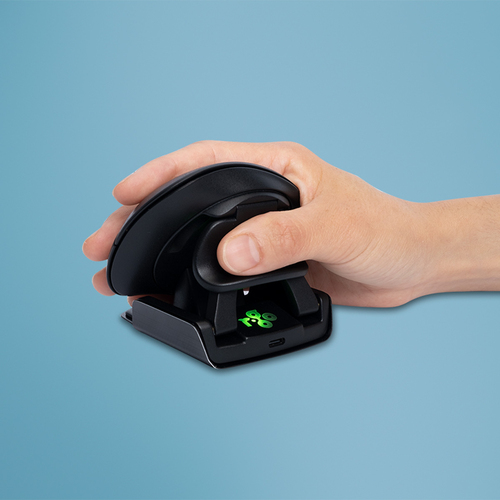
R-Go Tools Ergonomic
mouse R-Go Twister, with break software, ambidextrous mouse for both hands, foldable, bluetooth and wired

R-Go Tools Vertical
mouse R-Go HE Basic, ergonomic mouse, medium (hand size ≥ 185 mm), right-handed, Bluetooth, grey

R-Go Tools Ergonomic
mouse R-Go HE Break with break software, medium (hand size 165-185 mm), right-handed, Bluetooth, black
Tillbehör och kompatibla produkter

Contour Design Universal ArmSupport

Contour Design Wrist rest for RollerMouse Red Plus Extended - Palm support

Contour Design Universal Sleeve with removable shoulder strap for RollerMouse

Contour Design RollerWave3

Contour Design Red Plus palmsupport

Contour Design Contour
Laptop Stand, foldable