
LG 28MQ780-B computer monitor 70.1 cm (27.6") 2560 x 2880 pixels Quad HD LCD Black
- Ekran: 70,1 cm (27,6"), 2560 x 2880 px, IPS, Płaski
- Częstotliwość odświeżania: 60 Hz, 5 ms czas reakcji
- Jasność: 300 cd/m²
- Złącza: 2 × HDMI, 1 × DisplayPort
- Podstawa: regulacja wysokości, regulacja pochylenia, VESA 100 x 100 mm
- Dodatki: głośniki
- Kolor: Czarny
Gdzie kupić
Nie śledzimy jeszcze cen tego produktu. Sprawdź aktualne ceny bezpośrednio w sklepach:
Możemy otrzymać prowizję, gdy kupujesz przez linki na tej stronie — bez dodatkowych kosztów dla Ciebie. Dowiedz się więcej
O produkcie
Double the Screen, Twice the Experience
Enhance your efficiency with a new format of 16:18 aspect ratio SDQHD display.
Stunning Image Quality
SDQHD (2560 x 2880) Nano IPS
DCI-P3 98% (Typ.) & HDR10
Ergonomics
Ergonomic Stand with C-Clamp
Various Movement of Display
User Convenience
USB Type-C
Easy Installation
More Screen and Less Space
DualUp monitor only occupied compact space for one monitor but this 16:18 aspect ratio monitor support, two 21.5-inch monitors (16:9 aspect ratio), at one screen. It enhances work efficiency and productivity at the same time.
Various Movement of Display
Ergonomic Movement within Eye Rotation Range
Enhanced flexibility of the Ergo stand* offers expanded ergonomic adjustment of extend, retract, swivel, pivot, height and tilt as well as providing perfect position of screen for more comfortable and sustainable user experience.
SDQHD Nano IPS Display
Stunning Image Quality, Apposite to Your Work
The 27.6-inch SDQHD (2560 x 2880, 16:18 aspect ratio) Nano IPS display supports a wide color spectrum, 98% of DCI-P3 color gamut, and offers vibrant color reproduction with the support of HDR10.
Live Color Low Blue Light
Increase Viewing Comfort while Maintaining Color Quality
LG's Live Color Low Blue Light with TÜV Rheinland Eyesafe Display Certification helps to protect your eyes against blue light by combining RGB hardware and software adjustments while maintaining vivid color quality.
Ambient Light Sensor
Reducing Eye Strain with Auto Brightness Control
The sensor reacts to light, making the screen brighter in bright areas and darker in the dark. It provides a comfortable working environment.
Ideal Monitor for Creating, Developing, and Multitasking
LG DualUp Monitor, a new style display of 16:18 aspect ratio, helps to boost efficiency and productivity. You can check more information at a glace within the extended upper and lower space.
USB Type-C
Easy Control and Connectivity
USB Type-C port allows from display and data transferring to connected device charging (up to 90W), enabling support for your laptop all at the same time over a single cable.
How to Utilize DualUp Monitor Set-up
PBP & Built-in KVM*
DualUp monitor allows you to control multiple contents from two computers with the picture-by-picture feature. Also, the built-in KVM feature helps to manage content with a single keyboard and mouse.
1 Source PBP**
By connecting two cables, out of HDMI, DisplayPort, and USB Type-C, you can utilize a dual monitor setup with 28MQ780. It helps to control two-screen easily without using software or shortcut keys.
*KVM: Keyboard, Video Monitor, and Mouse.
**It can be connected via the USB Type-C cable, HDMI cable, and USB2.0 upstream cable included with the package.
**DisplayPort cable is NOT included with the package.
Space-saving and Flexible Workstation Setup
Easy Workstation Setup
Fully Use Your Desk
Basically, for the dual monitor set-up without DualUp monitor but conventional monitors, more than 2-times are required compared to the existing space. DualUp monitor helps users to set workspace comfortably in their current space. Also, C-Clamp & Grommet and One Click Mount make it to install easily without other equipment.
Dokumenty
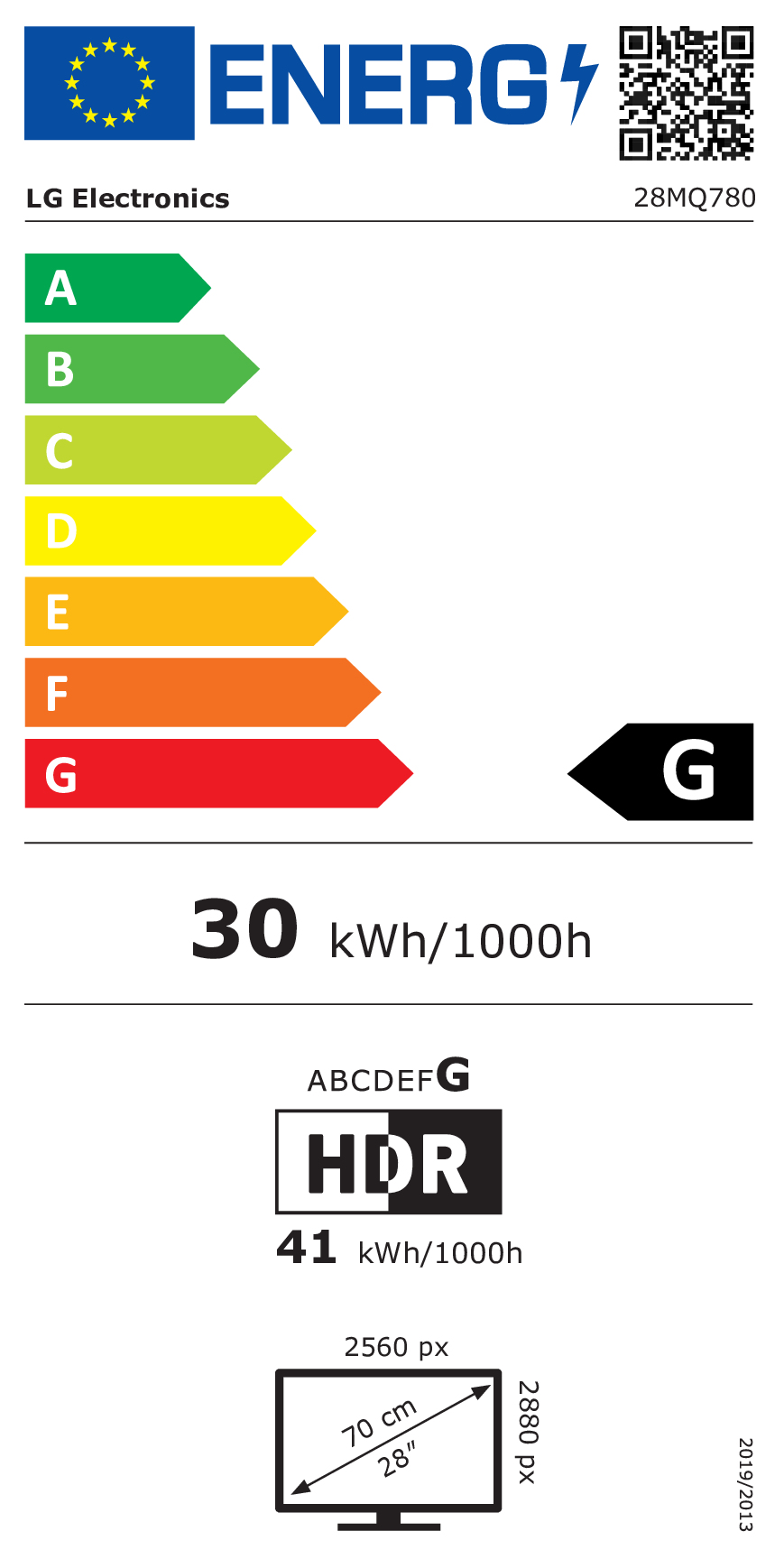
- Karta informacyjna produktuEU Product Fiche ↗
- InstrukcjaUser manual ↗
- InstrukcjaUser manual ↗
- InstrukcjaUser manual ↗
Specyfikacja
Najważniejsze parametry
- Długość przekątnej ekranuWielkość wyświetlacza tego produktu; wyrażone w calach, po przekątnej
- 70,1 cm (27,6")
- RozdzielczośćRozdzielczość wyświetlacza dla systemu.
- 2560 x 2880 px
- Typ ekranu
- IPS
- Kształt ekranu
- Płaski
- Maksymalna częstotliwość odświeżania
- 60 Hz
- Czas odpowiedzi (typowy)Czas reakcji jest to różnica czasu pomiędzy momentem, w którym źródło (na przykład karta wideo) wysyła sygnał a w jakim sprzęt (np. monitor) otrzymuje lub wyświetla sygnał. (Używane skróty:. R / F = Rise and Fall)
- 5 ms
- Jasność wyświetlacza (typowa)
- 300 cd/m²
- Ilość portów HDMILiczba portów HDMI (High Definition Multimedia Interface). HDMI jest to interfejs służący do przesyłania cyfrowego, nieskompresowanego sygnału audio i wideo z urządzenie zgodnego z HDMI (zwanego "źródłem" lub "wejściem") do zgodnego cyfrowego urządzenia audio, monitora komputera, projektora wideo lub telewizji cyfrowej.
- 2
- Ilość DisplayPortLiczba portów DisplayPort. DisplayPort to uniwersalny interfejs cyfrowy opracowany przez VESA (Video Electronics Standards Association). Interfejs wykorzystywany jest do podłączenia źródła wideo do wyświetlacza np. komputera, ale może być też używany do przesyłania dźwięku, danych USB i innych danych.
- 1
- Opcja regulacji wysokościElement urządzenia umożliwiający regulację wysokości.
- Tak
- Regulacja pochyleniaNachylenie - kąt urządzenia względem pionu - można regulować.
- Tak
- Interfejs do montażu paneluProduktu można używać z uchwytami w standardzie VESA.
- 100 x 100 mm
- Wbudowane głośnikiUrządzenie posiada wbudowany głośnik.
- Tak
- Kolor produktuKolor, np. czerwony, niebieski, zielony, czarny, biały.
- Czarny
Pokaż wszystkie parametry (69)Pokaż tylko najważniejsze parametry
Konstrukcja
- Standard VESA
- Tak
- Pozycjonowanie na rynku
- Dom
- Kolor produktuKolor, np. czerwony, niebieski, zielony, czarny, biały.
- Czarny
- Interfejs do montażu paneluProduktu można używać z uchwytami w standardzie VESA.
- 100 x 100 mm
Dźwięk
- Wbudowane głośnikiUrządzenie posiada wbudowany głośnik.
- Tak
- Ilość głośnikówLiczba głośników dołączonych do produktu.
- 2
- Moc wyjściowa (RMS)Średnia kwadratowa (RMS) wyraża średnią moc wymaganą przez urządzenie, zwłaszcza wzmacniacze dźwięku i głośniki.
- 7 W
Wyświetlacz
- Długość przekątnej ekranuWielkość wyświetlacza tego produktu; wyrażone w calach, po przekątnej
- 70,1 cm (27,6")
- RozdzielczośćRozdzielczość wyświetlacza dla systemu.
- 2560 x 2880 px
- Natywne proporcje obrazuProporcje obrazu to stosunek jego szerokości do wysokości. Natywny format obrazu to taki format, który pierwotnie był przeznaczony dla danego urządzenia. Obrazy wyświetlane w tym formacie wykorzystują maksymalną rozdzielczość i uzyskują maksymalną jasność. Obrazy wyświetlane w innych formatach niż natywny zawsze będą posiadały gorszą rozdzielczość i mniejszą jasność.
- 16:18
- Technologia wyświetlaczaTechnologia wykorzystana w wyświetlaczu, np. plazma, LED.
- LCD
- Ekran dotykowyEkran laptopa, smartfona itp., który reaguje na dotyk, dzięki czemu można sterować urządzeniem za pomocą palców.
- Nie
- Natywna częstotliwość odświeżania
- 60 Hz
- Typ HDRodzaj obsługiwanej wysokiej rozdzielczości (e.g. Full HD, 4K Ultra HD).
- Quad HD
- Typ ekranu
- IPS
- Jasność wyświetlacza (typowa)
- 300 cd/m²
- Czas odpowiedzi (typowy)Czas reakcji jest to różnica czasu pomiędzy momentem, w którym źródło (na przykład karta wideo) wysyła sygnał a w jakim sprzęt (np. monitor) otrzymuje lub wyświetla sygnał. (Używane skróty:. R / F = Rise and Fall)
- 5 ms
- Kształt ekranu
- Płaski
- Współczynnik kontrastu (typowy)Różnica w natężeniu światła pomiędzy najjaśniejszym białym i najciemniejszym czarnym.
- 1000:1
- Maksymalna częstotliwość odświeżania
- 60 Hz
- Kąt widzenia (poziomy)Maksymalny poziomy kąt widzenia, pod którym obraz jest zadowalająco widoczny.
- 178°
- Kąt widzenia (pionowy)Maksymalny pionowy kąt widzenia, pod którym obraz jest zadowalająco widoczny.
- 178°
- Kolory wyświetlacza
- 1.07 biliona kolorów
- Technologia High Dynamic Range (HDR)
- High Dynamic Range 10 (HDR10)
- Standard gamy kolorów
- DCI-P3
- Paleta barw
- 98%
Zawartość opakowania
- Przewody
- HDMI, USB Type-C
Waga i rozmiary
- Szerokość urządzenia (z podstawą)
- 481,5 mm
- Głębokość urządzenia (z podstawą)
- 461,3 mm
- Wysokość urządzenia (z podstawą)
- 843,2 mm
- Waga (z podstawą)
- 9 kg
- Szerokość (bez podstawy)
- 481,5 mm
- Głębokość (bez podstawy)
- 44,9 mm
- Wysokość (bez podstawy)
- 549,5 mm
- Waga (bez podstawy)
- 4,3 kg
Moc
- Klasa efektywności energetycznej (SDR)
- G
- Klasa efektywności energetycznej (HDR)
- G
- Zużycie energii (SDR) na 1000 godzin
- 29,8 kWh
- Zużycie energii (HDR) na 1000 godzin
- 40,7 kWh
- Pobór mocyIlość energii zużywanej przez ten model, wyrażona w watach. Typowe wartości podawane przez producentów to zużycie energii w trybie spoczynku, trybie czuwania / zawieszenia, typowego zastosowania, maksymalnego użytkowania.
- 40 W
- Pobór mocy w trybie czuwaniaIlość zużywanego prądu w trybie czuwania.
- 0,5 W
- Maksymalne zużycie mocyMaksymalna ilość mocy, jaką zużywa urządzenie.
- 190 W
- Tryb wyłączenia
- 0,3 W
- Napięcie wejściowe ACNapięcie prądu elektrycznego.
- 100 - 240 V
- Częstotliwość wejściowa AC
- 50 - 60 Hz
- Typ zasilaczaZasilacz (wewnętrzny / zewnętrzny) używany w produkcie. PFC = Power Factor Correcting. CE = CE marki kompatybilne. Jeśli podanych jest kilka wartości (Watt), to dotyczy to często niskiej linii w przeciwstawieniu do wysokiej linii. Wiele zasilacze wykorzystywane jest do zwolnienia. Gdy dodatkowe zasilanie jest opcjonalne, est to wskazane przez wymienienie maksymalną liczbę. Zasilacze mogą być Hot Plug lub nie-Hot Plug.
- Zewnętrzny
Ergonomia
- Opcja regulacji wysokościElement urządzenia umożliwiający regulację wysokości.
- Tak
- Regulowana wysokość (max)
- 13 cm
- Oś obrotu
- Tak
- Obrotowe
- Tak
- Obracany
- -335 - 335°
- Regulacja pochyleniaNachylenie - kąt urządzenia względem pionu - można regulować.
- Tak
- Zakres kąta nachylenia
- -25 - 25°
Porty i interfejsy
- Ilość portów upstream
- 1
- Ilość portów USB Typu A downstream
- 2
- Maksymalne zasilanie USB
- 90 W
- HDMIHDMI (High-Definition Multimedia Interface) to interfejs służący do przesyłania cyfrowego, nieskompresowanego sygnału audio i wideo z urządzenia zgodnego z HDMI (urządzenie źródłowe) do kompatybilnego monitora komputerowego, projektora, telewizji cyfrowej lub cyfrowego urządzenia audio. HDMI jest cyfrowym zastępstwem dla analogowych standardów wideo.
- Tak
- Ilość portów HDMILiczba portów HDMI (High Definition Multimedia Interface). HDMI jest to interfejs służący do przesyłania cyfrowego, nieskompresowanego sygnału audio i wideo z urządzenie zgodnego z HDMI (zwanego "źródłem" lub "wejściem") do zgodnego cyfrowego urządzenia audio, monitora komputera, projektora wideo lub telewizji cyfrowej.
- 2
- Ilość DisplayPortLiczba portów DisplayPort. DisplayPort to uniwersalny interfejs cyfrowy opracowany przez VESA (Video Electronics Standards Association). Interfejs wykorzystywany jest do podłączenia źródła wideo do wyświetlacza np. komputera, ale może być też używany do przesyłania dźwięku, danych USB i innych danych.
- 1
- Wersja DisplayPort
- 1,4
- Wyjście na słuchawkiGniazdo do podłączania słuchawek.
- Tak
Wydajność
- Technologia eliminująca migotanie obrazu
- Tak
- Technologia niskiej emisji światła niebieskiego
- Tak
- Obsługa High Dynamic Range (HDR)
- Tak
Dane logistyczne
- Kod zharmonizowanego systemu (HS)
- 85285210
Dane opakowania
- Szerokość opakowaniaOdległość od jednej strony opakowania do drugiej.
- 745 mm
- Głębokość opakowaniaOdległość od początku do końca opakowania.
- 240 mm
- Wysokość opakowaniaOdległość od góry do dołu opakowania.
- 557 mm
- Waga wraz z opakowaniemWaga zapakowanego produktu w gramach.
- 13,2 kg
Database Right data-sheet 2026 Icecat. All rights reserved. Udostępniane „tak jak są”, bez gwarancji — przed zakupem sprawdź szczegóły w sklepie.
Recenzje ekspertów
- 90
creativebloq.com2023
The mid-range LG DualUp Monitor 28MQ780 delivers on ergonomics and the ultimate multitasking tool with its unique aspect ratio, a fully-articulating monitor arm, and a KVM feature. Best yet, you're getting surprisingly accurate colors and solid picture qu...
- +
- Excellent color accuracy, great picture quality, Brilliant arm and stand design, 16:18 aspect ratio perfect for productivity, KVM and PBP features
- −
- Only HDR10, Not suitable on some desks due to c-clamp
- 70
digitaltrends.com2022
As a primary monitor, I don't know that the LG DualUp makes a lot of sense. There are some specific use cases that could take advantage of the unique shape, such as a video editor who can use the top half for a timeline. But the LG DualUp works best as a...
- +
- Unique shape, Great for multitasking, Wide color space, Excellent color calibration, Comes with an arm desk mount
- −
- Mediocre contrast and black levels, Windows 11 Snap Layouts support could be better
- 80
tomshardware.com2022
For decades, the shape of a monitor screen was dictated by the cathode ray tube. These ubiquitous devices were the main component of every video display starting in the 1930s and extended well into the personal computer era. The aspect ratio was 4:3, mean...
Przeczytaj recenzję w tomshardware.com ↗
Historia cen (90 dni, najlepsza cena dnia)
Wciąż zbieramy historię cen tego produktu — zajrzyj wkrótce.
Alternatywne modele

LG 24BP75Q-B
computer monitor 60.5 cm (23.8") 2560 x 1440 pixels 2K LCD Black

LG 27GN800-B.AED
computer monitor 68.6 cm (27") 2560 x 1440 pixels 2K Ultra HD LCD Black

LG 27BP95E-B
computer monitor 68.6 cm (27") 3840 x 2160 pixels 4K Ultra HD OLED Black

LG 27UP850-W
computer monitor 68.6 cm (27") 3840 x 2160 pixels 4K Ultra HD Silver

LG 32BP95E-B
computer monitor 80 cm (31.5") 3840 x 2160 pixels 4K Ultra HD OLED Black

LG 24BN650Y-W
computer monitor 60.5 cm (23.8") 1920 x 1080 pixels Full HD LED White
Akcesoria i produkty kompatybilne

R-Go Tools Monitor arm R-Go Zepher Single, fully adjustable, 0-8 Kg load capacity, 100% circular, black

R-Go Tools Monitor arm R-Go Caparo Single, fully adjustable with gas spring, 3-9 kg load capacity, 100% circular, black

R-Go Tools Monitor arm R-Go Zepher Dual, for two monitors, fully adjustable, 0
8 kg load capacity, 100% circular, black
