
GIGABYTE GA-A320MA-M.2 motherboard AMD A320 Socket AM4 micro ATX
- Gniazdo: Socket AM4
- Chipset: AMD A320
- Format: micro ATX
- Pamięć: 4 × DDR4-SDRAM, do 64 GB
- Dysk: 1 × M.2, 4 × SATA III
- Sieć: Gigabit Ethernet
Gdzie kupić
Nie śledzimy jeszcze cen tego produktu. Sprawdź aktualne ceny bezpośrednio w sklepach:
Możemy otrzymać prowizję, gdy kupujesz przez linki na tej stronie — bez dodatkowych kosztów dla Ciebie. Dowiedz się więcej
O produkcie
With Smart Fan 5 users can ensure that their gaming PC can maintain its performance while staying cool. Smart Fan 5 allows users to interchange their fan headers to reflect different thermal sensors at different locations on the motherboard. Not only that, with Smart Fan 5 more hybrid fan headers that support both PWM and Voltage mode fans have been introduced to make the motherboard more liquid cooling friendly.
All Hybrid Fan Pin Headers
- All Hybrid Fan Headers can automatically detect the type of cooling device whether it be fan or pump with different PWM or Voltage mode.
- Supports up to 2 amps with built-in overcurrent protection—a must for high-end high current fans.
New Smart Fan 5 Software
Interoperable Sensors and Fans
Each fan can be customized to operate at different speeds according to any defined temperature source input (except the CPU fan).
Fan Curve
Customize fan curves based on specific temperatures with the intuitive graphical UI.
Choose from different modes, Quiet to Full Speed, to match your system usage scenario. For each fan or pump, you can use the intuitive fan curve to define trigger thresholds and corresponding fan speeds.
Enhanced BIOS Interface
The enhanced BIOS interface also has the advanced features seen in the Smart Fan 5 UI, such as: the ability to set triggers based on different temperature sensors on the board, fan curve definition and the temperature interval setting, which can prevent fan rotation noise caused by sudden temperature change—all without having to load Windows.
Realtek GbE LAN with cFosSpeed Internet Accelerator Software
Realtek Gigabit LAN features cFosSpeed, a network traffic management application which helps to improve network latency and maintain low ping times to deliver better responsiveness in crowded LAN environments.
Fast Onboard Storage with NVMe
PCIe Gen3 x4 110mm M.2 (Up to 32 Gb/s)
GIGABYTE M.2 solution offers considerably faster storage performance and support for both PCIe and SATA interfaces for M.2 SSD devices.
Fast USB 3.1 Gen 2 Solution
The latest USB 3.1 Gen 2 offers staggering 10Gb/s transfer speeds. 2x faster than USB 3.1 Gen 1 along with backwards compatibility with existing USB devices.
Anti-Sulfur Resistor Design
Sulfur compounds in the air can penetrate tiny onboard resistors creating chemical change and causing these resistors to open or short. If either of these occurs the motherboard will fail to function. By equipping resistors with an Anti-Sulfur Design GIGABYTE gives Ultra Durable Motherboards a whole new meaning.
High Quality Onboard Audio Design
Delivers high quality sound resolution and sound expansion to create the most realistic sound effects for professional gamers.
Humidity Protection Glass Fabric PCB
There is nothing more harmful to the longevity of your PC than moisture, and most parts of the world experience moisture in the air as humidity at some point during the year. GIGABYTE motherboards have been designed to make sure that humidity is never an issue, incorporating a new Glass Fabric PCB technology that repels moisture caused by humid and damp conditions. Glass Fabric PCB technology uses a new PCB material which reduces the amount of space between the fiber weave, making it much more difficult for moisture to penetrate compared to traditional motherboard PCBs. This offers much better protection from short circuit and system malfunction caused by humid and damp conditions.
High Temperature Protection Lower RDS(on) MOSFETs Design
GIGABYTE motherboards use Low RDS(on) MOSFETs which reduce energy wastage through unnecessary residual heat dissipation. This all amounts to tangible energy savings which are beneficial for both end-users and the environment without impacting system performance.
Refreshed BIOS Easy, Smart, and Friendly
The BIOS is essential for users during initial setup to allow for the most optimal settings. With a new GUI and easier to use functionalities, GIGABYTE has been able to reinvent the BIOS to give users a better experience while setting up their new system.
GIGABYTE APP Center
The GIGABYTE APP Center gives you easy access to a wealth of GIGABYTE apps that help you get the most from your GIGABYTE motherboard. Using a simple, unified user interface, GIGABYTE APP Center allows you to easily launch all GIGABYTE apps installed on your system, check related updates online, and download the latest apps, drivers, and BIOS.
EasyTune
GIGABYTE's EasyTune is a simple and easy-to-use interface that allows users to fine-tune their system settings or adjust system and memory clocks and voltages in a Windows environment. With Smart Quick Boost, one click is all it takes to automatically overclock your system, giving an added performance boost when you need it the most.
Overclocking to Boost Your Frame Rates
Get the highest levels of performance from your PC with easy-to-use GIGABYTE overclocking features.
System Information Viewer
GIGABYTE System Information Viewer is a central location that gives you access to your current system status. Monitor components such as the clocks and processor, set your preferred fan speed profile, create alerts when temperatures get too high or record your system’s behavior; these are the possibilities of the System Information Viewer.
@BIOS
The GIGABYTE @BIOS app allows you to update your system’s BIOS from within Windows using a simple and slick graphical user interface. @BIOS can automatically download the latest version from the GIGABYTE servers or you can update your BIOS from a file on your computer. @BIOS also allows you to save your current BIOS to a file, recover your previous BIOS from an image and backup your BIOS to an image.
3D OSD
3D OSD automatically detects and displays your system information during games, allowing you to easily get a hold of your system information without switching between screens.
Dokumenty
- InstrukcjaUser manual ↗
Specyfikacja
Najważniejsze parametry
- Gniazdo procesoraKomponenty mechaniczne i połączenia elektryczne pomiędzy mikroprocesorem a obwodem drukowanym (PCB). Pozwala to na wymianę procesora bez potrzeby lutowania.
- Socket AM4
- Układ płyty głównejChipset łączy mikroprocesor z układami płyty głównej.
- AMD A320
- Rodzina płyt z chipsetamiKategoria chipsetu płyty głównej, np. Intel, AMD.
- AMD
- Rodzaj płytyStandard konstrukcji płyty głównej (ATX, BTX itp.)
- micro ATX
- Liczba gniazd pamięci
- 4
- Obsługiwane rodzaje pamięciRodzaje pamięci, które można używać z tym urządzeniem.
- DDR4-SDRAM
- Maksymalna pojemność pamięciMaksymalna pamięć wewnętrzna dostępna dla danego urządzenia.
- 64 GB
- Liczba gniazd M.2 (M)
- 1
- Ilość złączy SATA IIISATA (Advanced Technology Attachment) to szeregowa magistrala komputerowa, opracowana i certyfikowana przez SATA-IO, służąca do komunikacji pomiędzy adapterami magistrali hosta (HBA) a urządzeniami pamięci masowej. Przepustowość łącza obsługiwana przez interfejs sięga 600MB/s. Ten interfejs jest zgodny z magistralą SATA 3Gb/s.
- 4
- Rodzaj interfejsu sieci Ethernet
- Gigabit Ethernet
Pokaż wszystkie parametry (61)Pokaż tylko najważniejsze parametry
Funkcje
- PrzeznaczenieWskazuje przedmiot, którego element może stanowić dany produkt.
- PC
- Rodzaj płytyStandard konstrukcji płyty głównej (ATX, BTX itp.)
- micro ATX
- Rodzina płyt z chipsetamiKategoria chipsetu płyty głównej, np. Intel, AMD.
- AMD
- Intel® Extreme Memory Profile (XMP)
- Tak
- Monitorowanie stanu komputera
- Wentylator, Temperatura, Napięcie
- Obsługiwane systemy operacyjne WindowsWersja Windowsa, której można używać z tym urządzeniem.
- Windows 10 Education x64, Windows 10 Enterprise x64, Windows 10 Home x64, Windows 10 Pro x64, Windows 7 Enterprise x64, Windows 7 Home Basic x64, Windows 7 Home Premium x64, Windows 7 Professional x64, Windows 7 Starter x64, Windows 7 Ultimate x64
Pamięć
- Obsługiwane rodzaje pamięciRodzaje pamięci, które można używać z tym urządzeniem.
- DDR4-SDRAM
- Liczba gniazd pamięci
- 4
- Typ slotów pamięciSlot pamięci, gniazdo pamięci czy wejście RAM, umożliwia włożenie pamięci RAM do komputera. Zależnie od płyty głównej jest zwykle od 2 do 4 slotów pamięci (czasem więcej w płytach głównych high-end). Najpopularniejsze rodzaje wejścia RAM to SDRAM i DDR dla komputerów stacjonarnych i SODIMM dla laptopów, a każde z nich ma inny typ i prędkość.
- DIMM
- Obsługa kanałów pamięci
- Dwukanałowy
- Kompatybilność ECC
- ECC lub Non-ECC
- Obsługiwane prędkości zegara pamięciPrędkość zegara pamięci to czas, jaki jest potrzebny do zakończenia podstawowych operacji. Odnosi się do pracy przetwarzania danych przez komputer, wyrażana jest w hercach. Jednak nie jest to wiarygodny pomiar prędkości komputera, ponieważ nie uwzględnia on czynników takich jak pojemność RAM i cache.
- 2133,2400,2667,2933,3200 MHz
- Maksymalna pojemność pamięciMaksymalna pamięć wewnętrzna dostępna dla danego urządzenia.
- 64 GB
- Pamięć niebuforowana
- Tak
Procesor
- Producent procesoraProducent procesora.
- AMD
- Gniazdo procesoraKomponenty mechaniczne i połączenia elektryczne pomiędzy mikroprocesorem a obwodem drukowanym (PCB). Pozwala to na wymianę procesora bez potrzeby lutowania.
- Socket AM4
- ProcesorProcesor kompatybilny z tym urządzeniem, należy do "serii", która jest częścią "rodziny", np. Celeron D, Celeron G, Celeron M.
- AMD A, AMD Athlon, AMD Athlon X4, AMD Ryzen 2000 Series, AMD Ryzen 3000 Series
- Maksymalna liczba procesorów SMP
- 1
Oprogramowanie
- Dołączone oprogramowanieProgram rozpowszechniany razem z innymi produktami, takimi jak oprogramowanie komputerowe urządzenia elektroniczne czy pakiet programów sprzedawanych łącznie. Mogą to być również programy zainstalowane domyślnie na nowym komputerze.
- Norton Internet Security, cFosSpeed
Waga i rozmiary
- Szerokość produktuMiara szerokości.
- 244 mm
- Głębokość produktuOdległość od przodu do tyłu przedmiotu.
- 244 mm
BIOS
- Typ BIOSBIOS (Basic Input/Output System – podstawowy system wejścia-wyjścia) to zapisany w pamięci stałej zestaw podstawowych procedur pośredniczących pomiędzy systemem operacyjnym a sprzętem. Posiada on własną pamięć, w której znajdują się informacje dotyczące daty, czasu oraz danych na temat wszystkich urządzeń zainstalowanych na komputerze. Jest to program zapisany w pamięci ROM płyty głównej oraz innych kart rozszerzeń takich jak np. karta graficzna.
- UEFI AMI
- Rozmiar pamięci BIOS
- 128 Mbit
- Wersja ACPI
- 5,0
- Zworka clear CMOS
- Tak
Gniazda rozszerzeń
- PCI Express x1 slots
- 2
- PCI Express x16 gniazda
- 1
- Liczba gniazd M.2 (M)
- 1
Wydajność
- Układ płyty głównejChipset łączy mikroprocesor z układami płyty głównej.
- AMD A320
- Kanały wyjścia audioKanał wyjścia audio to układ elektryczny, który jest ścieżką dla sygnału wytwarzanego przez urządzenie. Urządzenie może posiadać kilka kanałów wyjść audio.
- 7,1 kan.
- Rodzaj interfejsu sieci Ethernet
- Gigabit Ethernet
Dźwięk
- Układ audio
- Realtek ALC887
Moc
- Rodzaj zasilaniaRodzaj źródła energii.
- ATX
Sieć
- Przewodowa sieć LANInterfejs Ethernet LAN (sieć lokalna) wykorzystywany jest do połączenia przewodowego.
- Tak
Porty i interfejsy
- Liczba portów USB 2.0Porty USB 2.0 posiadają prędkość transmisji danych 480 Mbps i są wstecznie kompatybilne z USB 1.1. Istnieje możliwość podłączania do nich różnego rodzaju urządzeń peryferyjnych.
- 2
- Ilość portów USB 3.2 Gen 1 (3.1 Gen 1) Typu-A
- 3
- Ilość portów USB 3.2 Gen 2 (3.1 Gen 2) Typu-A
- 1
- Ilość portów Ethernet LAN (RJ-45)Liczba portów Ethernet LAN (RJ-45) w urządzeniu. Porty Ethernet LAN (RJ-45) umożliwiają komputerowi połączenie się z siecią ethernet.
- 1
- Liczba portów PS/2Liczba złącz PS / 2 dla klawiatury i myszy. Ich nazwa pochodzi od IBM Personal System / 2.
- 2
- Liczba portów VGA (D-Sub)Liczba portów VGA (D-Sub) w urządzeniu. VGA (D-Sub) ma 15 pin i jest wtyczką łączącą komputer z monitorem. Po raz pierwszy wprowadzona zostałą w 1987 przez IBM.
- 1
- Ilość portów HDMILiczba portów HDMI (High Definition Multimedia Interface). HDMI jest to interfejs służący do przesyłania cyfrowego, nieskompresowanego sygnału audio i wideo z urządzenie zgodnego z HDMI (zwanego "źródłem" lub "wejściem") do zgodnego cyfrowego urządzenia audio, monitora komputera, projektora wideo lub telewizji cyfrowej.
- 1
- Wersja HDMI
- 1,4
- Ilość portów DVI-DLiczba interfejsów DVI-I. DVI (Digital Visual Interface) to standard złącza pomiędzy kartą graficzną a monitorem komputera opracowany przez grupę Digital Display Working Group (DDWG). DVI-I jest zintegrowane z DVI, dlatego może przesyłać zarówno dane cyfrowe jak i analogowe.
- 1
- MikrofonGniazdo, do którego podłączany jest mikrofon.
- Tak
- Ilość złączy SATA IIISATA (Advanced Technology Attachment) to szeregowa magistrala komputerowa, opracowana i certyfikowana przez SATA-IO, służąca do komunikacji pomiędzy adapterami magistrali hosta (HBA) a urządzeniami pamięci masowej. Przepustowość łącza obsługiwana przez interfejs sięga 600MB/s. Ten interfejs jest zgodny z magistralą SATA 3Gb/s.
- 4
Wewnętrzne We/Wy
- Ilość gniazd USB 2.0Końcówka kabla z wtyczką USB 2.0. USB 2.0 pojawił się na rynku w kwietniu 2000 (teraz nazywany "Hi-Speed") Urządzenia zgodne z warunkami nowej specyfikacji mogą pracować z maksymalną szybkością 480 Mbit/s. Rzeczywista szybkość przesyłu danych zależy od konstrukcji urządzenia i wynosi do 280 Mbit/s.
- 2
- Łącza USB 3.2 Gen 1 (3.1 Gen 1)Złącze (zwykle zamocowane do kabla) dla USB 3.0. USB 3.0 (SuperSpeed) to urządzenia zgodne z warunkami nowej specyfikacji, które mogą pracować z szybkością 5 Gbit/s (640 MB/s). Rzeczywista przepustowość łącza danych wynosi 4 Gbit/s, co przy zastosowaniu kodowania 8b/10b pozwala uzyskać transfer rzędu 400 MB/s.
- 1
- Gniazdo S/PDIF
- Tak
- Złącze audio na przednim panelu
- Tak
- Złącze panelu przedniego
- Tak
- Gniazdo zasilania ATX (24-pin)
- Tak
- Gniazdo wentylatora procesora
- Tak
- Ilość gniazd w podstawie wentylatora
- 2
- Złącze TPM
- Tak
- Złącze równoległe
- Tak
- Złącze Serial port
- 2
- Złącze zasilania 12V
- Tak
Grafika
- Maksymalna pamięć karty graficznej
- 2048 MB
Prędkość drukowania
- Maksymalna rozdzielczośćMaksymalna rozdzielczość wydruku.
- 4096 x 2160 px
Montaż
- Liczba obsługiwanych wyświetlaczyLiczba wyświetlaczy, które można użyć z tym produktem.
- 3
Nośnik danych
- Poziomy raidRAID (nadmiarowa macierz niezależnych dysków) polega na współpracy dwóch lub więcej dysków twardych w taki sposób, aby zapewnić dodatkowe możliwości, nieosiągalne przy użyciu jednego dysku jak i kilku dysków podłączonych jako oddzielne.
- 0, 1, 10
Database Right data-sheet 2026 Icecat. All rights reserved. Udostępniane „tak jak są”, bez gwarancji — przed zakupem sprawdź szczegóły w sklepie.
Historia cen (90 dni, najlepsza cena dnia)
Wciąż zbieramy historię cen tego produktu — zajrzyj wkrótce.
Alternatywne modele

GIGABYTE GA-E3800N motherboard mini ITX
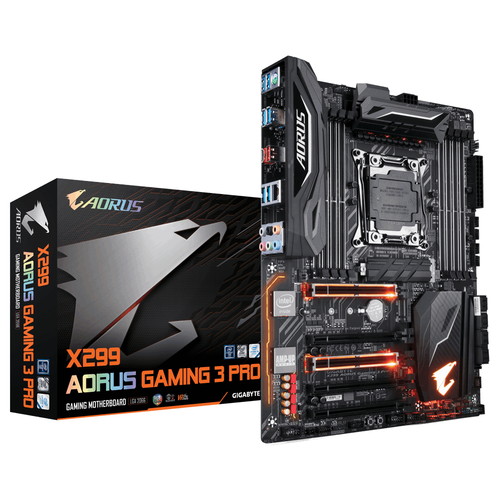
GIGABYTE X299 AORUS Gaming 3 Pro
Intel X299 LGA 2066 (Socket R4) ATX

GIGABYTE X299 AORUS Ultra Gaming Pro
Intel X299 Express LGA 2066 (Socket R4) ATX

GIGABYTE GA-Z170-HD3
Intel Z170 LGA 1151 (Socket H4) ATX

GIGABYTE GA-H110M-M.2
Intel H110 micro ATX

GIGABYTE GA-H110M-S2 DDR3
Intel H110 micro ATX