
Viewsonic VP Series 3268A-4K computer monitor 81.3 cm (32") 3840 x 2160 pixels 4K Ultra HD LED Black
- Screen: 81.3 cm (32"), 3840 x 2160 pixels, IPS, Flat
- Refresh rate: 60 Hz, 5 ms response time
- Brightness: 350 cd/m²
- Ports: 2 × HDMI, 1 × DisplayPort
- Stand: height-adjustable, tilt, VESA 100 x 100 mm
- Extras: speakers, USB hub
- Colour: Black
Where to buy
We're not tracking prices for this product yet. Check current prices directly at:
We may earn a commission when you buy through links on this page — at no extra cost to you. Learn more
About this product
Designed to deliver unmatched color accuracy crucial for professional applications, the ViewSonic ColorPro VP3268a-4K UHD monitor displays your work with the vivid and lifelike color it deserves. With Pantone validated 100% sRGB color coverage, this monitor provides industry standard color to ensure accurate results. Enjoy reliable and flexible network connectivity with the integrated gigabit Ethernet port while the USB-C provides single cable solution for connecting and charging all peripherals and accessories. To ensure precise, uniform color, each of our monitors is factory calibrated to deliver an amazing Delta E < 2 value for superior color accuracy. An integrated color uniformity function ensures consistent chromaticity across the screen, while a 14-bit 3D look-up table generates a stunningly smooth palette of 4.39 trillion colors. What’s more, an advanced ergonomic design delivers customized comfort for increased productivity. Hardware calibration function is also available which allows you to quickly and easily calibrate the monitor for photography, graphic design, content creation, and other color-critical applications.
Precise & Beautiful Color
Industry Standard Color
Designers depend on color accuracy.The ColorPro VP3268a-4K covers 100% sRGB and Rec.709 wide color gamut to meet industry standards and reproduce color precisely. You can see more realist, vivid, and accurate results from different production lines and show color at the same levels.
Pantone Validated
The VP3268a-4K ColorPro monitors have been validated by Pantone, the leading global color authority. This means the ColorPro VP3268a-4K delivers high display color fidelity in simulating the full range of real-world colors, verified by the Pantone Matching System . It’s the display of choice for color accurancy, one that empowers creators to get their colors right, everytime.
Efficient & User-Friendly Experience
Next Generation Connectivity
With advanced connectivity options consisting of RJ45 and USB-C, the ColorProVP3268a-4K is an all-in-one display that expands your laptop functionality and allows for all your devices to be connected directly into your docking monitor. Get a charge (that transmits power up to 90W), transfer data, video, and audio with a single cable connected to the USB-C port. The built-in Ethernet port provides an extra fast and stable network option.
Multitask Master
VP3268a-4K monitors allows you to perform smooth workflow with multiple ways depending on the user case.
PBP (Picture by Picture)
PBP allows multiple input sources to be shown side-by-side with a dual color engine(sRGB, Rec.709) or other modes at the same time.
Split Screen
When only one input source, you could also split screen into more kinds of different segments with its own unique display. See your work from a different perspective simultaneously.
World 1st TÜV SÜD Tested Color Blindness Mode
ViewSonic has partnered with TÜV SÜD to develop and review criteria for Color Blindness modes and Simulation Mode for the VP3268a-4K
Simulation Mode
Offering color conversion processing in real-time, Simulation Mode includes protanopia, deuteranopia and tritanopia reproduction modes. Creatives can better understand how colorblind users experience color.
Color Blindness Mode
Enables color deficient users to distinguish colors onscreen up to 20% more than before (from 70% to 90%). The customized color filters of Colorblindness Mode provide a far richer digital experience.
See Without Boundaries
ColorPro VP3268a-4K creates a seamless visual experience in multi-monitor setups without the distraction of boundaries. Image editors can finally enjoy visual processing of extended content with more focus and fewer distractions.
Eye-Care Technology
The ColorPro VP3268a-4K features Flicker-Free and Blue Light Filter technologies to help combat eye fatigue caused by extended periods of screen viewing common to anyone working and creating digitally.
Comfort & Flexibility
The ColorPro VP3268a-4K provides a full range of swivel, pivot, tilt, and height adjustments that allow you to find the most comfortable monitor positioning for your workflow. Auto Pivot allows photos to be automatically adjusted to the screen’s orientation when pivoted.
Outstanding Color Performance and Image Quality
Superb High-Definition Clarity
The ColorPro VP3268a-4K boasts a stunning 4K UHD(3840 x 2160) resolution panel, with over than eight million pixels, up to 300% more pixels density than other Full HD monitors onscreen. The VP3268a-4K lets you capture even the finest details to ensure the needs of creative professionals are met with magnificent clarity.
Colorbration+ Long-term Color Consistency
ViewSonic’s Colorbration+ offers hardware calibration that aligns communication between the graphics card and the monitor to ensure long-term consistency and accurate colors on ViewSonic ColorPro monitors.
Balanced Uniformity
ColorPro’s uniformity correction balances luminance performance on the VP3268a-4K with calculated precision, improving delta luminance variance to < 5% for more consistent brightness from edge to edge.
Vibrant Color from Any Angle with SuperClear IPS Panel Technology
Enjoy accurate and vivid colors with consistent levels of brightness on the VP3268a-4K from any vantage point. SuperClear IPS panel technology delivers best-in-class image quality, whether you are looking at the VP3268a-4K’s screen from above, below, front, or the side.
Flawless Color Reproduction
With Delta E < 2 color accuracy, the ColorPro VP2768a-4K delivers stunning color reproduction that ensures the colors in your videos and photos are true-to-life and nearly indistinguishable from the color seen by the naked eye.
Future Proof Connectivity and Quality Control
Flawless Color Out of the Box
Documents
- ManualUser manual ↗
- DocumentQuick Start Guide ↗
- Product information sheetEU Product Fiche ↗
Specifications
Key specifications
- Display diagonalSize of the display for this product, measured diagonally, usually in inches.
- 81.3 cm (32")
- Display resolutionThe number of distinct pixels in each dimension that can be displayed. It is usually quoted as width × height, with the units in pixels: for example, "1024 × 768" means the width is 1024 pixels and the height is 768 pixels. The higher the number of pixels, the sharper the image.
- 3840 x 2160 pixels
- Panel typeThe technology used to manufacture the panel, such as AMOLED or AH-IPS.
- IPS
- Screen shapeDescribes the physical curvature of the display panel, such as whether it is flat or curved.
- Flat
- Maximum refresh rateThe highest number of times per second the image is updated, measured in hertz (Hz).
- 60 Hz
- Response timeThe response time is the time difference between the moment that a source (for example a video card) sends a signal and that equipment (for example a monitor) receives or display the signal. (Used abbreviations: R/F = Rise and Fall.)
- 5 ms
- Display brightness (typical)Display brightness, measured by its Luminance, presented as a figure in nits. Typical brightness ratings for monitors range from 250 to 350 nits with a target value of between 80 to 120 nits being suitable for most displays in a normal viewing environment.
- 350 cd/m²
- HDMI ports quantityThe number of sockets (ports) for HDMI connections. HDMI (High-Definition Multimedia Interface) is a compact audio/video interface for transferring uncompressed video data and compressed/uncompressed digital audio data from a HDMI-compliant device ("the source device") to a compatible computer monitor, video projector, digital television, or digital audio device. HDMI is a digital replacement for…
- 2
- DisplayPorts quantityNumber of DisplayPorts. A DisplayPort is a digital display interface developed by the Video Electronics Standards Association (VESA). The interface is primarily used to connect a video source to a display device such as a computer monitor, though it can also be used to carry audio, USB, and other forms of data.
- 1
- Height adjustmentThe part of the device that can be adjusted to change the height.
- Yes
- Tilt adjustmentThe tilt, which means the angle at which the device is pointing (up or down), can be changed.
- Yes
- Panel mounting interfaceThe product can be used wih VESA mounting interfaces.
- 100 x 100 mm
- Built-in speaker(s)The device contains speaker(s) to produce sound.
- Yes
- Built-in USB hubWhether or not the device features a USB hub to connect more than one other device via USB.
- Yes
Show all 82 specificationsShow key specifications only
Design
- VESA mountingIndicates whether the product supports the VESA mounting standard for attachment to compatible arms, brackets, or wall mounts.
- Yes
- Product colourThe colour e.g. red, blue, green, black, white.
- Black
- Panel mounting interfaceThe product can be used wih VESA mounting interfaces.
- 100 x 100 mm
Ports & interfaces
- Built-in USB hubWhether or not the device features a USB hub to connect more than one other device via USB.
- Yes
- USB hub versionThe technical standard of the USB hub, if available, which determines the maximum data transfer speed (e.g., 3.2 Gen 1).
- 3.2 Gen 1 (3.1 Gen 1)
- USB upstream port typeThe connector type used for the upstream connection to a host device (e.g., USB Type-B or USB Type-C).
- USB Type-B, USB Type-C
- Number of USB Type-B upstream ports quantityThe total number of USB Type-B ports available to connect the device to a host computer for data transmission.
- 1
- Number of USB Type-C upstream ports quantityThe total number of USB Type-C ports available to connect the device to a host computer or source.
- 1
- USB Type-A downstream ports quantityThe number of USB Type-A ports available for connecting peripheral devices to the unit.
- 2
- HDMIHDMI (High-Definition Multimedia Interface) is a compact audio/video interface for transferring uncompressed video data and compressed/uncompressed digital audio data from a HDMI-compliant device ("the source device") to a compatible computer monitor, video projector, digital television, or digital audio device. HDMI is a digital replacement for existing analog video standards.
- Yes
- HDMI ports quantityThe number of sockets (ports) for HDMI connections. HDMI (High-Definition Multimedia Interface) is a compact audio/video interface for transferring uncompressed video data and compressed/uncompressed digital audio data from a HDMI-compliant device ("the source device") to a compatible computer monitor, video projector, digital television, or digital audio device. HDMI is a digital replacement for…
- 2
- HDMI versionThe specific release version of the High-Definition Multimedia Interface standard supported by the device (e.g. 1.3 or 2.0).
- 2.0
- DisplayPorts quantityNumber of DisplayPorts. A DisplayPort is a digital display interface developed by the Video Electronics Standards Association (VESA). The interface is primarily used to connect a video source to a display device such as a computer monitor, though it can also be used to carry audio, USB, and other forms of data.
- 1
- DisplayPort versionThe specific release version of the DisplayPort standard supported by the device (e.g., 1.2 or 1.4).
- 1.4
- Audio outputThe type of audio output that the device produces, and the connector(s).
- Yes
- Headphone outThe socket for connecting headphones to the device.
- Yes
Audio
- Built-in speaker(s)The device contains speaker(s) to produce sound.
- Yes
- Number of speakersThe quantity of speakers included in/with the product.
- 2
- RMS rated powerRMS (Root mean square) is a measure of the continuous power required by a device, in particular audio amplifiers and loudspeakers.
- 5 W
Display
- Display diagonalSize of the display for this product, measured diagonally, usually in inches.
- 81.3 cm (32")
- Display resolutionThe number of distinct pixels in each dimension that can be displayed. It is usually quoted as width × height, with the units in pixels: for example, "1024 × 768" means the width is 1024 pixels and the height is 768 pixels. The higher the number of pixels, the sharper the image.
- 3840 x 2160 pixels
- Native aspect ratioThe aspect ratio is the ratio of the width of an image to its height. The native aspect ratio is the one which the projector/display is particularly designed for. Images shown in native aspect ratio will utilize the entire resolution of the display and achieve maximum brightness. Images shown in other than native aspect ratio will always have less resolution and less brightness than images shown…
- 16:9
- Display technologyThe technology used in the display e.g. plasma, LED.
- LED
- TouchscreenA screen of a laptop, smartphone, etc., that responds to touch so you can control the interface using your fingers.
- No
- HD typeType of supported High Definition (e.g. Full HD, 4K Ultra HD).
- 4K Ultra HD
- Panel typeThe technology used to manufacture the panel, such as AMOLED or AH-IPS.
- IPS
- Backlight typeThe technology used to illuminate the display panel, such as CCFL or various LED configurations (e.g., Edge LED, Full-Array).
- LED
- Display brightness (typical)Display brightness, measured by its Luminance, presented as a figure in nits. Typical brightness ratings for monitors range from 250 to 350 nits with a target value of between 80 to 120 nits being suitable for most displays in a normal viewing environment.
- 350 cd/m²
- Response timeThe response time is the time difference between the moment that a source (for example a video card) sends a signal and that equipment (for example a monitor) receives or display the signal. (Used abbreviations: R/F = Rise and Fall.)
- 5 ms
- Anti-glare screenAlways gives an optimal view, even in direct sunlight.
- Yes
- Screen shapeDescribes the physical curvature of the display panel, such as whether it is flat or curved.
- Flat
- Contrast ratio (typical)The difference in light intensity between the brightest white and the darkest black.
- 1300:1
- Contrast ratio (dynamic)A property of a display system, defined as the ratio of the luminance of the brightest color (white) to that of the darkest color (black) that the system is capable of producing.
- 2000000:1
- Maximum refresh rateThe highest number of times per second the image is updated, measured in hertz (Hz).
- 60 Hz
- Viewing angle, horizontalMaximum horizontal angle at which a display can be viewed with acceptable visual performance.
- 178°
- Viewing angle, verticalMaximum vertical angle at which a display can be viewed with acceptable visual performance.
- 178°
- Display number of coloursThe total number of distinct colours that the device is capable of displaying (e.g. 1.07 billion colours).
- 1.07 billion colours
- Pixel pitchThis is the parameter of a picture tube, which specifies the shortest distance between two dots of the same colour. The principle is: the smaller the dot pitch, the better sharpness of image.
- 0.182 x 0.182 mm
- Digital horizontal frequencyThe range of horizontal scanning frequencies the device can support, measured in kHz.
- 15 - 135 kHz
- Digital vertical frequencyThe range of refresh rates the device can support when operating in digital mode, measured in Hertz (Hz).
- 24 - 75 Hz
- Colour depthThe number of bits used to represent the colour of a single pixel, which determines the total number of possible colours that can be displayed.
- 10 bit
- sRGB coverage (typical)The percentage of the sRGB color space that the device is capable of reproducing.
- 113%
- NTSC coverage (typical)The percentage of the NTSC color gamut that the device is capable of reproducing.
- 80%
Packaging content
- Cables includedSpecifies the types and quantities of connection cables provided with the product (e.g., 3.5 mm to 3.5 mm or SATA).
- HDMI, USB Type-A to USB Type-B, USB Type-C
- Quick start guideInstructions, either online, as a computer program or in paper form, to allow you to set up and start using the product quickly.
- Yes
Weight & dimensions
- Width (with stand)The total horizontal measurement of the product when the supporting stand is attached, measured in millimetres.
- 714 mm
- Depth (with stand)The measurement of the product from front to back when any supporting accessory or base is attached, expressed in millimetres or centimetres.
- 265 mm
- Height (with stand)The total vertical measurement of the product including its base or support structure, expressed in millimetres or centimetres.
- 636.1 mm
- Weight (with stand)The total mass of the unit including its supporting base, measured in kilograms or grams.
- 10.7 kg
- Width (without stand)The horizontal measurement of the device excluding the base or support structure, expressed in millimetres.
- 714 mm
- Depth (without stand)The measurement of the product from front to back without its base or support, typically expressed in millimetres or centimetres.
- 53 mm
- Height (without stand)The vertical measurement of the device when the stand is removed, measured in mm.
- 410 mm
- Weight (without stand)The mass of the device excluding the support base, measured in g.
- 6.8 kg
Operational conditions
- Operating temperature (T-T)The minimum and maximum temperatures at which the product can be safely operated.
- 0 - 40 °C
- Operating relative humidity (H-H)The range of relative humidity, expressed as a percentage, within which the device can function correctly without damage or performance loss.
- 20 - 90%
Power
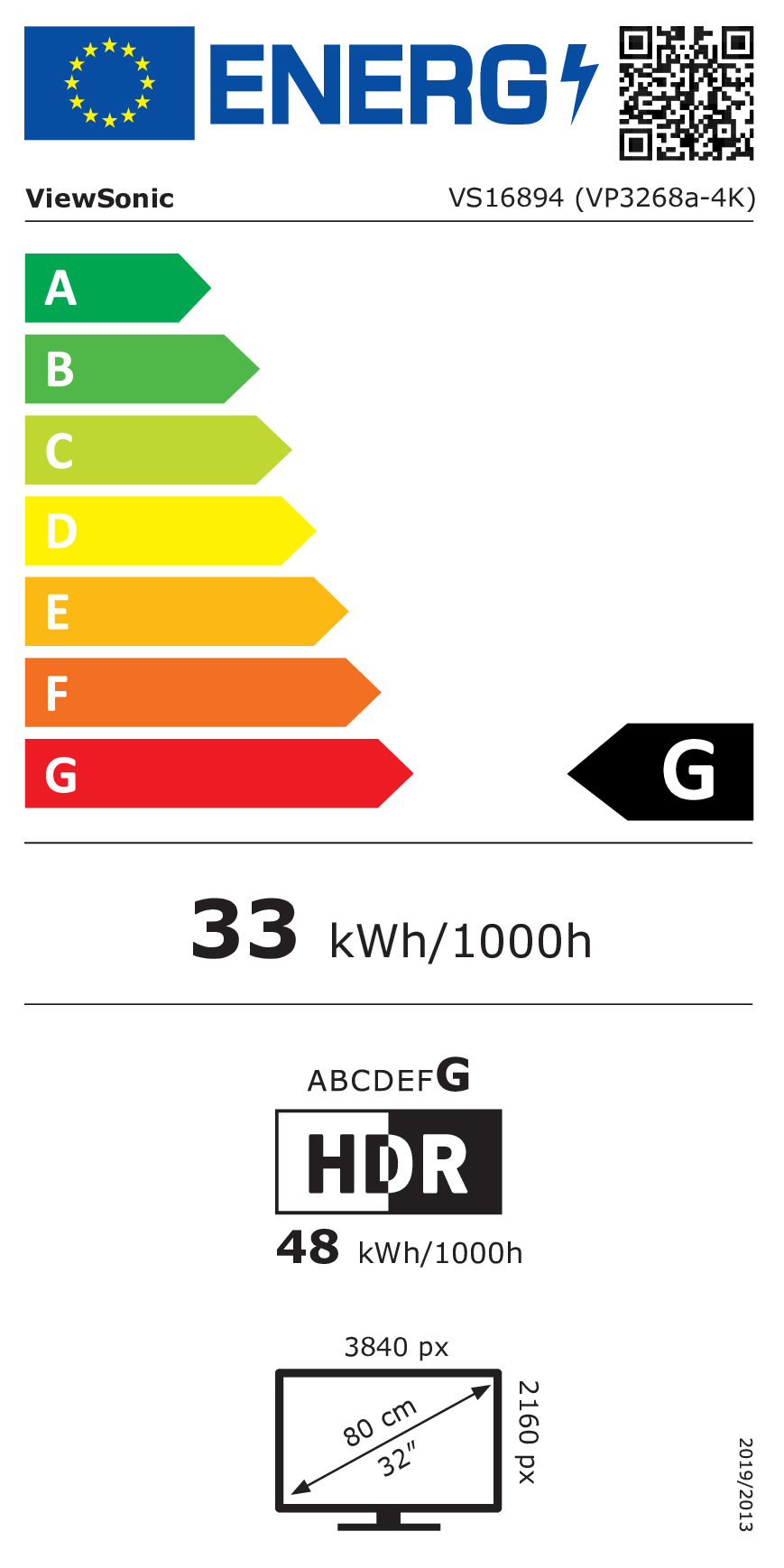
- Energy efficiency class (SDR)The energy efficiency rating of the device when operating in Standard Dynamic Range (SDR) mode, categorized from A to G.
- G
- Energy efficiency class (HDR)The energy efficiency rating of the device when High Dynamic Range (HDR) mode is active, ranging from A to G.
- G
- Energy consumption (SDR) per 1000 hoursThe amount of electric energy consumed by the device during standard dynamic range (SDR) operation over a period of 1000 hours, measured in kilowatt-hours (kWh).
- 33 kWh
- Energy consumption (HDR) per 1000 hoursThe amount of electrical energy consumed by the device when displaying High Dynamic Range (HDR) content over a period of 1000 hours, measured in kilowatt-hours (kWh).
- 48 kWh
- Power consumption (typical)Amount of power consumed by this model, often expressed in watts (W). Typical values that manufacturers give are power consumption when off, standby/suspended mode, typical use, maximum usage.
- 46 W
- Power consumption (standby)The amount of electricity that is consumed when the product is on standby.
- 0.5 W
- Power consumption (max)The maximum amount of power used by the device.
- 51 W
- AC input voltageThe voltage of the AC electricity that is inputted into the product.
- 100 - 240 V
- AC input frequencyThe range of alternating current frequencies the device can accept from the power source, measured in hertz (e.g., 45 - 65).
- 50 - 60 Hz
- Energy efficiency scaleThe range of energy efficiency classes used to rate the product's power consumption, such as A to G.
- A to G
Security
- Cable lock slotHoles on the edge of devices through which a cable lock can be passed, so the device can be locked to a desk etc.
- Yes
- Cable lock slot typeThe standard of the security slot used to attach a physical locking cable to the device (e.g. Kensington or Noble).
- Kensington
Ergonomics
- Height adjustmentThe part of the device that can be adjusted to change the height.
- Yes
- Adjustable height (max)The maximum distance the unit can be raised vertically from its lowest position, measured in millimetres.
- 13 cm
- PivotIndicates whether the device can be rotated 90 degrees to switch between landscape and portrait orientation.
- Yes
- Pivot angleThe range of motion available for rotating the unit around its vertical axis, typically measured in degrees.
- -90 - 90°
- SwivellingIndicates whether the product has a mechanism that allows it to rotate horizontally.
- Yes
- Swivel angle rangeThe minimum and maximum degrees to which the unit can be rotated horizontally.
- 0 - 120°
- Tilt adjustmentThe tilt, which means the angle at which the device is pointing (up or down), can be changed.
- Yes
- Tilt angle rangeThe minimum and maximum angles at which the unit can be tilted, typically expressed in degrees.
- -5 - 21°
Performance
- Flicker-free technologyIndicates whether the device employs technology to reduce or eliminate screen flickering to decrease eye strain during prolonged use.
- Yes
- Low Blue Light technologyIndicates whether the product features technology designed to reduce the amount of harmful short-wave blue light emitted by the screen to decrease eye strain.
- Yes
Logistics data
- Harmonized System (HS) codeThe standardized numerical method of classifying traded products used by customs authorities around the world to identify goods for tariffs and statistics.
- 85285210
Packaging data
- Package widthThe distance from one side of the packaging to the other.
- 835 mm
- Package depthThe distance from the front to the back of the packaging.
- 320 mm
- Package heightThe distance from the top to the bottom of the packaging.
- 575 mm
- Package weightWeight of the packaged product.
- 16.4 kg
Database Right data-sheet 2026 Icecat. All rights reserved. Provided “as is”, without warranty — check details with the store before buying.
Expert reviews
- 90
techradar.com2022
In this age of HDR everything, the Viewsonic VP3268a-4K looks a little dated both on paper and on your desk in design terms. It's a pure SDR panel with no HDR pretensions and slightly old fashioned styling.(Image credit: Future)The reality, of course, is...
- +
- Great overall productivity feature set, Good factory calibration, Competitive pricing
- −
- No HDR support, Dated styling
- –
bigtechquestion.com2021
Image qualityFeatures & designValue for money4.7SummarySo long as you'll take advantage of its sRGB colour accuracy, this is a brilliant value 32in 4K monitorShare this:TwitterFacebookLinkedInRedditPrintMorePocketWhatsAppTumblrPinterestLike this:LikeLoad...
Read the review at bigtechquestion.com ↗ - 100
expertreviews.co.uk2018
Brilliant colour accuracy when you need it and a versatile 32in monitor when you don’t – a great buy...
- +
- Magnificent performance, Generous ports, Svelte design
- −
- Awkward buttons, You'll have to invest in a calibrator
- 100
itpro.co.uk2018
The ViewSonic VP3268-4K is an excellent option due to the level of quality it offers for the price. Sure, you'll have to invest in a £100 hardware calibrator to make sure it stays accurate over time, but even then the price is well below £1,000. With r...
- +
- Superb colour accuracy, Calibrated for wide variety of colour spaces, Good value
- −
- Brightness is locked to 120cd/m2 in sRGB mode, OSD controls are fiddly
Price history (90 days, best daily price)
Price history is still being collected for this product — check back soon.
Alternative models

Viewsonic VG Series VG2740V
computer monitor 68.6 cm (27") 1920 x 1080 pixels Full HD LED

Viewsonic VP2756-2K
computer monitor 68.6 cm (27") 2560 x 1440 pixels Wide Quad HD LED Black
Viewsonic VP2756-4K
computer monitor 68.6 cm (27") 3840 x 2160 pixels 4K Ultra HD LED Black

Viewsonic VX Series VX2719-PC-MHD
computer monitor 68.6 cm (27") 1920 x 1080 pixels Full HD LED Black

Viewsonic VX4381-4K
computer monitor 109.2 cm (43") 3840 x 2160 pixels 4K Ultra HD LED Black

Viewsonic VX Series VX3418-2KPC
computer monitor 86.4 cm (34") 3440 x 1440 pixels Wide Quad HD LED Black
Accessories & compatible products

R-Go Tools Monitor arm R-Go Zepher Single, fully adjustable, 0-8 Kg load capacity, 100% circular, black

R-Go Tools Monitor arm R-Go Caparo Single, fully adjustable with gas spring, 3-9 kg load capacity, 100% circular, black

R-Go Tools Monitor arm R-Go Zepher Dual, for two monitors, fully adjustable, 0
8 kg load capacity, 100% circular, black
