
Samsung LU28E590DS/XY computer monitor 71.1 cm (28") 3840 x 2160 pixels 4K Ultra HD LED Black, Metallic
- Screen: 71.1 cm (28"), 3840 x 2160 pixels, TN, Flat
- Refresh rate: 60 Hz, 1 ms response time
- Brightness: 370 cd/m²
- Adaptive sync: AMD FreeSync
- Ports: 2 × HDMI, 1 × DisplayPort
- Stand: tilt, VESA 75 x 75 mm
- Colour: Black, Metallic
Where to buy
We're not tracking prices for this product yet. Check current prices directly at:
We may earn a commission when you buy through links on this page — at no extra cost to you. Learn more
About this product
Discover the detail of stunningly realistic UHD picture quality
The Samsung UHD monitor offers PC viewing, gaming and more, all in stunning Ultra HD picture quality. Superb images that boast a staggering 8 million pixels are delivered at a resolution 4x greater than Full HD. See your 4K content the way it was meant to be seen, with realistic detail that makes you feel like you’re really there. Experience a new level of clarity in Ultra High Definition
Take your entertainment to new heights of immersion and comfort
- AMD FreeSync: Dynamically syncs the screen refresh rate with the frame rate of your content to minimize input latency and dramatically reduce image tearing and stutter during gaming.
- Upgraded HDMI Support: With an upgraded HDMI that supports UHD resolutions at a 60Hz refresh rate, 4K content plays smoothly without delay, even when connected to AV devices.
- Game Mode: Instantly adjust your monitor settings for an optimized gaming experience through the on-screen display. Game Mode improves the darkness of the picture so that you can see all the action vividly.
- Fast 1ms Response Time: See even the fastest on-screen motion clearly without any motion blur, judder or ghosting
Experience unbeatable picture quality with razor sharp resolution and billions of Colours
- 1 Billion Colours: With 64 times more coloursthan conventional monitors, images are so detailed, accurate and natural that they will take your breath away.
- Highest Brightness Level: With the highest brightness level of 370 cd/㎡, the picture quality is more vivid and brilliantly clear.
Powerful multitasking features for maximum productivity
- PBP: Picture-by-Picture lets you view 2 different input sources on one screen while maintaining the picture quality of the original source.
- PIP 2.0: Multitask while you watch a variety of content, thanks to support for even more inputs with Picture-in-Picture 2.0. Resize the second picture to cover up to 25% of the screen and position it anywhere you please, and even control the sound settings with ease.
Enhanced connectivity with a triple interface
The UHD features a hardware interface with useful and advanced connections to maximize your gaming experience. It provides seamless connectivity with your PC and AV equipment with DisplayPort 1.2 and 2 different HDMI ports making it the perfect partner for your game console as well as your PC
Sophisticated design in matte black & T-shaped stand with a metallic touch
- Sophisticated Design: With thoughtful design and engineering, the UHD is much more than a monitor with stunning looks—it’s carefully designed to keep the focus on your content viewing pleasure. It comes with a stunning matte black body framed perfectly by a narrow bezel with a metallic rim, elevated by a T-shaped stand with a matching metallic touch.
- VESA Support: With support for VESA 75 X 75, you can easily mount it on any wall.
- Tilt: Easily and smoothly tilt the screen forward 20° and backwards 2° for comfortable viewing
Easy on the eyes for a more comfortable viewing experience
- Eye Saver Mode: Unlike other coloursemitted from screens, blue light wavelengths have a more stimulating effect on the retina, causing eye fatigue. Eye Saver Mode optimizes your viewing comfort by smartly reducing blue light emissions at the touch of a button.
- Flicker Free: Flicker Free technology reduces screen flickering for a more comfortable viewing experience
Documents
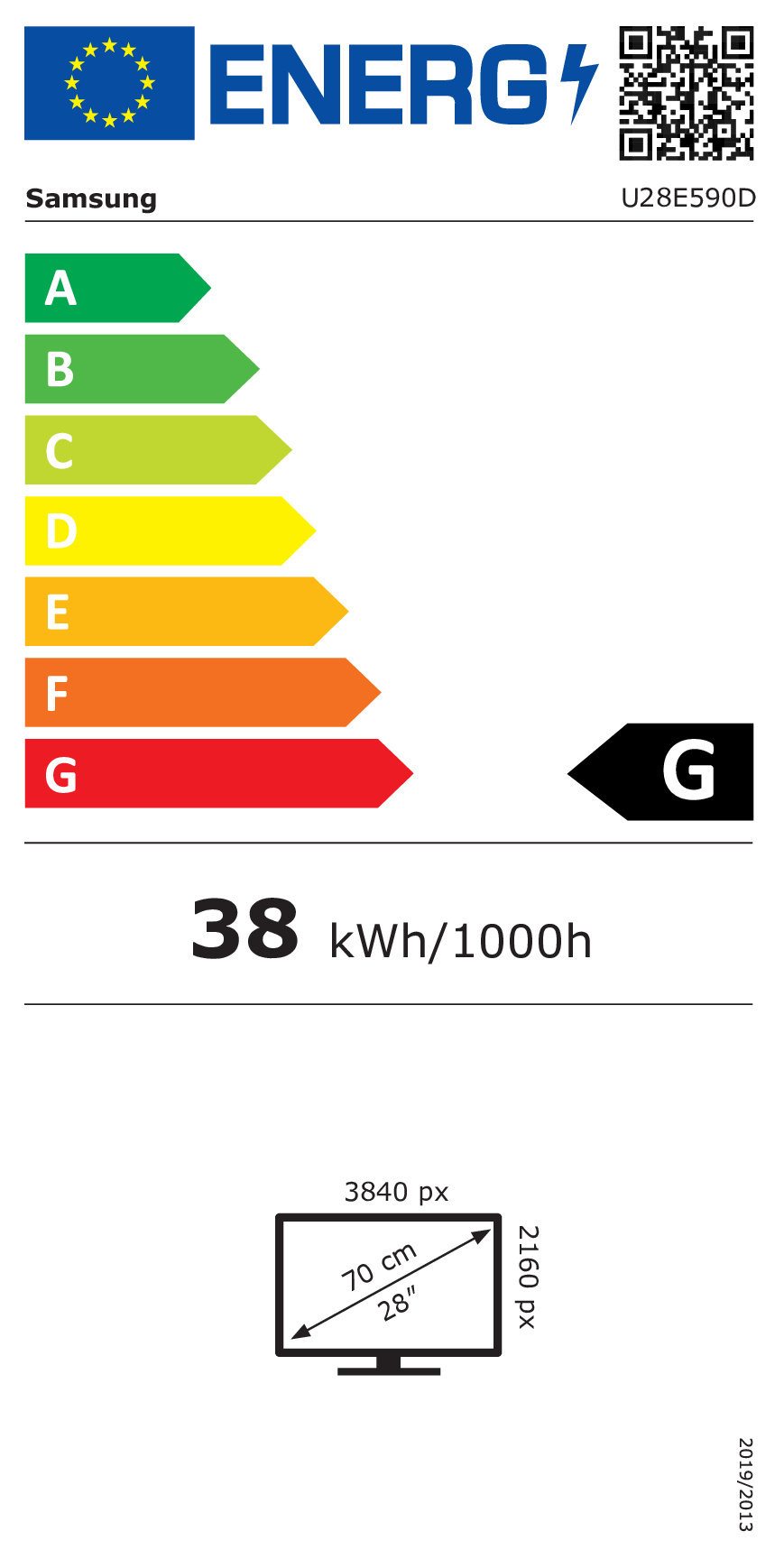
Specifications
Key specifications
- Display diagonalSize of the display for this product, measured diagonally, usually in inches.
- 71.1 cm (28")
- Display resolutionThe number of distinct pixels in each dimension that can be displayed. It is usually quoted as width × height, with the units in pixels: for example, "1024 × 768" means the width is 1024 pixels and the height is 768 pixels. The higher the number of pixels, the sharper the image.
- 3840 x 2160 pixels
- Panel typeThe technology used to manufacture the panel, such as AMOLED or AH-IPS.
- TN
- Screen shapeDescribes the physical curvature of the display panel, such as whether it is flat or curved.
- Flat
- Maximum refresh rateThe highest number of times per second the image is updated, measured in hertz (Hz).
- 60 Hz
- Response timeThe response time is the time difference between the moment that a source (for example a video card) sends a signal and that equipment (for example a monitor) receives or display the signal. (Used abbreviations: R/F = Rise and Fall.)
- 1 ms
- Display brightness (typical)Display brightness, measured by its Luminance, presented as a figure in nits. Typical brightness ratings for monitors range from 250 to 350 nits with a target value of between 80 to 120 nits being suitable for most displays in a normal viewing environment.
- 370 cd/m²
- AMD FreeSyncThe product includes AMD Freesync Technology for the dynamic synchronization of the graphic card and the monitor in order to avoid screen tearing.
- Yes
- HDMI ports quantityThe number of sockets (ports) for HDMI connections. HDMI (High-Definition Multimedia Interface) is a compact audio/video interface for transferring uncompressed video data and compressed/uncompressed digital audio data from a HDMI-compliant device ("the source device") to a compatible computer monitor, video projector, digital television, or digital audio device. HDMI is a digital replacement for…
- 2
- DisplayPorts quantityNumber of DisplayPorts. A DisplayPort is a digital display interface developed by the Video Electronics Standards Association (VESA). The interface is primarily used to connect a video source to a display device such as a computer monitor, though it can also be used to carry audio, USB, and other forms of data.
- 1
- Tilt adjustmentThe tilt, which means the angle at which the device is pointing (up or down), can be changed.
- Yes
- Panel mounting interfaceThe product can be used wih VESA mounting interfaces.
- 75 x 75 mm
- Product colourThe colour e.g. red, blue, green, black, white.
- Black, Metallic
Show all 55 specificationsShow key specifications only
Design
- VESA mountingIndicates whether the product supports the VESA mounting standard for attachment to compatible arms, brackets, or wall mounts.
- Yes
- Product colourThe colour e.g. red, blue, green, black, white.
- Black, Metallic
- Panel mounting interfaceThe product can be used wih VESA mounting interfaces.
- 75 x 75 mm
Performance
- AMD FreeSyncThe product includes AMD Freesync Technology for the dynamic synchronization of the graphic card and the monitor in order to avoid screen tearing.
- Yes
- VESA Adaptive Sync supportIndicates whether the device supports the VESA Adaptive-Sync standard to synchronize the refresh rate with the GPU to reduce screen tearing.
- Yes
- Game modeIndicates whether the device has a dedicated preset that optimizes performance, such as reducing input lag or enhancing contrast, for gaming.
- Yes
Display
- Display diagonalSize of the display for this product, measured diagonally, usually in inches.
- 71.1 cm (28")
- Display resolutionThe number of distinct pixels in each dimension that can be displayed. It is usually quoted as width × height, with the units in pixels: for example, "1024 × 768" means the width is 1024 pixels and the height is 768 pixels. The higher the number of pixels, the sharper the image.
- 3840 x 2160 pixels
- Native aspect ratioThe aspect ratio is the ratio of the width of an image to its height. The native aspect ratio is the one which the projector/display is particularly designed for. Images shown in native aspect ratio will utilize the entire resolution of the display and achieve maximum brightness. Images shown in other than native aspect ratio will always have less resolution and less brightness than images shown…
- 16:9
- Display technologyThe technology used in the display e.g. plasma, LED.
- LED
- TouchscreenA screen of a laptop, smartphone, etc., that responds to touch so you can control the interface using your fingers.
- No
- Active display area (W x H)The width and height of the actual screen surface that can display images, measured in mm.
- 620.93 x 341.28 mm
- HD typeType of supported High Definition (e.g. Full HD, 4K Ultra HD).
- 4K Ultra HD
- Panel typeThe technology used to manufacture the panel, such as AMOLED or AH-IPS.
- TN
- Display brightness (typical)Display brightness, measured by its Luminance, presented as a figure in nits. Typical brightness ratings for monitors range from 250 to 350 nits with a target value of between 80 to 120 nits being suitable for most displays in a normal viewing environment.
- 370 cd/m²
- Response timeThe response time is the time difference between the moment that a source (for example a video card) sends a signal and that equipment (for example a monitor) receives or display the signal. (Used abbreviations: R/F = Rise and Fall.)
- 1 ms
- Screen shapeDescribes the physical curvature of the display panel, such as whether it is flat or curved.
- Flat
- Supported graphics resolutionsThe graphic resolutions that can be displayed by the device. The graphic resolution describes the width and height dimensions of a display, such as a computer monitor, measured in pixels.
- 3840 x 2160
- Dynamic contrast ratio marketing nameThe proprietary brand name used by the manufacturer to describe the technology that automatically adjusts the backlight to improve the contrast ratio (e.g., ASUS Smart Contrast Ratio).
- Mega Contrast
- Maximum refresh rateThe highest number of times per second the image is updated, measured in hertz (Hz).
- 60 Hz
- Viewing angle, horizontalMaximum horizontal angle at which a display can be viewed with acceptable visual performance.
- 170°
- Viewing angle, verticalMaximum vertical angle at which a display can be viewed with acceptable visual performance.
- 160°
- Display number of coloursThe total number of distinct colours that the device is capable of displaying (e.g. 1.07 billion colours).
- 1.073 billion colours
- Pixel pitchThis is the parameter of a picture tube, which specifies the shortest distance between two dots of the same colour. The principle is: the smaller the dot pitch, the better sharpness of image.
- 0.16 x 0.16 mm
Other features
- Power consumption (DPMS)The amount of power the device consumes while in Display Power Management Signaling (DPMS) sleep mode, measured in W.
- 0.3 W
- No flickeringIndicates whether the device is equipped with technology to reduce or eliminate the rapid fluctuations in brightness that can cause eye strain.
- Yes
- Samsung Eye Saver ModeIndicates whether the device features a setting to reduce blue light emissions to minimize eye strain during prolonged use.
- Yes
- Supplied AC adapter typeThe type of power supply provided with the product to connect it to an alternating current source (e.g. AC).
- AC
Certificates
- CertificationSpecifies the official standards, safety approvals, or regulatory certifications the product has received.
- Windows 10
Packaging content
- Cables includedSpecifies the types and quantities of connection cables provided with the product (e.g., 3.5 mm to 3.5 mm or SATA).
- DisplayPort, HDMI
- Quick start guideInstructions, either online, as a computer program or in paper form, to allow you to set up and start using the product quickly.
- Yes
Weight & dimensions
- Width (with stand)The total horizontal measurement of the product when the supporting stand is attached, measured in millimetres.
- 660.9 mm
- Depth (with stand)The measurement of the product from front to back when any supporting accessory or base is attached, expressed in millimetres or centimetres.
- 187.1 mm
- Height (with stand)The total vertical measurement of the product including its base or support structure, expressed in millimetres or centimetres.
- 468.5 mm
- Weight (with stand)The total mass of the unit including its supporting base, measured in kilograms or grams.
- 5.28 kg
- Width (without stand)The horizontal measurement of the device excluding the base or support structure, expressed in millimetres.
- 660.9 mm
- Depth (without stand)The measurement of the product from front to back without its base or support, typically expressed in millimetres or centimetres.
- 73.5 mm
- Height (without stand)The vertical measurement of the device when the stand is removed, measured in mm.
- 381.3 mm
- Weight (without stand)The mass of the device excluding the support base, measured in g.
- 4.71 kg
Operational conditions
- Operating temperature (T-T)The minimum and maximum temperatures at which the product can be safely operated.
- 10 - 40 °C
- Operating relative humidity (H-H)The range of relative humidity, expressed as a percentage, within which the device can function correctly without damage or performance loss.
- 10 - 80%
Power
- Power consumption (off)The amount of electrical energy consumed by the device when it is switched off, measured in watts.
- 0.3 W
- AC input voltageThe voltage of the AC electricity that is inputted into the product.
- 100 - 240 V
Security
- Cable lock slotHoles on the edge of devices through which a cable lock can be passed, so the device can be locked to a desk etc.
- No
Ergonomics
- Tilt adjustmentThe tilt, which means the angle at which the device is pointing (up or down), can be changed.
- Yes
- Tilt angle rangeThe minimum and maximum angles at which the unit can be tilted, typically expressed in degrees.
- -2 - 20°
Management features
- Picture-in-PicturePicture-in-picture (PiP) is a feature of some television receivers and similar devices. One program (channel) is displayed on the full TV screen at the same time as one or more other programs are displayed in inset windows. Sound is usually from the main program only.
- Yes
Ports & interfaces
- HDMI ports quantityThe number of sockets (ports) for HDMI connections. HDMI (High-Definition Multimedia Interface) is a compact audio/video interface for transferring uncompressed video data and compressed/uncompressed digital audio data from a HDMI-compliant device ("the source device") to a compatible computer monitor, video projector, digital television, or digital audio device. HDMI is a digital replacement for…
- 2
- DisplayPorts quantityNumber of DisplayPorts. A DisplayPort is a digital display interface developed by the Video Electronics Standards Association (VESA). The interface is primarily used to connect a video source to a display device such as a computer monitor, though it can also be used to carry audio, USB, and other forms of data.
- 1
- Headphone outputsNumber of sockets /ports where headphones are connected.
- 1
Packaging data
- Package widthThe distance from one side of the packaging to the other.
- 740 mm
- Package depthThe distance from the front to the back of the packaging.
- 461 mm
- Package heightThe distance from the top to the bottom of the packaging.
- 141 mm
- Package weightWeight of the packaged product.
- 7.75 kg
- User Guide on CD-ROMIndicates whether a digital copy of the user manual is provided on an included CD-ROM.
- Yes
Database Right data-sheet 2026 Icecat. All rights reserved. Provided “as is”, without warranty — check details with the store before buying.
Price history (90 days, best daily price)
Price history is still being collected for this product — check back soon.
Alternative models

Samsung C32F391FWE
computer monitor 81.3 cm (32") 1920 x 1080 pixels Full HD White

Samsung S32F351FUE
computer monitor 81.3 cm (32") 1920 x 1080 pixels Full HD LED White

Samsung NC221
computer monitor 54.6 cm (21.5") 1920 x 1080 pixels Full HD Black

Samsung S32D850T
computer monitor 81.3 cm (32") 2560 x 1440 pixels Quad HD LED Black

Samsung NC241
computer monitor 61 cm (24") 1920 x 1080 pixels Full HD LED Black

Samsung S27F350FHE
computer monitor 68.6 cm (27") 1920 x 1080 pixels Full HD LED Black