
Samsung LS24D300HL computer monitor 59.9 cm (23.6") 1920 x 1080 pixels Full HD LED Black
- Screen: 59.9 cm (23.6"), 1920 x 1080 pixels, TN, Flat
- Refresh rate: 5 ms response time
- Brightness: 200 cd/m²
- Ports: 1 × HDMI
- Colour: Black
Where to buy
We're not tracking prices for this product yet. Check current prices directly at:
We may earn a commission when you buy through links on this page — at no extra cost to you. Learn more
About this product
Mega Dynamic Contrast Ratio delivers a mega experience. Make a difference with new Eco saving modes. Get comfortable with a wider viewing angle thanks to Magic Angle. Make an impression with the new slim and modern design monitor.
Upgrade to the next level with Mega Dynamic Contrast.
Experience amazing new levels of colour, brilliance and picture quality through the very latest in Mega Dynamic Contrast Ratio. Samsung SA300 monitors deliver images so real-to-life that it will transform your whole viewing experience. Packed with breathtaking 5,000,000:1 contrast ratio, the highest level currently available, the SA300 monitor ensures that blacks are at their absolute darkest and (with pristine whites) colours are at their brightest. You will immediately notice the crystal clear picture and its unbelievable intensity. It is like an explosion of colours and leaves other screens seeming dull in comparison. So, take your viewing pleasure to the next level with Samsung Mega Dynamic Contrast Ratio – and enjoy your multimedia content with the professionalism it deserves.
Control brightness, conserve energy.
Eco saving makes saving energy easy. It adjusts the brightness of your Samsung monitor based on how much energy you want to save. And with the choice of three energy saving modes (50%, 25% and Power Saving off), you can really tailor your monitor use to meet your own personal needs. Samsung’s commitment to saving energy is designed to help both you and the environment, and with up to 50% saving on consumption, you can really make a positive impact on your eco footprint. Take the effort out of saving energy and take control with Eco saving.
See it your way with wider viewing angles.
How do you like to watch movies? Do you like lying down on the couch? Sitting in your favorite chair? Cooking or exercising? Whether you’re standing, sitting or lying down, Samsung Magic Angle makes sure that the movie always takes center stage and that you’re always comfortable. This means, thanks to the 5-mode angle management, that whatever angle you watch your Samsung monitor, you will enjoy a full visual experience with amazing picture clarity. So, start seeing your favourite movies and other multimedia in total comfort and without limitations thanks to Magic Angle.
Documents
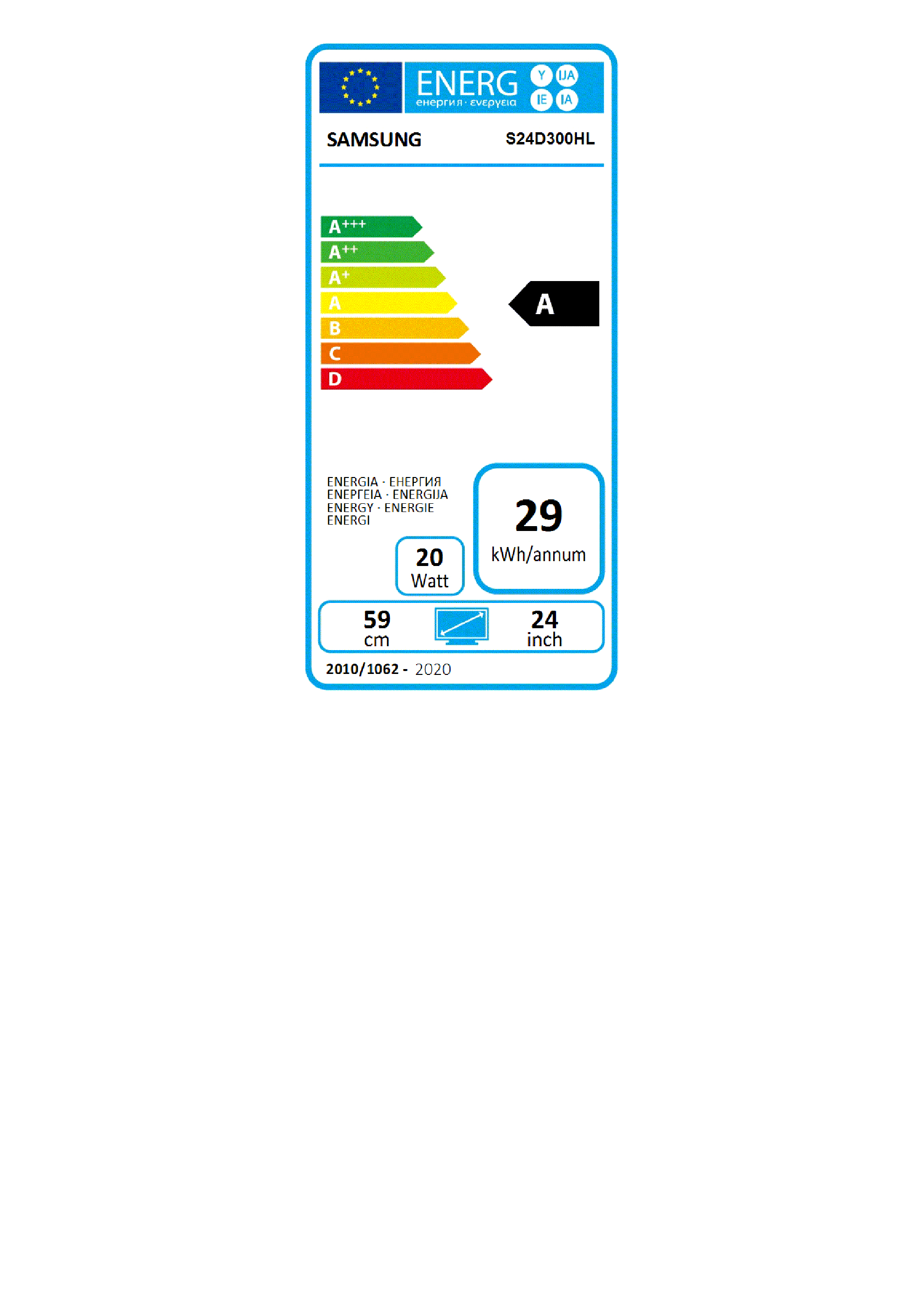
- Product information sheetEU Product Fiche ↗
Specifications
Key specifications
- Display diagonalSize of the display for this product, measured diagonally, usually in inches.
- 59.9 cm (23.6")
- Display resolutionThe number of distinct pixels in each dimension that can be displayed. It is usually quoted as width × height, with the units in pixels: for example, "1024 × 768" means the width is 1024 pixels and the height is 768 pixels. The higher the number of pixels, the sharper the image.
- 1920 x 1080 pixels
- Panel typeThe technology used to manufacture the panel, such as AMOLED or AH-IPS.
- TN
- Screen shapeDescribes the physical curvature of the display panel, such as whether it is flat or curved.
- Flat
- Response timeThe response time is the time difference between the moment that a source (for example a video card) sends a signal and that equipment (for example a monitor) receives or display the signal. (Used abbreviations: R/F = Rise and Fall.)
- 5 ms
- Display brightness (typical)Display brightness, measured by its Luminance, presented as a figure in nits. Typical brightness ratings for monitors range from 250 to 350 nits with a target value of between 80 to 120 nits being suitable for most displays in a normal viewing environment.
- 200 cd/m²
- HDMI ports quantityThe number of sockets (ports) for HDMI connections. HDMI (High-Definition Multimedia Interface) is a compact audio/video interface for transferring uncompressed video data and compressed/uncompressed digital audio data from a HDMI-compliant device ("the source device") to a compatible computer monitor, video projector, digital television, or digital audio device. HDMI is a digital replacement for…
- 1
- Product colourThe colour e.g. red, blue, green, black, white.
- Black
Show all 42 specificationsShow key specifications only
Design
- Product colourThe colour e.g. red, blue, green, black, white.
- Black
- LED indicatorsThe specific status lights available on the unit to provide visual feedback on its current state or connectivity (e.g., AC input, ACT, or Access).
- Power
Display
- Display diagonalSize of the display for this product, measured diagonally, usually in inches.
- 59.9 cm (23.6")
- Display resolutionThe number of distinct pixels in each dimension that can be displayed. It is usually quoted as width × height, with the units in pixels: for example, "1024 × 768" means the width is 1024 pixels and the height is 768 pixels. The higher the number of pixels, the sharper the image.
- 1920 x 1080 pixels
- Display technologyThe technology used in the display e.g. plasma, LED.
- LED
- TouchscreenA screen of a laptop, smartphone, etc., that responds to touch so you can control the interface using your fingers.
- No
- HD typeType of supported High Definition (e.g. Full HD, 4K Ultra HD).
- Full HD
- Panel typeThe technology used to manufacture the panel, such as AMOLED or AH-IPS.
- TN
- Display brightness (typical)Display brightness, measured by its Luminance, presented as a figure in nits. Typical brightness ratings for monitors range from 250 to 350 nits with a target value of between 80 to 120 nits being suitable for most displays in a normal viewing environment.
- 200 cd/m²
- Response timeThe response time is the time difference between the moment that a source (for example a video card) sends a signal and that equipment (for example a monitor) receives or display the signal. (Used abbreviations: R/F = Rise and Fall.)
- 5 ms
- Screen shapeDescribes the physical curvature of the display panel, such as whether it is flat or curved.
- Flat
- Supported graphics resolutionsThe graphic resolutions that can be displayed by the device. The graphic resolution describes the width and height dimensions of a display, such as a computer monitor, measured in pixels.
- 1920 x 1080 (HD 1080)
- Supported video modesThe video modes that can be displayed by the device.
- 1080p
- Contrast ratio (typical)The difference in light intensity between the brightest white and the darkest black.
- 700:1
- Dynamic contrast ratio marketing nameThe proprietary brand name used by the manufacturer to describe the technology that automatically adjusts the backlight to improve the contrast ratio (e.g., ASUS Smart Contrast Ratio).
- Mega Contrast
- Display number of coloursThe total number of distinct colours that the device is capable of displaying (e.g. 1.07 billion colours).
- 16.78 million colours
Packaging content
- Cables includedSpecifies the types and quantities of connection cables provided with the product (e.g., 3.5 mm to 3.5 mm or SATA).
- AC, VGA
- Quick start guideInstructions, either online, as a computer program or in paper form, to allow you to set up and start using the product quickly.
- Yes
Weight & dimensions
- Width (with stand)The total horizontal measurement of the product when the supporting stand is attached, measured in millimetres.
- 569 mm
- Depth (with stand)The measurement of the product from front to back when any supporting accessory or base is attached, expressed in millimetres or centimetres.
- 197 mm
- Height (with stand)The total vertical measurement of the product including its base or support structure, expressed in millimetres or centimetres.
- 417.2 mm
- Weight (with stand)The total mass of the unit including its supporting base, measured in kilograms or grams.
- 3.55 kg
- Width (without stand)The horizontal measurement of the device excluding the base or support structure, expressed in millimetres.
- 569 mm
- Depth (without stand)The measurement of the product from front to back without its base or support, typically expressed in millimetres or centimetres.
- 53.9 mm
- Height (without stand)The vertical measurement of the device when the stand is removed, measured in mm.
- 342.1 mm
- Weight (without stand)The mass of the device excluding the support base, measured in g.
- 3.2 kg
Power
- Power consumption (typical)Amount of power consumed by this model, often expressed in watts (W). Typical values that manufacturers give are power consumption when off, standby/suspended mode, typical use, maximum usage.
- 20 W
- Power consumption (standby)The amount of electricity that is consumed when the product is on standby.
- 0.3 W
- AC input voltageThe voltage of the AC electricity that is inputted into the product.
- 100 - 240 V
- AC input frequencyThe range of alternating current frequencies the device can accept from the power source, measured in hertz (e.g., 45 - 65).
- 50 - 60 Hz
Security
- Cable lock slotHoles on the edge of devices through which a cable lock can be passed, so the device can be locked to a desk etc.
- No
Features
- Plug and PlayIndicates whether this product supports is "plug and play". Plug and play is hardware or software that, after being installed ("plugged in"), can immediately be used ("played with"), as opposed to hardware or software which requires configuration.
- Yes
Network
- Wi-FiPopular technology that allows an electronic device to exchange data or connect to the internet wirelessly using radio waves.
- No
- BluetoothBluetooth is a low-power radio technology developed to replace the cables and wires currently used to link or connect electronic devices such as personal computers, printers, and a wide variety of handheld devices including mobile phones. Because it uses radio-wave connectivity, a Bluetooth-enabled device has a constant, established connection to whatever browser it uses. This saves the user the…
- No
Ports & interfaces
- VGA (D-Sub) ports quantityNumber of VGA (D-Sub) ports (connecting interfaces) in the device. The VGA (D-Sub) connector is a 15 pin connector between a computer and a monitor. It was first introduced in 1987 by IBM.
- 1
- DVI portDigital Visual Interface (DVI) is a video display interface to connect a video source to a display device, such as a computer monitor.
- No
- HDMI ports quantityThe number of sockets (ports) for HDMI connections. HDMI (High-Definition Multimedia Interface) is a compact audio/video interface for transferring uncompressed video data and compressed/uncompressed digital audio data from a HDMI-compliant device ("the source device") to a compatible computer monitor, video projector, digital television, or digital audio device. HDMI is a digital replacement for…
- 1
- AC (power) inIndicates whether the device can be powered directly via an alternating current (AC) power source.
- Yes
Packaging data
- Package widthThe distance from one side of the packaging to the other.
- 635 mm
- Package depthThe distance from the front to the back of the packaging.
- 111 mm
- Package heightThe distance from the top to the bottom of the packaging.
- 408 mm
- Package weightWeight of the packaged product.
- 4.8 kg
Database Right data-sheet 2026 Icecat. All rights reserved. Provided “as is”, without warranty — check details with the store before buying.
Price history (90 days, best daily price)
Price history is still being collected for this product — check back soon.
Alternative models

Samsung LS19D300NY
computer monitor 48.3 cm (19") 1366 x 768 pixels WXGA LED Black

Samsung LS22E45KBSV
computer monitor 54.6 cm (21.5") 1920 x 1080 pixels Full HD LED Black

Samsung LS27F358FWUXEN
computer monitor 68.6 cm (27") 1920 x 1080 pixels Full HD LED Black

Samsung LS24E65UPLC
computer monitor 59.9 cm (23.6") 1920 x 1080 pixels Full HD LED Black

Samsung C27F398FWU
computer monitor 68.6 cm (27") 1920 x 1080 pixels Full HD LED Black
Samsung LS22E45UDWG
computer monitor 55.9 cm (22") 1680 x 1050 pixels WSXGA+ LED Black