
Samsung LS24C65KBW computer monitor 61 cm (24") 1920 x 1200 pixels Full HD LED Black
- Screen: 61 cm (24"), 1920 x 1200 pixels, AD-PLS, Flat
- Refresh rate: 5 ms response time
- Brightness: 250 cd/m²
- Stand: height-adjustable, tilt, VESA 100 x 100 mm
- Colour: Black
Where to buy
We're not tracking prices for this product yet. Check current prices directly at:
We may earn a commission when you buy through links on this page — at no extra cost to you. Learn more
About this product
Experience minimal design and maximum effect.
Maximise your monitor experience with the help of a chic narrow bezel. With its narrow bezel width, users benefit from reduced distraction when looking at the monitor and therefore can enjoy greater levels of concentration. The extra screen space also makes it easier to set up a dual monitor workstation, which also adds to work productivity. But for those who just want a smart looking monitor, the narrow bezel adds a sophisticated look and feel to any desk.
See perfect colours from wherever you sit
Maximise your viewing experience with Samsung’s superior AD-PLS technology (Plane to Line Switching). The SC650, which can cover an amazing 178̊ viewing angle both vertically and horizontally, boasts a crisp and detailed picture by maintaining true-to-life colour, even when viewed from extreme angles, so the experience is always vivid and brilliant.
See your work from the best possible angle
Provide employees with an optimal viewing experience in the office with the reasonably priced Samsung Business Monitor. While conventional monitors have a viewing angle of 170 degrees horizontally, the Samsung monitor has an extra wide viewing angle of 178 degrees. The additional 8 degrees is particularly useful when sharing on-screen information with one or more coworkers or presenting your ideas to clients. The Samsung Business Monitor has improved its vertical viewing angles by 18 degrees, making it the perfect display for giving presentations in front of a large audience or when viewing other content such as a video.
Improve your work with HAS design
Find the perfect viewing experience with the help of Samsung’s Height Adjustable Stand (HAS). Its simple controls allow for users to tailor their monitor height and angle to meet their exact eye level and therefore improve their productivity when working. It ensures that users are always benefitting from the best
The USB Hub that sets you free
Streamline your desk with simple and hassle-free connectivity. The built-in USB Hub features 2 USB ports and replaces the need for a docking station. Furthermore, the enhanced connectivity also means that all your devices can be connected and controlled through the monitor. So, everything from your mouse and keyboard to your external speakers, printers and USB devices can simply connect to your Samsung Business Monitor. This monitor really sets you PC free!
Upgrade to the next level with Mega Dynamic Contrast
Mega Dynamic Contrast Ratio delivers new levels of colour and picture quality to your viewing experience with images that are real-to-life. A breathtaking Mega∞ DCR contrast ratio shows blacks at their absolute darkest and pristine whites and other colours at their brightest. You will notice the crystal clear picture clarity. It is like explosions of colours that make other screens seem dull in comparison. Enjoy your multimedia content with the professionalism it deserves.
Maximise your space with easy wall mounting
Give your monitor the best possible positioning with the VESA Wall Mount. Easy to mount and install, it is convenient, safe, compatible, and the perfect partner to your monitor. You will always have a great viewing angle and it also makes the most of your space with its slim design.
Keep your work space as efficient as your monitor
If you need a work monitor that uses office space efficiently, then Samsung LED Business Monitor SC650/SC450 is the perfect choice. From physically moving the monitor with the carrying handle to quickly installing, the SC650/SC450 is ready to deliver an efficient and clean work space. Optimising your office space is now easily achieved with the Samsung LED Business Monitor SC650/SC450.
Documents
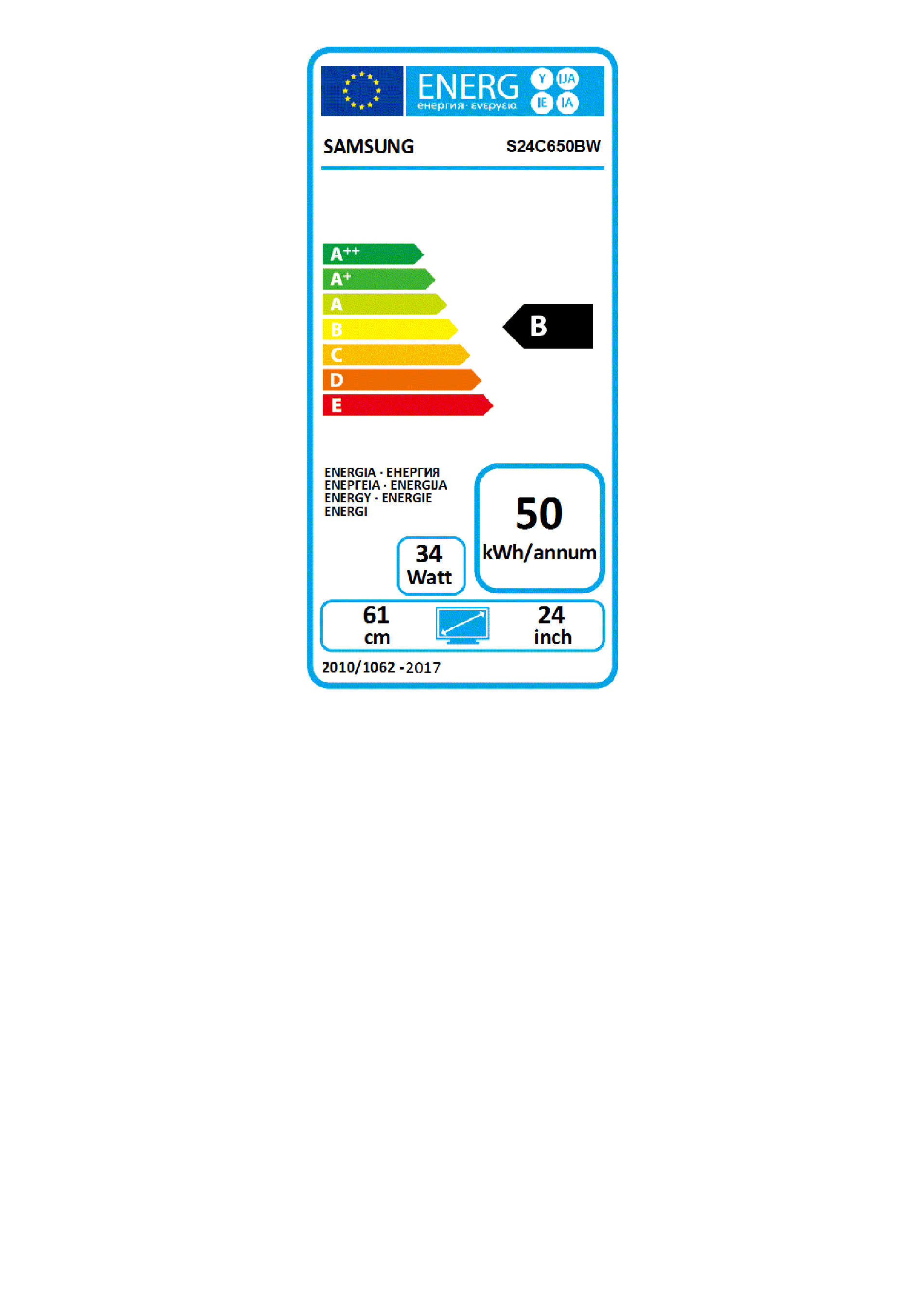
- Product information sheetEU Product Fiche ↗
Specifications
Key specifications
- Display diagonalSize of the display for this product, measured diagonally, usually in inches.
- 61 cm (24")
- Display resolutionThe number of distinct pixels in each dimension that can be displayed. It is usually quoted as width × height, with the units in pixels: for example, "1024 × 768" means the width is 1024 pixels and the height is 768 pixels. The higher the number of pixels, the sharper the image.
- 1920 x 1200 pixels
- Panel typeThe technology used to manufacture the panel, such as AMOLED or AH-IPS.
- AD-PLS
- Screen shapeDescribes the physical curvature of the display panel, such as whether it is flat or curved.
- Flat
- Response timeThe response time is the time difference between the moment that a source (for example a video card) sends a signal and that equipment (for example a monitor) receives or display the signal. (Used abbreviations: R/F = Rise and Fall.)
- 5 ms
- Display brightness (typical)Display brightness, measured by its Luminance, presented as a figure in nits. Typical brightness ratings for monitors range from 250 to 350 nits with a target value of between 80 to 120 nits being suitable for most displays in a normal viewing environment.
- 250 cd/m²
- Height adjustmentThe part of the device that can be adjusted to change the height.
- Yes
- Tilt adjustmentThe tilt, which means the angle at which the device is pointing (up or down), can be changed.
- Yes
- Panel mounting interfaceThe product can be used wih VESA mounting interfaces.
- 100 x 100 mm
- Product colourThe colour e.g. red, blue, green, black, white.
- Black
Show all 63 specificationsShow key specifications only
Design
- VESA mountingIndicates whether the product supports the VESA mounting standard for attachment to compatible arms, brackets, or wall mounts.
- Yes
- Market positioningUnder which category can the device be positioned in the market, e.g. camera phone.
- Home
- Product colourThe colour e.g. red, blue, green, black, white.
- Black
- Panel mounting interfaceThe product can be used wih VESA mounting interfaces.
- 100 x 100 mm
- LED indicatorsThe specific status lights available on the unit to provide visual feedback on its current state or connectivity (e.g., AC input, ACT, or Access).
- Power
Ports & interfaces
- Built-in USB hubWhether or not the device features a USB hub to connect more than one other device via USB.
- No
- VGA (D-Sub) ports quantityNumber of VGA (D-Sub) ports (connecting interfaces) in the device. The VGA (D-Sub) connector is a 15 pin connector between a computer and a monitor. It was first introduced in 1987 by IBM.
- 1
- DVI portDigital Visual Interface (DVI) is a video display interface to connect a video source to a display device, such as a computer monitor.
- Yes
- Audio inputThe type of audio input that the device requires, and the connection needed.
- No
- Headphone outThe socket for connecting headphones to the device.
- No
Audio
- Built-in speaker(s)The device contains speaker(s) to produce sound.
- No
Display
- Display diagonalSize of the display for this product, measured diagonally, usually in inches.
- 61 cm (24")
- Display resolutionThe number of distinct pixels in each dimension that can be displayed. It is usually quoted as width × height, with the units in pixels: for example, "1024 × 768" means the width is 1024 pixels and the height is 768 pixels. The higher the number of pixels, the sharper the image.
- 1920 x 1200 pixels
- Native aspect ratioThe aspect ratio is the ratio of the width of an image to its height. The native aspect ratio is the one which the projector/display is particularly designed for. Images shown in native aspect ratio will utilize the entire resolution of the display and achieve maximum brightness. Images shown in other than native aspect ratio will always have less resolution and less brightness than images shown…
- 16:10
- Display technologyThe technology used in the display e.g. plasma, LED.
- LED
- TouchscreenA screen of a laptop, smartphone, etc., that responds to touch so you can control the interface using your fingers.
- No
- HD typeType of supported High Definition (e.g. Full HD, 4K Ultra HD).
- Full HD
- Panel typeThe technology used to manufacture the panel, such as AMOLED or AH-IPS.
- AD-PLS
- Display brightness (typical)Display brightness, measured by its Luminance, presented as a figure in nits. Typical brightness ratings for monitors range from 250 to 350 nits with a target value of between 80 to 120 nits being suitable for most displays in a normal viewing environment.
- 250 cd/m²
- Response timeThe response time is the time difference between the moment that a source (for example a video card) sends a signal and that equipment (for example a monitor) receives or display the signal. (Used abbreviations: R/F = Rise and Fall.)
- 5 ms
- Screen shapeDescribes the physical curvature of the display panel, such as whether it is flat or curved.
- Flat
- Supported graphics resolutionsThe graphic resolutions that can be displayed by the device. The graphic resolution describes the width and height dimensions of a display, such as a computer monitor, measured in pixels.
- 1920 x 1200 (WUXGA)
- Contrast ratio (typical)The difference in light intensity between the brightest white and the darkest black.
- 1000:1
- Dynamic contrast ratio marketing nameThe proprietary brand name used by the manufacturer to describe the technology that automatically adjusts the backlight to improve the contrast ratio (e.g., ASUS Smart Contrast Ratio).
- Mega Contrast
- Viewing angle, horizontalMaximum horizontal angle at which a display can be viewed with acceptable visual performance.
- 178°
- Viewing angle, verticalMaximum vertical angle at which a display can be viewed with acceptable visual performance.
- 178°
- Display number of coloursThe total number of distinct colours that the device is capable of displaying (e.g. 1.07 billion colours).
- 16.78 million colours
- Pixel pitchThis is the parameter of a picture tube, which specifies the shortest distance between two dots of the same colour. The principle is: the smaller the dot pitch, the better sharpness of image.
- 0.27 x 0.27 mm
- Viewable size, horizontalThe viewable size is often somewhat smaller than the actual size of a monitor, because there is a border around the image.
- 51.8 cm
- Viewable size, verticalThe height of the screen area that can actually display an image, measured in millimetres or inches.
- 32.4 cm
Packaging content
- Stand includedIndicates whether a support stand is supplied with the product.
- Yes
- Quick start guideInstructions, either online, as a computer program or in paper form, to allow you to set up and start using the product quickly.
- Yes
Weight & dimensions
- Width (with stand)The total horizontal measurement of the product when the supporting stand is attached, measured in millimetres.
- 554.8 mm
- Depth (with stand)The measurement of the product from front to back when any supporting accessory or base is attached, expressed in millimetres or centimetres.
- 224 mm
- Height (with stand)The total vertical measurement of the product including its base or support structure, expressed in millimetres or centimetres.
- 385.2 mm
- Weight (with stand)The total mass of the unit including its supporting base, measured in kilograms or grams.
- 5.7 kg
- Width (without stand)The horizontal measurement of the device excluding the base or support structure, expressed in millimetres.
- 554.8 mm
- Depth (without stand)The measurement of the product from front to back without its base or support, typically expressed in millimetres or centimetres.
- 54.2 mm
- Height (without stand)The vertical measurement of the device when the stand is removed, measured in mm.
- 359.4 mm
- Weight (without stand)The mass of the device excluding the support base, measured in g.
- 4.1 kg
Operational conditions
- Operating temperature (T-T)The minimum and maximum temperatures at which the product can be safely operated.
- 10 - 40 °C
- Operating relative humidity (H-H)The range of relative humidity, expressed as a percentage, within which the device can function correctly without damage or performance loss.
- 10 - 80%
Power
- Power consumption (typical)Amount of power consumed by this model, often expressed in watts (W). Typical values that manufacturers give are power consumption when off, standby/suspended mode, typical use, maximum usage.
- 34 W
- Power consumption (standby)The amount of electricity that is consumed when the product is on standby.
- 0.1 W
- AC input voltageThe voltage of the AC electricity that is inputted into the product.
- 100 - 240 V
- AC input frequencyThe range of alternating current frequencies the device can accept from the power source, measured in hertz (e.g., 45 - 65).
- 50 - 60 Hz
Security
- Cable lock slotHoles on the edge of devices through which a cable lock can be passed, so the device can be locked to a desk etc.
- No
Ergonomics
- Height adjustmentThe part of the device that can be adjusted to change the height.
- Yes
- Adjustable height (max)The maximum distance the unit can be raised vertically from its lowest position, measured in millimetres.
- 13 cm
- PivotIndicates whether the device can be rotated 90 degrees to switch between landscape and portrait orientation.
- Yes
- Pivot angleThe range of motion available for rotating the unit around its vertical axis, typically measured in degrees.
- -1 - 91°
- SwivellingIndicates whether the product has a mechanism that allows it to rotate horizontally.
- Yes
- Swivel angle rangeThe minimum and maximum degrees to which the unit can be rotated horizontally.
- -45 - 45°
- Tilt adjustmentThe tilt, which means the angle at which the device is pointing (up or down), can be changed.
- Yes
- Tilt angle rangeThe minimum and maximum angles at which the unit can be tilted, typically expressed in degrees.
- -3 - 25°
Features
- Plug and PlayIndicates whether this product supports is "plug and play". Plug and play is hardware or software that, after being installed ("plugged in"), can immediately be used ("played with"), as opposed to hardware or software which requires configuration.
- Yes
Network
- Wi-FiPopular technology that allows an electronic device to exchange data or connect to the internet wirelessly using radio waves.
- No
- BluetoothBluetooth is a low-power radio technology developed to replace the cables and wires currently used to link or connect electronic devices such as personal computers, printers, and a wide variety of handheld devices including mobile phones. Because it uses radio-wave connectivity, a Bluetooth-enabled device has a constant, established connection to whatever browser it uses. This saves the user the…
- No
Logistics data
- Harmonized System (HS) codeThe standardized numerical method of classifying traded products used by customs authorities around the world to identify goods for tariffs and statistics.
- 85285210
Packaging data
- Package widthThe distance from one side of the packaging to the other.
- 628 mm
- Package depthThe distance from the front to the back of the packaging.
- 433 mm
- Package heightThe distance from the top to the bottom of the packaging.
- 188 mm
- Package weightWeight of the packaged product.
- 7.35 kg
Database Right data-sheet 2026 Icecat. All rights reserved. Provided “as is”, without warranty — check details with the store before buying.
Price history (90 days, best daily price)
Price history is still being collected for this product — check back soon.
Alternative models

Samsung LS22E45UDWG
computer monitor 55.9 cm (22") 1680 x 1050 pixels WSXGA+ LED Black

Samsung LS24E45KBL
computer monitor 61 cm (24") 1920 x 1080 pixels Full HD LED Black
Samsung LS24E65UPLC
computer monitor 59.9 cm (23.6") 1920 x 1080 pixels Full HD LED Black

Samsung LS22D300HY
computer monitor 55.9 cm (22") 1920 x 1080 pixels Full HD LED Black

Samsung LS22E45KBSV
computer monitor 54.6 cm (21.5") 1920 x 1080 pixels Full HD LED Black
Samsung LS22D300NY
computer monitor 55.9 cm (22") 1920 x 1080 pixels Full HD LED Black
Accessories & compatible products

R-Go Tools Monitor arm R-Go Zepher Single, fully adjustable, 0-8 Kg load capacity, 100% circular, black

R-Go Tools Monitor arm R-Go Caparo Single, fully adjustable with gas spring, 3-9 kg load capacity, 100% circular, black

R-Go Tools Monitor arm R-Go Zepher Dual, for two monitors, fully adjustable, 0
8 kg load capacity, 100% circular, black
