
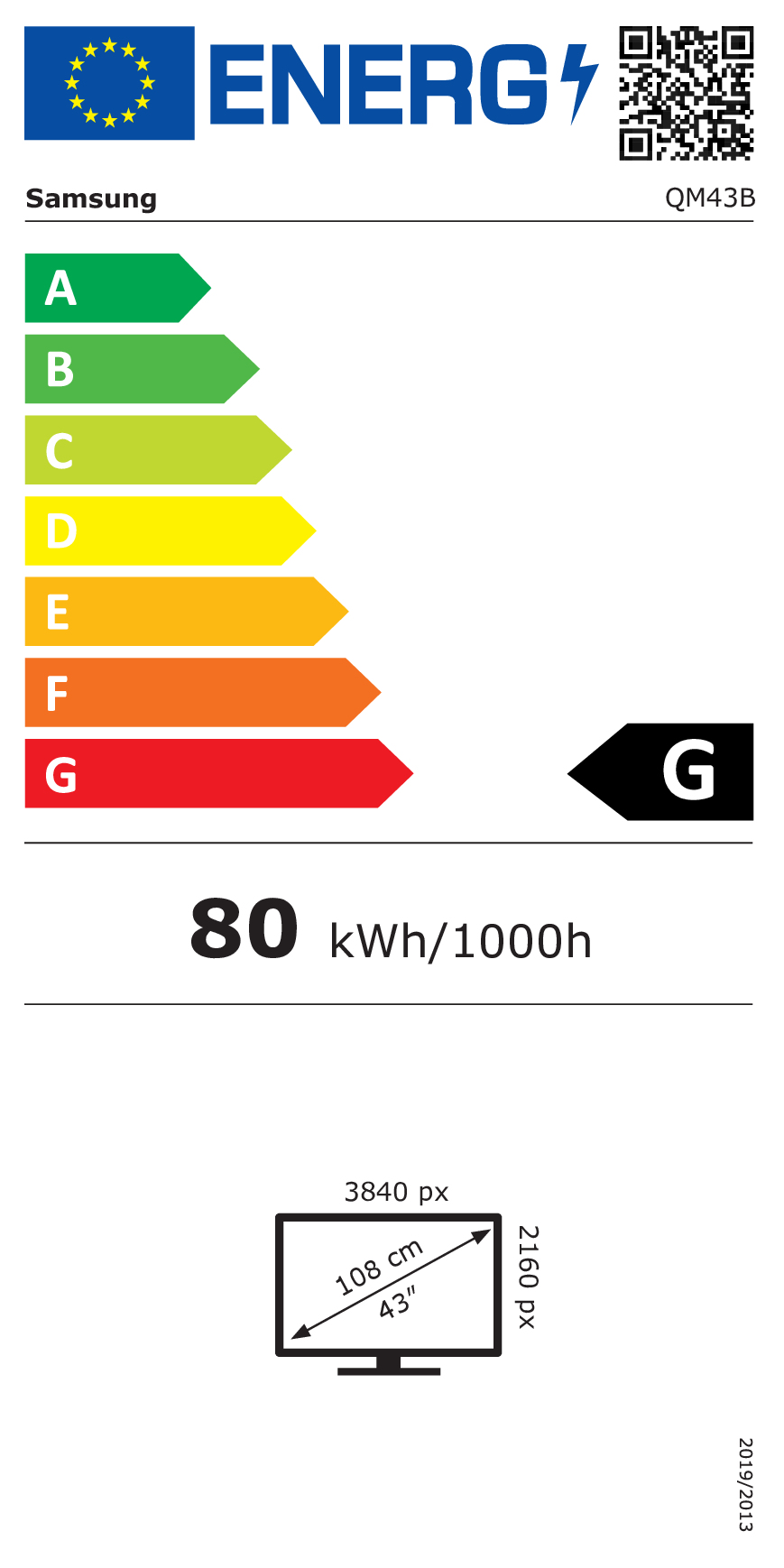
Samsung LH43QMBEBGCXXY Signage Display Digital signage flat panel 109.2 cm (43") VA Wi-Fi 500 cd/m² 4K Ultra HD Black Tizen 6.5 24/7
- Product design: Digital signage flat panel
- Product colour: Black
- HDMI ports quantity: 3
- Display diagonal: 109.2 cm (43")
- Display technology: VA
- Display resolution: 3840 x 2160 pixels
Where to buy
We're not tracking prices for this product yet. Check current prices directly at:
We may earn a commission when you buy through links on this page — at no extra cost to you. Learn more
About this product
Unlock display possibilities for your business
The QMB Series features a 500 nit brightness, non-glare display. With streamlined set up and maintenance, it's elegant design elevates any business environment. From collaboration to showcasing rich content in new formats, the QMB series display delivers innovation and efficiency to help businesses reach their goals.
Clear visibility
Non-glare
QMB Series displays feature reliable, non-glare panels that are designed to help keep content visible from a wide variety of angles. The non-glare display helps enable businesses to deliver accurate information in critical locations where increased ambient light and reflection would make viewing difficult.
Life-like colour expression
Dynamic Crystal Colour
The QMB series features Dynamic Crystal Display, using 10 bit processing for vivid colour expression, allowing viewers to enjoy a wide spectrum of colours.
Maximise your space
Slim and symmetrical design
The QMB series features a symmetrical design, which helps to simplify wall mounting and makes installation simple. To maximise space savings, all terminals run parallel with the wall, ensuring the cables do not impede the installation and allows the display to hang flush against any wall.
Minimal clutter design
Clean cable management
Tuck away messy cables from view with the new cable guide feature. This allows for a clean, sophisticated, and visually-appealing experience for customers, even when the back of the display is visible.
Simplify conference calls
Video call applications
Connect with friends, colleagues, students or business partners via your display and its video conferencing solution, without the need of an external PC. Video conferencing made simple, the QMB has a built-in video conference solution that supports popular USB-type webams and conferencing apps, enabling simple video calls.
Collaborate between screens wirelessly
Smartview+
SmartView+ enables wireless screen sharing without cable connections, ensuring full collaboration. Users can now enable screen sharing functionality at the start of a meeting, allowing the meeting admin to quickly switch between screens with one click.
Streamline conference room management
Custom Home
Designed to simplify conference room management, Custom Home allows admins to lock specific meeting room settings, preventing users from changing settings between meetings. Now, conference rooms can work throughout the day as intended, minimising errors, allowing IT to focus on other tasks.
Enhance professional environments with expert tools
Professional Modes
Built-in professional modes enable more possibilities in specific verticals. Director Mode minimises post-processing, aligning content to the director’s original intention. Medical teams can simulate medical images such as X-rays with DICOM Simulation Mode, meeting DICOM's full greyscale standards.
Simplified calibration between screens with mobile app
Smart Calibration
Complete brand consistency across every display in every location. Using the Samsung mobile app, Smart Calibration helps ensure every display is calibrated correctly, showcasing brand logos and other collateral in the exact colours required.
Easy and remote setup
Tizen Zero Config
Tizen Zero Config is essential for both Integrators and IT managers, installing and operating multiple units in different locations. Installation simplicity is enabled by pre-configuring a defined list of display setup features. Following the display installation, IT professionals can control and manage the displays easily via the Tizen Business Manager portal. This can all be done remotely, to help eliminate needless travel.
Supports the latest web-based content
Upgradable Web-engine
QBB’s constant web-engine upgrades enables the latest types of content to be played, allowing for more diversified and engaging creative assets.
Flexible installation for custom designs
Auto Level
Keep content clear and steady. Auto Level automatically adjusts content when the screen is rotated from vertical to horizontal, increasing versatility in virtually any space. Plus, it automatically recognises incorrect pivot directions - keeping the content in the correct orientation.
Eco-packaging and industry certification to greenify our world
Eco-conscious technologies
QMB series uses recycled plastics for the rear side cover and packaging. Additionally, Samsung received certifications for energy savings and carbon footprint reduction and complies with restriction guidelines for hazardous substances such as RoHS, REACH and WEEE.
Documents
Specifications
Key specifications
- Product designThe creation of a plan or convention for the construction of an object or a system.
- Digital signage flat panel
- Product colourThe colour e.g. red, blue, green, black, white.
- Black
- HDMI ports quantityThe number of sockets (ports) for HDMI connections. HDMI (High-Definition Multimedia Interface) is a compact audio/video interface for transferring uncompressed video data and compressed/uncompressed digital audio data from a HDMI-compliant device ("the source device") to a compatible computer monitor, video projector, digital television, or digital audio device. HDMI is a digital replacement for…
- 3
- Display diagonalSize of the display for this product, measured diagonally, usually in inches.
- 109.2 cm (43")
- Display technologyThe technology used in the display e.g. plasma, LED.
- VA
- Display resolutionThe number of distinct pixels in each dimension that can be displayed. It is usually quoted as width × height, with the units in pixels: for example, "1024 × 768" means the width is 1024 pixels and the height is 768 pixels. The higher the number of pixels, the sharper the image.
- 3840 x 2160 pixels
- Display brightnessBrightness is the amount of radiating light emitted from the screen. The brightness rating is measured in candellas per square meter, commonly known as 'nits'.
- 500 cd/m²
- HD typeType of supported High Definition (e.g. Full HD, 4K Ultra HD).
- 4K Ultra HD
- Suitable for indoor useIndicates whether the product is designed for use in indoor environments.
- Yes
- Wall mountableThe product can be mounted on (attached to ) a wall.
- Yes
Show all 66 specificationsShow key specifications only
Design
- Product designThe creation of a plan or convention for the construction of an object or a system.
- Digital signage flat panel
- Product colourThe colour e.g. red, blue, green, black, white.
- Black
- Wall mountableThe product can be mounted on (attached to ) a wall.
- Yes
- Placement supportedWhere the product can be placed e.g. indoor/outdoor, horizontal/vertical.
- Indoor
- OrientationThe physical positioning or layout of the product, such as landscape or portrait orientation.
- Horizontal/Vertical
- VESA mountingIndicates whether the product supports the VESA mounting standard for attachment to compatible arms, brackets, or wall mounts.
- Yes
- Panel mounting interfaceThe product can be used wih VESA mounting interfaces.
- 200 x 200 mm
- Mounting typeType of mounting e.g. wall mounting.
- Wall
Ports & interfaces
- HDMI ports quantityThe number of sockets (ports) for HDMI connections. HDMI (High-Definition Multimedia Interface) is a compact audio/video interface for transferring uncompressed video data and compressed/uncompressed digital audio data from a HDMI-compliant device ("the source device") to a compatible computer monitor, video projector, digital television, or digital audio device. HDMI is a digital replacement for…
- 3
- HDCPHigh-bandwidth Digital Content Protection (HDCP) is a form of digital copy protection to prevent copying of digital audio and video content as it travels across connections.
- Yes
- HDCP versionThe version of the High-bandwidth Digital Content Protection standard supported by the device to prevent the unauthorized copying of digital audio and video content (e.g. 2.2).
- 2.2
- HDMI versionThe specific release version of the High-Definition Multimedia Interface standard supported by the device (e.g. 1.3 or 2.0).
- 2.0
- HDMI input ports quantityThe total number of available HDMI ports used for receiving incoming audio and video signals.
- 3
- DVI portDigital Visual Interface (DVI) is a video display interface to connect a video source to a display device, such as a computer monitor.
- No
- DisplayPorts quantityNumber of DisplayPorts. A DisplayPort is a digital display interface developed by the Video Electronics Standards Association (VESA). The interface is primarily used to connect a video source to a display device such as a computer monitor, though it can also be used to carry audio, USB, and other forms of data.
- 1
- DisplayPorts inThe number of available DisplayPort input connectors on the device.
- 1
- USB portThe device features a socket into which a USB cable can be plugged.
- Yes
- USB ports quantityThe total number of available Universal Serial Bus (USB) connection interfaces on the device.
- 1
- Ethernet LAN (RJ-45) portsNumber of Ethernet LAN (RJ-45) ports (connecting interfaces) in the device. Ethernet LAN (RJ-45) ports allow a computer to connect to the ethernet.
- 1
- RS-232 interfaceIndicates whether the device is equipped with an RS-232 serial communication port.
- Yes
Display
- Display diagonalSize of the display for this product, measured diagonally, usually in inches.
- 109.2 cm (43")
- Display technologyThe technology used in the display e.g. plasma, LED.
- VA
- Display resolutionThe number of distinct pixels in each dimension that can be displayed. It is usually quoted as width × height, with the units in pixels: for example, "1024 × 768" means the width is 1024 pixels and the height is 768 pixels. The higher the number of pixels, the sharper the image.
- 3840 x 2160 pixels
- Display brightnessBrightness is the amount of radiating light emitted from the screen. The brightness rating is measured in candellas per square meter, commonly known as 'nits'.
- 500 cd/m²
- HD typeType of supported High Definition (e.g. Full HD, 4K Ultra HD).
- 4K Ultra HD
- Panel typeThe technology used to manufacture the panel, such as AMOLED or AH-IPS.
- VA
- TouchscreenA screen of a laptop, smartphone, etc., that responds to touch so you can control the interface using your fingers.
- No
- Response timeThe response time is the time difference between the moment that a source (for example a video card) sends a signal and that equipment (for example a monitor) receives or display the signal. (Used abbreviations: R/F = Rise and Fall.)
- 8 ms
- Contrast ratio (typical)The difference in light intensity between the brightest white and the darkest black.
- 4000:1
- Viewing angle, horizontalMaximum horizontal angle at which a display can be viewed with acceptable visual performance.
- 178°
- Viewing angle, verticalMaximum vertical angle at which a display can be viewed with acceptable visual performance.
- 178°
- Display number of coloursThe total number of distinct colours that the device is capable of displaying (e.g. 1.07 billion colours).
- 1 billion colours
- Pixel pitchThis is the parameter of a picture tube, which specifies the shortest distance between two dots of the same colour. The principle is: the smaller the dot pitch, the better sharpness of image.
- 0.285 x 0.285 mm
- Number of displaysThe total number of separate screens or monitors that the device can support or control simultaneously.
- 1
- Colour saturationThe intensity and purity of the colors produced by the display, measured in %.
- 92%
- Horizontal scan rangeThe range of horizontal frequencies the device can process and display, measured in kHz.
- 30 - 81 kHz
- Vertical scan rangeThe range of vertical frequencies the device can process and display, measured in hertz (Hz).
- 48 - 75 Hz
- RGB colour spaceThe specific color gamut standard the display is capable of reproducing (e.g. sRGB or Adobe RGB).
- DCI-P3
Features
- Suitable for indoor useIndicates whether the product is designed for use in indoor environments.
- Yes
- Windows operating systems supportedWindows vesions wich can be used with the device.
- Yes
- PurposeWhat the product is used for.
- Universal
- Haze rateThe percentage of transmitted light that is scattered by the material, indicating the level of cloudiness or translucency.
- 28%
Network
- Ethernet LANAn Ethernet LAN (Local Area Network) interface is present, for a wired conection via a cable.
- Yes
- Wi-FiPopular technology that allows an electronic device to exchange data or connect to the internet wirelessly using radio waves.
- Yes
Operational conditions
- Operating temperature (T-T)The minimum and maximum temperatures at which the product can be safely operated.
- 0 - 40 °C
- Operating relative humidity (H-H)The range of relative humidity, expressed as a percentage, within which the device can function correctly without damage or performance loss.
- 10 - 80%
Packaging content
- Remote control includedComponent of an electronics device, most commonly a television set, DVD player and home theater systems originally used for operating the device wirelessly from a short line-of-sight distance.
- Yes
Weight & dimensions
- Display widthThe horizontal measurement of the screen area, expressed in millimetres or inches.
- 967.5 mm
- Display depthThe measurement of the screen's thickness from the front surface to the back, expressed in millimeters.
- 557.7 mm
- Display heightThe vertical measurement of the screen area, excluding the bezel, expressed in millimetres or inches.
- 48.3 mm
- Display weightThe total mass of the screen unit, measured in g.
- 10 kg
Computer system
- Computer systemIndicates whether the product includes an integrated computer system for standalone operation.
- Yes
- Computer system typeThe architecture of the integrated computing hardware, such as a System on Chip (SoC) or other processing units.
- System on Chip (SoC)
Memory
- Internal memoryThe amount of memory, usually measured in bytes (e.g. MB, GB), which is installed in the system's hardware.
- 16 GB
Software
- Operating system installedType of operating system on a device e.g. IOS on Apple devices, Android for mobile devices.
- Tizen 6.5
Power
- Power consumption (typical)Amount of power consumed by this model, often expressed in watts (W). Typical values that manufacturers give are power consumption when off, standby/suspended mode, typical use, maximum usage.
- 171 W
- Power consumption (sleep)The amount of electrical energy consumed by the device when it is in sleep mode, typically measured in watts (W).
- 0.5 W
- AC input voltageThe voltage of the AC electricity that is inputted into the product.
- 100 - 240 V
- AC input frequencyThe range of alternating current frequencies the device can accept from the power source, measured in hertz (e.g., 45 - 65).
- 50 - 60 Hz
Performance
- Operating hours (hours/days)The recommended daily and weekly duration for which the unit can be operated continuously (e.g. 16/7).
- 24/7
Audio
- Built-in speaker(s)The device contains speaker(s) to produce sound.
- No
Other features
- Infrared data portA data port that uses infra-red data association (irDA) as the standard for wireless communications between computer and mobile phone devices. For example, to update the phone list on your irDA-enabled PC, you would line up the infra-red ports on each device and then transfer the phone information to your PC. This is a wireless transfer, so you don't need a cable or extra software.
- Yes
Packaging data
- Package widthThe distance from one side of the packaging to the other.
- 1095 mm
- Package depthThe distance from the front to the back of the packaging.
- 676 mm
- Package heightThe distance from the top to the bottom of the packaging.
- 151 mm
- Package weightWeight of the packaged product.
- 13.3 kg
Database Right data-sheet 2026 Icecat. All rights reserved. Provided “as is”, without warranty — check details with the store before buying.
Price history (90 days, best daily price)
Price history is still being collected for this product — check back soon.
Alternative models

Samsung QM50B Digital signage flat panel
127 cm (50") VA Wi-Fi 500 cd/m² 4K Ultra HD Black Tizen 6.5 24/7
Samsung QM43B Signage Display Digital signage flat panel
109.2 cm (43") VA Wi-Fi 500 cd/m² 4K Ultra HD Black Built-in processor Tizen 6.5 24/7

Samsung LH55QBBEBGC Digital signage flat panel
139.7 cm (55") VA Wi-Fi 350 cd/m² 4K Ultra HD Black Tizen 6.5

Samsung QM98T-B Digital signage flat panel 2.49 m
(98") LCD Wi-Fi 500 cd/m² 4K Ultra HD Black Built-in processor Tizen 4.0

Samsung QM65B Digital signage flat panel
165.1 cm (65") VA Wi-Fi 500 cd/m² 4K Ultra HD Black Built-in processor Tizen 6.5 24/7
Samsung QM65B Signage Display Digital signage flat panel
165.1 cm (65") LCD Wi-Fi 500 cd/m² 4K Ultra HD Black Built-in processor Tizen 6.5 24/7