
Samsung LC32HG70QQU computer monitor 80 cm (31.5") 2560 x 1440 pixels Quad HD LED Blue, Grey
- Screen: 80 cm (31.5"), 2560 x 1440 pixels, VA, Curved
- Refresh rate: 144 Hz, 1 ms response time
- Brightness: 350 cd/m²
- Adaptive sync: AMD FreeSync
- Ports: 2 × HDMI, 1 × DisplayPort
- Stand: height-adjustable, tilt
- Extras: USB hub
- Colour: Blue, Grey
Where to buy
We're not tracking prices for this product yet. Check current prices directly at:
We may earn a commission when you buy through links on this page — at no extra cost to you. Learn more
About this product
A new reality, in perfect detail.
Add the ultimate visual experience to your gaming machine with the world†s first QLED gaming monitor—an innovative blend of HDR and Samsung’s new metal quantum dot technology.
Colours redefined as never before
New Metal Quantum dot
Samsung QLED delivers purer, brighter, and more lifelike colours—especially reds and greens—than conventional monitors. And Samsung’s new Metal QD technology ensures longer-lasting, more natural colours, whether you’re gaming or working in applications where colour accuracy is critical.
Blackened blacks, brightened lights
High Dynamic Range
The CHG70 QLED gaming monitor is the first of its kind coming with HDR support that delivers a greater range of luminance levels. It renders dark areas darker and bright areas brighter in such ways that images appear in as much detail as the game developers intended.
Curved and super-fast
1ms response time (MPRT)
Blending its advanced motion blur reduction technology with its superior VA panel, Samsung has created this curved monitor with a super-fast 1ms MPRT (motion picture response time) that lets you enjoy unprecedented gaming performance without motion blur across the entire screen.
Dazzling detail in wider view
WQHD Resolution
With a pixel density approximately 1.7 times higher than Full HD, the CHG70 delivers game scenes and characters in captivating detail, giving you a panoramic view of the whole battlefield. You can spot your enemy sneaking up on you from any corner.
Curved to pull you in
1,800R Curvature
Designed to meet your everyday gaming needs, the CHG70 features an industry-leading 1,800R curvature that gives you the feeling of being pulled in and wrapped around in your gaming world, much like the way an IMAX screen immerses the audience into a movie.
Uninterrupted, flaw-free gaming
Refresh rate 144Hz
The rapid 144Hz screen refresh rate minimises image lag and motion blur for smooth gaming, while user-friendly 60Hz/120Hz settings let you optimise monitor performance, on-screen display, without having to it each time in the display setting menu.
Pour light on the thrill of gaming
Arena Lighting
The CHG70’s Arena Lighting projects a pulsating lightshow on to a wall behind the monitor, adding extra atmosphere to your gameplay.
Get the real gaming vibes
OSD dashboard
With Samsung’s OSD dashboard menu optimally tailored for gamers, you can have a full view of key game settings at a glance and use shortcut keys to change the settings the way you want them. Set this Good Design Award winner and splash straightaway into the game.
Optimised for any game genre
Multiple Game Modes
Developed in concert with the Samsung Galaxy Team, the semi-final winner in the LOL World Championship 2016, the CHG70’s factory-calibrated game display modes instantly optimise black gamma levels, contrast ratios, sharpness and colour value settings for any game genre, be it FPS, RTS, RPG, or AOS.
Rule the game with higher visibility
3000:1 contrast ratio
Samsung’s advanced VA panel technology minimises light leakage across the entire screen, and delivers a best-in-class 3000:1 contrast ratio for deep blacks and brilliant whites in even the darkest and brightest scenes.
Smoother, gameplay
Low Input Lag Mode
The CHG70’s input lag is so low that no sooner you turn it on you will see the action appearing onscreen, giving you full control of your game in no time.
Precise, firm positioning
Dual-hinged stand
The strong dual-hinge stand, designed for the most demanding gaming, gives you precise control over how you position the display panel—for the winning edge in any onscreen contest. It also shows off the gamer-friendly design and provides a convenient place to hang your headphones when not in us.
Play on with minimal eyestrain
Flicker Free
Samsung’s Flicker Free technology dramatically reduces distracting screen flicker to let you play for longer in greater comfort
Multiple ports at work
The CHG70 has a DisplayPort and 2 HDMI ports, providing a multiple connection interface that lets you hook up PCs, game consoles, additional monitors, and other devices with ease, all to meet your multitasking needs.
Documents
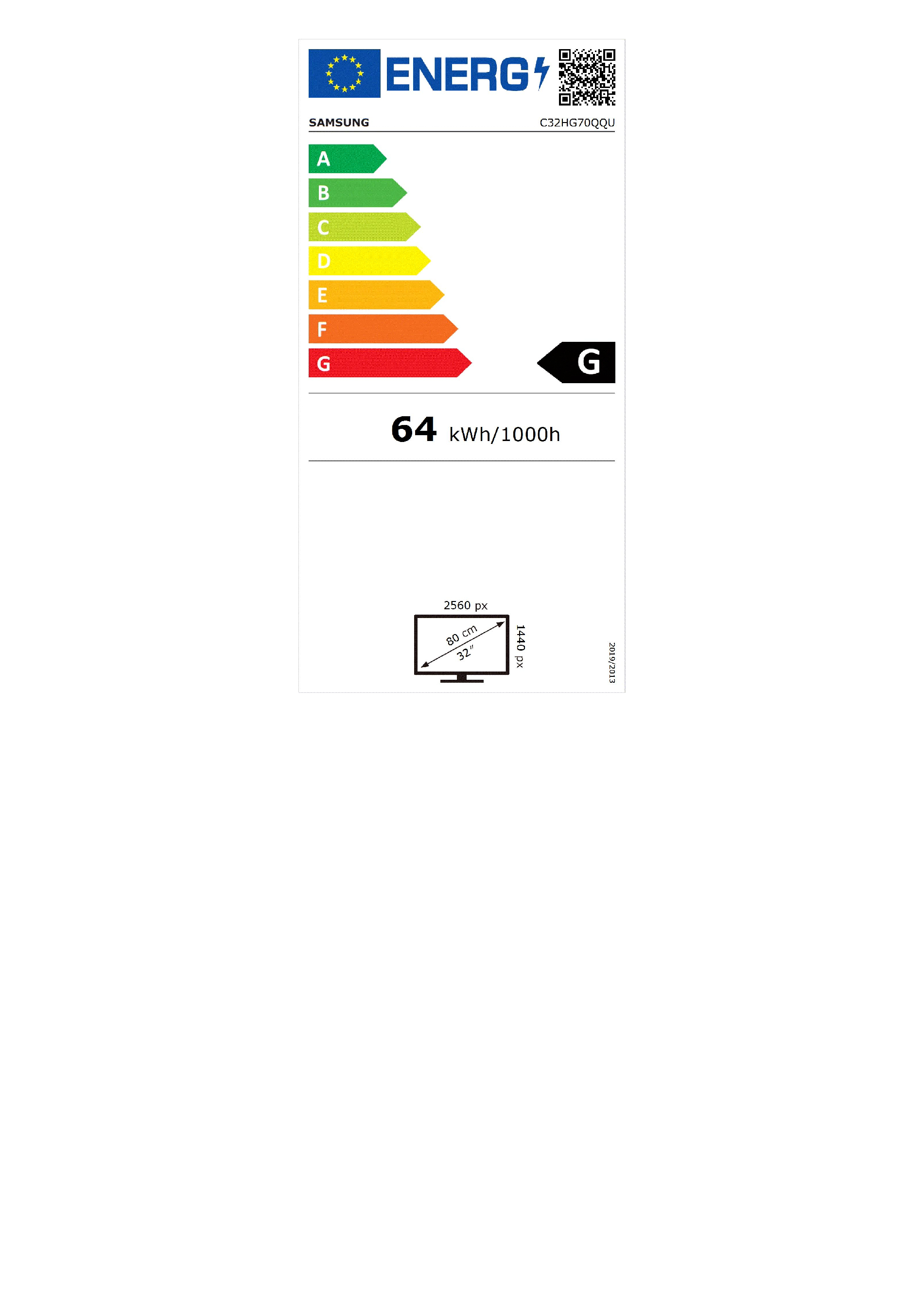
- Product information sheetEU Product Fiche ↗
Specifications
Key specifications
- Display diagonalSize of the display for this product, measured diagonally, usually in inches.
- 80 cm (31.5")
- Display resolutionThe number of distinct pixels in each dimension that can be displayed. It is usually quoted as width × height, with the units in pixels: for example, "1024 × 768" means the width is 1024 pixels and the height is 768 pixels. The higher the number of pixels, the sharper the image.
- 2560 x 1440 pixels
- Panel typeThe technology used to manufacture the panel, such as AMOLED or AH-IPS.
- VA
- Screen shapeDescribes the physical curvature of the display panel, such as whether it is flat or curved.
- Curved
- Maximum refresh rateThe highest number of times per second the image is updated, measured in hertz (Hz).
- 144 Hz
- Response timeThe response time is the time difference between the moment that a source (for example a video card) sends a signal and that equipment (for example a monitor) receives or display the signal. (Used abbreviations: R/F = Rise and Fall.)
- 1 ms
- Display brightness (typical)Display brightness, measured by its Luminance, presented as a figure in nits. Typical brightness ratings for monitors range from 250 to 350 nits with a target value of between 80 to 120 nits being suitable for most displays in a normal viewing environment.
- 350 cd/m²
- AMD FreeSyncThe product includes AMD Freesync Technology for the dynamic synchronization of the graphic card and the monitor in order to avoid screen tearing.
- Yes
- HDMI ports quantityThe number of sockets (ports) for HDMI connections. HDMI (High-Definition Multimedia Interface) is a compact audio/video interface for transferring uncompressed video data and compressed/uncompressed digital audio data from a HDMI-compliant device ("the source device") to a compatible computer monitor, video projector, digital television, or digital audio device. HDMI is a digital replacement for…
- 2
- DisplayPorts quantityNumber of DisplayPorts. A DisplayPort is a digital display interface developed by the Video Electronics Standards Association (VESA). The interface is primarily used to connect a video source to a display device such as a computer monitor, though it can also be used to carry audio, USB, and other forms of data.
- 1
- Height adjustmentThe part of the device that can be adjusted to change the height.
- Yes
- Tilt adjustmentThe tilt, which means the angle at which the device is pointing (up or down), can be changed.
- Yes
- Built-in USB hubWhether or not the device features a USB hub to connect more than one other device via USB.
- Yes
- Product colourThe colour e.g. red, blue, green, black, white.
- Blue, Grey
Show all 86 specificationsShow key specifications only
Design
- VESA mountingIndicates whether the product supports the VESA mounting standard for attachment to compatible arms, brackets, or wall mounts.
- Yes
- Market positioningUnder which category can the device be positioned in the market, e.g. camera phone.
- Gaming
- Product colourThe colour e.g. red, blue, green, black, white.
- Blue, Grey
- LED indicatorsThe specific status lights available on the unit to provide visual feedback on its current state or connectivity (e.g., AC input, ACT, or Access).
- Power
Ports & interfaces
- Built-in USB hubWhether or not the device features a USB hub to connect more than one other device via USB.
- Yes
- Number of upstream portsThe total number of available ports used to connect the device to a computer or another network source.
- 1
- DVI portDigital Visual Interface (DVI) is a video display interface to connect a video source to a display device, such as a computer monitor.
- No
- HDMI ports quantityThe number of sockets (ports) for HDMI connections. HDMI (High-Definition Multimedia Interface) is a compact audio/video interface for transferring uncompressed video data and compressed/uncompressed digital audio data from a HDMI-compliant device ("the source device") to a compatible computer monitor, video projector, digital television, or digital audio device. HDMI is a digital replacement for…
- 2
- DisplayPorts quantityNumber of DisplayPorts. A DisplayPort is a digital display interface developed by the Video Electronics Standards Association (VESA). The interface is primarily used to connect a video source to a display device such as a computer monitor, though it can also be used to carry audio, USB, and other forms of data.
- 1
- Audio inputThe type of audio input that the device requires, and the connection needed.
- Yes
- Headphone outputsNumber of sockets /ports where headphones are connected.
- 1
Audio
- Built-in speaker(s)The device contains speaker(s) to produce sound.
- No
Performance
- AMD FreeSyncThe product includes AMD Freesync Technology for the dynamic synchronization of the graphic card and the monitor in order to avoid screen tearing.
- Yes
- On/off switchThe button which is pressed to switch the device on or off.
- Yes
- VESA Adaptive Sync supportIndicates whether the device supports the VESA Adaptive-Sync standard to synchronize the refresh rate with the GPU to reduce screen tearing.
- Yes
- Game modeIndicates whether the device has a dedicated preset that optimizes performance, such as reducing input lag or enhancing contrast, for gaming.
- Yes
Display
- Display diagonalSize of the display for this product, measured diagonally, usually in inches.
- 80 cm (31.5")
- Display resolutionThe number of distinct pixels in each dimension that can be displayed. It is usually quoted as width × height, with the units in pixels: for example, "1024 × 768" means the width is 1024 pixels and the height is 768 pixels. The higher the number of pixels, the sharper the image.
- 2560 x 1440 pixels
- Native aspect ratioThe aspect ratio is the ratio of the width of an image to its height. The native aspect ratio is the one which the projector/display is particularly designed for. Images shown in native aspect ratio will utilize the entire resolution of the display and achieve maximum brightness. Images shown in other than native aspect ratio will always have less resolution and less brightness than images shown…
- 16:9
- Display technologyThe technology used in the display e.g. plasma, LED.
- LED
- TouchscreenA screen of a laptop, smartphone, etc., that responds to touch so you can control the interface using your fingers.
- No
- HD typeType of supported High Definition (e.g. Full HD, 4K Ultra HD).
- Quad HD
- Panel typeThe technology used to manufacture the panel, such as AMOLED or AH-IPS.
- VA
- Display brightness (typical)Display brightness, measured by its Luminance, presented as a figure in nits. Typical brightness ratings for monitors range from 250 to 350 nits with a target value of between 80 to 120 nits being suitable for most displays in a normal viewing environment.
- 350 cd/m²
- Display brightness (min)The minimum luminance level of the screen, measured in candelas per square metre (cd/m²).
- 300 cd/m²
- Response timeThe response time is the time difference between the moment that a source (for example a video card) sends a signal and that equipment (for example a monitor) receives or display the signal. (Used abbreviations: R/F = Rise and Fall.)
- 1 ms
- Screen shapeDescribes the physical curvature of the display panel, such as whether it is flat or curved.
- Curved
- Contrast ratio (typical)The difference in light intensity between the brightest white and the darkest black.
- 3000:1
- Dynamic contrast ratio marketing nameThe proprietary brand name used by the manufacturer to describe the technology that automatically adjusts the backlight to improve the contrast ratio (e.g., ASUS Smart Contrast Ratio).
- Mega Contrast
- Maximum refresh rateThe highest number of times per second the image is updated, measured in hertz (Hz).
- 144 Hz
- Viewing angle, horizontalMaximum horizontal angle at which a display can be viewed with acceptable visual performance.
- 178°
- Viewing angle, verticalMaximum vertical angle at which a display can be viewed with acceptable visual performance.
- 178°
- Display number of coloursThe total number of distinct colours that the device is capable of displaying (e.g. 1.07 billion colours).
- 1.073 billion colours
- Viewable size, horizontalThe viewable size is often somewhat smaller than the actual size of a monitor, because there is a border around the image.
- 69.7 cm
- Viewable size, verticalThe height of the screen area that can actually display an image, measured in millimetres or inches.
- 39.2 cm
- Colour gamut standardThe specific color space standard the device is designed to reproduce, such as Adobe RGB or DCI-P3.
- sRGB
- Colour gamutThe range of colours that the display can accurately reproduce, typically expressed as a percentage of a standard colour space (e.g. sRGB or Adobe RGB).
- 88%
- sRGB coverage (typical)The percentage of the sRGB color space that the device is capable of reproducing.
- 125%
- Adobe RGB coverageThe percentage of the Adobe RGB color space that the device is capable of displaying.
- 92%
- Factory-calibratedIndicates whether the unit has been calibrated at the factory to ensure measurement accuracy before shipment.
- Yes
Other features
- sRGB coverage (min)The minimum percentage of the sRGB color space that the device is capable of reproducing, measured in %.
- 120%
- No flickeringIndicates whether the device is equipped with technology to reduce or eliminate the rapid fluctuations in brightness that can cause eye strain.
- Yes
- Samsung Eye Saver ModeIndicates whether the device features a setting to reduce blue light emissions to minimize eye strain during prolonged use.
- Yes
- Supplied AC adapter typeThe type of power supply provided with the product to connect it to an alternating current source (e.g. AC).
- AC
- Quantum dot color technologyIndicates whether the product uses quantum dot technology to enhance color accuracy and expand the available color gamut.
- Yes
Network
- MiracastIndicates whether the device supports wireless screen mirroring to a compatible display using the Miracast standard.
- No
- Wi-FiPopular technology that allows an electronic device to exchange data or connect to the internet wirelessly using radio waves.
- No
- BluetoothBluetooth is a low-power radio technology developed to replace the cables and wires currently used to link or connect electronic devices such as personal computers, printers, and a wide variety of handheld devices including mobile phones. Because it uses radio-wave connectivity, a Bluetooth-enabled device has a constant, established connection to whatever browser it uses. This saves the user the…
- No
- Ethernet LANAn Ethernet LAN (Local Area Network) interface is present, for a wired conection via a cable.
- No
Packaging content
- Cables includedSpecifies the types and quantities of connection cables provided with the product (e.g., 3.5 mm to 3.5 mm or SATA).
- DisplayPort, HDMI
- Quick start guideInstructions, either online, as a computer program or in paper form, to allow you to set up and start using the product quickly.
- Yes
Weight & dimensions
- Width (with stand)The total horizontal measurement of the product when the supporting stand is attached, measured in millimetres.
- 724.1 mm
- Depth (with stand)The measurement of the product from front to back when any supporting accessory or base is attached, expressed in millimetres or centimetres.
- 380.6 mm
- Height (with stand)The total vertical measurement of the product including its base or support structure, expressed in millimetres or centimetres.
- 621.8 mm
- Weight (with stand)The total mass of the unit including its supporting base, measured in kilograms or grams.
- 9.6 kg
- Width (without stand)The horizontal measurement of the device excluding the base or support structure, expressed in millimetres.
- 724.1 mm
- Depth (without stand)The measurement of the product from front to back without its base or support, typically expressed in millimetres or centimetres.
- 115.6 mm
- Height (without stand)The vertical measurement of the device when the stand is removed, measured in mm.
- 424.5 mm
- Weight (without stand)The mass of the device excluding the support base, measured in g.
- 8 kg
Operational conditions
- Operating temperature (T-T)The minimum and maximum temperatures at which the product can be safely operated.
- 10 - 40 °C
- Operating relative humidity (H-H)The range of relative humidity, expressed as a percentage, within which the device can function correctly without damage or performance loss.
- 10 - 80%
Power
- Energy efficiency class (SDR)The energy efficiency rating of the device when operating in Standard Dynamic Range (SDR) mode, categorized from A to G.
- G
- Energy consumption (SDR) per 1000 hoursThe amount of electric energy consumed by the device during standard dynamic range (SDR) operation over a period of 1000 hours, measured in kilowatt-hours (kWh).
- 64 kWh
- Power consumption (typical)Amount of power consumed by this model, often expressed in watts (W). Typical values that manufacturers give are power consumption when off, standby/suspended mode, typical use, maximum usage.
- 64 W
- Power consumption (standby)The amount of electricity that is consumed when the product is on standby.
- 0.5 W
- Power consumption (max)The maximum amount of power used by the device.
- 78 W
- Power consumption (off)The amount of electrical energy consumed by the device when it is switched off, measured in watts.
- 0.3 W
- AC input voltageThe voltage of the AC electricity that is inputted into the product.
- 100 - 240 V
- Energy efficiency scaleThe range of energy efficiency classes used to rate the product's power consumption, such as A to G.
- A to G
Security
- Cable lock slotHoles on the edge of devices through which a cable lock can be passed, so the device can be locked to a desk etc.
- No
Ergonomics
- Height adjustmentThe part of the device that can be adjusted to change the height.
- Yes
- Adjustable height (max)The maximum distance the unit can be raised vertically from its lowest position, measured in millimetres.
- 14.5 cm
- PivotIndicates whether the device can be rotated 90 degrees to switch between landscape and portrait orientation.
- Yes
- Pivot angleThe range of motion available for rotating the unit around its vertical axis, typically measured in degrees.
- -2 - 92°
- SwivellingIndicates whether the product has a mechanism that allows it to rotate horizontally.
- Yes
- Swivel angle rangeThe minimum and maximum degrees to which the unit can be rotated horizontally.
- -15 - 15°
- Tilt adjustmentThe tilt, which means the angle at which the device is pointing (up or down), can be changed.
- Yes
- Tilt angle rangeThe minimum and maximum angles at which the unit can be tilted, typically expressed in degrees.
- -5 - 15°
- Custom key functionIndicates whether the device allows the user to assign a specific action or shortcut to a programmable key.
- Yes
- Black eQualizer functionIndicates whether the device features a function to enhance visibility in dark areas of the image by equalizing brightness levels.
- Yes
Features
- Plug and PlayIndicates whether this product supports is "plug and play". Plug and play is hardware or software that, after being installed ("plugged in"), can immediately be used ("played with"), as opposed to hardware or software which requires configuration.
- Yes
Packaging data
- Package widthThe distance from one side of the packaging to the other.
- 813 mm
- Package depthThe distance from the front to the back of the packaging.
- 513 mm
- Package heightThe distance from the top to the bottom of the packaging.
- 400 mm
- Package weightWeight of the packaged product.
- 14.2 kg
- User Guide on CD-ROMIndicates whether a digital copy of the user manual is provided on an included CD-ROM.
- Yes
Database Right data-sheet 2026 Icecat. All rights reserved. Provided “as is”, without warranty — check details with the store before buying.
Expert reviews
- 80
expertreviews.co.uk2018
Samsung unleashes a fantastic HDR gaming monitor – it’s just a shame that Windows 10 and HDR don’t get along better...
- +
- 144Hz refresh rate at 1440p, Low input lag, Stunningly vibrant
- −
- HDR on Windows 10 isn't plug and play, Brightness reduced in faster response time modes
- 80
techradar.com2018
For immersion and color reproduction, it's hard to beat the Samsung CHG70 at even it's normal price. You'd be hard pressed to find a gaming monitor with so many nice features at a price point like this.The curve really puts you into the game and it's just...
- +
- Resolution and refresh rate, Amazing colors, Incredibly bright
- −
- No built-in speakers, Only 2 USB ports, Takes up all the room
- 90
kitguru.net2017
The Samsung C32HG70 is a leap forward in gaming screens. The HDR support is almost an added bonus, and will definitely need more games before it becomes an essential feature. But even without this, the C32HG70 has loads to offer the serious gamer. The onl...
- +
- HDR, Large 32in 16:9 display, 2,560 x 1,440 resolution, 1800R curved screen, 144Hz refresh, AMD FreeSync 2, Excellent colour accuracy, Good range of gaming presets, Reasonable number of inputs, Two-port USB 3.0 hub, Reasonably priced
- −
- Only two ports on USB hub, USB hub and audio ports around the back, not on the side, No NVIDIA G-Sync, Not much else, Kitguru Says: The Samsung C32HG70 sets a new benchmark for gaming screens, with superb image quality including HDR, just the right resol...
- –
tftcentral.co.uk2017
The C32HG70 provided a really wide range of functions, options and extras to test and a really nice set of features for gaming audiences. You had modern connectivity from HDMI 2.0b and DisplayPort 1.4, loads of gaming preset modes in the OSD menu, user-cu...
- +
- Wide range of functions, connections, features and extras especially for gaming, Strobing backlight helps improve motion clarity and works well, Decent factory calibration and high VA contrast ratio
- −
- Some slow response times resulting in dark smearing on some content. Fairly typical of VA panels, PWM used for backlight modulation, Stand is a bit too deep and could be better
Price history (90 days, best daily price)
Price history is still being collected for this product — check back soon.
Alternative models
Samsung Curved Gaming Monitor LC27HG70

Samsung C27FG70FQU
computer monitor 68.6 cm (27") 1920 x 1080 pixels Full HD LED Black

Samsung C27FG73FQU
computer monitor 68.6 cm (27") 1920 x 1080 pixels Full HD Black

Samsung C27F591FDU
computer monitor 68.6 cm (27") 1920 x 1080 pixels Full HD LED Silver, White

Samsung LT32H390FEV
computer monitor 80 cm (31.5") 1920 x 1080 pixels Full HD LED Black

Samsung S24D330H
computer monitor 61 cm (24") 1920 x 1080 pixels Full HD LED Black