
Plustek ePhoto Z300 Photo scanner 600 x 600 DPI A4 Blue
- Maximum ISO A-series paper size: A4
- Scanner type: Photo scanner
- Maximum scan size: 215.9 x 297.18 mm
- Minimum storage drive space: 10000 MB
- Minimum RAM: 2048 MB
- Minimum processor: 2 GHz
Where to buy
We're not tracking prices for this product yet. Check current prices directly at:
We may earn a commission when you buy through links on this page — at no extra cost to you. Learn more
About this product
Bring your Paper Photos back to Life!
The Plustek ePhoto z300 is a fast, precise and intuitive scanner that lets you relive the joy, the tears and all your other favorite memories.
Easy to Use Image Enhancement and One-Touch Sharing
Quickly enhance and edit your photos before sharing them on social media.
- Intuitive user interface
- Continuous scanning and processing (Up to 10 images)
- Variety of image adjusting tools
- Social media share friendly to Facebook, Picasa, Flickr, and Twitter
- Support Windows and Mac OS
Fast, Functional and Stylish
Unlike traditional flatbed scanners, you can simply feed your photos for a quick scan.
The compact design means you can keep it on your desk at all times.
ePhoto – The Best Way to Share Your Memories
- Avoid shadow, glare and weird angles.
- Stop wasting time on cropping and tilting. ePhoto will do it for you.
- Share your photos with friends and family with one click.
Compact Design
Your sleek machine was designed to be seen.
No more lugging around a clunky scanner.
Versatile Scanning
Scan receipts, recipes and any other document you want to share with your family and friends.
Scan with Confidence
Our special roller system is extra gentle on photos, preventing scratches even on the most delicate photos.
Videos & documents
Introducting Plustek ePhoto Z300
Specifications
Key specifications
- Maximum ISO A-series paper sizeThe maximum paper size the device can handle, defined by ISO A-series.
- A4
- Scanner typeIndicates the type of scanner this product is.
- Photo scanner
- Maximum scan sizeThe maximum dimensions of a document that can be digitized in a single pass, measured in mm.
- 215.9 x 297.18 mm
- Minimum storage drive spaceThe minimum hard disk space required to store or run a computer program or operating system.
- 10000 MB
- Minimum RAMThe lowest RAM (memory) required to run a computer program or operating system.
- 2048 MB
- Minimum processorThe lowest speed that the computer processor can run at, or the minimum amount of processing capacity that can be used, for the computer and particular program(s) to function.
- 2 GHz
- Cables includedSpecifies the types and quantities of connection cables provided with the product (e.g., 3.5 mm to 3.5 mm or SATA).
- USB
- Quick start guideInstructions, either online, as a computer program or in paper form, to allow you to set up and start using the product quickly.
- Yes
- AC adapter includedIndicates whether a power supply unit for connecting the device to an AC outlet is provided in the package.
- Yes
- Cleaning clothIndicates whether a cleaning cloth is included with the product.
- Yes
Show all 41 specificationsShow key specifications only
Paper handling
- Maximum ISO A-series paper sizeThe maximum paper size the device can handle, defined by ISO A-series.
- A4
- Scanning media types supportedSpecifies the various types of materials that can be processed by the device, such as plain paper, photo paper, or plastic cards.
- Photo paper
- Maximum scan widthThe widest area or document width that the device can capture in a single pass, measured in millimetres or inches.
- 2.54 cm
- Maximum scan lengthThe longest continuous distance the device can capture in a single scanning operation, measured in millimetres or inches.
- 27.9 cm
Scanning
- Scanner typeIndicates the type of scanner this product is.
- Photo scanner
- Maximum scan sizeThe maximum dimensions of a document that can be digitized in a single pass, measured in mm.
- 215.9 x 297.18 mm
- Optical scanning resolutionHow many pixels a scanner can see. Most commonly, this is measured in dots per inch (dpi).For example, a typical flatbed scanner will use a scanning head with 300 sensors per inch, so it can sample 300 dots per inch (dpi) in one direction. To scan in the other direction, it will move the scanning head along the page, stopping 300 times per inch, so it can scan 300 dpi in the other direction as we…
- 600 x 600 DPI
- Colour scanningIndicates whether this product scans in colour.
- Yes
- Duplex scanningFeature of computer scanners and multifunction printers (MFPs) that allows the automatic scanning of a sheet of paper on both sides.
- No
- Input colour depthColour depth of the input into the product. The colour depth is either the number of bits used to indicate the color of a single pixel, in a bitmapped image or video frame buffer, or the number of bits used for each color component of a single pixel. High-end laptops have 24-bit colour depth.
- 48 bit
- Output colour depthThe number of bits used to represent the colour of a single pixel in the output, which determines the total number of possible colours (e.g., 24 or 32).
- 24 bit
- Output greyscale depthThe number of bits used to represent each pixel in a greyscale image, which determines the number of available shades of grey (e.g. 8 or 24).
- 8 bit
- Film scanningDevice made for scanning photographic film directly into a computer without the use of any intermediate printmaking. It provides several benefits over using a flatbed scanner to scan in a print of any size: the photographer has direct control over cropping and aspect ratio from the original, unmolested image on film; and many film scanners have special software or hardware that removes scratches…
- No
- Black/white scanning colour modesThe available modes for capturing images without full color, such as Grayscale or Monochrome.
- Grayscale
Design
- Built-in displayA display which is part of the product, so you do not need to attach another display.
- No
- Product colourThe colour e.g. red, blue, green, black, white.
- Blue
System requirements
- Minimum storage drive spaceThe minimum hard disk space required to store or run a computer program or operating system.
- 10000 MB
- Minimum RAMThe lowest RAM (memory) required to run a computer program or operating system.
- 2048 MB
- Minimum processorThe lowest speed that the computer processor can run at, or the minimum amount of processing capacity that can be used, for the computer and particular program(s) to function.
- 2 GHz
Features
- Windows operating systems supportedWindows vesions wich can be used with the device.
- Windows 10, Windows 10 Education, Windows 10 Education x64, Windows 10 Enterprise, Windows 10 Enterprise x64, Windows 10 Home, Windows 10 Home x64, Windows 10 Pro, Windows 10 Pro x64, Windows 7, Windows 7 Enterprise, Windows 7 Enterprise x64, Windows 7 Home Basic, Windows 7 Home Basic x64, Windows 7 Home Premium, Windows 7 Home Premium x64, Windows 7 Professional, Windows 7 Professional x64, Windows 7 Starter, Windows 7 Starter x64, Windows 7 Ultimate, Windows 7 Ultimate x64, Windows 8, Windows 8 Enterprise, Windows 8 Enterprise x64, Windows 8 Pro, Windows 8 Pro x64, Windows 8 x64
Software
- Mac operating systems supportedMac operating systems e.g. OS X can be used with the device.
- Mac OS X 10.10 Yosemite, Mac OS X 10.11 El Capitan, Mac OS X 10.12 Sierra, Mac OS X 10.13 High Sierra, Mac OS X 10.14 Mojave, Mac OS X 10.15 Catalina, Mac OS X 10.15.3 Catalina, Mac OS X 10.8 Mountain Lion, Mac OS X 10.9 Mavericks, Mac OS X 11.0 Big Sur
- Drivers includedIndicates whether the necessary software drivers are provided in the package.
- Yes
- Bundled softwareSoftware distributed with another product such as a piece of computer hardware or other electronic device, or a group of software packages which are sold together. A software suite is an example of bundled software, as is software which is pre-installed on a new computer.
- Plustek ePhoto, NewSoft Presto! PageManager 9
Packaging content
- Cables includedSpecifies the types and quantities of connection cables provided with the product (e.g., 3.5 mm to 3.5 mm or SATA).
- USB
- Quick start guideInstructions, either online, as a computer program or in paper form, to allow you to set up and start using the product quickly.
- Yes
- AC adapter includedIndicates whether a power supply unit for connecting the device to an AC outlet is provided in the package.
- Yes
- Cleaning clothIndicates whether a cleaning cloth is included with the product.
- Yes
Weight & dimensions
- WidthThe measurement or extent of something from side to side.
- 289.9 mm
- DepthThe distance from the front to the back of something.
- 160.6 mm
- HeightThe measurement of the product from head to foot or from base to top.
- 158 mm
- WeightWeight of the product without packaging (net weight). If possible, the net weight is given including standard accessories and supplies. Please note that sometimes the manufacturer leaves out the weight of accessories and/or supplies.
- 1.48 kg
Power
- Power supply typeThe type of power supply which this product uses.
- DC
- Input voltageThe voltage (V) which is required to power the product.
- 24 V
- CurrentThe amount of electrical current flowing through the device, measured in amperes (A).
- 0.75 A
Ports & interfaces
- USB portThe device features a socket into which a USB cable can be plugged.
- Yes
- USB versionUniversal Serial Bus (USB) is an industry standard developed in the mid-1990s that defines the interface used for connection, communication and power supply between computers and electronic devices. Every new version - for example 1.1, 2.0, 3.0 - is much faster than the previous one.
- 2.0
- Standard interfacesMost common industry-standard communication protocols ranging from RS-232, RS-422, RS-423, RS-485, and LVDS to USB.
- USB 2.0
Image sensor
- Sensor typeA sensor is a convertor than measures a physical quality (light, temperature etc.) and displays this electronically on a device.
- CCD
Performance
- Light sourceThe type of technology or material used to generate light (e.g., LED, Halogen lamp, or CCFL).
- LED
- Scan file formatsThe digital file types in which the device can save scanned documents (e.g. BMP, DOCX, EPS).
- JPG, PDF, PNG
- Daily duty cycle (max)The maximum percentage of time a machine or piece of equipment can be in operation for in one day in relation to the time it must remain out of operation. For instance, a max daily duty cycle of 30 percent means it will operate for a maximum 30 percent of the day and then not be used for the other 70 percent of the day.
- 500 pages
Database Right data-sheet 2026 Icecat. All rights reserved. Provided “as is”, without warranty — check details with the store before buying.
Expert reviews
- 70
digitalcameraworld.com2024
Do you have an attic full of thousands of photos, which you want to digitize without it taking forever? Then you won't want a flatbed scanner: that will take far too long. A sheet-feed scanner will be much faster, and this one promises to convert one 4x6...
Read the review at digitalcameraworld.com ↗ - 70
pcmag.com2022
Both photo buffs and family archivists often turn to photo scanners to digitize their prints and film. Most such scanners provide photo-friendly features, such as high resolution and the ability to scan transparencies (slides and negatives) in addition to...
Read the review at pcmag.com ↗
Price history (90 days, best daily price)
Price history is still being collected for this product — check back soon.
Alternative models

Plustek SmartOffice PS286 Plus ADF scanner 600 x 600 DPI A4 Black, Silver

Plustek OpticFilm 8200i SE Film/slide scanner 7200 x 7200 DPI Black

Plustek OpticFilm 8100 Film/slide scanner 7200 x 7200 DPI Blue
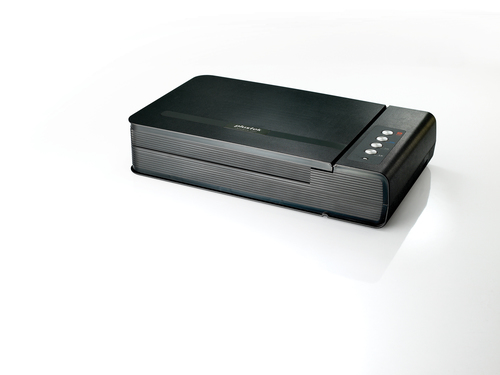
Plustek OpticBook 4800 Flatbed scanner 1200 x 1200 DPI A4 Black

Plustek SmartOffice PN2040 Flatbed & ADF scanner 600 x 600 DPI A4 Black, White
