
Plustek SmartPhoto P60 Photo scanner 300 x 300 DPI White
- Scanner type: Photo scanner
- Maximum scan size: 101.6 x 152.4 mm
- Dimensions (WxDxH): 59.5 x 176 x 37.5 mm
- Certification: WEEE, RoHS.
- Minimum system requirements: CD-ROM, USB.
- Mac compatibility
All 24 specificationsProduct page at plustek.com ↗
Versions
 200 MB
 700 MB
Where to buy
We're not tracking prices for this product yet. Check current prices directly at:
We may earn a commission when you buy through links on this page — at no extra cost to you. Learn more
About this product
Ease of Operation – Digitize Photos At The Touch Of A Button
Plustek SmartPhoto P60 is an easy to use photo scanner for people looking to digitize and share their printed photographs. Simple one button operation lets you scan photos and send them to your computer without the need for any complicated computer software. Simply plug the scanner into your PC or Mac, insert any photo up to 4”x6” in the scanner. Press the button and the photo is digitized and sent to your computer. Your photograph is easily shared using email or any popular on line photo sharing service.
Organize and Share Your Photographic Prints
The Plustek SmartPhoto P60 helps you organize your photographs. If you have unorganized boxes of photos lying around your house, the SmartPhoto P60 is for you.
After the photos are scanned to your computer, you can use any photo editing or organizing software to share them on line, by email or even create a photo book at any online photo printer site. The image files created by the SmartPhoto P60 are compatible with all operating systems and photo programs including: Microsoft Photo Gallery, Google Picasa, iPhoto or any other photo program installed on your computer.
The SmartPhoto P60 is great for preserving older photographs that are damaged or beginning to fade. Plustek includes a unique protector sheet that allows you to scan old, fragile or irreplaceable photographs with confidence.
Use the SmartPhoto P60 for scrapbooking too. Scan photos, newspaper stories or any other paper memento that is less than 4” wide. Because the scanner is small, portable and powered by the computer, you can take the scanner to your neighborhood scrapbooking party!
Digital Photo Frames are a great match for the SmartPhoto P60. Simply scan your photographs and then load them on your digital photo frame the same way you would load a photo from your digital camera.
High Quality Digital Images
Not only is the Plustek SmartOffice P60 easy to use, it creates images that even advanced amateur photographer would be satisfied with. The SmartOffice P60 scanner features a state of the art LED illumination system that can create images that are in 48 bit color at resolutions up to 600dpi. This ensures your photographs are accurately captured and preserved.
Plustek’s 20 years of experience in photographic imaging and imaging science come together in the SmartOffice P60. This scanner is a state of the art, high quality, easy to use photo scanner that is suitable for a wide experience range; from someone who has never scanned a photo to an advanced amateur photographer.
Specifications
Scanning
- Scanner typeIndicates the type of scanner this product is.
- Photo scanner
- Maximum scan sizeThe maximum dimensions of a document that can be digitized in a single pass, measured in mm.
- 101.6 x 152.4 mm
- Optical scanning resolutionHow many pixels a scanner can see. Most commonly, this is measured in dots per inch (dpi).For example, a typical flatbed scanner will use a scanning head with 300 sensors per inch, so it can sample 300 dots per inch (dpi) in one direction. To scan in the other direction, it will move the scanning head along the page, stopping 300 times per inch, so it can scan 300 dpi in the other direction as we…
- 300 x 300 DPI
- Colour scanningIndicates whether this product scans in colour.
- Yes
- Input colour depthColour depth of the input into the product. The colour depth is either the number of bits used to indicate the color of a single pixel, in a bitmapped image or video frame buffer, or the number of bits used for each color component of a single pixel. High-end laptops have 24-bit colour depth.
- 48 bit
- Film scanningDevice made for scanning photographic film directly into a computer without the use of any intermediate printmaking. It provides several benefits over using a flatbed scanner to scan in a print of any size: the photographer has direct control over cropping and aspect ratio from the original, unmolested image on film; and many film scanners have special software or hardware that removes scratches…
- No
Design
- Built-in displayA display which is part of the product, so you do not need to attach another display.
- No
- Product colourThe colour e.g. red, blue, green, black, white.
- White
Other features
- Dimensions (WxDxH)Dimensions of the product (Width x Depth x Height).
- 59.5 x 176 x 37.5 mm
- Minimum system requirementsThe lowest hardware and software specifications required for the product to function correctly.
- CD-ROM, USB.
- Mac compatibilityProduct can be used with Apple Mac software and/or hardware.
- Yes
- Compatible operating systemsList of desktop operating systems tested as compatible with this product.
- Window 2000/XP/Vista/7, Mac 10.4/10.5/10.6.
Certificates
- CertificationSpecifies the official standards, safety approvals, or regulatory certifications the product has received.
- WEEE, RoHS.
System requirements
- Minimum storage drive spaceThe minimum hard disk space required to store or run a computer program or operating system.
- 700 MB
- Minimum RAMThe lowest RAM (memory) required to run a computer program or operating system.
- 64 MB
Weight & dimensions
- WidthThe measurement or extent of something from side to side.
- 59.5 mm
- DepthThe distance from the front to the back of something.
- 176 mm
- HeightThe measurement of the product from head to foot or from base to top.
- 37.5 mm
- WeightWeight of the product without packaging (net weight). If possible, the net weight is given including standard accessories and supplies. Please note that sometimes the manufacturer leaves out the weight of accessories and/or supplies.
- 185 g
Power
- Power consumption (typical)Amount of power consumed by this model, often expressed in watts (W). Typical values that manufacturers give are power consumption when off, standby/suspended mode, typical use, maximum usage.
- 2.5 W
Ports & interfaces
- USB portThe device features a socket into which a USB cable can be plugged.
- Yes
- USB versionUniversal Serial Bus (USB) is an industry standard developed in the mid-1990s that defines the interface used for connection, communication and power supply between computers and electronic devices. Every new version - for example 1.1, 2.0, 3.0 - is much faster than the previous one.
- 2.0
- Standard interfacesMost common industry-standard communication protocols ranging from RS-232, RS-422, RS-423, RS-485, and LVDS to USB.
- USB 2.0
Image sensor
- Sensor typeA sensor is a convertor than measures a physical quality (light, temperature etc.) and displays this electronically on a device.
- CIS
Database Right data-sheet 2026 Icecat. All rights reserved. Provided “as is”, without warranty — check details with the store before buying.
Price history (90 days, best daily price)
Price history is still being collected for this product — check back soon.
Alternative models

Plustek SmartOffice PN2040 Flatbed & ADF scanner 600 x 600 DPI A4 Black, White

Plustek SmartPhoto F50 Film/slide scanner 1800 x 1800 DPI Silver
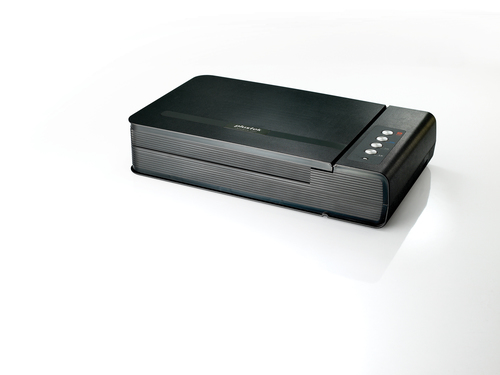
Plustek OpticBook 4800 Flatbed scanner 1200 x 1200 DPI A4 Black

Plustek MobileOffice S400 scanner Sheet-fed scanner 600 x 600 DPI A4 Black

Plustek SmartOffice PL 2550 Flatbed & ADF scanner 600 x 600 DPI A4 Black
