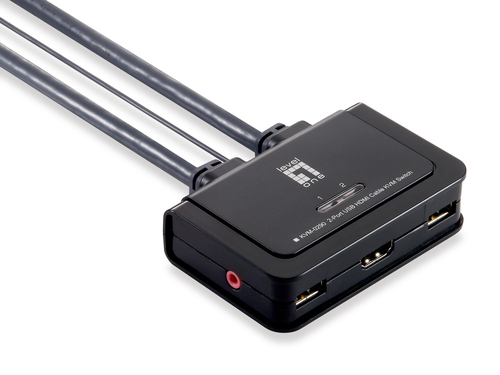
LevelOne 16-Port Combo KVM Switch with Remote Console Port
- Operating temperature (T-T): 0 - 50 °C
- Storage temperature (T-T): -20 - 60 °C
- Operating relative humidity (H-H): 0 - 95%
- Windows operating systems supported
- Linux operating systems supported
- Mac operating systems supported
Where to buy
We're not tracking prices for this product yet. Check current prices directly at:
We may earn a commission when you buy through links on this page — at no extra cost to you. Learn more
About this product
The LevelOne KVM-1630 16-port combo KVM switch enables users to control and manage a server farm or computers connected to the KVM switch with either the local console or remote console port.
The KVM-1630 is a basic KVM model designed to ease the management of servers or systems connected to it. This KVM switch saves time, money, and resources by the flexibility of its usage.
Local Console
This KVM switch is easy to connect to a PS/2 or USB enabled keyboard and mouse with a VGA monitor through the local console port. This enables user to control systems connected to the KVM switch directly.
Remote Console
In order to make use of the remote control feature, a Cat.5 remote console port is included in the KVM switch. In order for the Cat.5 signal to be transmitted, a Cat.5 Receiver is needed on the remote controlling console. The KVM-9007 Cat.5 receiver converts the Cat.5 signal into a computer signal to give users the ability to control the server and PCs from a remote location.
Large System Management
By making use of a Daisy chain, up to 128 computers can be connected to the KVM switch by cascading 8 KVM-0830/0831/0841/1630/1631/1641 together. This gives network administrator the ability to control larger groups of servers or systems from one console without the need to switching between different console stations.
The friendly user interface makes management of the KVM switch and systems connected to it easy. It also has security measures in place to protect systems from unauthorized access.
- Control servers and computers either locally via control port or remotely via Cat.5 console
- Combo architecture with PC support for PS/2 and USB interface
- Built-in Cat.5 remote console port for server access to 300 meters
- Flexible auto-scan mode for flexible PC monitoring
- Select PC’s by using Hot-Keys or by switch select button
- Built-in daisy chain port for cascading with KVM-0830 or KVM-1630 up to 8 units
- Provide ACL (Access Control List) security function - store up to 8 independent ACLs for controllable PCs
- High video display quality – up to 1920x1440
- Support Windows, NetWare, Unix, Linux, Mac OS and Sun Microsystems
- 19” rack-mount 1U size design
- Web based User-interface
Specifications
Key specifications
- Operating temperature (T-T)The minimum and maximum temperatures at which the product can be safely operated.
- 0 - 50 °C
- Storage temperature (T-T)The minimum and maximum temperatures at which the product can be safely stored.
- -20 - 60 °C
- Operating relative humidity (H-H)The range of relative humidity, expressed as a percentage, within which the device can function correctly without damage or performance loss.
- 0 - 95%
- Windows operating systems supportedWindows vesions wich can be used with the device.
- Yes
- Linux operating systems supported8 RT. Linux (9.4, 9.5), Red Hat Enterprise Linux 5.0 (supported with a pre-built package); SUSE Linux (10.3, 11.0, 11, 11.1, 11.2), Fedora (9, 9.0, 10, 10.0, 11.0, 11, 12, 12.0), Ubuntu (8.04, 8.04.1, 8.04.2, 8.10, 9.04, 9.10, 10.04), Debian (5.0, 5.0.1, 5.0.2, 5.0.3)
- Yes
- Mac operating systems supportedMac operating systems e.g. OS X can be used with the device.
- Yes
- Output voltageThe electrical potential difference delivered by the device, typically expressed in volts (e.g. 24-48).
- 12 V
- Output currentThe maximum electrical current that the device can provide to a connected load, measured in amperes (A).
- 1 A
- Built-in displayA display which is part of the product, so you do not need to attach another display.
- Yes
- On Screen Display (OSD)Indicates whether the device can display a graphical menu or information directly on the screen for adjusting settings and viewing status.
- Yes
Show all 33 specificationsShow key specifications only
Weight & dimensions
- WidthThe measurement or extent of something from side to side.
- 445 mm
- DepthThe distance from the front to the back of something.
- 160 mm
- HeightThe measurement of the product from head to foot or from base to top.
- 45 mm
- WeightWeight of the product without packaging (net weight). If possible, the net weight is given including standard accessories and supplies. Please note that sometimes the manufacturer leaves out the weight of accessories and/or supplies.
- 2.3 kg
Operational conditions
- Operating temperature (T-T)The minimum and maximum temperatures at which the product can be safely operated.
- 0 - 50 °C
- Storage temperature (T-T)The minimum and maximum temperatures at which the product can be safely stored.
- -20 - 60 °C
- Operating relative humidity (H-H)The range of relative humidity, expressed as a percentage, within which the device can function correctly without damage or performance loss.
- 0 - 95%
Features
- Windows operating systems supportedWindows vesions wich can be used with the device.
- Yes
- Output voltageThe electrical potential difference delivered by the device, typically expressed in volts (e.g. 24-48).
- 12 V
- Rack capacityThe spase that device fill in rack.
- 1U
- Maximum operating distanceThe maximum distance from which you can operate the device.
- 300 m
Software
- Linux operating systems supported8 RT. Linux (9.4, 9.5), Red Hat Enterprise Linux 5.0 (supported with a pre-built package); SUSE Linux (10.3, 11.0, 11, 11.1, 11.2), Fedora (9, 9.0, 10, 10.0, 11.0, 11, 12, 12.0), Ubuntu (8.04, 8.04.1, 8.04.2, 8.10, 9.04, 9.10, 10.04), Debian (5.0, 5.0.1, 5.0.2, 5.0.3)
- Yes
- Mac operating systems supportedMac operating systems e.g. OS X can be used with the device.
- Yes
System requirements
- Other operating systems supportedLists additional operating systems that are compatible with the product (e.g. Android, ChromeOS or FreeBSD).
- Novell NetWare 3.x, Novell NetWare 4.x, Novell NetWare 5.x, Novell NetWare 6.x
Power
- Output currentThe maximum electrical current that the device can provide to a connected load, measured in amperes (A).
- 1 A
- DC-in jackThe socket/plug where the DC electricity supply connects to the device.
- Yes
Design
- Built-in displayA display which is part of the product, so you do not need to attach another display.
- Yes
- Rack mountingThe type of mounting that can position devices in a shelving system (rack).
- Yes
- Product colourThe colour e.g. red, blue, green, black, white.
- Black
- Housing materialWhat the casing of the product is made of.
- Metal
- LED indicatorsThe specific status lights available on the unit to provide visual feedback on its current state or connectivity (e.g., AC input, ACT, or Access).
- Power
Management features
- On Screen Display (OSD)Indicates whether the device can display a graphical menu or information directly on the screen for adjusting settings and viewing status.
- Yes
Printing
- Maximum resolutionMaximum printing resolution.
- 1920 x 1440 pixels
Performance
- Scan intervalThe time period between consecutive checks for input signals or status changes, typically measured in seconds (e.g. 0.2 or 1).
- 5,99 s
- Daisy chainIndicates whether the product supports connecting multiple units in a series to a single output source.
- Yes
Ports & interfaces
- Number of computers controlledThe amount of computers controlled by this device.
- 16
- Keyboard port typeThe type of socket in the device for connecting a keyboard e.g. USB.
- USB, PS/2
- Mouse port typeThe interface standard used for the mouse connection, such as USB or PS/2.
- USB, PS/2
- Video port typeThe type of socket in the device for connecting a video e.g. SCART.
- VGA
- VGA (D-Sub) ports quantityNumber of VGA (D-Sub) ports (connecting interfaces) in the device. The VGA (D-Sub) connector is a 15 pin connector between a computer and a monitor. It was first introduced in 1987 by IBM.
- 16
- Console portsThe types of physical interfaces available for connecting a local user interface, such as HDMI, DisplayPort, or 3.5mm audio jacks.
- USB A
- Console USB ports quantityThe total number of USB ports available on the console interface for connecting peripherals.
- 1
- Audio connectionsCables used to connect audio inputs or audio outputs to another device e.g, audio amplifier.
- No
Database Right data-sheet 2026 Icecat. All rights reserved. Provided “as is”, without warranty — check details with the store before buying.
Price history (90 days, best daily price)
Price history is still being collected for this product — check back soon.
Alternative models

LevelOne 8-Port PS/2-USB VGA KVM Switch

LevelOne 16-Port KVM Switch Module

LevelOne 16-Port PS/2-USB VGA KVM Switch

LevelOne 8-Port KVM Switch Module

Eaton B020-U16-19-K NetDirector 16-Port 1U Rack-Mount Console KVM Switch with 19-in. LCD + 8 PS2/USB Combo Cables