
Kodak Alaris ScanMate i1180 ADF scanner 600 x 600 DPI A4 Black
- Maximum ISO A-series paper size: A4
- Scanner type: ADF scanner
- Maximum scan size: 215 x 355.6 mm
- Operating temperature (T-T): 15 - 35 °C
- Operating relative humidity (H-H): 15 - 80%
- Minimum RAM: 2048 MB
Where to buy
We're not tracking prices for this product yet. Check current prices directly at:
We may earn a commission when you buy through links on this page — at no extra cost to you. Learn more
About this product
Intelligent. Connected. Business-Friendly.
Designed for the way you work today.
KODAK SCANMATE i1180 Scanners process transactions at the speed of business.
The transformation of information capture continues. Businesses must deal with more diverse sources of information than ever before. And yet paper remains an important input source. Companies are focused on generating efficiencies where the value of information capture from paper is greatest – in business transactions.
At the same time, document capture must stay in sync with current technologies to help businesses remain efficient. Organizations are turning to web-based architectures to speed the adoption of new business applications and minimize support costs. The SCANMATE i1180 Scanner is designed to keep up with these changing technology environments.
The SCANMATE i1180 Scanner extends the concept of an intelligent device by embedding Perfect Page image enhancement technology into the device to reduce processing demands on the user’s PC, making the i1180 a PC-friendly offering.
Plus, the SCANMATE i1180 Scanner is a fully licensed device for the EMC CAPTIVA Cloud Toolkit, making it easy and cost effective for customers or developers using this software development kit (SDK) to write and enable browser-based capture applications.
Scan documents and capture information, extract data, and handle documents once. Benefit from an intuitive, icon-based color interface. Take advantage of associated cost savings. And that's just the beginning.
Small, quiet, quick, and intelligently designed, the SCANMATE i1180 Scanner accelerates your processes with seamless technology so you can focus on your business.
The Intelligent Imaging Engine
- On-board, advanced image processing – now with barcode reading capabilities –and Web-connect ready for browser-based applications
- Reduced PC processing/speed requirements – no need for a high-end computer
- EMC CAPTIVA Cloud Toolkit license enables scanning from browser-based applications within virtual environments. The EMC CAPTIVA Cloud Toolkit offers great benefits:
- Easy to deploy and maintain as there is no need to download application components to enable browser based scanning
- Great compatibility by leveraging industry standard web services to ensure every web browser and web development environment will work
- Makes scanning as easy as printing by giving the developer full programmatic control over every aspect of the scanning process
Accelerate Scanning to Accelerate Business
- Intelligent Document Protection "hears" potential jams or misfeeds to stop scanning and protect valuable documents
- Kodak Alaris' Perfect Page technology includes state of the art enhancement functions that improve the image quality of scanned documents
- Quickly send data to the right places and people, including the Cloud or Web via easy, icon-based color interface and one button Smart Touch functionality
- Reads barcode values and delivers data to applications
- Instantly view number of documents scanned, paper-ready status, and apply custom text or icons via display screen
- Convenient card holder keeps materials organized
- Comes with productive KODAK Capture Pro Software Limited Edition and Capture Pro Trial Edition
- Ultra-compact with whisper-quiet operation – perfect for desktops and offices in WINDOWS and LINUX environments
- Always ready for fast, jam-free document scanning, including cards
- TWAIN, ISIS and LINUX driver compatibility
KODAK Info Input Solution
A complement to the SCANMATE i1180 Scanner, Info Input is a thin client capture solution that can scan enable your Line of Business (LOB) application and reduce your infrastructure support costs.
Smart Touch
With the included Smart Touch functionality, you can create and configure scanning tasks that can be used at the touch of a button. Simply place documents in the scanner, select the document or job type from the control panel and Smart Touch does the rest.
New Smart Touch features in the SCANMATE i1180 include
- Associate color icons or pictures with profiles to help select scan options quickly
- Read barcodes to name files or separate documents
- Save scanned files as PDFA documents – or as .docx and .xlsx for use with MICROSOFT WORD and EXCEL programs
- Easier method of naming profiles and shortcuts
KODAK Asset Management Software
System administrators can manage and maintain select KODAK Scanners on their network through one easy-to-use solution. Optional KODAK Asset Management Software, featuring a thin client dashboard, optimizes time, budgets, resources, and efficiency. You'll know more about every scanner and be able to do more across your network.
Productivity. Assured.
Only Kodak Alaris offers essential services to ensure the optimal operation of your scanning solution at time of installation and beyond. The three year worry-free warranty (US and Canada) puts Kodak Alaris knowledge to work for you helping your KODAK SCANMATE 1180 Scanner to satisfy your evolving business process needs for years to come.
Videos
ScanMate i1180 Video
Specifications
Key specifications
- Maximum ISO A-series paper sizeThe maximum paper size the device can handle, defined by ISO A-series.
- A4
- Scanner typeIndicates the type of scanner this product is.
- ADF scanner
- Maximum scan sizeThe maximum dimensions of a document that can be digitized in a single pass, measured in mm.
- 215 x 355.6 mm
- Operating temperature (T-T)The minimum and maximum temperatures at which the product can be safely operated.
- 15 - 35 °C
- Operating relative humidity (H-H)The range of relative humidity, expressed as a percentage, within which the device can function correctly without damage or performance loss.
- 15 - 80%
- Minimum RAMThe lowest RAM (memory) required to run a computer program or operating system.
- 2048 MB
- Minimum processorThe lowest speed that the computer processor can run at, or the minimum amount of processing capacity that can be used, for the computer and particular program(s) to function.
- Intel Core 2 Duo 1 GHz
- Linux operating systems supported8 RT. Linux (9.4, 9.5), Red Hat Enterprise Linux 5.0 (supported with a pre-built package); SUSE Linux (10.3, 11.0, 11, 11.1, 11.2), Fedora (9, 9.0, 10, 10.0, 11.0, 11, 12, 12.0), Ubuntu (8.04, 8.04.1, 8.04.2, 8.10, 9.04, 9.10, 10.04), Debian (5.0, 5.0.1, 5.0.2, 5.0.3)
- Ubuntu 11.04
- Server operating systems supportedThe server-grade operating systems that are compatible with the product (e.g. SUSE Linux Enterprise Server or Windows Server).
- Windows Server 2008, Windows Server 2012
- Sustainability certificatesThe environmental or ethical certifications the product has received to verify its sustainability standards (e.g., ASC or ACT Organic).
- ENERGY STAR
Show all 47 specificationsShow key specifications only
Paper handling
- Maximum ISO A-series paper sizeThe maximum paper size the device can handle, defined by ISO A-series.
- A4
- Scanning media types supportedSpecifies the various types of materials that can be processed by the device, such as plain paper, photo paper, or plastic cards.
- Business Card
- Multi feed detectionDetector stopping the scan process as soon as 2 pages are scanned together.
- Yes
- Auto Document Feeder (ADF) media weightThe minimum and maximum weight of media that can be processed by the automatic document feeder, measured in grams per square metre (g/m²).
- 34 - 413 g/m²
- Minimum scan area (ADF)The smallest document size that can be processed by the automatic document feeder, measured in mm.
- 63.5 x 65 mm
Scanning
- Scanner typeIndicates the type of scanner this product is.
- ADF scanner
- Maximum scan sizeThe maximum dimensions of a document that can be digitized in a single pass, measured in mm.
- 215 x 355.6 mm
- Scan toSpecifies the available destinations where scanned documents can be sent, such as a cloud service, e-mail address, or network folder (e.g., FTP or CIFS).
- File
- Scan driversThe scanning interfaces and software protocols supported by the device for communication with computer applications (e.g. TWAIN, WIA).
- ISIS, TWAIN, WIA
- Optical scanning resolutionHow many pixels a scanner can see. Most commonly, this is measured in dots per inch (dpi).For example, a typical flatbed scanner will use a scanning head with 300 sensors per inch, so it can sample 300 dots per inch (dpi) in one direction. To scan in the other direction, it will move the scanning head along the page, stopping 300 times per inch, so it can scan 300 dpi in the other direction as we…
- 600 x 600 DPI
- Colour scanningIndicates whether this product scans in colour.
- Yes
- Duplex scanningFeature of computer scanners and multifunction printers (MFPs) that allows the automatic scanning of a sheet of paper on both sides.
- Yes
- ADF scan speed (b/w, A4)The number of black and white A4 pages the automatic document feeder can scan per minute, measured in ppm.
- 40 ppm
- ADF scan speed (colour, A4)The number of A4 colour pages the automatic document feeder can scan per minute, measured in ppm.
- 40 ppm
Certificates
- CertificationSpecifies the official standards, safety approvals, or regulatory certifications the product has received.
- AS / NZS CISPR 22; CAN / CSA - C22.2 No. 60950-1-07 + A1; Canada CSA-CISPR 22-10 / ICES-003 Issue 5 (Class B); China GB4943.1; GB9254; EN55022; EN55024; EN 60950-1; IEC60950-1; CNS 13438 Taiwan; CNS 14336-1; UL 60950-1; 47 CFR Part 15 (FCC Class B); Argentina marks S
Operational conditions
- Operating temperature (T-T)The minimum and maximum temperatures at which the product can be safely operated.
- 15 - 35 °C
- Operating relative humidity (H-H)The range of relative humidity, expressed as a percentage, within which the device can function correctly without damage or performance loss.
- 15 - 80%
System requirements
- Minimum RAMThe lowest RAM (memory) required to run a computer program or operating system.
- 2048 MB
- Minimum processorThe lowest speed that the computer processor can run at, or the minimum amount of processing capacity that can be used, for the computer and particular program(s) to function.
- Intel Core 2 Duo 1 GHz
Features
- Windows operating systems supportedWindows vesions wich can be used with the device.
- Windows 7 Home Basic, Windows 7 Home Basic x64, Windows 7 Home Premium, Windows 7 Home Premium x64, Windows 7 Professional, Windows 7 Professional x64, Windows 7 Starter, Windows 7 Starter x64, Windows 7 Ultimate, Windows 7 Ultimate x64, Windows 8, Windows 8 Enterprise, Windows 8 Enterprise x64, Windows 8 Pro, Windows 8 Pro x64, Windows 8 x64, Windows Vista Business, Windows Vista Business x64, Windows Vista Enterprise, Windows Vista Enterprise x64, Windows Vista Home Basic, Windows Vista Home Basic x64, Windows Vista Home Premium, Windows Vista Home Premium x64, Windows Vista Ultimate, Windows XP Home, Windows XP Home x64, Windows XP Professional, Windows XP Professional x64
Software
- Linux operating systems supported8 RT. Linux (9.4, 9.5), Red Hat Enterprise Linux 5.0 (supported with a pre-built package); SUSE Linux (10.3, 11.0, 11, 11.1, 11.2), Fedora (9, 9.0, 10, 10.0, 11.0, 11, 12, 12.0), Ubuntu (8.04, 8.04.1, 8.04.2, 8.10, 9.04, 9.10, 10.04), Debian (5.0, 5.0.1, 5.0.2, 5.0.3)
- Ubuntu 11.04
- Server operating systems supportedThe server-grade operating systems that are compatible with the product (e.g. SUSE Linux Enterprise Server or Windows Server).
- Windows Server 2008, Windows Server 2012
- Drivers includedIndicates whether the necessary software drivers are provided in the package.
- Yes
Sustainability
- Sustainability certificatesThe environmental or ethical certifications the product has received to verify its sustainability standards (e.g., ASC or ACT Organic).
- ENERGY STAR
Weight & dimensions
- WidthThe measurement or extent of something from side to side.
- 330 mm
- DepthThe distance from the front to the back of something.
- 162 mm
- HeightThe measurement of the product from head to foot or from base to top.
- 246 mm
- WeightWeight of the product without packaging (net weight). If possible, the net weight is given including standard accessories and supplies. Please note that sometimes the manufacturer leaves out the weight of accessories and/or supplies.
- 3.2 kg
Power
- Power supply typeThe type of power supply which this product uses.
- AC
- Power consumption (typical)Amount of power consumed by this model, often expressed in watts (W). Typical values that manufacturers give are power consumption when off, standby/suspended mode, typical use, maximum usage.
- 21 W
- Power consumption (standby)The amount of electricity that is consumed when the product is on standby.
- 0.5 W
- Power consumption (off)The amount of electrical energy consumed by the device when it is switched off, measured in watts.
- 0.5 W
- Power consumption (PowerSave)The amount of electrical energy consumed by the device when it is operating in a power-saving mode, measured in Watts.
- 14 W
- AC input frequencyThe range of alternating current frequencies the device can accept from the power source, measured in hertz (e.g., 45 - 65).
- 50 - 60 Hz
- Input voltageThe voltage (V) which is required to power the product.
- 100-240 V
Ports & interfaces
- USB portThe device features a socket into which a USB cable can be plugged.
- Yes
- USB versionUniversal Serial Bus (USB) is an industry standard developed in the mid-1990s that defines the interface used for connection, communication and power supply between computers and electronic devices. Every new version - for example 1.1, 2.0, 3.0 - is much faster than the previous one.
- 3.2 Gen 1 (3.1 Gen 1)
- Standard interfacesMost common industry-standard communication protocols ranging from RS-232, RS-422, RS-423, RS-485, and LVDS to USB.
- USB 2.0, USB 3.2 Gen 1 (3.1 Gen 1)
Input & output capacity
- Auto document feeder (ADF) input capacityNumber of sheets this product can hold in its ADF tray; expressed in sheets
- 50 sheets
Image sensor
- Sensor typeA sensor is a convertor than measures a physical quality (light, temperature etc.) and displays this electronically on a device.
- CMOS CIS
Performance
- Light sourceThe type of technology or material used to generate light (e.g., LED, Halogen lamp, or CCFL).
- White LED (2x)
- Scan file formatsThe digital file types in which the device can save scanned documents (e.g. BMP, DOCX, EPS).
- BMP, JPG, PDF, RTF, TIFF
- Daily duty cycle (max)The maximum percentage of time a machine or piece of equipment can be in operation for in one day in relation to the time it must remain out of operation. For instance, a max daily duty cycle of 30 percent means it will operate for a maximum 30 percent of the day and then not be used for the other 70 percent of the day.
- 5000 pages
- Scanning noise levelThe amount of acoustic noise emitted by the device during operation, measured in decibels (dB).
- 50 dB
Mouse
- Button functionsSpecifies the assigned actions or commands triggered by the physical buttons on the device.
- Down, Forward, Off, Up
Design
- Product colourThe colour e.g. red, blue, green, black, white.
- Black
Display
- DisplayThe description of display that can includes display type, resolution, size etc.
- LCD
Database Right data-sheet 2026 Icecat. All rights reserved. Provided “as is”, without warranty — check details with the store before buying.
Price history (90 days, best daily price)
Price history is still being collected for this product — check back soon.
Alternative models

Kodak i5850 ADF scanner 600 x 600 DPI A3 Black, White

Kodak ScanMate i1150 Scanner
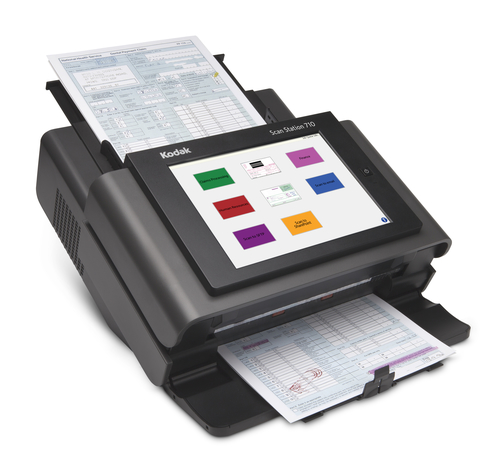
Kodak Scan Station 710 ADF scanner 600 x 600 DPI A4 Black

Kodak i3450 Scanner ADF scanner 600 x 600 DPI A3 Grey

Kodak Scan Station 730EX ADF scanner 600 x 600 DPI A4 Black

Kodak i3250 Scanner ADF scanner 600 x 600 DPI A3 Black, Grey
Accessories & compatible products

Kodak A4 Legal Flatbed Accessory

Kodak A3 Flatbed Accessory

Kodak 1690783 equipment cleansing kit Screens/Plastics Equipment cleansing dry cloths

Kodak Alaris 8266488 equipment cleansing kit

Kodak Alaris 8535981 equipment cleansing kit
