
iiyama TF1934MC-B6X computer monitor 48.3 cm (19") 1280 x 1024 pixels Full HD LED Touchscreen Multi-user Black
- Screen: 48.3 cm (19"), 1280 x 1024 pixels, IPS, Flat
- Refresh rate: 14 ms response time
- Ports: 1 × HDMI, 1 × DisplayPort
- Stand: VESA 100 x 100 mm
- Colour: Black
Where to buy
We're not tracking prices for this product yet. Check current prices directly at:
We may earn a commission when you buy through links on this page — at no extra cost to you. Learn more
About this product
ProLite TF1934MC-B6X uses Projective Capacitive touch technology, built into an eye catching bezel with edge-to-edge glass. Featuring IPS LCD screen technology, it offers exceptional colour performance and wide viewing angles, making it a perfect interactive display for Interactive Digital Signage. In addition to the superb image quality, the screen comes with an IP65 Rating, making it dust and water resistant. Equipped with a rugged bezel making it suitable for demanding environments. The ProLite TF1934MC is the ideal screen for the kiosk integrators and a solution for Interactive Digital Signage, Instore Retail, Gaming and Interactive Presentations.
TOUCH TECHNOLOGY - CAPACITIVE
This technology uses a sensor-grid of micro-fine wires integrated into the glass that covers the screen. Touch is detected because electrical characteristics of the sensor grid change when human finger is placed on the glass. Thanks to the glass overlay this technology is highly durable, and the touch function remains unaffected even if the glass is scratched. It offers perfect picture performance and will work with human finger (also latex gloved) and stylus-pen.
ANTI-FINGERPRINT COATING
This special Nano coating ensures a smoother touch and less resistance in the swipe. It makes the screen less static and susceptible to dirt, dust, fingerprints and it improves the clarity of the content displayed on the screen.
OPEN FRAME BRACKETS
This open frame monitor comes equipped with external mounting brackets. It guarantees easy installation and makes it an ideal solution for kiosk integrators and Instore Retail.
SCRATCH RESISTANCE
Scratch resistance is essential for touch solutions used in public places and schools. This is achieved thanks to a glass overlay covering the screen. It guarantees high durability of the touch function and even more importantly the touch function remains unaffected even if the glass is scratched.
IPS
IPS technology offers higher contrast, darker blacks and much better viewing angles than standard TN technology. The screen will look good no matter what angle you look at it.
Documents
- BrochureProduct Brochure ↗
- ManualUser manual ↗
- Product information sheetEU Product Fiche ↗
Specifications
Key specifications
- Display diagonalSize of the display for this product, measured diagonally, usually in inches.
- 48.3 cm (19")
- Display resolutionThe number of distinct pixels in each dimension that can be displayed. It is usually quoted as width × height, with the units in pixels: for example, "1024 × 768" means the width is 1024 pixels and the height is 768 pixels. The higher the number of pixels, the sharper the image.
- 1280 x 1024 pixels
- Panel typeThe technology used to manufacture the panel, such as AMOLED or AH-IPS.
- IPS
- Screen shapeDescribes the physical curvature of the display panel, such as whether it is flat or curved.
- Flat
- Response timeThe response time is the time difference between the moment that a source (for example a video card) sends a signal and that equipment (for example a monitor) receives or display the signal. (Used abbreviations: R/F = Rise and Fall.)
- 14 ms
- HDMI ports quantityThe number of sockets (ports) for HDMI connections. HDMI (High-Definition Multimedia Interface) is a compact audio/video interface for transferring uncompressed video data and compressed/uncompressed digital audio data from a HDMI-compliant device ("the source device") to a compatible computer monitor, video projector, digital television, or digital audio device. HDMI is a digital replacement for…
- 1
- DisplayPorts quantityNumber of DisplayPorts. A DisplayPort is a digital display interface developed by the Video Electronics Standards Association (VESA). The interface is primarily used to connect a video source to a display device such as a computer monitor, though it can also be used to carry audio, USB, and other forms of data.
- 1
- Panel mounting interfaceThe product can be used wih VESA mounting interfaces.
- 100 x 100 mm
- Product colourThe colour e.g. red, blue, green, black, white.
- Black
Show all 64 specificationsShow key specifications only
Design
- VESA mountingIndicates whether the product supports the VESA mounting standard for attachment to compatible arms, brackets, or wall mounts.
- Yes
- Product colourThe colour e.g. red, blue, green, black, white.
- Black
- International Protection (IP) codeThe IP code classifies and rates the degree of protection provided against the intrusion (including body parts such as hands and fingers), dust, accidental contact, and water by mechanical casings and electrical enclosures. It is published by the International Electrotechnical Commission (IEC). The digits (characteristic numerals) indicate conformity with the conditions summarized in the tables b…
- IP65
- Panel mounting interfaceThe product can be used wih VESA mounting interfaces.
- 100 x 100 mm
- Wall mountableThe product can be mounted on (attached to ) a wall.
- Yes
Multimedia
- Built-in cameraThe product has an integrated camera.
- No
Performance
- NVIDIA G-SYNCIndicates whether the product supports NVIDIA G-SYNC technology to synchronize the display refresh rate with the GPU to eliminate screen tearing.
- No
- AMD FreeSyncThe product includes AMD Freesync Technology for the dynamic synchronization of the graphic card and the monitor in order to avoid screen tearing.
- No
- OmniTapps Multitouch compatibilityThe device can use OmniTapps Multitouch, which is a software suite which allows you to create websites which are multi-touch environments.
- No
Display
- Display diagonalSize of the display for this product, measured diagonally, usually in inches.
- 48.3 cm (19")
- Display resolutionThe number of distinct pixels in each dimension that can be displayed. It is usually quoted as width × height, with the units in pixels: for example, "1024 × 768" means the width is 1024 pixels and the height is 768 pixels. The higher the number of pixels, the sharper the image.
- 1280 x 1024 pixels
- Native aspect ratioThe aspect ratio is the ratio of the width of an image to its height. The native aspect ratio is the one which the projector/display is particularly designed for. Images shown in native aspect ratio will utilize the entire resolution of the display and achieve maximum brightness. Images shown in other than native aspect ratio will always have less resolution and less brightness than images shown…
- 5:4
- Display technologyThe technology used in the display e.g. plasma, LED.
- LED
- TouchscreenA screen of a laptop, smartphone, etc., that responds to touch so you can control the interface using your fingers.
- Yes
- HD typeType of supported High Definition (e.g. Full HD, 4K Ultra HD).
- Full HD
- Panel typeThe technology used to manufacture the panel, such as AMOLED or AH-IPS.
- IPS
- Touchscreen typeThere are a variety of touchscreen technologies that have different methods of sensing touch, including resistive and capacitive.
- Multi-user
- Touchscreen technologyThe method used by the device to detect touch input, such as capacitive, infrared, or resistive technology.
- Projected capacitive system
- Touch technologyTechnology of touch sensetive screen e.g. dual-touch.
- Multi-touch
- Number of simultaneous touchpointsThe maximum number of individual points of contact that the touch-sensitive surface can detect and track at the same time.
- 10
- Display brightnessBrightness is the amount of radiating light emitted from the screen. The brightness rating is measured in candellas per square meter, commonly known as 'nits'.
- 315 cd/m²
- Response timeThe response time is the time difference between the moment that a source (for example a video card) sends a signal and that equipment (for example a monitor) receives or display the signal. (Used abbreviations: R/F = Rise and Fall.)
- 14 ms
- Screen shapeDescribes the physical curvature of the display panel, such as whether it is flat or curved.
- Flat
- Aspect ratioThe aspect ratio is the ratio of the width of a shape to its height. For example, 4:3 is common for standard displays and 16:9 is the ratio for Widescreen TV.
- 5:4
- Contrast ratio (typical)The difference in light intensity between the brightest white and the darkest black.
- 1000:1
- Viewing angle, horizontalMaximum horizontal angle at which a display can be viewed with acceptable visual performance.
- 178°
- Viewing angle, verticalMaximum vertical angle at which a display can be viewed with acceptable visual performance.
- 178°
- Display number of coloursThe total number of distinct colours that the device is capable of displaying (e.g. 1.07 billion colours).
- 16.78 million colours
- Pixel pitchThis is the parameter of a picture tube, which specifies the shortest distance between two dots of the same colour. The principle is: the smaller the dot pitch, the better sharpness of image.
- 0.294 x 0.294 mm
- Horizontal scan rangeThe range of horizontal frequencies the device can process and display, measured in kHz.
- 31.4 - 80 kHz
- Vertical scan rangeThe range of vertical frequencies the device can process and display, measured in hertz (Hz).
- 50 - 75 Hz
- Display diagonal (metric)This is the size of the display screen, measured diagonally.
- 48 cm
- Separate H/V syncDevice has separate horizontal and vertical synchronization.
- Yes
Packaging content
- AC adapter includedIndicates whether a power supply unit for connecting the device to an AC outlet is provided in the package.
- Yes
- Cables includedSpecifies the types and quantities of connection cables provided with the product (e.g., 3.5 mm to 3.5 mm or SATA).
- AC, DisplayPort, HDMI, USB
Other features
- Display viewable area (HxV)The actual dimensions of the screen that can display images, expressed as height by width, measured in mm.
- 376.5 x 301.1 mm
- Power managementIndicates whether the device includes features to monitor or control power consumption to improve energy efficiency.
- Yes
- Supplied AC adapter typeThe type of power supply provided with the product to connect it to an alternating current source (e.g. AC).
- AC
Certificates
- CertificationSpecifies the official standards, safety approvals, or regulatory certifications the product has received.
- CB, CE, TÜV-Bauart, CU, cULus, REACH
Weight & dimensions
- Width (without stand)The horizontal measurement of the device excluding the base or support structure, expressed in millimetres.
- 416 mm
- Depth (without stand)The measurement of the product from front to back without its base or support, typically expressed in millimetres or centimetres.
- 46.5 mm
- Height (without stand)The vertical measurement of the device when the stand is removed, measured in mm.
- 344 mm
- Weight (without stand)The mass of the device excluding the support base, measured in g.
- 4.4 kg
Operational conditions
- Operating temperature (T-T)The minimum and maximum temperatures at which the product can be safely operated.
- 0 - 40 °C
- Storage temperature (T-T)The minimum and maximum temperatures at which the product can be safely stored.
- -20 - 60 °C
- Operating relative humidity (H-H)The range of relative humidity, expressed as a percentage, within which the device can function correctly without damage or performance loss.
- 20 - 80%
- Storage relative humidity (H-H)The permissible range of relative humidity, expressed as a percentage, within which the product can be stored without damage.
- 10 - 90%
Power
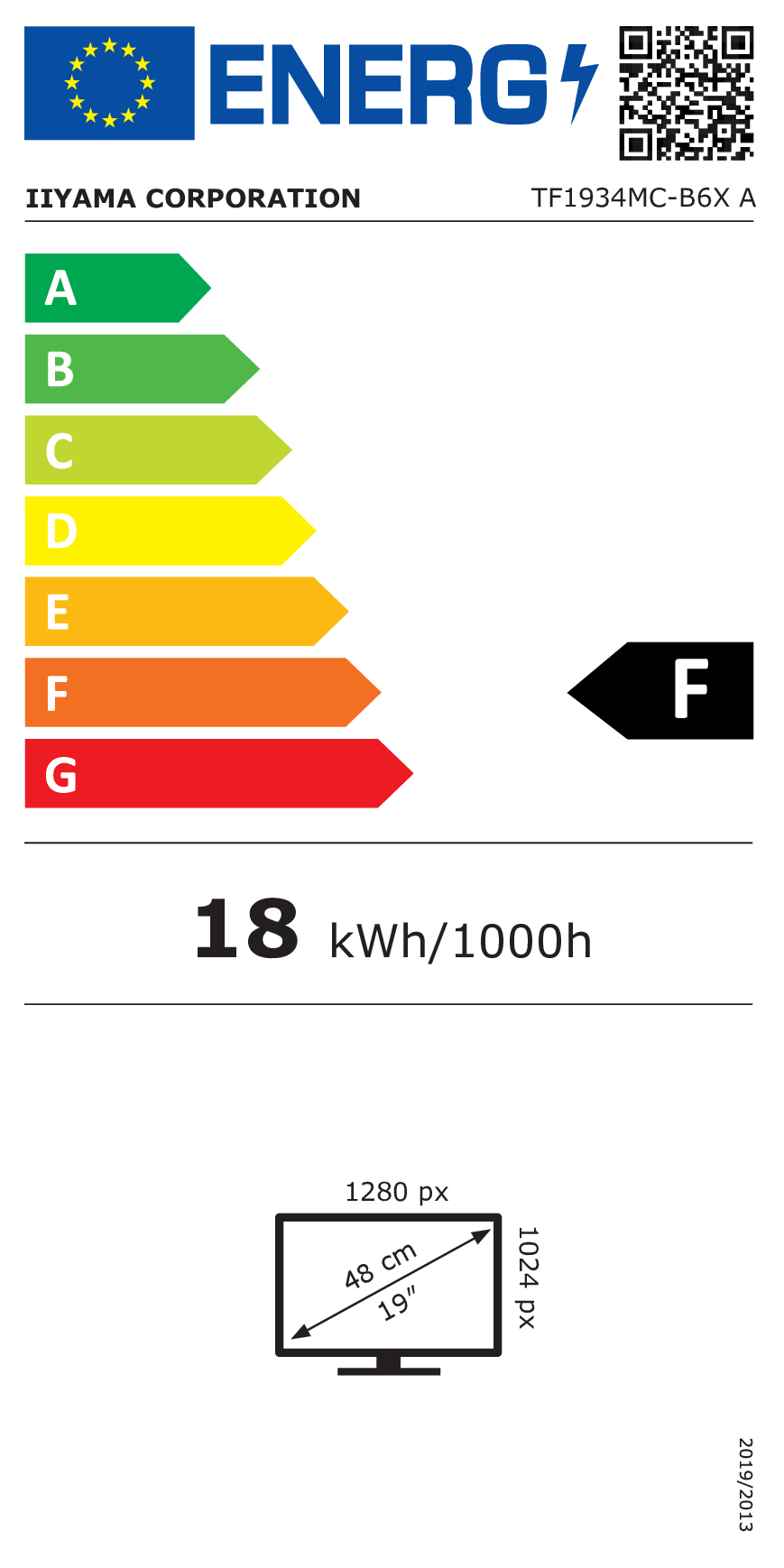
- Energy efficiency class (SDR)The energy efficiency rating of the device when operating in Standard Dynamic Range (SDR) mode, categorized from A to G.
- F
- Energy consumption (SDR) per 1000 hoursThe amount of electric energy consumed by the device during standard dynamic range (SDR) operation over a period of 1000 hours, measured in kilowatt-hours (kWh).
- 18 kWh
- Power consumption (typical)Amount of power consumed by this model, often expressed in watts (W). Typical values that manufacturers give are power consumption when off, standby/suspended mode, typical use, maximum usage.
- 21 W
- Power consumption (standby)The amount of electricity that is consumed when the product is on standby.
- 2 W
- Power supply typeThe type of power supply which this product uses.
- DC
- Energy efficiency scaleThe range of energy efficiency classes used to rate the product's power consumption, such as A to G.
- A to G
Ergonomics
- On Screen Display (OSD) languagesThe list of available languages for the device's display interface (e.g., AFR for Afrikaans, ARA for Arabic).
- German, English, Spanish, French, Italian, Japanese
Management features
- Number of OSD languagesThe total number of different languages available for the on-screen display menu (e.g. 15).
- 6
Features
- Plug and PlayIndicates whether this product supports is "plug and play". Plug and play is hardware or software that, after being installed ("plugged in"), can immediately be used ("played with"), as opposed to hardware or software which requires configuration.
- Yes
Ports & interfaces
- USB Touch portIndicates whether the device features a dedicated USB port to enable touch screen functionality.
- Yes
- VGA (D-Sub) ports quantityNumber of VGA (D-Sub) ports (connecting interfaces) in the device. The VGA (D-Sub) connector is a 15 pin connector between a computer and a monitor. It was first introduced in 1987 by IBM.
- 1
- HDMIHDMI (High-Definition Multimedia Interface) is a compact audio/video interface for transferring uncompressed video data and compressed/uncompressed digital audio data from a HDMI-compliant device ("the source device") to a compatible computer monitor, video projector, digital television, or digital audio device. HDMI is a digital replacement for existing analog video standards.
- Yes
- HDMI ports quantityThe number of sockets (ports) for HDMI connections. HDMI (High-Definition Multimedia Interface) is a compact audio/video interface for transferring uncompressed video data and compressed/uncompressed digital audio data from a HDMI-compliant device ("the source device") to a compatible computer monitor, video projector, digital television, or digital audio device. HDMI is a digital replacement for…
- 1
- DisplayPorts quantityNumber of DisplayPorts. A DisplayPort is a digital display interface developed by the Video Electronics Standards Association (VESA). The interface is primarily used to connect a video source to a display device such as a computer monitor, though it can also be used to carry audio, USB, and other forms of data.
- 1
- HDCPHigh-bandwidth Digital Content Protection (HDCP) is a form of digital copy protection to prevent copying of digital audio and video content as it travels across connections.
- Yes
Audio
- Built-in microphoneMicrophone that is found inside the product.
- No
Logistics data
- Harmonized System (HS) codeThe standardized numerical method of classifying traded products used by customs authorities around the world to identify goods for tariffs and statistics.
- 85285210
Database Right data-sheet 2026 Icecat. All rights reserved. Provided “as is”, without warranty — check details with the store before buying.
Price history (90 days, best daily price)
Price history is still being collected for this product — check back soon.
Alternative models

iiyama ProLite TF2215MC-B2
computer monitor 54.6 cm (21.5") 1920 x 1080 pixels Full HD LED Touchscreen Multi-user Black

iiyama ProLite XUB2495WSU-B1 C
computer monitor 61.2 cm (24.1") 1920 x 1200 pixels WUXGA LED Black

iiyama ProLite TF4338MSC-B2AG
computer monitor 109.2 cm (43") 1920 x 1080 pixels Full HD LED Touchscreen Kiosk Black

iiyama ProLite TF3215MC-B1AG
computer monitor 81.3 cm (32") 1920 x 1080 pixels Full HD LED Touchscreen Kiosk Black

iiyama ProLite XUB3493WQSU-B1
computer monitor 86.4 cm (34") 3440 x 1440 pixels UltraWide Quad HD LED Black

iiyama ProLite TF3215MC-B1
computer monitor 81.3 cm (32") 1920 x 1080 pixels Full HD LED Touchscreen Kiosk Black
Accessories & compatible products

R-Go Tools Monitor arm R-Go Zepher Single, fully adjustable, 0-8 Kg load capacity, 100% circular, black

R-Go Tools Monitor arm R-Go Caparo Single, fully adjustable with gas spring, 3-9 kg load capacity, 100% circular, black

R-Go Tools Monitor arm R-Go Zepher Dual, for two monitors, fully adjustable, 0
8 kg load capacity, 100% circular, black
