
iiyama T2254MSC-B2AG computer monitor 54.6 cm (21.5") 1920 x 1080 pixels Full HD LED Touchscreen Black
- Screen: 54.6 cm (21.5"), 1920 x 1080 pixels, IPS, Flat
- Refresh rate: 100 Hz, 4 ms response time
- Brightness: 300 cd/m²
- Ports: 1 × HDMI, 1 × DisplayPort
- Stand: height-adjustable, tilt, VESA 100 x 100 mm
- Extras: speakers, USB hub
- Colour: Black
Where to buy
We're not tracking prices for this product yet. Check current prices directly at:
We may earn a commission when you buy through links on this page — at no extra cost to you. Learn more
About this product
Immersive interaction and elegant design - Discover the ProLite T2254MSC-B2AG, a vibrant 21.5" Full HD touchscreen monitor designed for exceptional interactive experiences. Featuring intuitive 10-point touch technology (Optical Bonded PCAP), which ensures smooth and precise touch response and low light reflection. In addition, the display is protected from moisture and potential condensation development. With built-in MPP2.0 support (Microsoft Pen Protocol), a stylus with tilt and pressure sensitivity can be used, providing a natural, precise and intuitive writing or drawing experience, just like a pen on paper. The vibrant colors of the IPS panel will captivate users with precise and natural interaction from any angle. Its sleek and stylish design, edge-to-edge glass and anti-glare surface offer durability and ease of cleaning, perfect for busy commercial environments, hospitality spaces, healthcare facilities and public areas. With adjustable ergonomics, neat cable management, built-in audio and seamless connectivity (HDMI, DisplayPort, USB 3.2 hub), it is an ideal choice for POS, self-service solutions and interactive signage.
Comfortable and versatile use
The dual-hinge stand allows smooth screen adjustment for comfortable, versatile use - with built-in cable management to keep your workspace neat.
Built-in MPP2.0 stylus support - like a pen on paper
Thanks to the integrated MPP 2.0 support, you can enjoy a smooth, pen-on-paper experience: tilt and pressure sensitivity allow you to write, draw and annotate with precision and ease, perfect for natural and intuitive use.
Vivid colors and wide viewing angles
Ensure perfect visibility from any position - The IPS panel delivers vivid, consistent colors and wide viewing angles, ideal for dynamic retail environments and busy commercial spaces.
Responsive interaction and good protection
Featuring intuitive PCAP touch technology with InCell PCAP, the screen offers smooth and responsive interaction with reduced glare, while remaining protected from moisture and condensation. Perfect for high-use environments.
Deep contrast and less reflections
Enjoy crystal-clear visuals with deep contrast and less glare - the optical bonded touch panel ensures sharp, easy-to-read content, even under bright retail lighting.
Always clear, always clean
The scratch-resistant, anti-fingerprint coating keeps the screen looking clear and professional even in busy retail settings, reducing visible smudges and protecting the surface from daily wear - your content always shines and the display stays easy to clean.
Videos & documents
Always clear, always clean
Comfortable and versatile use
Vivid colors and wide viewing angles
- DocumentT2254MSC-B2AG Technical Drawing ↗
- DocumentDisassembly Manual- T2254MSC-B2AG.pdf ↗
- ManualUser manual ↗
- Product information sheetEU Product Fiche ↗
- BrochureProduct Brochure ↗
Specifications
Key specifications
- Display diagonalSize of the display for this product, measured diagonally, usually in inches.
- 54.6 cm (21.5")
- Display resolutionThe number of distinct pixels in each dimension that can be displayed. It is usually quoted as width × height, with the units in pixels: for example, "1024 × 768" means the width is 1024 pixels and the height is 768 pixels. The higher the number of pixels, the sharper the image.
- 1920 x 1080 pixels
- Panel typeThe technology used to manufacture the panel, such as AMOLED or AH-IPS.
- IPS
- Screen shapeDescribes the physical curvature of the display panel, such as whether it is flat or curved.
- Flat
- Maximum refresh rateThe highest number of times per second the image is updated, measured in hertz (Hz).
- 100 Hz
- Response timeThe response time is the time difference between the moment that a source (for example a video card) sends a signal and that equipment (for example a monitor) receives or display the signal. (Used abbreviations: R/F = Rise and Fall.)
- 4 ms
- Display brightness (typical)Display brightness, measured by its Luminance, presented as a figure in nits. Typical brightness ratings for monitors range from 250 to 350 nits with a target value of between 80 to 120 nits being suitable for most displays in a normal viewing environment.
- 300 cd/m²
- HDMI ports quantityThe number of sockets (ports) for HDMI connections. HDMI (High-Definition Multimedia Interface) is a compact audio/video interface for transferring uncompressed video data and compressed/uncompressed digital audio data from a HDMI-compliant device ("the source device") to a compatible computer monitor, video projector, digital television, or digital audio device. HDMI is a digital replacement for…
- 1
- DisplayPorts quantityNumber of DisplayPorts. A DisplayPort is a digital display interface developed by the Video Electronics Standards Association (VESA). The interface is primarily used to connect a video source to a display device such as a computer monitor, though it can also be used to carry audio, USB, and other forms of data.
- 1
- Height adjustmentThe part of the device that can be adjusted to change the height.
- Yes
- Tilt adjustmentThe tilt, which means the angle at which the device is pointing (up or down), can be changed.
- Yes
- Panel mounting interfaceThe product can be used wih VESA mounting interfaces.
- 100 x 100 mm
- Built-in speaker(s)The device contains speaker(s) to produce sound.
- Yes
- Built-in USB hubWhether or not the device features a USB hub to connect more than one other device via USB.
- Yes
Show all 99 specificationsShow key specifications only
Design
- VESA mountingIndicates whether the product supports the VESA mounting standard for attachment to compatible arms, brackets, or wall mounts.
- Yes
- Market positioningUnder which category can the device be positioned in the market, e.g. camera phone.
- Business
- Product colourThe colour e.g. red, blue, green, black, white.
- Black
- Panel mounting interfaceThe product can be used wih VESA mounting interfaces.
- 100 x 100 mm
- Front bezel colourThe colour of the frame surrounding the front of the display (e.g. Black, Silver).
- Black
Ports & interfaces
- Built-in USB hubWhether or not the device features a USB hub to connect more than one other device via USB.
- Yes
- USB ports quantityThe total number of available Universal Serial Bus (USB) connection interfaces on the device.
- 2
- USB hub versionThe technical standard of the USB hub, if available, which determines the maximum data transfer speed (e.g., 3.2 Gen 1).
- 3.2 Gen 1 (3.1 Gen 1)
- Number of upstream portsThe total number of available ports used to connect the device to a computer or another network source.
- 2
- Number of downstream portsThe total number of available output ports used to connect additional peripheral devices to the unit.
- 2
- USB Touch portIndicates whether the device features a dedicated USB port to enable touch screen functionality.
- Yes
- HDMIHDMI (High-Definition Multimedia Interface) is a compact audio/video interface for transferring uncompressed video data and compressed/uncompressed digital audio data from a HDMI-compliant device ("the source device") to a compatible computer monitor, video projector, digital television, or digital audio device. HDMI is a digital replacement for existing analog video standards.
- Yes
- HDMI ports quantityThe number of sockets (ports) for HDMI connections. HDMI (High-Definition Multimedia Interface) is a compact audio/video interface for transferring uncompressed video data and compressed/uncompressed digital audio data from a HDMI-compliant device ("the source device") to a compatible computer monitor, video projector, digital television, or digital audio device. HDMI is a digital replacement for…
- 1
- DisplayPorts quantityNumber of DisplayPorts. A DisplayPort is a digital display interface developed by the Video Electronics Standards Association (VESA). The interface is primarily used to connect a video source to a display device such as a computer monitor, though it can also be used to carry audio, USB, and other forms of data.
- 1
- Headphone outThe socket for connecting headphones to the device.
- Yes
- HDCPHigh-bandwidth Digital Content Protection (HDCP) is a form of digital copy protection to prevent copying of digital audio and video content as it travels across connections.
- Yes
Audio
- Built-in speaker(s)The device contains speaker(s) to produce sound.
- Yes
- Number of speakersThe quantity of speakers included in/with the product.
- 2
- RMS rated powerRMS (Root mean square) is a measure of the continuous power required by a device, in particular audio amplifiers and loudspeakers.
- 4 W
Display
- Display diagonalSize of the display for this product, measured diagonally, usually in inches.
- 54.6 cm (21.5")
- Display resolutionThe number of distinct pixels in each dimension that can be displayed. It is usually quoted as width × height, with the units in pixels: for example, "1024 × 768" means the width is 1024 pixels and the height is 768 pixels. The higher the number of pixels, the sharper the image.
- 1920 x 1080 pixels
- Native aspect ratioThe aspect ratio is the ratio of the width of an image to its height. The native aspect ratio is the one which the projector/display is particularly designed for. Images shown in native aspect ratio will utilize the entire resolution of the display and achieve maximum brightness. Images shown in other than native aspect ratio will always have less resolution and less brightness than images shown…
- 16:9
- Display technologyThe technology used in the display e.g. plasma, LED.
- LED
- TouchscreenA screen of a laptop, smartphone, etc., that responds to touch so you can control the interface using your fingers.
- Yes
- Native refresh rateThe number of times per second the hardware updates, measured in hertz (Hz).
- 60 Hz
- Active display area (W x H)The width and height of the actual screen surface that can display images, measured in mm.
- 476 x 268 mm
- HD typeType of supported High Definition (e.g. Full HD, 4K Ultra HD).
- Full HD
- Panel typeThe technology used to manufacture the panel, such as AMOLED or AH-IPS.
- IPS
- Touchscreen technologyThe method used by the device to detect touch input, such as capacitive, infrared, or resistive technology.
- Projected capacitive system
- Touch technologyTechnology of touch sensetive screen e.g. dual-touch.
- Multi-touch
- Number of simultaneous touchpointsThe maximum number of individual points of contact that the touch-sensitive surface can detect and track at the same time.
- 10
- Display brightness (typical)Display brightness, measured by its Luminance, presented as a figure in nits. Typical brightness ratings for monitors range from 250 to 350 nits with a target value of between 80 to 120 nits being suitable for most displays in a normal viewing environment.
- 300 cd/m²
- Display brightnessBrightness is the amount of radiating light emitted from the screen. The brightness rating is measured in candellas per square meter, commonly known as 'nits'.
- 300 cd/m²
- Response timeThe response time is the time difference between the moment that a source (for example a video card) sends a signal and that equipment (for example a monitor) receives or display the signal. (Used abbreviations: R/F = Rise and Fall.)
- 4 ms
- Response time measurement typeThe method used to measure the time it takes for a pixel to change colors, such as GTG (Gray to Gray) or BwB (Black-white-Black).
- GTG (Gray to Gray)
- Anti-glare screenAlways gives an optimal view, even in direct sunlight.
- Yes
- Screen shapeDescribes the physical curvature of the display panel, such as whether it is flat or curved.
- Flat
- Contrast ratio (typical)The difference in light intensity between the brightest white and the darkest black.
- 1300:1
- Maximum refresh rateThe highest number of times per second the image is updated, measured in hertz (Hz).
- 100 Hz
- Viewing angle, horizontalMaximum horizontal angle at which a display can be viewed with acceptable visual performance.
- 178°
- Viewing angle, verticalMaximum vertical angle at which a display can be viewed with acceptable visual performance.
- 178°
- Display number of coloursThe total number of distinct colours that the device is capable of displaying (e.g. 1.07 billion colours).
- 16.7 million colours
- Pixel pitchThis is the parameter of a picture tube, which specifies the shortest distance between two dots of the same colour. The principle is: the smaller the dot pitch, the better sharpness of image.
- 0.082 x 0.082 mm
- Horizontal scan rangeThe range of horizontal frequencies the device can process and display, measured in kHz.
- 30 - 120 kHz
- Viewable size, horizontalThe viewable size is often somewhat smaller than the actual size of a monitor, because there is a border around the image.
- 47.6 cm
- Viewable size, verticalThe height of the screen area that can actually display an image, measured in millimetres or inches.
- 26.8 cm
- Display diagonal (metric)This is the size of the display screen, measured diagonally.
- 54.6 cm
- Surface hardnessThe resistance of the surface to scratches and abrasion, typically measured on the Mohs or pencil hardness scale (e.g., 9H).
- 7H
- Colour depthThe number of bits used to represent the colour of a single pixel, which determines the total number of possible colours that can be displayed.
- 8 bit
Other features
- Compatible operating systemsList of desktop operating systems tested as compatible with this product.
- All iiyama monitors are Plug & Play and compatible with Windows and Linux. For details regarding the supported OS for the touch models, please refer to the driver instruction file available in the downloads section.
- Positional accuracyThe maximum deviation between the intended and actual position of a point or object, measured in mm.
- 2 mm
- User controlsThe available physical or digital interfaces used to adjust settings and operate the device.
- Picture adjust (brightness, contrast, eco, adv. contrast, Overdrive, X-Res technology,, black tuner), color settings (6-axis, i-Style color, blue light reducer, gamma, RGB range), color temperature), OSD (horizontal position, vertical position, rotate, time, background, DDC/CI control, display information), language, miscellaneous (sharpness. video mode adjust, opening logo, power led, usb charge), input select, audio settings (volume, mute audio), recall
- Touch methodThe technology used to detect touch input on the screen, such as capacitive or infrared.
- finger, glove (latex), capacitive stylus
- Control panelDescription of the control panel of the product; including the available buttons; and the function of each button
- Joystick / power button - power/menu, up/input select, down, left/eco/i-Syle color/blue light reducer, right/volume
Packaging content
- Packaging contentA list of all items and documentation included in the box (e.g. Quick Start Guide).
- Screwdriver
- Stand includedIndicates whether a support stand is supplied with the product.
- Yes
- Cables includedSpecifies the types and quantities of connection cables provided with the product (e.g., 3.5 mm to 3.5 mm or SATA).
- AC, USB, HDMI
- Quick start guideInstructions, either online, as a computer program or in paper form, to allow you to set up and start using the product quickly.
- Yes
Weight & dimensions
- WeightWeight of the product without packaging (net weight). If possible, the net weight is given including standard accessories and supplies. Please note that sometimes the manufacturer leaves out the weight of accessories and/or supplies.
- 4.9 kg
- HeightThe measurement of the product from head to foot or from base to top.
- 355 mm
- WidthThe measurement or extent of something from side to side.
- 489 mm
- DepthThe distance from the front to the back of something.
- 241 mm
- Width (with stand)The total horizontal measurement of the product when the supporting stand is attached, measured in millimetres.
- 489 mm
- Depth (with stand)The measurement of the product from front to back when any supporting accessory or base is attached, expressed in millimetres or centimetres.
- 241 mm
- Height (with stand)The total vertical measurement of the product including its base or support structure, expressed in millimetres or centimetres.
- 355 mm
- Weight (with stand)The total mass of the unit including its supporting base, measured in kilograms or grams.
- 4.9 kg
- Weight (without stand)The mass of the device excluding the support base, measured in g.
- 2.9 kg
Certificates
- Compliance certificatesIndicates which regulatory, safety, and environmental standards the product complies with, as verified by recognized authorities or certification bodies.
- CE, EAC, REACH, RoHS, UKCA, WEEE
- CertificationSpecifies the official standards, safety approvals, or regulatory certifications the product has received.
- CE, EAC, RoHS support, ErP, WEEE, REACH, ENERGY STAR, UKCA
Features
- Mean time between failures (MTBF)Statistical model used to indicate product/mechanism reliability; expressed in hours and percentage of duty cycle. This number (in hours) does not indicate the mean time before failure for a single unit/mechanism.
- 50000 h
- Cable managementDescription of improved cable management
- Yes
- Plug and PlayIndicates whether this product supports is "plug and play". Plug and play is hardware or software that, after being installed ("plugged in"), can immediately be used ("played with"), as opposed to hardware or software which requires configuration.
- Yes
Sustainability
- Sustainability certificatesThe environmental or ethical certifications the product has received to verify its sustainability standards (e.g., ASC or ACT Organic).
- EPEAT, ErP, EPEAT Silver
Power
- Energy efficiency class (SDR)The energy efficiency rating of the device when operating in Standard Dynamic Range (SDR) mode, categorized from A to G.
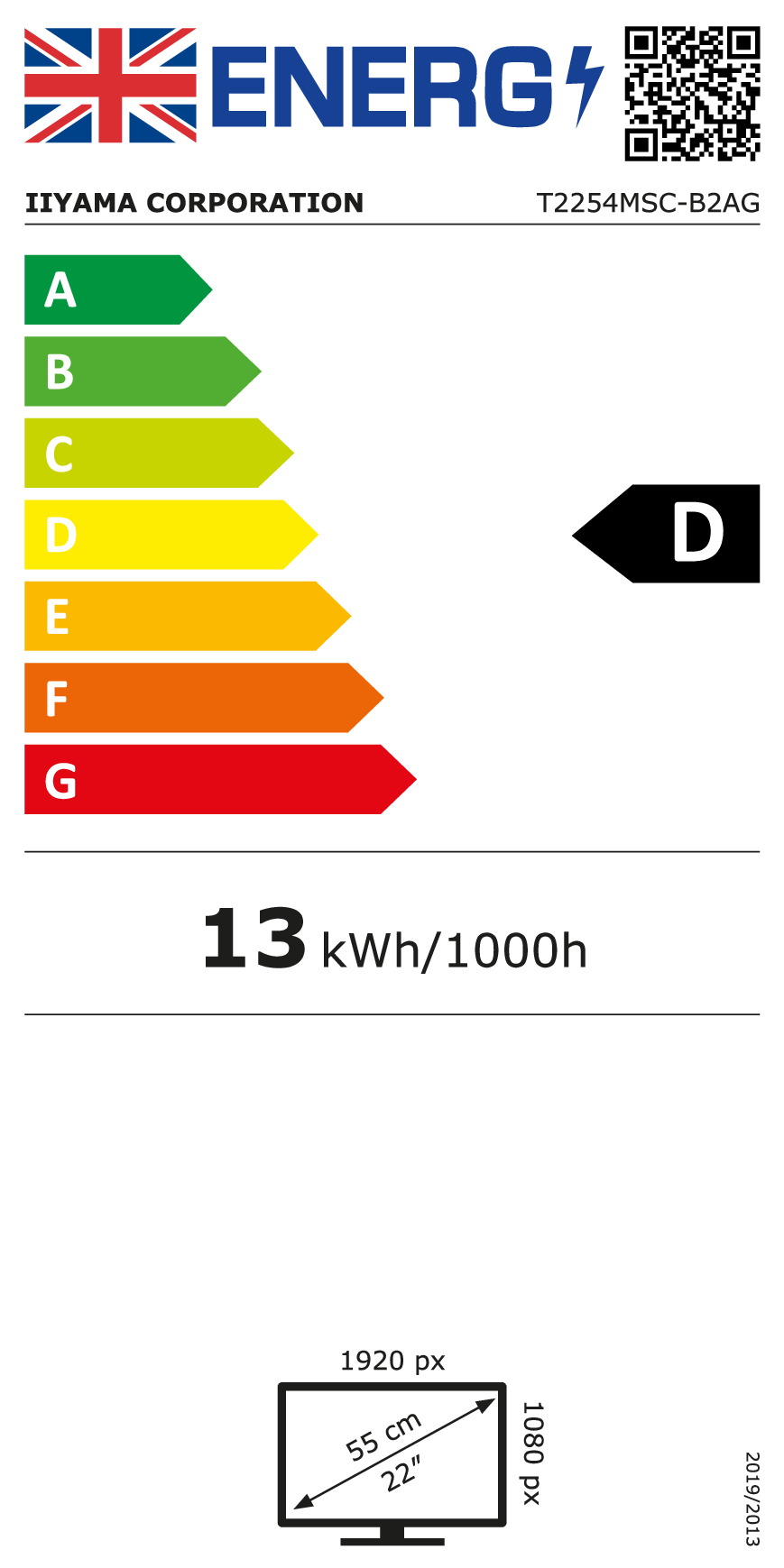
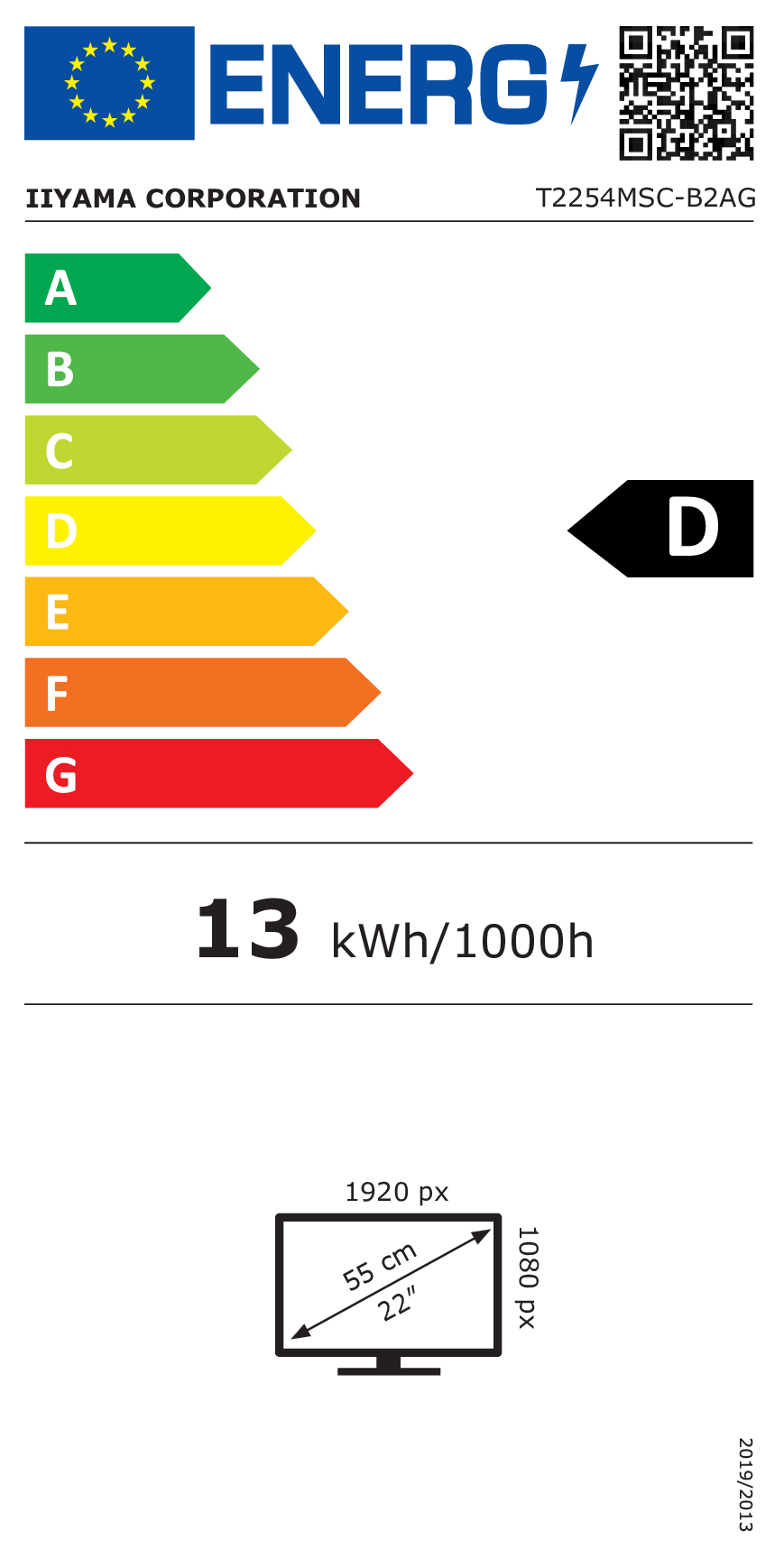
- D
- Energy efficiency class (HDR)The energy efficiency rating of the device when High Dynamic Range (HDR) mode is active, ranging from A to G.
- Not available
- Energy consumption (SDR) per 1000 hoursThe amount of electric energy consumed by the device during standard dynamic range (SDR) operation over a period of 1000 hours, measured in kilowatt-hours (kWh).
- 13 kWh
- Power consumption (typical)Amount of power consumed by this model, often expressed in watts (W). Typical values that manufacturers give are power consumption when off, standby/suspended mode, typical use, maximum usage.
- 15 W
- Power consumption (standby)The amount of electricity that is consumed when the product is on standby.
- 0.3 W
- Power consumption (off)The amount of electrical energy consumed by the device when it is switched off, measured in watts.
- 0.3 W
- AC input voltageThe voltage of the AC electricity that is inputted into the product.
- 100 - 240 V
- AC input frequencyThe range of alternating current frequencies the device can accept from the power source, measured in hertz (e.g., 45 - 65).
- 50/60 Hz
- Power supply typeThe type of power supply which this product uses.
- Internal
- Energy efficiency scaleThe range of energy efficiency classes used to rate the product's power consumption, such as A to G.
- A to G
Security
- Cable lock slotHoles on the edge of devices through which a cable lock can be passed, so the device can be locked to a desk etc.
- Yes
- Cable lock slot typeThe standard of the security slot used to attach a physical locking cable to the device (e.g. Kensington or Noble).
- Kensington
Ergonomics
- Height adjustmentThe part of the device that can be adjusted to change the height.
- Yes
- Adjustable height (max)The maximum distance the unit can be raised vertically from its lowest position, measured in millimetres.
- 11.2 cm
- Tilt adjustmentThe tilt, which means the angle at which the device is pointing (up or down), can be changed.
- Yes
- Tilt angle rangeThe minimum and maximum angles at which the unit can be tilted, typically expressed in degrees.
- 5 - 90°
- On Screen Display (OSD) languagesThe list of available languages for the device's display interface (e.g., AFR for Afrikaans, ARA for Arabic).
- German, English, Spanish, French, Italian, Japanese, Dutch, Polish, Portuguese, Russian
Management features
- On Screen Display (OSD)Indicates whether the device can display a graphical menu or information directly on the screen for adjusting settings and viewing status.
- Yes
- Number of OSD languagesThe total number of different languages available for the on-screen display menu (e.g. 15).
- 10
Performance
- Flicker-free technologyIndicates whether the device employs technology to reduce or eliminate screen flickering to decrease eye strain during prolonged use.
- Yes
- Low Blue Light technologyIndicates whether the product features technology designed to reduce the amount of harmful short-wave blue light emitted by the screen to decrease eye strain.
- Yes
- Palm rejectionIndicates whether the device can distinguish between a stylus and a palm resting on the surface to prevent accidental inputs.
- Yes
Packaging data
- Package widthThe distance from one side of the packaging to the other.
- 570 mm
- Package depthThe distance from the front to the back of the packaging.
- 151 mm
- Package heightThe distance from the top to the bottom of the packaging.
- 367 mm
- Package weightWeight of the packaged product.
- 7.6 kg
Database Right data-sheet 2026 Icecat. All rights reserved. Provided “as is”, without warranty — check details with the store before buying.
Price history (90 days, best daily price)
Price history is still being collected for this product — check back soon.
Alternative models

iiyama ProLite T2754MSC-B2AG
computer monitor 68.6 cm (27") 1920 x 1080 pixels Full HD LED Touchscreen Multi-user Black

iiyama ProLite T2454MSC-B3AG
computer monitor 60.5 cm (23.8") 1920 x 1080 pixels Full HD LED Touchscreen Multi-user Black

iiyama ProLite X2792HSU-B1
computer monitor 68.6 cm (27") 1920 x 1080 pixels Full HD LED Black

iiyama TW1623AS-B3P
computer monitor 39.6 cm (15.6") 1920 x 1080 pixels Full HD LED Touchscreen Black

iiyama ProLite XB2792HSU-B1
computer monitor 68.6 cm (27") 1920 x 1080 pixels Full HD LED Black

iiyama ProLite XUB2790QSUH-B2
computer monitor 68.6 cm (27") 2560 x 1440 pixels Quad HD LED Black
Accessories & compatible products

R-Go Tools Monitor arm R-Go Zepher Single, fully adjustable, 0-8 Kg load capacity, 100% circular, black

R-Go Tools Monitor arm R-Go Caparo Single, fully adjustable with gas spring, 3-9 kg load capacity, 100% circular, black

R-Go Tools Monitor arm R-Go Zepher Dual, for two monitors, fully adjustable, 0
8 kg load capacity, 100% circular, black
