
HP 90W Docking Station Black
- Product colour: Black
- Ethernet LAN
- Ethernet LAN (RJ-45) ports: 1
- Connectivity technology: Docking
- USB 2.0 ports quantity: 4
- VGA (D-Sub) ports quantity: 1
Where to buy
We're not tracking prices for this product yet. Check current prices directly at:
We may earn a commission when you buy through links on this page — at no extra cost to you. Learn more
About this product
Desktop convenience with full port replication capability in a space-saving design.
Technical features
- Conveniently charges your notebook while it is in the docking station.
- Easy docking system provides port replication and cable management in one product.
- Four USB ports allow you to connect more peripherals to make you more productive.
Specifications
Design
- Product colourThe colour e.g. red, blue, green, black, white.
- Black
Weight & dimensions
- WidthThe measurement or extent of something from side to side.
- 260 mm
- DepthThe distance from the front to the back of something.
- 270.5 mm
- HeightThe measurement of the product from head to foot or from base to top.
- 66 mm
- WeightWeight of the product without packaging (net weight). If possible, the net weight is given including standard accessories and supplies. Please note that sometimes the manufacturer leaves out the weight of accessories and/or supplies.
- 1.64 kg
Storage
- Card reader integratedA card reader is a device that enables reading and, in some cases, writing data to and from a memory card.
- No
Features
- CompatibilityThe other products, software and hardware this product can be used with.
- EliteBook 84xx, 8560, Mobile Thin Client 6360, ProBook 6360, 64xx, 65xx
Network
- Ethernet LANAn Ethernet LAN (Local Area Network) interface is present, for a wired conection via a cable.
- Yes
Ports & interfaces
- Ethernet LAN (RJ-45) portsNumber of Ethernet LAN (RJ-45) ports (connecting interfaces) in the device. Ethernet LAN (RJ-45) ports allow a computer to connect to the ethernet.
- 1
- Connectivity technologyThe technology that enables connectivity of the device, e.g. wired or wireless.
- Docking
- USB 2.0 ports quantityNumber of USB 2.0 ports (connecting interfaces) in the device. USB 2.0 was released in April 2000 (now called "Hi-Speed"), adding higher maximum signaling rate of 480 Mbit/s (effective throughput up to 35 MB/s or 280 Mbit/s), USB 2.0 ports are usually black.
- 4
- VGA (D-Sub) ports quantityNumber of VGA (D-Sub) ports (connecting interfaces) in the device. The VGA (D-Sub) connector is a 15 pin connector between a computer and a monitor. It was first introduced in 1987 by IBM.
- 1
- DisplayPorts quantityNumber of DisplayPorts. A DisplayPort is a digital display interface developed by the Video Electronics Standards Association (VESA). The interface is primarily used to connect a video source to a display device such as a computer monitor, though it can also be used to carry audio, USB, and other forms of data.
- 1
- DVI-D ports quantityThis is the amount of DVI-I interfaces. Digital Visual Interface (DVI) is a video display interface developed by the Digital Display Working Group (DDWG). The digital interface is used to connect a video source to a display device, such as a computer monitor. DVI-D means DVI digital, which means it can only support digital, but not analog.
- 1
- Microphone inThe socket where a microphone is connected to the device.
- Yes
- Headphone outputsNumber of sockets /ports where headphones are connected.
- 1
- Parallel ports quantityThe number of parallel ports. Parallel ports, also known as printer ports, are a type of interface found on computers (personal and otherwise) for connecting peripherals. In computing, a parallel port is a parallel communication physical interface. Parallel ports were common in the 1980s and '90s (mostly conforming to industry standard IEEE 1284) but are now being replaced by USBs and other ports.
- 1
- Serial ports quantityThe number of serial ports in a computer or peripheral. A serial port is a serial communication physical interface through which information transfers in or out one bit at a time. The term "serial port" usually identifies hardware more or less compliant to the RS-232 standard, intended to interface with a modem or with a similar communication device. In modern computers and peripherals, serial po…
- 1
- PS/2 ports quantityThe number of PS/2 connectors for keyboards and mice. Its name comes from the IBM Personal System/2.
- 2
Database Right data-sheet 2026 Icecat. All rights reserved. Provided “as is”, without warranty — check details with the store before buying.
Price history (90 days, best daily price)
Price history is still being collected for this product — check back soon.
Alternative models

HP 449720-001
laptop dock/port replicator Docking Grey

HP Essential USB 2.0 Port Replicator

HP 2540 Docking Station Black
HP VB041AA
laptop dock/port replicator

HP WA995AA
laptop dock/port replicator Black

HP NZ222UT
laptop dock/port replicator
Accessories & compatible products
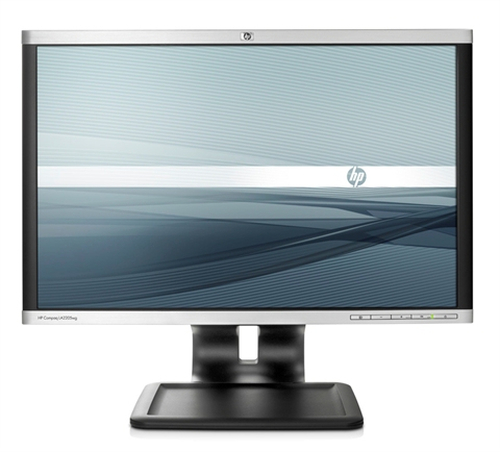
HP 5x LA2205wg
computer monitor 55.9 cm (22") 1680 x 1050 pixels Silver
HP 5x LA2205wg
computer monitor 55.9 cm (22") 1680 x 1050 pixels Silver
HP 6x LA2205wg
computer monitor 55.9 cm (22") 1680 x 1050 pixels Silver

HP EliteBook NOTEBOOK BUNDEL (LG741ET+LG741ET+LG741ET) 3x 8460p Core i5-2540M
Intel Core i5 35.6 cm (14") 4 GB DDR3-SDRAM 320 GB HDD Windows 7 Professional

HP ProBook 6550b
Intel Core i5 i5-520M 39.6 cm (15.6") 4 GB DDR3-SDRAM 320 GB UMA Windows 7 Professional Black, Silver

HP EliteBook 8440p Base Model Notebook PC
Intel Core i5 35.6 cm (14") 4 GB DDR2-SDRAM 320 GB Windows 7 Professional Black QWERTY