
Fujitsu fi-6800 ADF + Manual feed scanner 600 x 600 DPI A3 Black, White
- Maximum ISO A-series paper size: A3
- Scanner type: ADF + Manual feed scanner
- Maximum scan size: 297 x 420 mm
- Non-operating relative humidity (non-condensing): 8 - 95%
- Scan media weight: 20 - 209 g/m²
- Minimum scan area: 304.8 x 431.8 mm (12 x 17")
Where to buy
We're not tracking prices for this product yet. Check current prices directly at:
We may earn a commission when you buy through links on this page — at no extra cost to you. Learn more
About this product
- User panel and clear text LCD supported operation
- Simple and sturdy construction with wide flip-up cover for easy access and obstacle-free cleaning
- Fast scanning; 130ppm/ 260ipm for colour/greyscale/B&W @ 200/300dpi (A4 landscape)
- Mixed document feeding and long paper mode
- White ADF background: black selectable
- Ultrasonic double feed detection
- Dual Interface USB 2.0 and Ultra Wide SCSI with VRS CGA Board
- Scanner Central Admin: monitor running status, update drivers and software from a single location.
Utilising fi-series renowned Paper Protection and Multi Feed Protection functions, paper feed problems are tackled before they happen. The scanner provides high speeds up to 130ppm in black and white, greyscale or colour for DIN A4 landscape documents.
Factory mounted hardware accelerated VRS Professional reduces the time involved in document preparation and provides high quality image output at rated speed.
Working Environment
The fi-6800 is the most compact but high performing mid volume production scanner in the market. With unique image handling hardware and hardware accelerated VRS Professional factory mounted, the user receives a complete high performance capture solution right out of the box. Operators will begin making professional scans in no time.
Utilizing a high quality lens and extra bright LED light source enclosed in a heavy duty resin frame. The fi-6800's compact design makes it the smallest document scanner in its class. It takes up 53% less space and is 72% lighter than its predecessor.
Supporting the Operator
The fi-6800 is ergonomically designed to facilitate scanning whether the operator is standing or seated. Scanner status and settings are presented and controlled on an easy to navigate LCD panel.
With simple yet very sturdy construction, operators benefit from the fi-6800's with a wide flip up cover, providing easy access and obstacle free cleaning. Near silent operation allows for front or back office placement in support of a multitude of professional business scanning tasks.
Intelligent functions for efficient operation
The fi-6800 supports many new automatic functions that simplify your scanning tasks and maximise operator productivity.
- Route files with ease, using Patch code or barcode supported job separation
- fi-6800 features patch code and barcode recognition functions, Whenever detected, files can be automatically routed to new subdirectories to expedite and automate post capture processing routines. If using barcodes the files and directories can even be named based on the information contained in the barcode. Combined with the images capture software ScandAll PRO's automatic sorting function, scanning sorting and saving can be a hands free operation.
- Seamless Microsoft Office SharePoint Server linkability
- ScandAll PRO enables the fi-6800 to seamlessly link with Microsoft Office SharePoint Server for easy digitized document sharing and viewing administration. The result is even easier document management.
- Reduce the hassle of post scan tasks
- Automatic stacker ensures all your scanned documents are neatly stacked, while an Automatic Image Quality Checker detects an image irregularities i.e. folds or tears in the original document, after scanning. Post scanning tasks have never been this easy.
- An improved paper feed mechanism which protects against document damage or misaligned feeds
- Fujitsu's fi-6800 features a very reliable paper feed mechanism which is derived from Fujitsu's top-of-the-line fi-5950 model. Utilising fi-series renowned "Paper Protection" and "Multi Feed Protection" functions, paper feed problems are tackled before they happen. This ensures optimum workflow to your business and maximum uptime for the scanner.
- Short recovery from sleep mode due to use of extra bright LED source (within 6s).
ScandAll PRO image capture software
Even better batch scanning performance is possible with the bundled premium version of ScandAll PRO V2 scanning software, which features embedded zonal OCR functionality, multi-streaming options and a wealth of output format including password protected PDF and PDF/A formats. In daily operation tasks the user can be supported by setting up job routine profiles that can easily be ex- and imported by multiple scan stations. ScandAll PRO V2 Premium features job separation and indexing functionality using 2D codes (matrix codes).
VRS (VirtualReScan) Professional
VRS Professional logoPre-installed with hardware based VRS Professional, the fi-6800 comes loaded with a VRS CGA board that offers even better image processing functionality and performance, which simplifies the image capture operation and streamlines automated business processes. It allows information workers to focus on their productive tasks whilst at the same time supporting them by capturing information from paper documents at the click of a button.
VRS dynamically adjusts scanner settings for each document, allowing for near-perfect image quality every time you scan. What is more, the advanced image enhancement technology of VRS Professional allows users to create images that are easier to read and index, making it easier to find, retrieve and use the captured information later on.
Cleaning up scanned images in software makes for a huge improvement in the accuracy of your OCR and ICR software. Productivity is increased as well as efficiency resulting in a greater return for your scanning investment.
Specifications
Key specifications
- Maximum ISO A-series paper sizeThe maximum paper size the device can handle, defined by ISO A-series.
- A3
- Scanner typeIndicates the type of scanner this product is.
- ADF + Manual feed scanner
- Maximum scan sizeThe maximum dimensions of a document that can be digitized in a single pass, measured in mm.
- 297 x 420 mm
- Non-operating relative humidity (non-condensing)Range of relative humidity (non-condensing) in which a non-operating product can be stored.
- 8 - 95%
- Scan media weightThe minimum and maximum weight of the media that can be processed during scanning, measured in grams per square metre (g/m²).
- 20 - 209 g/m²
- Minimum scan areaThe smallest dimensions of a document that the device can reliably capture during a scan, measured in ".
- 304.8 x 431.8 mm (12 x 17")
- Compliance certificatesIndicates which regulatory, safety, and environmental standards the product complies with, as verified by recognized authorities or certification bodies.
- RoHS
- Operating temperature (T-T)The minimum and maximum temperatures at which the product can be safely operated.
- 15 - 35 °C
- Storage temperature (T-T)The minimum and maximum temperatures at which the product can be safely stored.
- -20 - 60 °C
- Operating relative humidity (H-H)The range of relative humidity, expressed as a percentage, within which the device can function correctly without damage or performance loss.
- 20 - 80%
Show all 45 specificationsShow key specifications only
Paper handling
- Maximum ISO A-series paper sizeThe maximum paper size the device can handle, defined by ISO A-series.
- A3
- ISO A-series sizes (A0...A9)Different sizes of paper from A0 (big) to A9 (small). A4 is the most common size used for printing documents.
- A3, A4, A5, A6, A7, A8
- ISO B-series sizes (B0...B9)The supported paper dimensions based on the ISO 216 B-series standard (e.g. B0, B1, B2).
- B4, B5, B6
Scanning
- Scanner typeIndicates the type of scanner this product is.
- ADF + Manual feed scanner
- Maximum scan sizeThe maximum dimensions of a document that can be digitized in a single pass, measured in mm.
- 297 x 420 mm
- Scan driversThe scanning interfaces and software protocols supported by the device for communication with computer applications (e.g. TWAIN, WIA).
- ISIS, TWAIN
- Optical scanning resolutionHow many pixels a scanner can see. Most commonly, this is measured in dots per inch (dpi).For example, a typical flatbed scanner will use a scanning head with 300 sensors per inch, so it can sample 300 dots per inch (dpi) in one direction. To scan in the other direction, it will move the scanning head along the page, stopping 300 times per inch, so it can scan 300 dpi in the other direction as we…
- 600 x 600 DPI
- Colour scanningIndicates whether this product scans in colour.
- Yes
- Duplex scanningFeature of computer scanners and multifunction printers (MFPs) that allows the automatic scanning of a sheet of paper on both sides.
- Yes
- Input colour depthColour depth of the input into the product. The colour depth is either the number of bits used to indicate the color of a single pixel, in a bitmapped image or video frame buffer, or the number of bits used for each color component of a single pixel. High-end laptops have 24-bit colour depth.
- 24 bit
- Output colour depthThe number of bits used to represent the colour of a single pixel in the output, which determines the total number of possible colours (e.g., 24 or 32).
- 24 bit
- Film scanningDevice made for scanning photographic film directly into a computer without the use of any intermediate printmaking. It provides several benefits over using a flatbed scanner to scan in a print of any size: the photographer has direct control over cropping and aspect ratio from the original, unmolested image on film; and many film scanners have special software or hardware that removes scratches…
- No
- Greyscale levelsThe number of distinct shades of grey that the device can reproduce or capture, typically expressed as a numerical value (e.g. 256).
- 1024
- ADF scan speed (b/w, A4)The number of black and white A4 pages the automatic document feeder can scan per minute, measured in ppm.
- 130 ppm
- Flatbed scan speed (b/w, A4)The time required to scan a single black and white A4 page using the flatbed surface, measured in sec/page.
- 0.230 sec/page
- Duplex ADF scan speed (b/w, A4)The number of black and white A4 pages the automatic document feeder can scan per minute when scanning both sides of the page, measured in ipm.
- 260 ipm
- Duplex ADF scan speed (colour, A4)The number of images per minute the device can scan in colour on both sides of an A4 page using the automatic document feeder, measured in ipm.
- 260 ipm
Operational conditions
- Non-operating relative humidity (non-condensing)Range of relative humidity (non-condensing) in which a non-operating product can be stored.
- 8 - 95%
- Operating temperature (T-T)The minimum and maximum temperatures at which the product can be safely operated.
- 15 - 35 °C
- Storage temperature (T-T)The minimum and maximum temperatures at which the product can be safely stored.
- -20 - 60 °C
- Operating relative humidity (H-H)The range of relative humidity, expressed as a percentage, within which the device can function correctly without damage or performance loss.
- 20 - 80%
Other features
- Scan media weightThe minimum and maximum weight of the media that can be processed during scanning, measured in grams per square metre (g/m²).
- 20 - 209 g/m²
- Minimum scan areaThe smallest dimensions of a document that the device can reliably capture during a scan, measured in ".
- 304.8 x 431.8 mm (12 x 17")
Certificates
- Compliance certificatesIndicates which regulatory, safety, and environmental standards the product complies with, as verified by recognized authorities or certification bodies.
- RoHS
Features
- Windows operating systems supportedWindows vesions wich can be used with the device.
- Windows 2000 Professional, Windows 7 Home Basic, Windows 7 Home Basic x64, Windows 7 Home Premium, Windows 7 Home Premium x64, Windows 7 Professional, Windows 7 Professional x64, Windows 7 Starter, Windows 7 Starter x64, Windows 7 Ultimate, Windows 7 Ultimate x64, Windows 8, Windows 8 Enterprise, Windows 8 Enterprise x64, Windows 8 Pro, Windows 8 Pro x64, Windows 8 x64, Windows Vista Business, Windows Vista Business x64, Windows Vista Enterprise, Windows Vista Enterprise x64, Windows Vista Home Basic, Windows Vista Home Basic x64, Windows Vista Home Premium, Windows Vista Home Premium x64, Windows Vista Ultimate, Windows Vista Ultimate x64, Windows XP Home, Windows XP Home x64, Windows XP Professional, Windows XP Professional x64
Software
- Server operating systems supportedThe server-grade operating systems that are compatible with the product (e.g. SUSE Linux Enterprise Server or Windows Server).
- Windows Server 2003, Windows Server 2008
- Bundled softwareSoftware distributed with another product such as a piece of computer hardware or other electronic device, or a group of software packages which are sold together. A software suite is an example of bundled software, as is software which is pre-installed on a new computer.
- ScandAll Adobe Acrobat VRS Professional SoftIPC QuickScan Software operation panel
Sustainability
- Sustainability certificatesThe environmental or ethical certifications the product has received to verify its sustainability standards (e.g., ASC or ACT Organic).
- ENERGY STAR
Weight & dimensions
- WidthThe measurement or extent of something from side to side.
- 460 mm
- DepthThe distance from the front to the back of something.
- 430 mm
- HeightThe measurement of the product from head to foot or from base to top.
- 310 mm
- WeightWeight of the product without packaging (net weight). If possible, the net weight is given including standard accessories and supplies. Please note that sometimes the manufacturer leaves out the weight of accessories and/or supplies.
- 32 kg
Power
- Power supply typeThe type of power supply which this product uses.
- AC
- Power consumption (typical)Amount of power consumed by this model, often expressed in watts (W). Typical values that manufacturers give are power consumption when off, standby/suspended mode, typical use, maximum usage.
- 200 W
- Power consumption (standby)The amount of electricity that is consumed when the product is on standby.
- 4.2 W
- AC input frequencyThe range of alternating current frequencies the device can accept from the power source, measured in hertz (e.g., 45 - 65).
- 50 - 60 Hz
- Input voltageThe voltage (V) which is required to power the product.
- 100-240 V
Ports & interfaces
- USB portThe device features a socket into which a USB cable can be plugged.
- Yes
- USB versionUniversal Serial Bus (USB) is an industry standard developed in the mid-1990s that defines the interface used for connection, communication and power supply between computers and electronic devices. Every new version - for example 1.1, 2.0, 3.0 - is much faster than the previous one.
- 2.0
- Standard interfacesMost common industry-standard communication protocols ranging from RS-232, RS-422, RS-423, RS-485, and LVDS to USB.
- Ultra SCSI, USB 2.0
Input capacity
- Standard input capacityThe number of sheets of paper that can be held by a device.
- 500 sheets
Image sensor
- Sensor typeA sensor is a convertor than measures a physical quality (light, temperature etc.) and displays this electronically on a device.
- CCD
Performance
- Light sourceThe type of technology or material used to generate light (e.g., LED, Halogen lamp, or CCFL).
- White LED
- Daily duty cycle (max)The maximum percentage of time a machine or piece of equipment can be in operation for in one day in relation to the time it must remain out of operation. For instance, a max daily duty cycle of 30 percent means it will operate for a maximum 30 percent of the day and then not be used for the other 70 percent of the day.
- 60000 pages
Design
- Product colourThe colour e.g. red, blue, green, black, white.
- Black, White
Database Right data-sheet 2026 Icecat. All rights reserved. Provided “as is”, without warranty — check details with the store before buying.
Price history (90 days, best daily price)
Price history is still being collected for this product — check back soon.
Alternative models
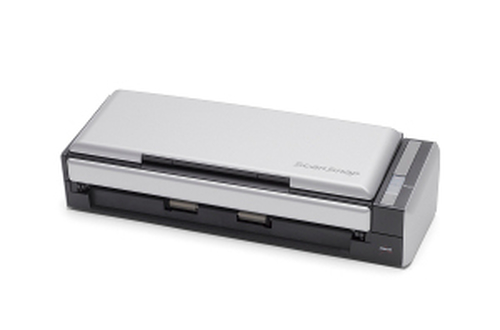
Fujitsu ScanSnap S1300 Sheet-fed scanner A4

Fujitsu ScanSnap S1500 ADF scanner 600 x 600 DPI A4

Fujitsu fi-6800 Sheet-fed scanner 600 x 600 DPI A3 Black, White

Fujitsu fi-6130 Sheet-fed scanner A4

Fujitsu ScanSnap S1300 Flatbed & ADF scanner 600 x 600 DPI A4 Black, White

Fujitsu fi-6230 Flatbed & ADF scanner A4
Accessories & compatible products

Fujitsu 3575-1200K Consumable kit

Fujitsu 3575-6000K Consumable kit

Fujitsu 3575-600K Consumable kit

Fujitsu SC-CLE-LV equipment cleansing kit Scanner Equipment cleansing dry cloths & liquid

Fujitsu 3575-14400K Consumable kit
