
DELL PowerConnect W-IAP93 300 Mbit/s Power over Ethernet (PoE)
- 2.4 GHz
- 5 GHz
- Maximum data transfer rate: 300 Mbit/s
- Operating relative humidity (H-H): 5 - 95%
- Operating temperature (T-T): 0 - 50 °C
- Storage temperature (T-T): -40 - 70 °C
Where to buy
We're not tracking prices for this product yet. Check current prices directly at:
We may earn a commission when you buy through links on this page — at no extra cost to you. Learn more
About this product
High-performance, low-complexity, budget-friendly
Entry-level indoor 802.11n access points (APs) with built-in virtual controller designed for low-density deployments.
Simple enterprise-class Wi-Fi
Create an affordable, high-performance entry-level Wi-Fi network with PowerConnect W-IAP93 access points.
Uncompromised performance
Build an entry-level Wi-Fi network for your small or midsize business without sacrificing functionality or performance. PowerConnect W-IAP90 Series access points (APs) are compact single-radio 802.11n indoor access points with built-in virtual controller functionality.
- Data rates up to 300 Mbps;
- Single-radio, dual-band design that works in either 2.4GHz or 5GHz bands;
- Wi-Fi access for high-performance 802.11n and legacy 802.11a/b/g clients;
- Built-in internal Omni-directional.
Like a dedicated controller, the virtual controller technology is able to monitor and control critical network maintenance tasks, including:
- AP auto discovery;
- 802.1X authentication;
- Role- and device-based policy enforcement;
- Rogue detection;
- Specialized Adaptive Radio Management (ARM) functions that optimize WiFi client behavior enabling IAPs to avoid RF interference.
When multiple IAPs are connected, a single IAP acts as a primary virtual controller. If that primary virtual controller fails, another W-Series IAP in the chain automatically takes over as virtual controller with no disruption to services.
Ease of deployment
You can be up and running in minutes. From a laptop, simply connect wirelessly to a service set identifier (SSID) and complete over-the-air provisioning in three easy steps. To expand, simply install more PowerConnect W-IAPs. Configurations are automatically uploaded from the designated virtual controller.
Management and visibility
Securely administer multiple PowerConnect W-IAP WiFi networks from a single console with the Dell PowerConnect W-Series AirWave software management suite. It gives you real-time visibility into users, mobile devices and both wired and wireless LAN infrastructures, enabling W-IAPs to be deployed in hundreds of remote locations.
Investment protection
As your WLAN requirements expand, firmware that is expected to be available by early 2012 will help you reimage your PowerConnect W-IAPs as 802.11n campus APs and allow you to migrate to a centralized mobility controller architecture. This extends support to thousands of APs and can provide wireless intrusion protection as well as powerful spectrum analysis capabilities.
Advanced RF management
Build your network to better serve all users with Dell’s Adaptive Radio Management (ARM) technology. By adjusting to how WiFi clients interact, ARM helps ensure that data, voice and video applications have sufficient network resources to operate properly. Key ARM features include:
- Spectrum load balancing that uniformly distributes clients across channels in high-density environments;
- Noise awareness, which dynamically shifts clients away from channels hampered by outside interference;
- Band steering (only applicable for dual-radio APs), which dynamically transfers clients away from crowded bands and allows users to define client ratios across different bands;
- Airtime fairness that delivers equal airtime access to all WiFi clients, regardless of the client type, wireless chip or operating system.
High-definition video and toll-quality voice
Deploy HD-quality video and toll-quality voice across your wireless infrastructure with PowerConnect W Series APs centralized controllers. Key video and voice features include:
Dynamic multicast optimization technology that supports more than 15 live, high-definition multicast video streams per radio.
ARM technology that is designed to:
- Automate channel assignments;
- Increase capacity as coverage expands;
- Protect against neighboring wireless interference;
- Ensure airtime fairness for clients;
- Help maintain balanced client distribution across 2.4/5GHz frequency bands and multiple 802.11 channels.
Device fingerprinting technology that helps ensure reliable, high-quality voice over WiFi without disabling automated channel management.
Powered by Aruba Networks
Aruba Networks ArubaOS serves as the operating system and application engine for all Dell PowerConnect W-Series controllers, access point and guest access system devices.
Specifications
Key specifications
- 2.4 GHzIndicates whether the device supports wireless connectivity on the 2.4 GHz frequency band.
- Yes
- 5 GHzIndicates whether the device supports the 5 GHz wireless frequency band.
- Yes
- Maximum data transfer rateThe maximum speed with which data can be transmitted from one device to another.
- 300 Mbit/s
- Operating relative humidity (H-H)The range of relative humidity, expressed as a percentage, within which the device can function correctly without damage or performance loss.
- 5 - 95%
- Operating temperature (T-T)The minimum and maximum temperatures at which the product can be safely operated.
- 0 - 50 °C
- Storage temperature (T-T)The minimum and maximum temperatures at which the product can be safely stored.
- -40 - 70 °C
- Supported data transfer ratesRates at which data can be transferred. May vary according to network configurations.
- 1/2/5.5/6/6.5/9/11/12/18/24/36/48/54/150 Mbit/s
- Wireless technologyTechnology that communicates with other devices without a physical connection e.g. radio, WiFi.
- 802.11a/b/g/n
- Networking featuresSpecifies the available connectivity options and network protocols supported by the device.
- Gigabit Ethernet
- Power LEDIndicates whether the device is equipped with a light-emitting diode to signal when the power is on.
- Yes
Show all 25 specificationsShow key specifications only
Features
- 2.4 GHzIndicates whether the device supports wireless connectivity on the 2.4 GHz frequency band.
- Yes
- 5 GHzIndicates whether the device supports the 5 GHz wireless frequency band.
- Yes
Performance
- Maximum data transfer rateThe maximum speed with which data can be transmitted from one device to another.
- 300 Mbit/s
- Security algorithmsSecurity algorithms are used to provide authentication, cipher key generation, integrity and radio link privacy to users on mobile networks. The security algorithms supported are the ones that can be used with this product.
- 802.1x RADIUS, WPA, WPA2
Operational conditions
- Operating relative humidity (H-H)The range of relative humidity, expressed as a percentage, within which the device can function correctly without damage or performance loss.
- 5 - 95%
- Operating temperature (T-T)The minimum and maximum temperatures at which the product can be safely operated.
- 0 - 50 °C
- Storage temperature (T-T)The minimum and maximum temperatures at which the product can be safely stored.
- -40 - 70 °C
Other features
- Supported data transfer ratesRates at which data can be transferred. May vary according to network configurations.
- 1/2/5.5/6/6.5/9/11/12/18/24/36/48/54/150 Mbit/s
- Power LEDIndicates whether the device is equipped with a light-emitting diode to signal when the power is on.
- Yes
- Dimensions (WxDxH)Dimensions of the product (Width x Depth x Height).
- 120 x 130 x 35 mm
- InternalThe product is built in.
- No
- Power requirementsSpecifies the electrical power specifications needed for the unit to operate correctly, such as voltage and current.
- 12V DC
Network
- Wireless technologyTechnology that communicates with other devices without a physical connection e.g. radio, WiFi.
- 802.11a/b/g/n
- Networking featuresSpecifies the available connectivity options and network protocols supported by the device.
- Gigabit Ethernet
- Ethernet LAN data ratesThe different speed levels of the Ethernet LAN connection.
- 10,100 Mbit/s
- Networking standardsThe way in which the network is working, e.g. IEEE 802.11a, IEEE 802.11b, IEEE 802.11g.
- IEEE 802.11a, IEEE 802.11b, IEEE 802.11g, IEEE 802.11n, IEEE 802.3, IEEE 802.3ab, IEEE 802.3af, IEEE 802.3u
- ModulationModulation is the process of varying one or more properties of a periodic waveform, called the carrier signal (High Frequency Signal), with a modulating signal which typically contains information to be transmitted. The aim of digital modulation is to transfer a digital bit stream over an analog bandpass channel, for example over the public switched telephone network (where a bandpass filter limi…
- 16-QAM, 64-QAM, BPSK, CCK, QPSK
Weight & dimensions
- WeightWeight of the product without packaging (net weight). If possible, the net weight is given including standard accessories and supplies. Please note that sometimes the manufacturer leaves out the weight of accessories and/or supplies.
- 260 g
Antenna
- Antenna gain level (max)Antenna gain is the measurement of an antenna's ability to amplify the incoming microwave signals in a particular direction, compared with the sensitivity of an isotropic antenna in any direction, or a dipole antenna in the equatorial direction.
- 5.8 dBi
Design
- LED indicatorsThe specific status lights available on the unit to provide visual feedback on its current state or connectivity (e.g., AC input, ACT, or Access).
- LAN, Power, WLAN
Power over Ethernet (PoE)
- Power over Ethernet (PoE)The device supports Power over Ethernet (PoE), which is one of several standardized or ad-hoc systems which pass electrical power along with data on Ethernet cabling. This allows a single cable to provide both data connection and electrical power to devices such as wireless access points or IP cameras.
- Yes
Power
- Power consumption (typical)Amount of power consumed by this model, often expressed in watts (W). Typical values that manufacturers give are power consumption when off, standby/suspended mode, typical use, maximum usage.
- 10 W
- DC-in jackThe socket/plug where the DC electricity supply connects to the device.
- Yes
Ports & interfaces
- Ethernet LAN (RJ-45) portsNumber of Ethernet LAN (RJ-45) ports (connecting interfaces) in the device. Ethernet LAN (RJ-45) ports allow a computer to connect to the ethernet.
- 1
Keyboard
- Frequency bandA small section of the spectrum of radio communication frequencies, in which channels are usually used or set aside for the same purpose e.g.for a channel on FM radio; for mobile networks to communicate with mobile phones.
- 2.4, 5 GHz
Database Right data-sheet 2026 Icecat. All rights reserved. Provided “as is”, without warranty — check details with the store before buying.
Price history (90 days, best daily price)
Price history is still being collected for this product — check back soon.
Alternative models

DELL PowerConnect W-AP105 300 Mbit/s Power over Ethernet (PoE)

Trust Access point Speedshare home

DELL PowerConnect W-AP92 1000 Mbit/s White Power over Ethernet (PoE)
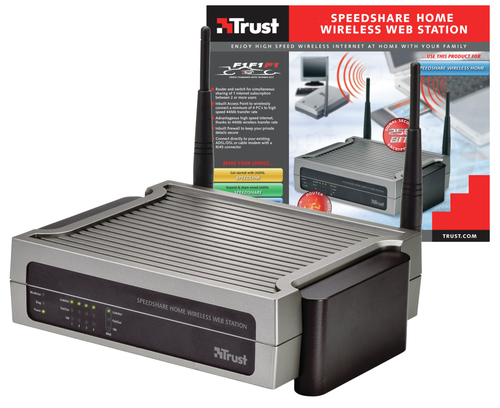
Trust SPEEDSHARE HOME WIRELESS WEB STATION (ROUTER & ACCESS POINT)

DELL PowerConnect W-AP93 1000 Mbit/s White Power over Ethernet (PoE)
