
DELL Pro Dock WD25Z Wired USB 3.2 Gen 2 (3.1 Gen 2) Type-C Black
- Product colour: Black
- Total carbon footprint (kg of CO2e): 90.9
- Carbon emissions, manufacturing (kg of CO2e): 27.54
- Carbon emissions, logistics (kg of CO2e): 2
- Carbon emissions, energy usage (kg of CO2e): 60.45
- Carbon emissions, end-of-life (kg of CO2e): 0.82
Where to buy
We're not tracking prices for this product yet. Check current prices directly at:
We may earn a commission when you buy through links on this page — at no extra cost to you. Learn more
About this product
Boost your productivity with the latest pro dock, offering 130W power delivery and a wide variety of connectivity options.
Fuel your AI productivity
Create a highly compatible, single-cable workspace with a dock that features six USB ports, supports up to four displays, and delivers up to 130W of power to the latest Dell AI PCs, ensuring optimal productivity.
Accelerate manageability
Easily keep your dock updated, ensuring uninterrupted productivity.
Improved manageability
Manage your dock from the Dell Device Management Console by utilizing Dell Display and Peripheral Manager, and Dell Device Management Agent installed on your PC.
Simplify firmware updates
Reduce IT complexity by deploying a single firmware file across workspaces. Minimise end-user disruption with silent firmware updates that are executed upon dock disconnection.
Work with confidence
Enhance your docking experience with universally compatible features including MAC Address Pass-Through and Power Button Sync, for a better docking experience across brands.
Connect your way
Configure your workspace to your liking with an ambidextrous USB-C cable that can be routed left or right.
Designed for sustainability
The new generation of Dell Pro Docks reflect a commitment to sustainable design innovation to reduce environmental impact. The WD25Z is built with sustainable materials and packaged with at least 65% post-recycled content (PCR) plastic and 100% recycled or renewable packaging.
Documents
Specifications
Key specifications
- Product colourThe colour e.g. red, blue, green, black, white.
- Black
- Total carbon footprint (kg of CO2e)The total mean carbon footprint value generated across various lifecycle stages (manufacturing, transportation / logistics, use and end of life) per unit (for one single product) i.e., measured in kilograms CO2e.
- 90.9
- Carbon emissions, manufacturing (kg of CO2e)The mean carbon emissions during the Manufacturing stage (i.e., emissions during raw material extraction and manufacturing of components (e.g., drives, graphics cards, memory, CPU, mainboards, etc.) or assembling of the product.
- 27.54
- Carbon emissions, logistics (kg of CO2e)The mean carbon emissions during the transportation of the product.
- 2
- Carbon emissions, energy usage (kg of CO2e)Use-phase carbon emissions from products that consume energy (fuels or electricity) during use.
- 60.45
- Carbon emissions, end-of-life (kg of CO2e)The mean carbon emissions related to the End-of-Life processing of products.
- 0.82
- PAIA versionPAIA (Product Attribute to Impact Algorithm) tool for product carbon footprint calculations. The version of the PAIA tool (and year if available) used during carbon footprint calculation for a product.
- GaBi version 1, 2025
- Cables includedSpecifies the types and quantities of connection cables provided with the product (e.g., 3.5 mm to 3.5 mm or SATA).
- AC
- AC adapter includedIndicates whether a power supply unit for connecting the device to an AC outlet is provided in the package.
- Yes
- Quick start guideInstructions, either online, as a computer program or in paper form, to allow you to set up and start using the product quickly.
- Yes
Show all 42 specificationsShow key specifications only
Design
- Product colourThe colour e.g. red, blue, green, black, white.
- Black
- LED indicatorsThe specific status lights available on the unit to provide visual feedback on its current state or connectivity (e.g., AC input, ACT, or Access).
- Power
Carbon footprint
- Total carbon footprint (kg of CO2e)The total mean carbon footprint value generated across various lifecycle stages (manufacturing, transportation / logistics, use and end of life) per unit (for one single product) i.e., measured in kilograms CO2e.
- 90.9
- Carbon emissions, manufacturing (kg of CO2e)The mean carbon emissions during the Manufacturing stage (i.e., emissions during raw material extraction and manufacturing of components (e.g., drives, graphics cards, memory, CPU, mainboards, etc.) or assembling of the product.
- 27.54
- Carbon emissions, logistics (kg of CO2e)The mean carbon emissions during the transportation of the product.
- 2
- Carbon emissions, energy usage (kg of CO2e)Use-phase carbon emissions from products that consume energy (fuels or electricity) during use.
- 60.45
- Carbon emissions, end-of-life (kg of CO2e)The mean carbon emissions related to the End-of-Life processing of products.
- 0.82
- PAIA versionPAIA (Product Attribute to Impact Algorithm) tool for product carbon footprint calculations. The version of the PAIA tool (and year if available) used during carbon footprint calculation for a product.
- GaBi version 1, 2025
Packaging content
- Cables includedSpecifies the types and quantities of connection cables provided with the product (e.g., 3.5 mm to 3.5 mm or SATA).
- AC
- AC adapter includedIndicates whether a power supply unit for connecting the device to an AC outlet is provided in the package.
- Yes
- Quick start guideInstructions, either online, as a computer program or in paper form, to allow you to set up and start using the product quickly.
- Yes
- Quantity per packThe number of individual units contained within a single sales package, measured in pc(s).
- 1 pc(s)
Weight & dimensions
- WidthThe measurement or extent of something from side to side.
- 90 mm
- DepthThe distance from the front to the back of something.
- 35.3 mm
- HeightThe measurement of the product from head to foot or from base to top.
- 205 mm
- WeightWeight of the product without packaging (net weight). If possible, the net weight is given including standard accessories and supplies. Please note that sometimes the manufacturer leaves out the weight of accessories and/or supplies.
- 550 g
Features
- Windows operating systems supportedWindows vesions wich can be used with the device.
- Windows 10, Windows 11
- Data transfer rateRate at which data can be transferred, usually measured in units per second. May vary with network configurations.
- 1.25 Gbit/s
Software
- Linux operating systems supported8 RT. Linux (9.4, 9.5), Red Hat Enterprise Linux 5.0 (supported with a pre-built package); SUSE Linux (10.3, 11.0, 11, 11.1, 11.2), Fedora (9, 9.0, 10, 10.0, 11.0, 11, 12, 12.0), Ubuntu (8.04, 8.04.1, 8.04.2, 8.10, 9.04, 9.10, 10.04), Debian (5.0, 5.0.1, 5.0.2, 5.0.3)
- Linpus Linux 9.6, Ubuntu 24.04 LTS
System requirements
- Other operating systems supportedLists additional operating systems that are compatible with the product (e.g. Android, ChromeOS or FreeBSD).
- ChromeOS
Power
- Power source typeWhat the power source is.
- DC
- Power supplyThe way in which the product is powered e.g. rechargeable battery, mains electricity connected via a plug and cable.
- 180 W
- USB Power Delivery (USB PD)Indicates whether the device supports the USB Power Delivery standard for faster charging and higher power levels.
- Yes
Storage
- Card reader integratedA card reader is a device that enables reading and, in some cases, writing data to and from a memory card.
- No
Processor
- Maximum digital resolutionThe highest number of pixels that the device can output or support, typically expressed as width by height (e.g. 3840 x 2160).
- 6144 x 3456 pixels
Mounting
- Number of displays supportedThe number of displays that can be used with this product.
- 4
Display
- Maximum refresh rateThe highest number of times per second the image is updated, measured in hertz (Hz).
- 60 Hz
Security
- Cable lock slot typeThe standard of the security slot used to attach a physical locking cable to the device (e.g. Kensington or Noble).
- Kensington
Network
- Ethernet LANAn Ethernet LAN (Local Area Network) interface is present, for a wired conection via a cable.
- Yes
- Ethernet LAN data ratesThe different speed levels of the Ethernet LAN connection.
- 2500 Mbit/s
- Wake-on-LAN readyIndicates whether the device can be turned on or woken up from a low-power state by a network message sent from another networked device.
- Yes
Ports & interfaces
- Ethernet LAN (RJ-45) portsNumber of Ethernet LAN (RJ-45) ports (connecting interfaces) in the device. Ethernet LAN (RJ-45) ports allow a computer to connect to the ethernet.
- 1
- Connectivity technologyThe technology that enables connectivity of the device, e.g. wired or wireless.
- Wired
- Host interfaceInterface that enables a host controller to communicate with a driver.
- USB 3.2 Gen 2 (3.1 Gen 2) Type-C
- USB 3.2 Gen 2 (3.1 Gen 2) Type-A ports quantityThe total number of USB Type-A ports that support the 3.2 Gen 2 (formerly 3.1 Gen 2) standard for high-speed data transfer.
- 4
- USB 3.2 Gen 2 (3.1 Gen 2) Type-C ports quantityNumber of USB 3.1 (3.1 Gen 2) ports with Type-C connector. USB 3.1 (3.1 Gen 2) is USB interface version which supports transfer rate up to 10 Gbit/s (SuperSpeed+). USB Type-C connector has symmetrical design architecture and compatible with Thunderbolt 3 interface.
- 2
- USB Power Delivery up toThe maximum amount of power the device can provide or receive via a USB connection, measured in watts.
- 130 W
- HDMI ports quantityThe number of sockets (ports) for HDMI connections. HDMI (High-Definition Multimedia Interface) is a compact audio/video interface for transferring uncompressed video data and compressed/uncompressed digital audio data from a HDMI-compliant device ("the source device") to a compatible computer monitor, video projector, digital television, or digital audio device. HDMI is a digital replacement for…
- 1
- HDMI versionThe specific release version of the High-Definition Multimedia Interface standard supported by the device (e.g. 1.3 or 2.0).
- 2.1
- DisplayPorts quantityNumber of DisplayPorts. A DisplayPort is a digital display interface developed by the Video Electronics Standards Association (VESA). The interface is primarily used to connect a video source to a display device such as a computer monitor, though it can also be used to carry audio, USB, and other forms of data.
- 2
- DisplayPort versionThe specific release version of the DisplayPort standard supported by the device (e.g., 1.2 or 1.4).
- 1.4
- Microphone inThe socket where a microphone is connected to the device.
- No
Database Right data-sheet 2026 Icecat. All rights reserved. Provided “as is”, without warranty — check details with the store before buying.
Price history (90 days, best daily price)
Price history is still being collected for this product — check back soon.
Alternative models
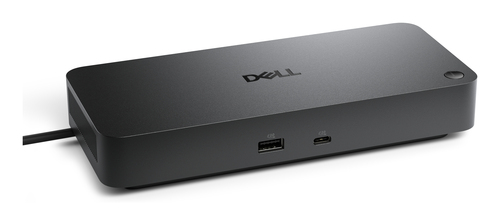
DELL WD25TB4 Wired Thunderbolt 4 Black

DELL WD25TB5 Wired Thunderbolt 5 Black
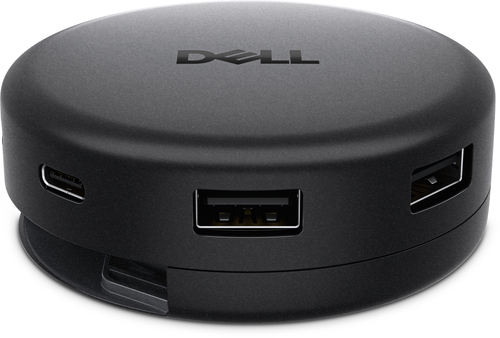
DELL DA326 Wired USB 3.2 Gen 2
(3.1 Gen 2) Type-C Black
DELL WD25TB4 Wired Thunderbolt 4 Black
DELL DA326 Wired USB 3.2 Gen 1
(3.1 Gen 1) Type-C Black

DELL 450-BGFQ
laptop dock/port replicator Wired USB 3.2 Gen 1 (3.1 Gen 1) Type-C Black
Accessories & compatible products
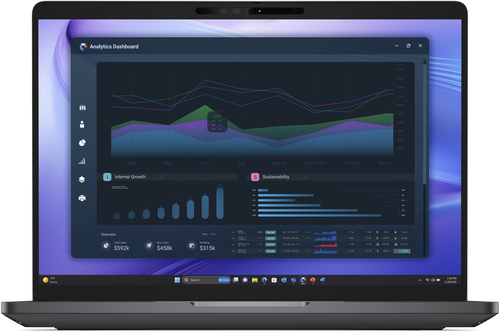
DELL Pro Precision 5 14 PW514261
Copilot+ PC Intel Core Ultra 7 366H Mobile workstation 35.6 cm (14") Full HD+ 32 GB LPDDR5x-SDRAM 1 TB SSD NVIDIA RTX PRO 500 Blackwell Wi-Fi 7 (802.11be) Windows 11 Pro Black Nordic
DELL Pro Precision 5 14 PW514261
Copilot+ PC Intel Core Ultra 7 366H Mobile workstation 35.6 cm (14") Full HD+ 32 GB LPDDR5x-SDRAM 1 TB SSD NVIDIA RTX PRO 500 Blackwell Wi-Fi 7 (802.11be) Windows 11 Pro Black Italian
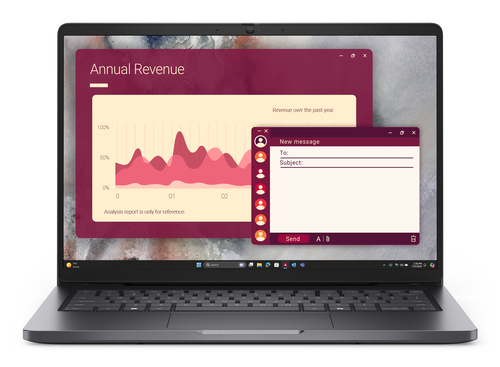
DELL Pro 14 PC14250
Intel Core 5 120U Laptop 35.6 cm (14") Full HD+ 16 GB DDR5-SDRAM 512 GB SSD Wi-Fi 6E (802.11ax) Windows 11 Pro Black German
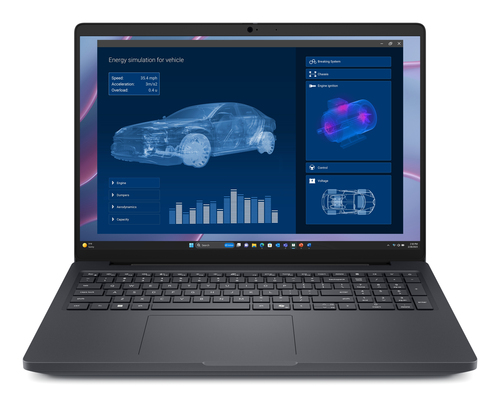
DELL Pro Max 16 MC16255
Copilot+ PC AMD Ryzen AI 7 PRO 450 Mobile workstation 40.6 cm (16") WUXGA 32 GB LPDDR5x-SDRAM 1 TB SSD NVIDIA RTX PRO 500 Blackwell Wi-Fi 7 (802.11be) Windows 11 Pro Black Belgian
DELL Pro Max 16 MC16255
Copilot+ PC AMD Ryzen AI 9 HX PRO 475 Mobile workstation 40.6 cm (16") WUXGA 32 GB LPDDR5x-SDRAM 1 TB SSD NVIDIA RTX PRO 1000 Blackwell Wi-Fi 7 (802.11be) Windows 11 Pro Black Belgian
DELL Pro Max 16 MC16255
Copilot+ PC AMD Ryzen AI 7 PRO 450 Mobile workstation 40.6 cm (16") WUXGA 32 GB LPDDR5x-SDRAM 1 TB SSD NVIDIA RTX PRO 500 Blackwell Wi-Fi 7 (802.11be) Windows 11 Pro Black German