
DELL P4317Q computer monitor 108 cm (42.5") 3840 x 2160 pixels 4K Ultra HD LED Black, Grey, Silver
- Screen: 108 cm (42.5"), 3840 x 2160 pixels, IPS, Flat
- Refresh rate: 8 ms response time
- Brightness: 350 cd/m²
- Ports: 2 × HDMI, 1 × DisplayPort
- Stand: tilt, VESA 100 x 100,200 x 200 mm
- Extras: speakers, USB hub
- Colour: Black, Grey, Silver
All 86 specificationsProduct page at accessories.us.dell.com ↗
Model numbers
- 210-AIDU
- V7M4J
Where to buy
We're not tracking prices for this product yet. Check current prices directly at:
We may earn a commission when you buy through links on this page — at no extra cost to you. Learn more
About this product
Four monitors. One Display.
Increase productivity for specialized users in a single array offering crisp text, graphs and colors with the 43" Dell Multi-Client Monitor | P4317Q.
- 4K large screen experience: The 43" display with high-performance monitor scalar offers exceptional clarity up to Ultra HD 4K.
- Multi-client capabilities: Connect up to four independent clients to a single monitor with customized views, all without bezel breaks, so you can take total command of your tasks.
- Simplify multi-monitor setups: Fewer cables, single mount setup and RS232 connection offer easy manageability.
A breathtaking view
Keep an eye on up to four inputs from a central hub, with impressive color and clarity.
Stunningly seamless: From Full HD to Ultra HD 4K, any array (from one to four) is beautiful and crisp1, without bezels breaking up your view.
Clear collaboration: Colors stay consistent across wide-angle viewing up to 178°, for impressive visibility in group settings.
Easy on the eyes: The true matte finish and low reflection mean you can work comfortably, even on long days.
Multi-system made simple
Get more from one screen to maximize business efficiency.
One setup, four inputs
Replace a typical four monitor setup with a single, sleek display.
Customizable viewing
Dell Display Manager shows content from up to four different inputs simultaneously, with the capability to easily rearrange or zoom.
Business-class connectivity
Unlike traditional TVs, this monitor is built for business, with multiple inputs for key office applications.
Manage with ease
- From IT to end-users, the single array setup is simple and hassle-free.
- Easy on IT: RS232 connection makes remote management simple.
- Minimize maintenance: A single setup decreases the demand on IT.
- Relocate and adjust: With four inputs in one, moving within the environment is quick and easy.
Peace of mind – guaranteed.
Get the most out of reliable performance and efficient design from the world’s top monitor brand.
Worry-free replacement
Your monitor comes with a 3-year Advanced Exchange Service, so you can get a replacement shipped to you the next business day within its 3-year Limited Hardware Warranty.
Premium Panel Guarantee
The Dell Premium Panel Guarantee allows a free panel replacement during the Limited Hardware Warranty7 period even if only one bright pixel is found.
A brand you can rely on
As the #1 monitor brand for 2 consecutive years, Dell takes pride in our unyielding commitment to quality and the utmost satisfaction of our customers.
Documents
- ManualUser manual ↗
- BrochureProduct Brochure ↗
- DocumentCarbon Footprint ↗
Specifications
Key specifications
- Display diagonalSize of the display for this product, measured diagonally, usually in inches.
- 108 cm (42.5")
- Display resolutionThe number of distinct pixels in each dimension that can be displayed. It is usually quoted as width × height, with the units in pixels: for example, "1024 × 768" means the width is 1024 pixels and the height is 768 pixels. The higher the number of pixels, the sharper the image.
- 3840 x 2160 pixels
- Panel typeThe technology used to manufacture the panel, such as AMOLED or AH-IPS.
- IPS
- Screen shapeDescribes the physical curvature of the display panel, such as whether it is flat or curved.
- Flat
- Response timeThe response time is the time difference between the moment that a source (for example a video card) sends a signal and that equipment (for example a monitor) receives or display the signal. (Used abbreviations: R/F = Rise and Fall.)
- 8 ms
- Display brightness (typical)Display brightness, measured by its Luminance, presented as a figure in nits. Typical brightness ratings for monitors range from 250 to 350 nits with a target value of between 80 to 120 nits being suitable for most displays in a normal viewing environment.
- 350 cd/m²
- HDMI ports quantityThe number of sockets (ports) for HDMI connections. HDMI (High-Definition Multimedia Interface) is a compact audio/video interface for transferring uncompressed video data and compressed/uncompressed digital audio data from a HDMI-compliant device ("the source device") to a compatible computer monitor, video projector, digital television, or digital audio device. HDMI is a digital replacement for…
- 2
- DisplayPorts quantityNumber of DisplayPorts. A DisplayPort is a digital display interface developed by the Video Electronics Standards Association (VESA). The interface is primarily used to connect a video source to a display device such as a computer monitor, though it can also be used to carry audio, USB, and other forms of data.
- 1
- Tilt adjustmentThe tilt, which means the angle at which the device is pointing (up or down), can be changed.
- Yes
- Panel mounting interfaceThe product can be used wih VESA mounting interfaces.
- 100 x 100,200 x 200 mm
- Built-in speaker(s)The device contains speaker(s) to produce sound.
- Yes
- Built-in USB hubWhether or not the device features a USB hub to connect more than one other device via USB.
- Yes
- Product colourThe colour e.g. red, blue, green, black, white.
- Black, Grey, Silver
Show all 86 specificationsShow key specifications only
Design
- VESA mountingIndicates whether the product supports the VESA mounting standard for attachment to compatible arms, brackets, or wall mounts.
- Yes
- Market positioningUnder which category can the device be positioned in the market, e.g. camera phone.
- Business
- Product colourThe colour e.g. red, blue, green, black, white.
- Black, Grey, Silver
- Panel mounting interfaceThe product can be used wih VESA mounting interfaces.
- 100 x 100,200 x 200 mm
- LED indicatorsThe specific status lights available on the unit to provide visual feedback on its current state or connectivity (e.g., AC input, ACT, or Access).
- Yes
- Feet colourThe colour of the feet, which are the projecting part on which a device/piece of furniture, or each of its legs, stands.
- Black, Silver
Ports & interfaces
- Built-in USB hubWhether or not the device features a USB hub to connect more than one other device via USB.
- Yes
- USB hub versionThe technical standard of the USB hub, if available, which determines the maximum data transfer speed (e.g., 3.2 Gen 1).
- 3.2 Gen 1 (3.1 Gen 1)
- USB upstream port typeThe connector type used for the upstream connection to a host device (e.g., USB Type-B or USB Type-C).
- USB Type-B
- Number of upstream portsThe total number of available ports used to connect the device to a computer or another network source.
- 1
- USB Type-A downstream ports quantityThe number of USB Type-A ports available for connecting peripheral devices to the unit.
- 4
- VGA (D-Sub) ports quantityNumber of VGA (D-Sub) ports (connecting interfaces) in the device. The VGA (D-Sub) connector is a 15 pin connector between a computer and a monitor. It was first introduced in 1987 by IBM.
- 1
- DVI portDigital Visual Interface (DVI) is a video display interface to connect a video source to a display device, such as a computer monitor.
- No
- HDMI ports quantityThe number of sockets (ports) for HDMI connections. HDMI (High-Definition Multimedia Interface) is a compact audio/video interface for transferring uncompressed video data and compressed/uncompressed digital audio data from a HDMI-compliant device ("the source device") to a compatible computer monitor, video projector, digital television, or digital audio device. HDMI is a digital replacement for…
- 2
- DisplayPorts quantityNumber of DisplayPorts. A DisplayPort is a digital display interface developed by the Video Electronics Standards Association (VESA). The interface is primarily used to connect a video source to a display device such as a computer monitor, though it can also be used to carry audio, USB, and other forms of data.
- 1
- Mini DisplayPorts quantityThe number of Mini DisplayPort interfaces available on the device for video and audio output.
- 1
- Audio inputThe type of audio input that the device requires, and the connection needed.
- Yes
- Headphone outputsNumber of sockets /ports where headphones are connected.
- 1
- AC (power) inIndicates whether the device can be powered directly via an alternating current (AC) power source.
- Yes
- RS-232 portsThe number of sockets (ports) for RS-232. An RS-232 serial port was once a standard feature of a personal computer, used for connections to modems, printers, mice, data storage, uninterruptible power supplies, and other peripheral devices. Now it has been largely replaced by USB and other ports.
- 1
- Mobile High-Definition Link (MHL)Indicates whether the product supports the Mobile High-Definition Link standard for mirroring a mobile device's screen to a display.
- Yes
Audio
- Built-in speaker(s)The device contains speaker(s) to produce sound.
- Yes
- Number of speakersThe quantity of speakers included in/with the product.
- 2
- RMS rated powerRMS (Root mean square) is a measure of the continuous power required by a device, in particular audio amplifiers and loudspeakers.
- 16 W
Multimedia
- Built-in cameraThe product has an integrated camera.
- No
Display
- Display diagonalSize of the display for this product, measured diagonally, usually in inches.
- 108 cm (42.5")
- Display resolutionThe number of distinct pixels in each dimension that can be displayed. It is usually quoted as width × height, with the units in pixels: for example, "1024 × 768" means the width is 1024 pixels and the height is 768 pixels. The higher the number of pixels, the sharper the image.
- 3840 x 2160 pixels
- Native aspect ratioThe aspect ratio is the ratio of the width of an image to its height. The native aspect ratio is the one which the projector/display is particularly designed for. Images shown in native aspect ratio will utilize the entire resolution of the display and achieve maximum brightness. Images shown in other than native aspect ratio will always have less resolution and less brightness than images shown…
- 16:9
- Display technologyThe technology used in the display e.g. plasma, LED.
- LED
- TouchscreenA screen of a laptop, smartphone, etc., that responds to touch so you can control the interface using your fingers.
- No
- HD typeType of supported High Definition (e.g. Full HD, 4K Ultra HD).
- 4K Ultra HD
- Panel typeThe technology used to manufacture the panel, such as AMOLED or AH-IPS.
- IPS
- Display brightness (typical)Display brightness, measured by its Luminance, presented as a figure in nits. Typical brightness ratings for monitors range from 250 to 350 nits with a target value of between 80 to 120 nits being suitable for most displays in a normal viewing environment.
- 350 cd/m²
- Response timeThe response time is the time difference between the moment that a source (for example a video card) sends a signal and that equipment (for example a monitor) receives or display the signal. (Used abbreviations: R/F = Rise and Fall.)
- 8 ms
- Screen shapeDescribes the physical curvature of the display panel, such as whether it is flat or curved.
- Flat
- Supported graphics resolutionsThe graphic resolutions that can be displayed by the device. The graphic resolution describes the width and height dimensions of a display, such as a computer monitor, measured in pixels.
- 3840 x 2160
- Aspect ratioThe aspect ratio is the ratio of the width of a shape to its height. For example, 4:3 is common for standard displays and 16:9 is the ratio for Widescreen TV.
- 16:9
- Contrast ratio (typical)The difference in light intensity between the brightest white and the darkest black.
- 1000:1
- Viewing angle, horizontalMaximum horizontal angle at which a display can be viewed with acceptable visual performance.
- 178°
- Viewing angle, verticalMaximum vertical angle at which a display can be viewed with acceptable visual performance.
- 178°
- Display number of coloursThe total number of distinct colours that the device is capable of displaying (e.g. 1.07 billion colours).
- 1.06 billion colours
- Pixel pitchThis is the parameter of a picture tube, which specifies the shortest distance between two dots of the same colour. The principle is: the smaller the dot pitch, the better sharpness of image.
- 0.2451 x 0.2451 mm
- Pixel densityThe number of individual pixels displayed per inch of linear screen space, measured in pixels per inch (ppi).
- 104 ppi
- Horizontal scan rangeThe range of horizontal frequencies the device can process and display, measured in kHz.
- 30 - 83 kHz
- Vertical scan rangeThe range of vertical frequencies the device can process and display, measured in hertz (Hz).
- 56 - 76 Hz
- Viewable size, horizontalThe viewable size is often somewhat smaller than the actual size of a monitor, because there is a border around the image.
- 94.1 cm
- Viewable size, verticalThe height of the screen area that can actually display an image, measured in millimetres or inches.
- 52.9 cm
- Viewable size diagonalThe diagonal length of the screen area that can actually display an image, measured in mm.
- 108 cm
- DDC/CIIndicates whether the product supports the Display Data Channel Command Interface for controlling device settings via software.
- Yes
- Colour gamutThe range of colours that the display can accurately reproduce, typically expressed as a percentage of a standard colour space (e.g. sRGB or Adobe RGB).
- 85%
Thin Client
- Thin client installedThe product includes a thin client, which is a computer or a computer program which depends heavily on some other computer (its server) to fulfill its computational roles. This is different from the traditional fat client, which is a computer designed to take on these roles by itself. The specific roles assumed by the server may vary, from providing data persistence (for example, for diskless nod…
- No
Performance
- On/off switchThe button which is pressed to switch the device on or off.
- Yes
Other features
- TV tuner integratedDevice has an in-built TV tuner.
- No
- Supplied AC adapter typeThe type of power supply provided with the product to connect it to an alternating current source (e.g. AC).
- LED
- 3DThe device can be used with 3D technology.
- No
Power
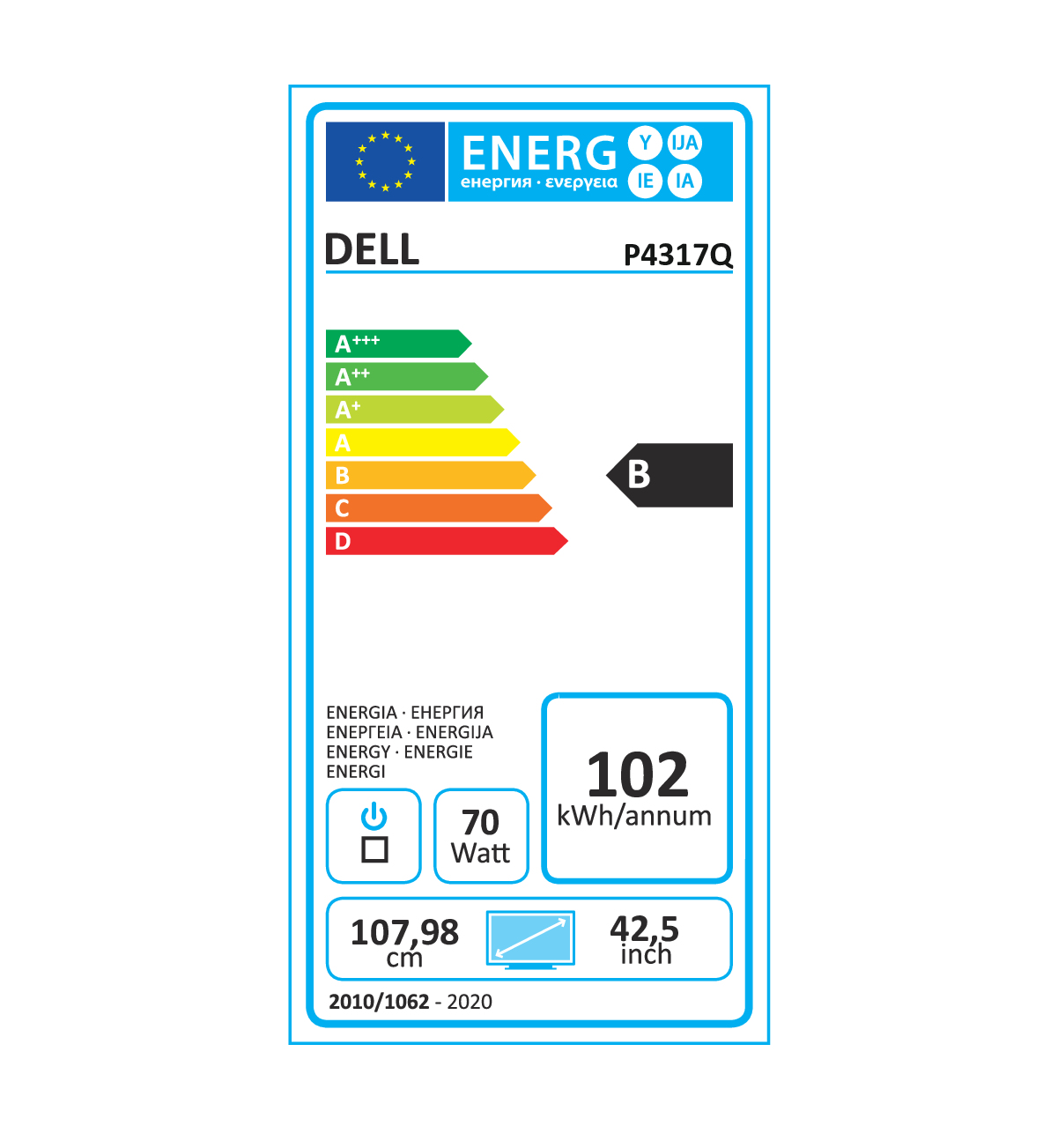
- Energy efficiency class (legacy scale)The energy efficiency rating of the product based on the previous labeling scale (e.g. A+++).
- B
- Power consumption (typical)Amount of power consumed by this model, often expressed in watts (W). Typical values that manufacturers give are power consumption when off, standby/suspended mode, typical use, maximum usage.
- 70 W
- Power consumption (standby)The amount of electricity that is consumed when the product is on standby.
- 0.3 W
- Power consumption (max)The maximum amount of power used by the device.
- 160 W
- Power consumption (off)The amount of electrical energy consumed by the device when it is switched off, measured in watts.
- 0.3 W
- AC input voltageThe voltage of the AC electricity that is inputted into the product.
- 100 - 240 V
- AC input frequencyThe range of alternating current frequencies the device can accept from the power source, measured in hertz (e.g., 45 - 65).
- 50 - 60 Hz
- Input currentThe amount of electrical current drawn by the device during operation, typically measured in amperes (A) or milliamperes (mA).
- 2 A
- Annual energy consumptionThe amount of energy used by the product per year.
- 102 kWh
Sustainability
- Sustainability certificatesThe environmental or ethical certifications the product has received to verify its sustainability standards (e.g., ASC or ACT Organic).
- ENERGY STAR
Packaging content
- ManualIndicates whether a printed user manual is included in the package.
- Yes
Weight & dimensions
- Width (with stand)The total horizontal measurement of the product when the supporting stand is attached, measured in millimetres.
- 973.1 mm
- Depth (with stand)The measurement of the product from front to back when any supporting accessory or base is attached, expressed in millimetres or centimetres.
- 250 mm
- Height (with stand)The total vertical measurement of the product including its base or support structure, expressed in millimetres or centimetres.
- 658 mm
- Weight (with stand)The total mass of the unit including its supporting base, measured in kilograms or grams.
- 17.9 kg
- Width (without stand)The horizontal measurement of the device excluding the base or support structure, expressed in millimetres.
- 973.1 mm
- Depth (without stand)The measurement of the product from front to back without its base or support, typically expressed in millimetres or centimetres.
- 83 mm
- Height (without stand)The vertical measurement of the device when the stand is removed, measured in mm.
- 566.4 mm
- Weight (without stand)The mass of the device excluding the support base, measured in g.
- 14.1 kg
Operational conditions
- Operating temperature (T-T)The minimum and maximum temperatures at which the product can be safely operated.
- 0 - 40 °C
- Storage temperature (T-T)The minimum and maximum temperatures at which the product can be safely stored.
- -20 - 60 °C
- Operating relative humidity (H-H)The range of relative humidity, expressed as a percentage, within which the device can function correctly without damage or performance loss.
- 10 - 80%
- Storage relative humidity (H-H)The permissible range of relative humidity, expressed as a percentage, within which the product can be stored without damage.
- 5 - 90%
- Operating altitudeThe maximum and minimum height above sea level at which the device can function correctly, measured in m.
- 0 - 5000 m
- Non-operating altitudeThe maximum and minimum altitude at which the unit can be stored or transported without sustaining damage, measured in metres.
- 0 - 12191 m
Security
- Cable lock slotHoles on the edge of devices through which a cable lock can be passed, so the device can be locked to a desk etc.
- Yes
Ergonomics
- Height adjustmentThe part of the device that can be adjusted to change the height.
- No
- Tilt adjustmentThe tilt, which means the angle at which the device is pointing (up or down), can be changed.
- Yes
- Tilt angle rangeThe minimum and maximum angles at which the unit can be tilted, typically expressed in degrees.
- -5 - 10°
Management features
- On Screen Display (OSD)Indicates whether the device can display a graphical menu or information directly on the screen for adjusting settings and viewing status.
- Yes
Packaging data
- Package weightWeight of the packaged product.
- 24.4 kg
Database Right data-sheet 2026 Icecat. All rights reserved. Provided “as is”, without warranty — check details with the store before buying.
Expert reviews
- 80
avforums.com2017
Available now for around £740, the Dell 43” P4317Q offers a lot for the money with a stunning 4K resolution, more connections than you can shake a stick at and the ability to accept inputs from up to 4 client PCs, an excellent input lag of just 10.5ms and...
- +
- Excellent build quality, Stunning 4K visuals, Very low input lag, Will display up to 4 discrete inputs with no bezel splits
- −
- Too expensive, Out of the box calibration poor, Could be too big for some
Price history (90 days, best daily price)
Price history is still being collected for this product — check back soon.
Alternative models

DELL P2017H
computer monitor 49.5 cm (19.5") 1600 x 900 pixels HD+ LED Black, Grey

DELL E Series E1715S
computer monitor 43.2 cm (17") 1280 x 1024 pixels SXGA LCD Black

DELL E Series E2417H
computer monitor 60.5 cm (23.8") 1920 x 1080 pixels Full HD LED Black

DELL P2217
computer monitor 55.9 cm (22") 1680 x 1050 pixels WSXGA+ LED White

DELL UltraSharp U2417HWi
computer monitor 61 cm (24") 1920 x 1080 pixels Full HD LED Black, Silver

DELL P2317H
computer monitor 58.4 cm (23") 1920 x 1080 pixels Full HD LED White