
DELL Professional P2213 computer monitor 55.9 cm (22") 1680 x 1050 pixels WSXGA+ Black
- Screen: 55.9 cm (22"), 1680 x 1050 pixels, Flat
- Refresh rate: 5 ms response time
- Brightness: 250 cd/m²
- Ports: 1 × HDMI, 1 × DisplayPort
- Stand: height-adjustable, tilt, VESA 100 x 100 mm
- Extras: USB hub
- Colour: Black
All 69 specificationsProduct page at accessories.us.dell.com ↗
Versions
 Black
 Silver
 TN · Black
 TN · Black, Silver
2 model numbers for Black
- 210-AGXJ
- 210-AGXL
Where to buy
We're not tracking prices for this product yet. Check current prices directly at:
We may earn a commission when you buy through links on this page — at no extra cost to you. Learn more
About this product
Comfortable? Let’s get to work.
Whether you’re using the P2213 to manage complex spreadsheets or to create your next big presentation, being productive has never felt better.
Choose your view
The P2213 offers full adjustability features such as tilt, swivel, pivot and a broad height adjustment range of 130mm (5.12"). With Enhanced Menu Rotation software, a simple on-screen prompt enables you to rotate your screen from landscape to portrait and back again. You can even mount it to the wall to save valuable desk space.
Make your connections
Easily connect your desktop or laptop to the P2213 via a standard VGA port, or take advantage of the DVI connector, which can present an outstanding digital image. Two convenient USB ports offer convenient connectivity for your peripheral devices such as mice, webcams, keyboards and more.
Performance fosters productivity
Find your inspiration in every colorful detail. The 22" P2213 monitor will motivate and captivate with clarity, performance and visual precision.
Enjoy crisp, clear images
Experience the sharp imagery provided by 1680 x 1050 (max.) at 60 Hz HD resolution and a high dynamic contrast ratio of 2,000,000:1 (typical), all on a 16:10 aspect ratio widescreen.
Discover a world of color
Your presentations, slideshows and image-intensive documents will come to life on the P2213, featuring a high color gamut of 83% and a color depth of 16.78M colors.
Manage your display
Tailor your settings to suit your applications with the Auto-mode tab found in the Dell Display Manager. You can manually adjust your settings as you go, or auto-assign optimum preset modes to specific software applications and media players.
Take responsibility for your business and the environment
Invest in a reliable, energy-conscious monitor designed to help minimize environmental impact, maximize business value, and control operating costs.
Consume less energy
Active-off mode and PowerNap software helps avoid wasting power when your monitor is idle. Dynamic dimming helps ensure you only use as much energy as your applications require. Mercury-free LED backlight is a low-energy light source that helps lower your power consumption. Dell Professional monitors are compliant with ENERGY STAR, EPEAT Gold, CEL and TCO Certified Display requirements.
Contain business expenses
A stable, reliable life cycle helps ensure that your investment today will provide product line consistency for the future and help preserve your budget. Dell’s Premium Panel Guarantee offers a free panel exchange in the event of a single bright pixel (during Limited Hardware Warranty period) for added peace of mind.
Conserve the environment
The P2213 features an eco-conscious design with arsenic-free glass and a mercury-free panel. The BFR/PVC-free monitor (excluding cables) uses more than 25% post-consumer recycled materials in its chassis. Eco-conscious packaging includes easily recycled corrugated cardboard that is free of expanded polystyrene foam (EPS).
Specifications
Key specifications
- Display diagonalSize of the display for this product, measured diagonally, usually in inches.
- 55.9 cm (22")
- Display resolutionThe number of distinct pixels in each dimension that can be displayed. It is usually quoted as width × height, with the units in pixels: for example, "1024 × 768" means the width is 1024 pixels and the height is 768 pixels. The higher the number of pixels, the sharper the image.
- 1680 x 1050 pixels
- Screen shapeDescribes the physical curvature of the display panel, such as whether it is flat or curved.
- Flat
- Response timeThe response time is the time difference between the moment that a source (for example a video card) sends a signal and that equipment (for example a monitor) receives or display the signal. (Used abbreviations: R/F = Rise and Fall.)
- 5 ms
- Display brightness (typical)Display brightness, measured by its Luminance, presented as a figure in nits. Typical brightness ratings for monitors range from 250 to 350 nits with a target value of between 80 to 120 nits being suitable for most displays in a normal viewing environment.
- 250 cd/m²
- HDMI ports quantityThe number of sockets (ports) for HDMI connections. HDMI (High-Definition Multimedia Interface) is a compact audio/video interface for transferring uncompressed video data and compressed/uncompressed digital audio data from a HDMI-compliant device ("the source device") to a compatible computer monitor, video projector, digital television, or digital audio device. HDMI is a digital replacement for…
- 1
- DisplayPorts quantityNumber of DisplayPorts. A DisplayPort is a digital display interface developed by the Video Electronics Standards Association (VESA). The interface is primarily used to connect a video source to a display device such as a computer monitor, though it can also be used to carry audio, USB, and other forms of data.
- 1
- Height adjustmentThe part of the device that can be adjusted to change the height.
- Yes
- Tilt adjustmentThe tilt, which means the angle at which the device is pointing (up or down), can be changed.
- Yes
- Panel mounting interfaceThe product can be used wih VESA mounting interfaces.
- 100 x 100 mm
- Built-in USB hubWhether or not the device features a USB hub to connect more than one other device via USB.
- Yes
- Product colourThe colour e.g. red, blue, green, black, white.
- Black
Show all 69 specificationsShow key specifications only
Design
- VESA mountingIndicates whether the product supports the VESA mounting standard for attachment to compatible arms, brackets, or wall mounts.
- Yes
- Market positioningUnder which category can the device be positioned in the market, e.g. camera phone.
- Business
- Product colourThe colour e.g. red, blue, green, black, white.
- Black
- Panel mounting interfaceThe product can be used wih VESA mounting interfaces.
- 100 x 100 mm
Ports & interfaces
- Built-in USB hubWhether or not the device features a USB hub to connect more than one other device via USB.
- Yes
- USB hub versionThe technical standard of the USB hub, if available, which determines the maximum data transfer speed (e.g., 3.2 Gen 1).
- 2.0
- USB Type-A downstream ports quantityThe number of USB Type-A ports available for connecting peripheral devices to the unit.
- 3
- VGA (D-Sub) ports quantityNumber of VGA (D-Sub) ports (connecting interfaces) in the device. The VGA (D-Sub) connector is a 15 pin connector between a computer and a monitor. It was first introduced in 1987 by IBM.
- 1
- DVI portDigital Visual Interface (DVI) is a video display interface to connect a video source to a display device, such as a computer monitor.
- Yes
- DVI-D ports quantityThis is the amount of DVI-I interfaces. Digital Visual Interface (DVI) is a video display interface developed by the Digital Display Working Group (DDWG). The digital interface is used to connect a video source to a display device, such as a computer monitor. DVI-D means DVI digital, which means it can only support digital, but not analog.
- 1
- HDMI ports quantityThe number of sockets (ports) for HDMI connections. HDMI (High-Definition Multimedia Interface) is a compact audio/video interface for transferring uncompressed video data and compressed/uncompressed digital audio data from a HDMI-compliant device ("the source device") to a compatible computer monitor, video projector, digital television, or digital audio device. HDMI is a digital replacement for…
- 1
- DisplayPorts quantityNumber of DisplayPorts. A DisplayPort is a digital display interface developed by the Video Electronics Standards Association (VESA). The interface is primarily used to connect a video source to a display device such as a computer monitor, though it can also be used to carry audio, USB, and other forms of data.
- 1
- HDCPHigh-bandwidth Digital Content Protection (HDCP) is a form of digital copy protection to prevent copying of digital audio and video content as it travels across connections.
- Yes
- PC Audio outIndicates whether the device has a dedicated output port for transmitting audio signals from a connected computer to external speakers or headphones.
- Yes
Audio
- Built-in speaker(s)The device contains speaker(s) to produce sound.
- No
Multimedia
- Built-in cameraThe product has an integrated camera.
- No
Display
- Display diagonalSize of the display for this product, measured diagonally, usually in inches.
- 55.9 cm (22")
- Display resolutionThe number of distinct pixels in each dimension that can be displayed. It is usually quoted as width × height, with the units in pixels: for example, "1024 × 768" means the width is 1024 pixels and the height is 768 pixels. The higher the number of pixels, the sharper the image.
- 1680 x 1050 pixels
- Native aspect ratioThe aspect ratio is the ratio of the width of an image to its height. The native aspect ratio is the one which the projector/display is particularly designed for. Images shown in native aspect ratio will utilize the entire resolution of the display and achieve maximum brightness. Images shown in other than native aspect ratio will always have less resolution and less brightness than images shown…
- 16:10
- TouchscreenA screen of a laptop, smartphone, etc., that responds to touch so you can control the interface using your fingers.
- No
- HD typeType of supported High Definition (e.g. Full HD, 4K Ultra HD).
- WSXGA+
- Display brightness (typical)Display brightness, measured by its Luminance, presented as a figure in nits. Typical brightness ratings for monitors range from 250 to 350 nits with a target value of between 80 to 120 nits being suitable for most displays in a normal viewing environment.
- 250 cd/m²
- Response timeThe response time is the time difference between the moment that a source (for example a video card) sends a signal and that equipment (for example a monitor) receives or display the signal. (Used abbreviations: R/F = Rise and Fall.)
- 5 ms
- Screen shapeDescribes the physical curvature of the display panel, such as whether it is flat or curved.
- Flat
- Supported graphics resolutionsThe graphic resolutions that can be displayed by the device. The graphic resolution describes the width and height dimensions of a display, such as a computer monitor, measured in pixels.
- 1680 x 1050 (WSXGA+)
- Aspect ratioThe aspect ratio is the ratio of the width of a shape to its height. For example, 4:3 is common for standard displays and 16:9 is the ratio for Widescreen TV.
- 16:10
- Contrast ratio (typical)The difference in light intensity between the brightest white and the darkest black.
- 1000:1
- Contrast ratio (dynamic)A property of a display system, defined as the ratio of the luminance of the brightest color (white) to that of the darkest color (black) that the system is capable of producing.
- 2000000:1
- Viewing angle, horizontalMaximum horizontal angle at which a display can be viewed with acceptable visual performance.
- 170°
- Viewing angle, verticalMaximum vertical angle at which a display can be viewed with acceptable visual performance.
- 160°
- Display number of coloursThe total number of distinct colours that the device is capable of displaying (e.g. 1.07 billion colours).
- 16.78 million colours
- Pixel pitchThis is the parameter of a picture tube, which specifies the shortest distance between two dots of the same colour. The principle is: the smaller the dot pitch, the better sharpness of image.
- 0.282 x 0.282 mm
Thin Client
- Thin client installedThe product includes a thin client, which is a computer or a computer program which depends heavily on some other computer (its server) to fulfill its computational roles. This is different from the traditional fat client, which is a computer designed to take on these roles by itself. The specific roles assumed by the server may vary, from providing data persistence (for example, for diskless nod…
- No
Packaging content
- AC adapter includedIndicates whether a power supply unit for connecting the device to an AC outlet is provided in the package.
- Yes
- Stand includedIndicates whether a support stand is supplied with the product.
- Yes
- Cables includedSpecifies the types and quantities of connection cables provided with the product (e.g., 3.5 mm to 3.5 mm or SATA).
- AC, DVI, USB, VGA
- Quick start guideInstructions, either online, as a computer program or in paper form, to allow you to set up and start using the product quickly.
- Yes
Performance
- On/off switchThe button which is pressed to switch the device on or off.
- Yes
Other features
- TV tuner integratedDevice has an in-built TV tuner.
- No
- Supplied AC adapter typeThe type of power supply provided with the product to connect it to an alternating current source (e.g. AC).
- LED
- 3DThe device can be used with 3D technology.
- No
Certificates
- CertificationSpecifies the official standards, safety approvals, or regulatory certifications the product has received.
- TCO Certified
Sustainability
- Sustainability certificatesThe environmental or ethical certifications the product has received to verify its sustainability standards (e.g., ASC or ACT Organic).
- EPEAT Gold, ENERGY STAR
Weight & dimensions
- Width (with stand)The total horizontal measurement of the product when the supporting stand is attached, measured in millimetres.
- 510.4 mm
- Depth (with stand)The measurement of the product from front to back when any supporting accessory or base is attached, expressed in millimetres or centimetres.
- 183.3 mm
- Height (with stand)The total vertical measurement of the product including its base or support structure, expressed in millimetres or centimetres.
- 368.9 mm
- Weight (with stand)The total mass of the unit including its supporting base, measured in kilograms or grams.
- 7.43 kg
- Width (without stand)The horizontal measurement of the device excluding the base or support structure, expressed in millimetres.
- 510.4 mm
- Depth (without stand)The measurement of the product from front to back without its base or support, typically expressed in millimetres or centimetres.
- 59.8 mm
- Height (without stand)The vertical measurement of the device when the stand is removed, measured in mm.
- 332.7 mm
- Weight (without stand)The mass of the device excluding the support base, measured in g.
- 3.43 kg
Operational conditions
- Operating temperature (T-T)The minimum and maximum temperatures at which the product can be safely operated.
- 0 - 40 °C
- Storage temperature (T-T)The minimum and maximum temperatures at which the product can be safely stored.
- -20 - 60 °C
- Operating relative humidity (H-H)The range of relative humidity, expressed as a percentage, within which the device can function correctly without damage or performance loss.
- 10 - 80%
- Storage relative humidity (H-H)The permissible range of relative humidity, expressed as a percentage, within which the product can be stored without damage.
- 5 - 90%
- Operating altitudeThe maximum and minimum height above sea level at which the device can function correctly, measured in m.
- 0 - 3048 m
- Non-operating altitudeThe maximum and minimum altitude at which the unit can be stored or transported without sustaining damage, measured in metres.
- 0 - 10668 m
Power
- Power consumption (typical)Amount of power consumed by this model, often expressed in watts (W). Typical values that manufacturers give are power consumption when off, standby/suspended mode, typical use, maximum usage.
- 25 W
- Power consumption (standby)The amount of electricity that is consumed when the product is on standby.
- 0.3 W
- Power consumption (max)The maximum amount of power used by the device.
- 45 W
- Power consumption (off)The amount of electrical energy consumed by the device when it is switched off, measured in watts.
- 0.3 W
- AC input voltageThe voltage of the AC electricity that is inputted into the product.
- 100 - 240 V
- AC input frequencyThe range of alternating current frequencies the device can accept from the power source, measured in hertz (e.g., 45 - 65).
- 50 - 60 Hz
- Input currentThe amount of electrical current drawn by the device during operation, typically measured in amperes (A) or milliamperes (mA).
- 1.5 A
- DC-in jackThe socket/plug where the DC electricity supply connects to the device.
- Yes
Security
- Cable lock slotHoles on the edge of devices through which a cable lock can be passed, so the device can be locked to a desk etc.
- Yes
Ergonomics
- Height adjustmentThe part of the device that can be adjusted to change the height.
- Yes
- SwivellingIndicates whether the product has a mechanism that allows it to rotate horizontally.
- Yes
- Tilt adjustmentThe tilt, which means the angle at which the device is pointing (up or down), can be changed.
- Yes
Database Right data-sheet 2026 Icecat. All rights reserved. Provided “as is”, without warranty — check details with the store before buying.
Price history (90 days, best daily price)
Price history is still being collected for this product — check back soon.
Alternative models

DELL UltraSharp U2412M
computer monitor 61 cm (24") 1920 x 1200 pixels WUXGA LED Black

DELL UltraSharp U2417HJ
computer monitor 60.5 cm (23.8") 1920 x 1080 pixels Full HD LED Black, Silver

DELL UltraSharp U2412M
computer monitor 61 cm (24") 1920 x 1080 pixels Full HD LED Silver

DELL UltraSharp U2412M
computer monitor 61 cm (24") 1920 x 1080 pixels Full HD LED Black, Silver

DELL UltraSharp U2413
computer monitor 61 cm (24") 1920 x 1200 pixels WUXGA LED Black

DELL UltraSharp U2417H
computer monitor 60.5 cm (23.8") 1920 x 1080 pixels Full HD LCD Black
Accessories & compatible products

DELL OptiPlex 22
Intel Core i3 i3-6100 54.6 cm (21.5") 1920 x 1080 pixels All-in-One PC 4 GB DDR3L-SDRAM 500 GB HDD Windows 7 Professional Wi-Fi 5 (802.11ac) Black

DELL OptiPlex 7040
Intel Core i5 i5-6500 8 GB DDR4-SDRAM 128 GB SSD Windows 7 Professional SFF PC Black

DELL OptiPlex 3040
Intel Core i3 i3-6100 4 GB DDR3L-SDRAM 500 GB HDD Windows 7 Professional Mini Tower PC Black
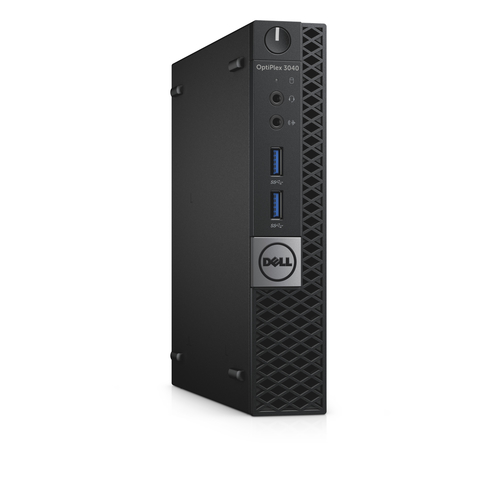
DELL OptiPlex 3040
Intel Core i5 i5-6500T 4 GB DDR3L-SDRAM 500 GB HDD Windows 7 Professional Mini PC Black

DELL OptiPlex 22
Intel Core i5 i5-6500 54.6 cm (21.5") 1920 x 1080 pixels All-in-One PC 4 GB DDR3L-SDRAM 500 GB HDD Windows 7 Professional Wi-Fi 5 (802.11ac) Black

DELL OptiPlex 5040
Intel Core i3 i3-6100 4 GB DDR3L-SDRAM 500 GB HDD Windows 7 Professional SFF PC Black