
DELL Dual Charge Dock - HD22Q
- Product colour: Black
- Operating temperature (T-T): 0 - 40 °C
- Storage temperature (T-T): -40 - 70 °C
- Windows operating systems supported
- Linux operating systems supported
- Power source type: AC
Where to buy
We're not tracking prices for this product yet. Check current prices directly at:
We may earn a commission when you buy through links on this page — at no extra cost to you. Learn more
About this product
Powerfully productive, this compact dock is the world’s first laptop docking station with a wireless charging stand for Qi-enabled smartphone or earbuds.
Stay connected and productive
Easier charging: Charge your Qi-enabled smartphone or earbuds on the world's first laptop docking station with a wireless charging stand. Multi-use functionality: Do more by connecting up to two 4K monitors at once with a DisplayPort 1.4 and HDMI 2.1 port. The HDMI port can support up to a 4K HDR 120Hz monitor. All-in-one connectivity: With 4 x USB-A ports and 1 x USB-C port, you can connect multiple devices easily. Fast access: The Wake-on-Dock feature powers on your laptop to get you going and connect quickly to your workspace.
Charging that works for you
Flexible calling: You can make calls in either portrait or landscape mode. Fast charging: Enjoy up to 90W of power delivery to your laptop, and charge faster via ExpressCharge on select Dell Commercial Notebooks. Neat workspace: Keep your desk clean and professional without all the cords by charging your phone, laptop and earbuds all in one device.
The perfect fit for your workspace
Seamless startups: You can wake your laptop even when it's closed with the dock's convenient power button. Compact footprint: This Dell dock has one of the smallest footprints and takes up 40% less desk space. Convenient placement: The centered cabling on the dock allows you to place it where you want it.
Documents
Specifications
Key specifications
- Product colourThe colour e.g. red, blue, green, black, white.
- Black
- Operating temperature (T-T)The minimum and maximum temperatures at which the product can be safely operated.
- 0 - 40 °C
- Storage temperature (T-T)The minimum and maximum temperatures at which the product can be safely stored.
- -40 - 70 °C
- Windows operating systems supportedWindows vesions wich can be used with the device.
- Yes
- Linux operating systems supported8 RT. Linux (9.4, 9.5), Red Hat Enterprise Linux 5.0 (supported with a pre-built package); SUSE Linux (10.3, 11.0, 11, 11.1, 11.2), Fedora (9, 9.0, 10, 10.0, 11.0, 11, 12, 12.0), Ubuntu (8.04, 8.04.1, 8.04.2, 8.10, 9.04, 9.10, 10.04), Debian (5.0, 5.0.1, 5.0.2, 5.0.3)
- Yes
- Power source typeWhat the power source is.
- AC
- AC input voltageThe voltage of the AC electricity that is inputted into the product.
- 100 - 240 V
- AC input frequencyThe range of alternating current frequencies the device can accept from the power source, measured in hertz (e.g., 45 - 65).
- 50 - 60 Hz
- Input currentThe amount of electrical current drawn by the device during operation, typically measured in amperes (A) or milliamperes (mA).
- 2.5 A
- Power supplyThe way in which the product is powered e.g. rechargeable battery, mains electricity connected via a plug and cable.
- 130 W
Show all 34 specificationsShow key specifications only
Design
- Product colourThe colour e.g. red, blue, green, black, white.
- Black
- LED indicatorsThe specific status lights available on the unit to provide visual feedback on its current state or connectivity (e.g., AC input, ACT, or Access).
- Yes
Weight & dimensions
- WidthThe measurement or extent of something from side to side.
- 90.5 mm
- DepthThe distance from the front to the back of something.
- 117.4 mm
- HeightThe measurement of the product from head to foot or from base to top.
- 113 mm
- WeightWeight of the product without packaging (net weight). If possible, the net weight is given including standard accessories and supplies. Please note that sometimes the manufacturer leaves out the weight of accessories and/or supplies.
- 670 g
Operational conditions
- Operating temperature (T-T)The minimum and maximum temperatures at which the product can be safely operated.
- 0 - 40 °C
- Storage temperature (T-T)The minimum and maximum temperatures at which the product can be safely stored.
- -40 - 70 °C
Features
- Windows operating systems supportedWindows vesions wich can be used with the device.
- Yes
- Output voltageThe electrical potential difference delivered by the device, typically expressed in volts (e.g. 24-48).
- 19.5 V
Software
- Linux operating systems supported8 RT. Linux (9.4, 9.5), Red Hat Enterprise Linux 5.0 (supported with a pre-built package); SUSE Linux (10.3, 11.0, 11, 11.1, 11.2), Fedora (9, 9.0, 10, 10.0, 11.0, 11, 12, 12.0), Ubuntu (8.04, 8.04.1, 8.04.2, 8.10, 9.04, 9.10, 10.04), Debian (5.0, 5.0.1, 5.0.2, 5.0.3)
- Yes
Power
- Power source typeWhat the power source is.
- AC
- AC input voltageThe voltage of the AC electricity that is inputted into the product.
- 100 - 240 V
- AC input frequencyThe range of alternating current frequencies the device can accept from the power source, measured in hertz (e.g., 45 - 65).
- 50 - 60 Hz
- Input currentThe amount of electrical current drawn by the device during operation, typically measured in amperes (A) or milliamperes (mA).
- 2.5 A
- Power supplyThe way in which the product is powered e.g. rechargeable battery, mains electricity connected via a plug and cable.
- 130 W
- Output currentThe maximum electrical current that the device can provide to a connected load, measured in amperes (A).
- 6.67 A
- DC-in jackThe socket/plug where the DC electricity supply connects to the device.
- Yes
Storage
- Card reader integratedA card reader is a device that enables reading and, in some cases, writing data to and from a memory card.
- No
Processor
- Maximum digital resolutionThe highest number of pixels that the device can output or support, typically expressed as width by height (e.g. 3840 x 2160).
- 7680 x 4320 pixels
Mounting
- Number of displays supportedThe number of displays that can be used with this product.
- 2
Network
- Ethernet LANAn Ethernet LAN (Local Area Network) interface is present, for a wired conection via a cable.
- Yes
- Ethernet LAN data ratesThe different speed levels of the Ethernet LAN connection.
- 10,100,1000 Mbit/s
Ports & interfaces
- Ethernet LAN (RJ-45) portsNumber of Ethernet LAN (RJ-45) ports (connecting interfaces) in the device. Ethernet LAN (RJ-45) ports allow a computer to connect to the ethernet.
- 1
- Connectivity technologyThe technology that enables connectivity of the device, e.g. wired or wireless.
- Wired
- Host interfaceInterface that enables a host controller to communicate with a driver.
- USB 3.2 Gen 1 (3.1 Gen 1) Type-A
- USB 3.2 Gen 1 (3.1 Gen 1) Type-A ports quantityThe total number of available USB 3.2 Gen 1 (formerly 3.1 Gen 1) Type-A connection ports on the device.
- 4
- USB 3.2 Gen 1 (3.1 Gen 1) Type-C ports quantityNumber of USB 3.0 (3.1 Gen 1) ports with Type-C connector. USB 3.0 (3.1 Gen 1) is USB interface version which supports transfer rate up to 5 Gbit/s (SuperSpeed). USB Type-C connector has symmetrical design architecture and compatible with Thunderbolt 3 interface.
- 1
- HDMI ports quantityThe number of sockets (ports) for HDMI connections. HDMI (High-Definition Multimedia Interface) is a compact audio/video interface for transferring uncompressed video data and compressed/uncompressed digital audio data from a HDMI-compliant device ("the source device") to a compatible computer monitor, video projector, digital television, or digital audio device. HDMI is a digital replacement for…
- 1
- HDMI versionThe specific release version of the High-Definition Multimedia Interface standard supported by the device (e.g. 1.3 or 2.0).
- 2.1
- DisplayPorts quantityNumber of DisplayPorts. A DisplayPort is a digital display interface developed by the Video Electronics Standards Association (VESA). The interface is primarily used to connect a video source to a display device such as a computer monitor, though it can also be used to carry audio, USB, and other forms of data.
- 1
- DisplayPort versionThe specific release version of the DisplayPort standard supported by the device (e.g., 1.2 or 1.4).
- 1.4
- Microphone inThe socket where a microphone is connected to the device.
- No
Logistics data
- Harmonized System (HS) codeThe standardized numerical method of classifying traded products used by customs authorities around the world to identify goods for tariffs and statistics.
- 84733020
Database Right data-sheet 2026 Icecat. All rights reserved. Provided “as is”, without warranty — check details with the store before buying.
Expert reviews
- 80
techradar.com2022
Overall, this dock is a dock worth considering when designing a workspace. However, it may not be for everyone. The Dual Charge Dock is solid enough to stay in place when in use and capable enough to run a significant desk setup, with the rear ports provi...
Read the review at techradar.com ↗
Price history (90 days, best daily price)
Price history is still being collected for this product — check back soon.
Alternative models

DELL 6-in-1 USB-C Multiport Adapter - DA305

DELL Universal Dock - UD22 Docking USB 3.2 Gen 2
(3.1 Gen 2) Type-C Black
DELL UD22 Docking Thunderbolt Black

DELL HD22Q Wired USB 3.2 Gen 1
(3.1 Gen 1) Type-A Black

DELL WD19S-180W Wired USB 3.2 Gen 2
(3.1 Gen 2) Type-C Black
DELL Universal Dock - UD22 Docking USB 3.2 Gen 1
(3.1 Gen 1) Type-C Black
Accessories & compatible products
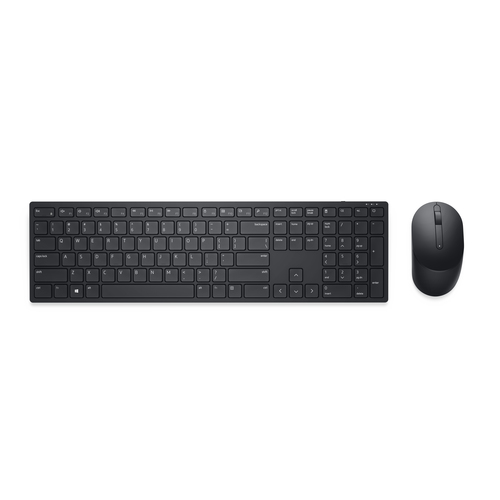
DELL Pro
Keyboard and Mouse - KM5221W - UK (QWERTY) - Black
DELL Pro
Keyboard and Mouse - KM5221W - US International (QWERTY) - Black
DELL Pro
Keyboard and Mouse - KM5221W - German (QWERTZ) - Black
DELL Pro
Keyboard and Mouse - KM5221W - Pan-Nordic (QWERTY) - Black
DELL Pro
Keyboard and Mouse - KM5221W - French (AZERTY) - Black
DELL Pro
Keyboard and Mouse - KM5221W - Italian (QWERTY) - Black