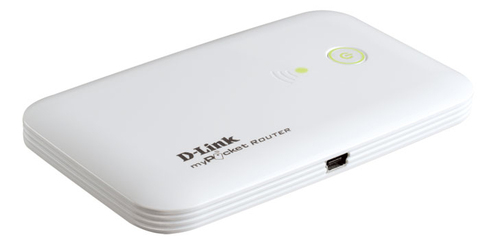
D-Link DIR-615 wireless router Fast Ethernet Black
- Ethernet LAN interface type: Fast Ethernet
- Ethernet WAN
- Dimensions (WxDxH): 193 x 30.5 x 116.5 mm
- Minimum system requirements: Internet Explorer v6 Mozilla Firefox v1.5
- Input current: 2.5 A
- Input voltage: 5 V
Where to buy
We're not tracking prices for this product yet. Check current prices directly at:
We may earn a commission when you buy through links on this page — at no extra cost to you. Learn more
About this product
The D-Link DIR-615 Wireless N Home Router is an 802.11n (Draft) compliant device designed for users that demand higher performance networking at the best cost. By connecting the DIR-615 router to a cable or DSL modem, users will be able to share their high-speed Internet access with everyone on the network and create a secure wireless network to share photos, music, video, printers and digital media players throughout their home.
High performance with whole home coverage
Based on 802.11n (Draft) technology with a 2x2 antenna design, the DIR-615 Wireless N Home Router transmits and receives multiple streams of data, providing superior whole home coverage whilst eliminating dead spots.
By adding a Wireless N notebook or desktop adapter, users can stay connected to their network from virtually anywhere in their home.
Wireless N technology also works with existing 802.11g and 802.11b wireless devices.
In addition, the router enforces a "good neighbour" policy, ensuring that it will not create interference for neighbouring networks. This is achieved by reducing the amount of radio spectrum used when detecting a legacy 802.11g/b network in the vicinity.
Simplified wireless security
The router supports the Wi-Fi Alliance's standard for wireless security at the touch of a button. With Wi-Fi Protected Setup (WPS), the wireless network name (SSID) and encryption keys are automatically generated and broadcast to the client devices. Users do not have to memorise complicated passwords and key them in several times. This considerably simplifies the process of setting up security on the wireless network.
Easy to set-up
The D-Link Click'n Connect quickly configures your new Wireless N Home Router to get you up and running in minutes. Click'n Connect will walk you through the installation process to configure your Internet connection, wireless network settings, security and everything else you need to get your network up and running, so you don't have to be a networking expert!
Easy to secure
The DIR-615 supports the latest wireless security features to help prevent unauthorized access, be it from over a wireless network or from the Internet. Support for WEP, WPA & WPA2 standards ensure that you will be able to use the best possible encryption, regardless of your client devices. In addition, this Wireless N Home Router utilizes dual active firewalls (SPI and NAT) to prevent potential attacks from across the Internet.
Draft 2.0 Certification
The DIR-615 achieved "draft 2.0" certification from the Wi-Fi Alliance, a distinction that guarantees interoperability amongst 802.11n products, adherence to security protocols and backward compatibility with previous generations of Wi-Fi equipment, including popular 802.11g products.
Specifications
Key specifications
- Ethernet LAN interface typeThe characteristics of the Ethernet LAN interface.
- Fast Ethernet
- Ethernet WANIndicates whether the device features a dedicated Ethernet port for connecting to a wide area network (WAN).
- Yes
- Dimensions (WxDxH)Dimensions of the product (Width x Depth x Height).
- 193 x 30.5 x 116.5 mm
- Minimum system requirementsThe lowest hardware and software specifications required for the product to function correctly.
- Internet Explorer v6 Mozilla Firefox v1.5
- Input currentThe amount of electrical current drawn by the device during operation, typically measured in amperes (A) or milliamperes (mA).
- 2.5 A
- Input voltageThe voltage (V) which is required to power the product.
- 5 V
- Operating temperature (T-T)The minimum and maximum temperatures at which the product can be safely operated.
- 0 - 40 °C
- Storage temperature (T-T)The minimum and maximum temperatures at which the product can be safely stored.
- 20 - 65 °C
- Operating relative humidity (H-H)The range of relative humidity, expressed as a percentage, within which the device can function correctly without damage or performance loss.
- 10 - 90%
- Storage relative humidity (H-H)The permissible range of relative humidity, expressed as a percentage, within which the product can be stored without damage.
- 5 - 95%
Show all 35 specificationsShow key specifications only
Network
- Ethernet LANAn Ethernet LAN (Local Area Network) interface is present, for a wired conection via a cable.
- No
- Ethernet LAN interface typeThe characteristics of the Ethernet LAN interface.
- Fast Ethernet
- DHCP clientWhether the product features a DHCP (Dynamic Host Configuration Protocol) to obtain IP addresses within a network.
- No
- DHCP serverA server is a system which that responds to requests across a computer network to provide, or help to provide, a network service. DCHP servers uses the DCHP (Dynamic Host Configuration Protocol), which is a standardized networking protocol used by servers on an IP network to allocate IP addresses to computers. The purpose of DHCP is to automate the IP address configuration of a computer without a…
- No
- Ethernet LAN data ratesThe different speed levels of the Ethernet LAN connection.
- 10,100 Mbit/s
- Networking standardsThe way in which the network is working, e.g. IEEE 802.11a, IEEE 802.11b, IEEE 802.11g.
- IEEE 802.11b, IEEE 802.11n, IEEE 802.1ag, IEEE 802.3, IEEE 802.3u
WAN connection
- Ethernet WANIndicates whether the device features a dedicated Ethernet port for connecting to a wide area network (WAN).
- Yes
Other features
- Dimensions (WxDxH)Dimensions of the product (Width x Depth x Height).
- 193 x 30.5 x 116.5 mm
- Minimum system requirementsThe lowest hardware and software specifications required for the product to function correctly.
- Internet Explorer v6 Mozilla Firefox v1.5
- xDSL connectionIndicates whether the device supports a connection via xDSL technology.
- No
Power
- Input currentThe amount of electrical current drawn by the device during operation, typically measured in amperes (A) or milliamperes (mA).
- 2.5 A
- Input voltageThe voltage (V) which is required to power the product.
- 5 V
- Power consumption (typical)Amount of power consumed by this model, often expressed in watts (W). Typical values that manufacturers give are power consumption when off, standby/suspended mode, typical use, maximum usage.
- 6 W
- DC-in jackThe socket/plug where the DC electricity supply connects to the device.
- Yes
Weight & dimensions
- WeightWeight of the product without packaging (net weight). If possible, the net weight is given including standard accessories and supplies. Please note that sometimes the manufacturer leaves out the weight of accessories and/or supplies.
- 264 g
Operational conditions
- Operating temperature (T-T)The minimum and maximum temperatures at which the product can be safely operated.
- 0 - 40 °C
- Storage temperature (T-T)The minimum and maximum temperatures at which the product can be safely stored.
- 20 - 65 °C
- Operating relative humidity (H-H)The range of relative humidity, expressed as a percentage, within which the device can function correctly without damage or performance loss.
- 10 - 90%
- Storage relative humidity (H-H)The permissible range of relative humidity, expressed as a percentage, within which the product can be stored without damage.
- 5 - 95%
Antenna
- Antenna gain level (max)Antenna gain is the measurement of an antenna's ability to amplify the incoming microwave signals in a particular direction, compared with the sensitivity of an isotropic antenna in any direction, or a dipole antenna in the equatorial direction.
- 2 dBi
- Antennas quantityThe total number of antennas integrated into or supplied with the device.
- 2
Certificates
- CertificationSpecifies the official standards, safety approvals, or regulatory certifications the product has received.
- FCC B IC CE Windows 7
Packaging content
- AC adapter includedIndicates whether a power supply unit for connecting the device to an AC outlet is provided in the package.
- Yes
Design
- Product colourThe colour e.g. red, blue, green, black, white.
- Black
- LED indicatorsThe specific status lights available on the unit to provide visual feedback on its current state or connectivity (e.g., AC input, ACT, or Access).
- LAN, Power, Status, WLAN
Performance
- Universal Plug and Play (UPnP)Indicates whether the device supports the automatic discovery and configuration of network services to allow seamless communication between devices on a local network.
- Yes
- Security algorithmsSecurity algorithms are used to provide authentication, cipher key generation, integrity and radio link privacy to users on mobile networks. The security algorithms supported are the ones that can be used with this product.
- 128-bit WEP, 64-bit WEP, WEP, WPA, WPA2
- Web-based managementUsing a website/web application to manage something.
- Yes
- Reset buttonIndicates whether the device features a dedicated button to restore the unit to its original factory settings.
- Yes
Security
- Firewall securityPart of a computer system or network which is designed to block unauthorized access while permitting outward communication.
- VPN Pass-through, Multi-sessions PPTP, L2TP, IPSec
- Stateful Packet Inspection (SPI)Indicates whether the device monitors the state of active connections to determine which network packets to allow through the firewall.
- Yes
- FilteringIndicates whether the device incorporates a system to remove impurities, particles, or unwanted noise and interference from a medium.
- Yes
- MAC address filteringSecurity access control method whereby the 48-bit address assigned to each network card is used to determine access to the network. MAC addresses are uniquely assigned to each card, so using MAC filtering on a network permits and denies network access to specific devices through the use of blacklists and whitelists.
- Yes
- Network address translation (NAT)Indicates whether the device can remap one IP address space into another while in transit.
- Yes
Ports & interfaces
- Ethernet LAN (RJ-45) portsNumber of Ethernet LAN (RJ-45) ports (connecting interfaces) in the device. Ethernet LAN (RJ-45) ports allow a computer to connect to the ethernet.
- 4
Database Right data-sheet 2026 Icecat. All rights reserved. Provided “as is”, without warranty — check details with the store before buying.
Price history (90 days, best daily price)
Price history is still being collected for this product — check back soon.
Alternative models

D-Link DSL-2740R wireless router Fast Ethernet Black

D-Link DI-707P wireless router Fast Ethernet Silver

D-Link DIR-652 wireless router Gigabit Ethernet

D-Link DKT-110 wireless router Fast Ethernet

D-Link DSL 504T wireless router Fast Ethernet