
Contour Design RollerMouse Red Plus Wireless
- Connection: RF Wireless
- Sensor: 2800 DPI
- Buttons: 7, Ball
- Shape: Ambidextrous
- Made for: Office
- Colour: Black, Silver
Where to buy
We're not tracking prices for this product yet. Check current prices directly at:
We may earn a commission when you buy through links on this page — at no extra cost to you. Learn more
About this product
Contour RollerMouse Red plus Wireless – Freedom of movement
With the Contour RollerMouse Red plus Wireless you really get the freedom to move around in – and with – your workplace. RollerMouse Red plus Wireless is an ergonomic mouse designed to give you the same full control that you get from RollerMouse Red, but with the freedom of movement that a wireless connection gives you. So if you work in a hot-desking environment, or if you move your workplace from time to time, you no longer need to go without all the benefits of the Contour RollerMouse that you know and love.
Ground-breaking technology provides optimal efficiency
Contour RollerMouse Red plus Wireless features the same award-winning aluminium housing, the same ground-breaking technology, advanced rollerbar and seven central buttons that you will recognise from RollerMouse Red, which all help to increase your productivity.
The rollerbar very accurately detects both large-scale movements and micro-movements of your cursor position, allowing you to work calmly and comfortably – and at your pace. This gives you optimal efficiency and precision.
The surface, and the large rollerbar, give you better control over the cursor and reduce hand, arm and shoulder strain. Furthermore, the mechanical click has been replaced by an electronic click to eliminate unnecessary strain and to minimise the risk of mouse-related injuries and pain.
Improve your performance with RollerMouse Red
RollerMouse Red is a series of centred mice with an award-winning design that ensures you have variation and control when spending many hours working in front of a computer. RollerMouse Red’s buttons and open rollerbar allow you to alternate between your right and left hands. It minimises repetitive strain injuries associated with one-sided use of muscles and tendons, and ensures an increased performance after a long day working with a mouse.
Great range and precision
No matter whether you work with one screen or more, RollerMouse Red has been optimised to facilitate screen navigation, and the cursor’s range can be altered, meaning you can easily work with multiple screens at the same time. The stable rubber-covered rollerbar with its textured surface makes it easy to move the cursor and click precisely, which is very important during intense computer work.
Award-winning design with documented effect
In 2013, RollerMouse Red won the “Red Dot Award” design prize for its sophisticated design, with its soft-brushed aluminium case and characteristic red detailing, and the design is still popular. The impact RollerMouse can have on your work should not be overlooked. In a Nordic survey with 4,000 participants conducted in collaboration with Coxit, as many as 99% of those surveyed who had experienced pain or discomfort associated with mouse work stated that a centred mouse had eliminated pain and discomfort.
Achieve comfort and increased performance
RollerMouse Red is designed with a number of pre-programmed buttons that facilitate the most commonly used mouse functions such as double-click, copy and paste. By using the buttons on the mouse, you minimise the number of clicks that you would otherwise do with a traditional computer mouse – a detail that may prove itself valuable in many situations and can help to minimise the strain of using a computer mouse. If you need to reprogram the buttons, this is easily done with our optional software driver.
Videos & documents
RollerMouse Red
RollerMouse Red Wireless Getting Started
RollerMouse
- ManualUser manual ↗
- BrochureProduct Brochure ↗
- DocumentBrochure ↗
Specifications
Key specifications
- Device interfaceThe ports (sockets) where the device connects with other devices.
- RF Wireless
- Movement resolutionThe sensitivity of the sensor, measured as the number of dots per inch (DPI) that the device detects during movement (e.g. 1600).
- 2800 DPI
- Buttons quantityThe number of buttons that there are in/on the product.
- 7
- Scroll typeType of scroll in computer input device, e.g. wheel, touch.
- Ball
- Form factorThe shape or design of the product.
- Ambidextrous
- PurposeWhat the product is used for.
- Office
- Product colourThe colour e.g. red, blue, green, black, white.
- Black, Silver
Show all 41 specificationsShow key specifications only
Features
- PurposeWhat the product is used for.
- Office
- Windows operating systems supportedWindows vesions wich can be used with the device.
- Yes
- Plug and PlayIndicates whether this product supports is "plug and play". Plug and play is hardware or software that, after being installed ("plugged in"), can immediately be used ("played with"), as opposed to hardware or software which requires configuration.
- Yes
- Surface colorationType of surface coloration e.g. monotone, image.
- Monochromatic
Keyboard
- Device interfaceThe ports (sockets) where the device connects with other devices.
- RF Wireless
Mouse
- Movement resolutionThe sensitivity of the sensor, measured as the number of dots per inch (DPI) that the device detects during movement (e.g. 1600).
- 2800 DPI
- Scroll typeType of scroll in computer input device, e.g. wheel, touch.
- Ball
- Buttons quantityThe number of buttons that there are in/on the product.
- 7
- Number of scroll wheelsThe total count of integrated wheels used for scrolling through documents or pages (e.g., 1 or 2).
- 1
- Scrolling directionsSpecifies the axis along which the scrolling function operates, such as vertical or horizontal.
- Vertical
- Buttons typeThe type of the buttons.
- Pressed buttons
- Programmable mouse buttonsIndicates whether the device has buttons that can be customized to perform specific functions or macros.
- Yes
- Number of programmable buttonsThe total count of buttons on the device that can be customized to perform specific actions or macros via software.
- 6
- Customizable movement resolutionIndicates whether the sensitivity of the cursor or pointer movement can be adjusted by the user.
- Yes
- Number of movement resolution modesThe number of predefined sensitivity levels available to adjust the tracking speed of the sensor (e.g., 5).
- 10
Packaging content
- Receiver includedThe product includes a receiver, which is a device for picking up an external signal.
- Yes
- Wireless receiver interfaceThe type of physical connection used by the wireless receiver to connect to a host device (e.g. USB Type-A or USB Type-C).
- USB Type-A
- User guideIndicates whether a user manual or instructional guide is included with the product.
- Yes
- Quantity per packThe number of individual units contained within a single sales package, measured in pc(s).
- 1 pc(s)
- Cables includedSpecifies the types and quantities of connection cables provided with the product (e.g., 3.5 mm to 3.5 mm or SATA).
- USB
Design
- Wrist restA padded cushion placed in front of a computer keyboard to rest your wrists on when typing.
- Yes
- Form factorThe shape or design of the product.
- Ambidextrous
- Ergonomic designIndicates whether the product has been designed to optimize comfort, efficiency, and safety for the user.
- Yes
- Product colourThe colour e.g. red, blue, green, black, white.
- Black, Silver
Weight & dimensions
- WidthThe measurement or extent of something from side to side.
- 420 mm
- DepthThe distance from the front to the back of something.
- 155 mm
- HeightThe measurement of the product from head to foot or from base to top.
- 23 mm
- WeightWeight of the product without packaging (net weight). If possible, the net weight is given including standard accessories and supplies. Please note that sometimes the manufacturer leaves out the weight of accessories and/or supplies.
- 1.07 kg
Software
- Mac operating systems supportedMac operating systems e.g. OS X can be used with the device.
- Yes
Power
- Power sourceWhat is providing power for the product e.g. mains electricity.
- Batteries
Logistics data
- Harmonized System (HS) codeThe standardized numerical method of classifying traded products used by customs authorities around the world to identify goods for tariffs and statistics.
- 84716070
- Products per master (outer) caseThe total quantity of individual units contained within a single master shipping case, measured in pc(s).
- 10 pc(s)
- Master (outer) case widthThe width of the outer shipping container used for bulk transport, measured in mm.
- 420 mm
- Master (outer) case lengthThe total length of the external shipping container used for bulk transport, measured in millimetres or centimetres.
- 480 mm
- Master (outer) case heightThe vertical measurement of the external shipping container used for bulk transport, typically expressed in millimetres or centimetres.
- 255 mm
- Master (outer) case gross weightThe total weight of the outer shipping container, including all contained products and packaging materials, measured in kilograms or grams.
- 15.4 kg
- Master (outer) case volumeThe total space occupied by the outer shipping container, typically measured in cubic centimetres or cubic metres.
- 0.0514 cm³
Packaging data
- Package widthThe distance from one side of the packaging to the other.
- 200 mm
- Package depthThe distance from the front to the back of the packaging.
- 467 mm
- Package heightThe distance from the top to the bottom of the packaging.
- 48 mm
- Package weightWeight of the packaged product.
- 1.36 kg
Database Right data-sheet 2026 Icecat. All rights reserved. Provided “as is”, without warranty — check details with the store before buying.
Expert reviews
- –
the-gadgeteer.com2018
I really like the Contour Design RollerMouse Red plus ergonomic mouse because it's comfortable to use and I don't have to move my hands away from the keyboard like a traditional mouse to use it.There are two downsides to the RollerMouse Red plus that I wa...
- +
- Keeps hands on the keyboard, Comfortable, Multiple buttons and scroll wheel, Can be used with any keyboard
- −
- Slight learning curve, Accidental presses of the dedicated left mouse button, Expensive
Price history (90 days, best daily price)
Price history is still being collected for this product — check back soon.
Alternative models

Contour Design RollerMouse Pro3

Contour Design RollerMouse Free3

Contour Design RollerMouse Free3 Wireless
R-Go Tools Ergonomic
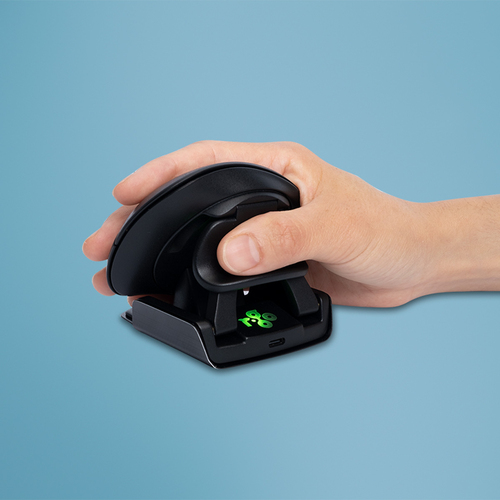
mouse R-Go Twister, with break software, ambidextrous mouse for both hands, foldable, bluetooth and wired

R-Go Tools Vertical
mouse R-Go HE Basic, ergonomic mouse, medium (hand size ≥ 185 mm), right-handed, Bluetooth, grey

R-Go Tools Ergonomic
mouse R-Go HE Break with break software, medium (hand size 165-185 mm), right-handed, Bluetooth, black
Accessories & compatible products

Contour Design Universal ArmSupport

Contour Design Wrist rest for RollerMouse Red Plus Extended - Palm support

Contour Design Universal Sleeve with removable shoulder strap for RollerMouse

Contour Design RollerWave3

Contour Design Red Plus palmsupport

Contour Design Contour
Laptop Stand, foldable