
Chief TiLED dvLED Universal Installation Spacer Tool
- Product colour: Brushed steel
- Mounting type: Wall
- Number of products included: 1 pc(s)
- Product type: Mount Spacer
- Compliance certificates: TAA
- Compatibility: 27" dVLED Panels
Where to buy
We're not tracking prices for this product yet. Check current prices directly at:
We may earn a commission when you buy through links on this page — at no extra cost to you. Learn more
About this product
Video wall installers will love the time-saving ingenuity of the TiLED dvLED Installation Spacer Tool.
Because the TiLED Installation Spacer Tool holds the dimensions of whatever LED cabinet you're using, it reduces installation time by eliminating the number of times you need to measure on the wall.
The tool latches to the TiLED Universal mounting structure, and once you’ve mounted the first column to the wall, you simply copy-paste the saved measurements to lay out the rest of the mounting columns of the video wall.
Benefits:
Simplifies dvLED videowall installations by eliminating multiple measurement steps
Reduces overall installation time
Precisely measures lengths from button to button and edge to edge of the display box
Once measurements are locked in, installers can easily measure each column by simply “copying and pasting” the widths
How-To Steps:
1. The left clamp is latched onto the left upright mount.
2. The middle slider is set to width of the hole pattern of the LED cabinet. It is clamped onto the right-hand rail of the first column that you're measuring.
3. The right clamp is set to the measurement for the cabinet width and locks onto the next upright of your next column spacing.
4. Ideally an installer will have a pair of these measuring tools to hold the dimensions firm on the first mounting column -- one tool for the top of the column and the other for the bottom.
5. Once the mounting column is up on the wall, the installer attaches it to the wall with lag bolts, and levels out the column.
6. Now that all dimensions are set within the measuring tool, the installer simply “copies and pastes” the same measurements for the remaining columns of the video wall.
Documents
- BrochureProduct Brochure ↗
- ManualUser manual ↗
Specifications
Design
- Product colourThe colour e.g. red, blue, green, black, white.
- Brushed steel
- Mounting typeType of mounting e.g. wall mounting.
- Wall
- Product typeThe sub-category of the product.
- Mount Spacer
Packaging content
- Number of products includedThe number of products that are included in the package.
- 1 pc(s)
Weight & dimensions
- WidthThe measurement or extent of something from side to side.
- 203.2 mm
- DepthThe distance from the front to the back of something.
- 914.4 mm
- HeightThe measurement of the product from head to foot or from base to top.
- 101.6 mm
- WeightWeight of the product without packaging (net weight). If possible, the net weight is given including standard accessories and supplies. Please note that sometimes the manufacturer leaves out the weight of accessories and/or supplies.
- 1.22 kg
Certificates
- Compliance certificatesIndicates which regulatory, safety, and environmental standards the product complies with, as verified by recognized authorities or certification bodies.
- TAA
- CertificationSpecifies the official standards, safety approvals, or regulatory certifications the product has received.
- TAA
Features
- CompatibilityThe other products, software and hardware this product can be used with.
- 27" dVLED Panels
Database Right data-sheet 2026 Icecat. All rights reserved. Provided “as is”, without warranty — check details with the store before buying.
Price history (90 days, best daily price)
Price history is still being collected for this product — check back soon.
Alternative models
Chief 800 mm Interface Extenders for TempoTM Flat Panel Wall Mount System

Chief TiLEDTM dvLED Wall Mounting Hardware for Unilumin USLIM dvLED displays

Chief 1000 mm Interface Extenders for TempoTM Flat Panel Wall Mount System
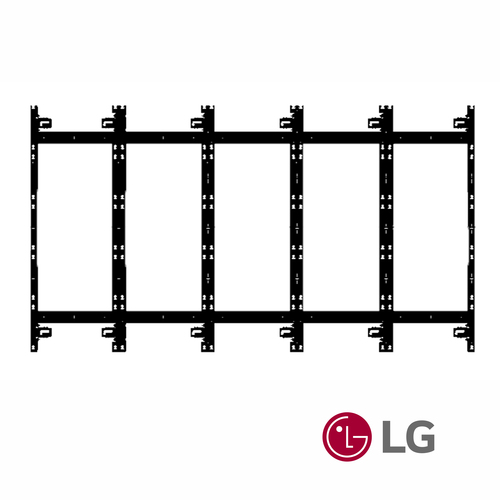
Chief TiLEDTM 5x5 dvLED Wall Mount Kit for LG LSBB 136" with Side Covers
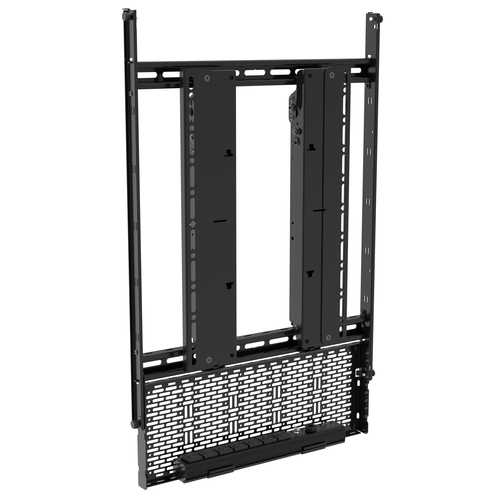
Chief TempoTM Portrait Medium Flat Panel Wall Mount System, PDU Bundle
