
Canon PIXMA MP780 Inkjet A4 4800 x 1200 DPI 25 ppm
- Technology: Inkjet
- Functions: Colour printing, Colour scanning, Colour copying, Colour faxing
- Print speed: 25 ppm
- Paper: up to A4
- Print resolution: 4800 x 1200 DPI
- Connections: USB
Where to buy
We're not tracking prices for this product yet. Check current prices directly at:
We may earn a commission when you buy through links on this page — at no extra cost to you. Learn more
About this product
With stylish contours and beautiful finish, the PIXMA MP780 is the ultimate time and work-saver, offering exceptional photo printing, faxing, scanning and copying performance in one compact machine.
Cut costs and save space
Canon's elegant PIXMA MP780 fits neatly on the smallest desktop or shelf providing productive performance in a compact All-In-One unit. You save significantly on capital outlay - while benefiting from superb colour printing, faxing, scanning and copying. Also, to save more money and eliminate waste, each of the five transparent ink tanks can be replaced individually when empty.
Fast print and copy speeds
High print and copy speeds - at up to 25 ppm in mono and 17 ppm in colour - ensure productive output. Enjoy fast borderless printing and copying on 4 x 6", 5 x 7" and A4 sizes. Or use your PIXMA as a convenient stand-alone copier.
Professional photo-lab quality
Unique ContrastPLUS technology enhances colour depth and contrast, using an extra dye-based true black ink - for photo-quality printing, with bold, rich colours. Canon's FINE* print head ensures every detail is captured perfectly. Tiny Micro-Nozzles eject 2pl size ink droplets with high precision, delivering 4800 x 1200 dpi print resolution.
*Full-photolithography Inkjet Nozzle Engineering
Fast fax functionality
A Super G3 modem transmits faxes quickly at up to 3 seconds per page*. When sending detailed documents, Canon's UHQ (Ultra High Quality) technology ensures everything comes out clearly. The 250-page fax memory* safely stores all incoming faxes if paper or ink runs out, for printing out afterwards.
* Based on ITU-T Standard Chart No. 1
Fast and simple scanning
A CCD sensor provides a high 2400 x 4800 dpi resolution with 48/24-bit colour depth, giving maximum detail to scanned images. A USB2.0 Hi-Speed interface transfers data speedily between your PIXMA and computer. And you can scan several photos in one go using the Multi-Photo mode.
PictBridge ready
Print photos directly from your camera, quickly and easily, without even using a computer. The PIXMA MP780 supports PictBridge, the universal standard for direct photo printing from all compatible digital cameras and camcorders*.
* Also supports Canon Bubble Jet Direct
Advanced features
Productive features include a 35-page Automatic Document Feeder, dual paper trays, direct printing on CD-R/DVDs and an automatic duplex unit. A large, backlit LCD display and simple software solutions ensure ease of use. Plus the PIXMA MP780 is compatible with popular Windows and Macintosh operating systems.
Specifications
Key specifications
- Print technologyIndicates the method used to print by this product.
- Inkjet
- PrintingProducing a paper copy of information stored on a computer.
- Colour printing
- ScanningTo convert a document or picture into digital form for storage or processing on a computer, by scanning it using a scanner.
- Colour scanning
- CopyingDescription of copying function (colour or monochrome).
- Colour copying
- FaxingTo send an exact copy of a document made by electronic scanning and transmitted as data by telecommunications links.
- Colour faxing
- Print speed (black, normal quality, A4/US Letter)The print speed of a printer for black & white A4 pages, normal quality. The exact speed varies depending on the system configuration, software program, and document complexity.
- 25 ppm
- Maximum ISO A-series paper sizeThe maximum paper size the device can handle, defined by ISO A-series.
- A4
- Maximum resolutionMaximum printing resolution.
- 4800 x 1200 DPI
- USB portThe device features a socket into which a USB cable can be plugged.
- Yes
Show all 49 specificationsShow key specifications only
Design
- Market positioningUnder which category can the device be positioned in the market, e.g. camera phone.
- Home & office
Paper handling
- Maximum ISO A-series paper sizeThe maximum paper size the device can handle, defined by ISO A-series.
- A4
- Media size (tray 1)The dimensions of the paper or material that can be loaded into the first input tray (e.g. A4, Letter).
- A4, B5, A5 Letter, Legal, Envelopes (DL size / Commercial 10), 4"x6" (10x15cm), 5"x7" (13x18cm) & custom size
- Maximum print sizeThe maximum size that an image can be printed with a good resolution.
- 210 x 297 mm
- Media weight (tray 1)The range of supported paper density for the first input tray, measured in grams per square metre (e.g. 60-220 g/m²).
- 64 - 105 g/m2 & Canon special media -> 270g/m2
Input & output capacity
- Total output capacityThe maximum number of sheets that can be held in the output tray after printing.
- 150 sheets
- Auto document feeder (ADF)Indicates whether the device includes a mechanism that automatically feeds multiple pages into the scanner for sequential processing.
- Yes
- Auto document feeder (ADF) input capacityNumber of sheets this product can hold in its ADF tray; expressed in sheets
- 185 sheets
- Maximum input capacityThe maximum quantity of items that can be loaded into the input mechanism at one time.
- 335 sheets
Fax
- FaxingTo send an exact copy of a document made by electronic scanning and transmitted as data by telecommunications links.
- Colour faxing
- Fax memoryThe maximum number of pages that can be stored in the internal memory for transmission or reception (e.g. 100 pages).
- 250 pages
- Fax speed (A4)The average time required to transmit a single A4 page via fax, measured in sec/page.
- 3 sec/page
Scanning
- ScanningTo convert a document or picture into digital form for storage or processing on a computer, by scanning it using a scanner.
- Colour scanning
- Optical scanning resolutionHow many pixels a scanner can see. Most commonly, this is measured in dots per inch (dpi).For example, a typical flatbed scanner will use a scanning head with 300 sensors per inch, so it can sample 300 dots per inch (dpi) in one direction. To scan in the other direction, it will move the scanning head along the page, stopping 300 times per inch, so it can scan 300 dpi in the other direction as we…
- 2400 x 4800 DPI
- Maximum scan resolutionThe highest level of detail the device can capture during a scan, measured in dots per inch (dpi).
- 9600 x 9600 DPI
- Scanner typeIndicates the type of scanner this product is.
- Flatbed scanner
- Input colour depthColour depth of the input into the product. The colour depth is either the number of bits used to indicate the color of a single pixel, in a bitmapped image or video frame buffer, or the number of bits used for each color component of a single pixel. High-end laptops have 24-bit colour depth.
- 48 bit
- TWAIN versionThe specific version of the TWAIN standard supported for communication between the imaging device and the software application.
- TWAIN, WIA (Windows XP)
Copying
- CopyingDescription of copying function (colour or monochrome).
- Colour copying
- Maximum copy resolutionThe greatest amount of detail that can be produced by a copy of a document.
- 600 x 600 DPI
- Copy speed (black, normal quality, A4)The number of black-and-white pages processed per minute for standard A4 documents at normal quality, measured in cpm.
- 25 cpm
- Copy speed (colour, normal quality, A4)The number of colour pages produced per minute when printing standard A4 documents at normal quality, measured in cpm.
- 17 cpm
- Maximum number of copiesThe highest quantity of duplicates that can be produced in a single operation, measured in copies.
- 99 copies
Printing
- Print technologyIndicates the method used to print by this product.
- Inkjet
- PrintingProducing a paper copy of information stored on a computer.
- Colour printing
- Maximum resolutionMaximum printing resolution.
- 4800 x 1200 DPI
- Print speed (black, normal quality, A4/US Letter)The print speed of a printer for black & white A4 pages, normal quality. The exact speed varies depending on the system configuration, software program, and document complexity.
- 25 ppm
- Print headComponent of a printer that applies the mark or image to the paper.
- Bubble Jet / Micro-Nozzles
- Print speed (colour, normal quality, A4/US Letter)The number of colour outputs produced per minute at normal quality for A4 or US Letter sizes, measured in ppm.
- 17 ppm
Other features
- Dimensions (WxDxH)Dimensions of the product (Width x Depth x Height).
- 486 x 472 x 314 mm
- Colour printing technologyThe method used by the device to apply colour pigment or ink to the medium, such as Inkjet, Laser, or Thermal Transfer.
- Bubble Jet 5ink with Micro-Nozzles, FINE, ContrastPLUS
- Standard media sizesThe dimensions of the standard media formats that the device is compatible with (e.g. A4, 4x6).
- A4, B5, A5 Letter, Legal, Envelopes (DL size or Commercial 10), 4"x6" (10x15cm), 5"x7" (13x18cm) & custom size
- Media types supportedThe types of media which can be used with this product.
- Plain Paper, Envelopes, Photo Paper Pro (PR-101), Photo Paper Plus Semi-gloss (SG–101), Photo Paper Plus Glossy (PP–101), Matte Photo Paper (MP-101), Glossy Photo Paper (GP–401), Photo Paper Plus Double-sided (PP-101D), High Resolution Paper (HR-101N), Transparency (CF-102), T-shirt Transfer (TR–301)
- Compatible operating systemsList of desktop operating systems tested as compatible with this product.
- Windows 98/ME/2000/XP & Mac 10.2.4 +
- All-in-one functionsList of All-in-One products' top-level functions; do not include AIO features such as fax forwarding or speed dialing
- Fax, Scan
- Colour all-in-one functionsThe set of integrated color capabilities provided by the device, such as print, scan, copy, and fax.
- Copy, Fax, Print, Scan
- Mac compatibilityProduct can be used with Apple Mac software and/or hardware.
- Yes
- Modem speedThe speed at which data is transferred by a modem.
- 33.6 Kbit/s
Power
- Power supply typeThe type of power supply which this product uses.
- 200~240V @ 50-60Hz
- Power consumption (average operating)The average amount of electrical energy consumed by the device during normal operation, measured in watts.
- 45 W
- Power consumption (standby)The amount of electricity that is consumed when the product is on standby.
- 25 W
Ports & interfaces
- PictBridgePictBridge is an industry standard introduced in 2003 from the Camera & Imaging Products Association (CIPA) for direct printing. It allows images to be printed directly from digital cameras to a printer, without having to connect the camera to a computer using common connectivity like USB or Bluetooth.
- Yes
- Standard interfacesMost common industry-standard communication protocols ranging from RS-232, RS-422, RS-423, RS-485, and LVDS to USB.
- USB 2.0
- Direct printingWith direct printing it is possible to print your photographs or other documents directly to a printer from a compatible device, without the use of a computer.
- Yes
- USB portThe device features a socket into which a USB cable can be plugged.
- Yes
Software
- Bundled softwareSoftware distributed with another product such as a piece of computer hardware or other electronic device, or a group of software packages which are sold together. A software suite is an example of bundled software, as is software which is pre-installed on a new computer.
- Easy-PhotoPrint, Easy WebPrint, Easy CD LabelPrint, ScanSoft OmniPage SE (OCR Software), ArcSoft Photo Studio, Presto! PageManager
Weight & dimensions
- WeightWeight of the product without packaging (net weight). If possible, the net weight is given including standard accessories and supplies. Please note that sometimes the manufacturer leaves out the weight of accessories and/or supplies.
- 13.5 kg
Features
- Digital senderDevice similar to a scanner which converts paper documents into digital information for emailing, archiving, document management and more.
- No
- Number of print cartridgesThe amount of print cartridges. A print cartridge is a container holding a quantity of ink which is inserted into a inkjet printer mechanism.
- 5
Database Right data-sheet 2026 Icecat. All rights reserved. Provided “as is”, without warranty — check details with the store before buying.
Expert reviews
- 80
pcmag.com2005
The Canon Pixma MP780 Photo All-in-One packs a printer, scanner, and standalone fax and copier into one machine. Its a good Specs: Maximum Paper Size: Legal, Scanner Type: Flatbed with ADF (Standard or Optional), Maximum Scan Area: 8.5 x 14 inche
Read the review at pcmag.com ↗ - 73
cnet.com2005
Spec: 1 year warranty, Fax / copier / printer / scanner Good: Prints excellent color graphics and fine-looking photos; scans quickly; uses individual ink tanks; prints double-sided pages; PC and Mac ready; decent paper handling; includes a PictBridge port. Bad: So-so text quality on inkjet paper; no built-in camera-card slots or networkability. Bottomline: The Canon Pixma MP780 is well suited for…
Read the review at cnet.com ↗
Price history (90 days, best daily price)
Price history is still being collected for this product — check back soon.
Alternative models

Canon PIXMA MP760 A4 25 ppm

Canon PIXMA MP750 A4 4800 x 1200 DPI 25 ppm

Canon PIXMA MP130 AIO 18 ppm

Canon LaserBase MF3110 Laser A4 1200 x 600 DPI 20 ppm
Canon PIXMA MP110 AIO Inkjet A4 18 ppm

Canon LaserBase MF5650 Laser 18 ppm
Accessories & compatible products

Canon BCI-3e BK Black Ink Cartridge
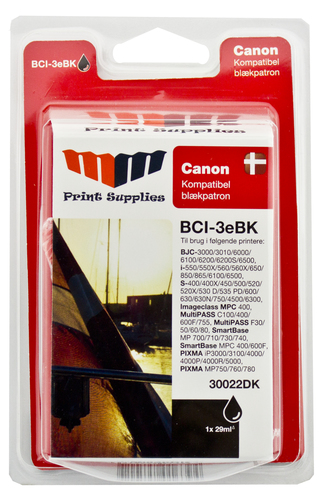
MM Black Inkjet Cartridge - Replaces Canon BCI-3eBK (4479A002) - 30% Extra ink compared to OEM ink cartridge 1 pc(s) High (XL) Yield

MM Black Inkjet Cartridge - Replaces Canon BCI-6BK (4705A002) - 20% Extra ink compared to OEM ink cartridge 1 pc(s) High (XL) Yield

MM Magenta Inkjet Cartridge - Replaces Canon BCI-3eM / BCI-6M (4481A002 / 4707A002) - 20% Extra ink compared to OEM ink cartridge 1 pc(s) High (XL) Yield

MM Cyan Inkjet Cartridge - Replaces Canon BCI-3eC / BCI-6C (4480A002 / 4706A002) - 20% Extra ink compared to OEM ink cartridge 1 pc(s) High (XL) Yield
