
Canon i-SENSYS MF4780w Laser A4 1200 x 600 DPI 23 ppm Wi-Fi
- Technology: Laser
- Functions: Mono printing, Colour scanning, Mono copying
- Print speed: 23 ppm
- Paper: up to A4, 250 sheets input
- Print resolution: 1200 x 600 DPI
- Connections: Wi-Fi, Ethernet, USB
Where to buy
We're not tracking prices for this product yet. Check current prices directly at:
We may earn a commission when you buy through links on this page — at no extra cost to you. Learn more
Specifications
Key specifications
- Print technologyIndicates the method used to print by this product.
- Laser
- PrintingProducing a paper copy of information stored on a computer.
- Mono printing
- ScanningTo convert a document or picture into digital form for storage or processing on a computer, by scanning it using a scanner.
- Colour scanning
- CopyingDescription of copying function (colour or monochrome).
- Mono copying
- Print speed (black, normal quality, A4/US Letter)The print speed of a printer for black & white A4 pages, normal quality. The exact speed varies depending on the system configuration, software program, and document complexity.
- 23 ppm
- Maximum ISO A-series paper sizeThe maximum paper size the device can handle, defined by ISO A-series.
- A4
- Total input capacityThe maximum number of sheets of paper that can be held in all input trays and feeders combined.
- 250 sheets
- Maximum resolutionMaximum printing resolution.
- 1200 x 600 DPI
- Wi-FiPopular technology that allows an electronic device to exchange data or connect to the internet wirelessly using radio waves.
- Yes
- Ethernet LANAn Ethernet LAN (Local Area Network) interface is present, for a wired conection via a cable.
- Yes
- USB portThe device features a socket into which a USB cable can be plugged.
- Yes
Show all 65 specificationsShow key specifications only
Design
- Product colourThe colour e.g. red, blue, green, black, white.
- Black
- Market positioningUnder which category can the device be positioned in the market, e.g. camera phone.
- Home & office
- Built-in displayA display which is part of the product, so you do not need to attach another display.
- Yes
Memory
- Internal memoryThe amount of memory, usually measured in bytes (e.g. MB, GB), which is installed in the system's hardware.
- 128 MB
Network
- Wi-FiPopular technology that allows an electronic device to exchange data or connect to the internet wirelessly using radio waves.
- Yes
- Ethernet LANAn Ethernet LAN (Local Area Network) interface is present, for a wired conection via a cable.
- Yes
- Wi-Fi standardsThe type of wireless local area network (LAN). It can be ad-hoc, where units in a network communicate peer-to-peer, or Infrastructure, where units communicate with each other via an access point A LAN interconnects computers in a small area e.g. home, school or office.
- 802.11b, 802.11g, Wi-Fi 4 (802.11n)
Paper handling
- Maximum ISO A-series paper sizeThe maximum paper size the device can handle, defined by ISO A-series.
- A4
- Paper tray media typesSpecifies the different kinds of materials that can be loaded into the paper tray, such as envelopes, card stock, or coated paper.
- Envelopes, Labels, Plain paper, Recycled paper, Thick paper
- Multi-purpose tray media typesSpecifies the various types of paper and media formats that can be loaded into the multi-purpose tray (e.g. Envelopes or Glossy paper).
- Envelopes, Plain paper
- ISO A-series sizes (A0...A9)Different sizes of paper from A0 (big) to A9 (small). A4 is the most common size used for printing documents.
- A4, A5
- ISO B-series sizes (B0...B9)The supported paper dimensions based on the ISO 216 B-series standard (e.g. B0, B1, B2).
- B5, B6
- ISO C-series sizes (C0...C9)The specific ISO C-series envelope sizes that the device is capable of processing (e.g., C4 or C5).
- C5
- Non-ISO print media sizesThe specific paper dimensions supported by the device that do not follow the International Organization for Standardization (ISO) standards (e.g., Executive or Folio).
- Folio, Index card, Oficio, Statement
- Paper tray media weightThe range of supported media thickness that can be loaded into the tray, measured in grams per square metre (e.g., 60-220 g/m²).
- 60 - 163 g/m²
Input & output capacity
- Total number of input traysThe total count of available paper input trays, including the main cassette and any optional or multipurpose trays (e.g. 2).
- 1
- Total input capacityThe maximum number of sheets of paper that can be held in all input trays and feeders combined.
- 250 sheets
- Total output capacityThe maximum number of sheets that can be held in the output tray after printing.
- 100 sheets
- Paper input typeThe method or mechanism used to load media into the device (e.g., Cassette, Roll, or Manual).
- Paper tray, Sheetfed
Features
- Maximum duty cycleThe maximum number of prints/copies made by a printer/copier in a fixed period.
- 10000 pages per month
- Digital senderDevice similar to a scanner which converts paper documents into digital information for emailing, archiving, document management and more.
- Yes
- Page description languagesThe set of page description languages supported by the device for interpreting and rendering print jobs (e.g. BPL or BR-Script 3).
- UFRII-LT
Scanning
- ScanningTo convert a document or picture into digital form for storage or processing on a computer, by scanning it using a scanner.
- Colour scanning
- Optical scanning resolutionHow many pixels a scanner can see. Most commonly, this is measured in dots per inch (dpi).For example, a typical flatbed scanner will use a scanning head with 300 sensors per inch, so it can sample 300 dots per inch (dpi) in one direction. To scan in the other direction, it will move the scanning head along the page, stopping 300 times per inch, so it can scan 300 dpi in the other direction as we…
- 600 x 600 DPI
- Maximum scan resolutionThe highest level of detail the device can capture during a scan, measured in dots per inch (dpi).
- 9600 x 9600 DPI
- Scanner typeIndicates the type of scanner this product is.
- ADF scanner
- Scan toSpecifies the available destinations where scanned documents can be sent, such as a cloud service, e-mail address, or network folder (e.g., FTP or CIFS).
- File
- Scan driversThe scanning interfaces and software protocols supported by the device for communication with computer applications (e.g. TWAIN, WIA).
- TWAIN, WIA
Copying
- CopyingDescription of copying function (colour or monochrome).
- Mono copying
- Maximum copy resolutionThe greatest amount of detail that can be produced by a copy of a document.
- 600 x 600 DPI
- Copy speed (black, normal quality, A4)The number of black-and-white pages processed per minute for standard A4 documents at normal quality, measured in cpm.
- 23 cpm
- Time to first copy (black, normal)The time elapsed from the moment a command is sent until the first black-and-white output is produced in normal quality mode, measured in seconds.
- 9 s
- Copier resizeThe range of scaling percentages available to increase or decrease the size of the original during the copying process.
- 25 - 400%
Printing
- Print technologyIndicates the method used to print by this product.
- Laser
- PrintingProducing a paper copy of information stored on a computer.
- Mono printing
- Maximum resolutionMaximum printing resolution.
- 1200 x 600 DPI
- Print speed (black, normal quality, A4/US Letter)The print speed of a printer for black & white A4 pages, normal quality. The exact speed varies depending on the system configuration, software program, and document complexity.
- 23 ppm
- Warm-up timeTime needed before printing after power switched on.
- 13.5 s
- Time to first page (black, normal)The time elapsed from the moment the print command is sent until the first page is completely printed in black, measured in seconds (e.g. 5 s).
- 6 s
- Print margins (top, bottom, right, left)The minimum non-printable area between the edge of the page and the printed content, measured in millimetres.
- 5 mm
Weight & dimensions
- WidthThe measurement or extent of something from side to side.
- 390 mm
- DepthThe distance from the front to the back of something.
- 439 mm
- HeightThe measurement of the product from head to foot or from base to top.
- 360 mm
- WeightWeight of the product without packaging (net weight). If possible, the net weight is given including standard accessories and supplies. Please note that sometimes the manufacturer leaves out the weight of accessories and/or supplies.
- 11.9 kg
Sustainability
- Sustainability certificatesThe environmental or ethical certifications the product has received to verify its sustainability standards (e.g., ASC or ACT Organic).
- ENERGY STAR
Operational conditions
- Operating relative humidity (H-H)The range of relative humidity, expressed as a percentage, within which the device can function correctly without damage or performance loss.
- 20 - 80%
- Operating temperature (T-T)The minimum and maximum temperatures at which the product can be safely operated.
- 10 - 30 °C
Power
- Power consumption (average operating)The average amount of electrical energy consumed by the device during normal operation, measured in watts.
- 560 W
- Power consumption (standby)The amount of electricity that is consumed when the product is on standby.
- 5 W
- AC input voltageThe voltage of the AC electricity that is inputted into the product.
- 220 - 240 V
- AC input frequencyThe range of alternating current frequencies the device can accept from the power source, measured in hertz (e.g., 45 - 65).
- 50 - 60 Hz
Display
- DisplayThe description of display that can includes display type, resolution, size etc.
- LCD
- Display number of linesThe amount of lines in the display.
- 5 lines
Performance
- Sound pressure level (printing)The average noise level emitted by the device during the printing process, measured in decibels (dB).
- 50 dB
- Sound power level (standby)The amount of acoustic noise emitted by the device while in standby mode, measured in decibels (dB).
- 0 dB
Ports & interfaces
- Standard interfacesMost common industry-standard communication protocols ranging from RS-232, RS-422, RS-423, RS-485, and LVDS to USB.
- Ethernet, USB 2.0, Wireless LAN
- USB portThe device features a socket into which a USB cable can be plugged.
- Yes
- USB 2.0 ports quantityNumber of USB 2.0 ports (connecting interfaces) in the device. USB 2.0 was released in April 2000 (now called "Hi-Speed"), adding higher maximum signaling rate of 480 Mbit/s (effective throughput up to 35 MB/s or 280 Mbit/s), USB 2.0 ports are usually black.
- 1
Fax
- Fax resolution (black)The maximum detail level for transmitted black and white documents, measured in DPI.
- 200 x 400 DPI
- Fax memoryThe maximum number of pages that can be stored in the internal memory for transmission or reception (e.g. 100 pages).
- 256 pages
- Fax speed dialing (max numbers)Maximum number of phone numbers storable in memory
- 113
- Auto reductionLong documents are automatically reduced to fit to A4!
- Yes
- Error Correction Mode (ECM)Indicates whether the device can detect and correct transmission errors to ensure the accuracy of the received document.
- Yes
- Fax dual accessIndicates whether the device allows simultaneous use of the fax and telephone lines.
- Yes
Other features
- Modem speedThe speed at which data is transferred by a modem.
- 33.6 Kbit/s
Database Right data-sheet 2026 Icecat. All rights reserved. Provided “as is”, without warranty — check details with the store before buying.
Expert reviews
- 80
trustedreviews.com2012
Canon i-SENSYS MF4780w - Performance Canon rates the i-SENSYS MF4780w at 23ppm, which is a very respectable speed. Under test, we got quite close to this, with a maximum speed of 19.7ppm from the 20-page text print. The five-page tests gave 15.0ppm and 13...
- +
- Clever, fold-away paper tray, Paper-save copy, Scan to two pre-set PCs
- −
- No duplex print, Noisy when copying
Price history (90 days, best daily price)
Price history is still being collected for this product — check back soon.
Alternative models

Canon PIXMA MX725 Inkjet A4 9600 x 2400 DPI Wi-Fi
Specs & where to buy

Canon PIXMA MG2450 Inkjet A4 4800 x 600 DPI
Specs & where to buy
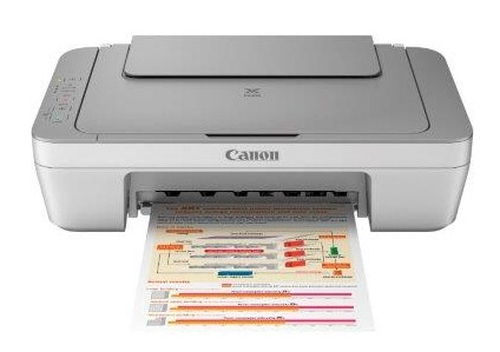
Canon PIXMA MG2410 Inkjet A4 4800 x 1200 DPI
Specs & where to buy

Canon PIXMA MG7150 Inkjet A4 9600 x 2400 DPI Wi-Fi
Specs & where to buy

Canon PIXMA MG7110 Inkjet A4 9600 x 2400 DPI
Specs & where to buy

Canon PIXMA MG7150 Inkjet A4 9600 x 2400 DPI Wi-Fi
Specs & where to buy