
BenQ SW2700PT computer monitor 68.6 cm (27") 2560 x 1440 pixels 2K Ultra HD LED Black
- Screen: 68.6 cm (27"), 2560 x 1440 pixels, IPS
- Refresh rate: 5 ms response time
- Brightness: 350 cd/m²
- Ports: 1 × HDMI, 1 × DisplayPort
- Stand: height-adjustable, tilt, VESA 100 x 100 mm
- Extras: USB hub
- Colour: Black
Where to buy
We're not tracking prices for this product yet. Check current prices directly at:
We may earn a commission when you buy through links on this page — at no extra cost to you. Learn more
About this product
Revive the Moment with Adobe RGB Wide Color Space
Preserve the true colors you captured and make sure the moments are perfect. BenQ SW2700PT photographer monitor with IPS technology and excellent 99% Adobe RGB color space, it gives you a wide color range and spectacular colors display. Keep the moment and never let it fade away.
BenQ understands the photographer’s pursuit of perfect color accuracy and true-to-life image quality. With that in mind, the BenQ SW Photographer Monitor offers unparalleled technology that allows you to revive the creative vision and preserve that special moment. Featuring high color accuracy through Adobe RGB color space, BenQ SW Photographer monitors are built to faithfully and effortlessly reproduce and display your creative vision so that the moment you captured never fades away.
Color Accuracy
99% Adobe RGB Coverage
See the true colors of nature! Utilize your DSLR camera to its full potential with BenQ’s adobe RGB color space, a set of new color management features that offer a greater range of color reproduction for shades of blue and green, resulting in a more realistic color representation for outdoor and nature photography.
14-bit 3D LUT & Delta E≤2
The 14-bit 3D Look Up Table (LUT) improves RGB color blending accuracy, resulting in impeccable color reproduction. Having Delta E≤2 in both Adobe RGB and sRGB color spaces gives you the truest and most representative view of the original image.
Hardware Calibration
Hardware calibration allows you to adjust the image processing chip in the monitor without changing the graphic card output data. It keeps images consistent with its original copies without being affected by graphic settings.
Sharpest Display
2560X1440 QHD Resolution for the Sharpest Display
While editing or checking your work, the pixel density of these monitors gives you the high performance needed for expressing your creativity in extreme details.
109 Pixel Per Inch for Stunning Clarity
With ultra-high pixel density, every photographic image will be displayed with stunning clarity, definition, and accuracy, allowing all the details in your photos to be brought out in all its glory on screen.
Consistent Efficiency
OSD Controller
The OSD controller is a remote controller that comes with three preset buttons each set up with a customized display setting such as photo editing, entertainment, or web surfing. This allows you to switch effortlessly between the presets without going through complicated settings. The OSD controller also comes with a button for quick OSD navigation and setting.
Black-and-White Mode
With a simple click of a button, you can preview color photos in black-and-white before adding the actual effect.
Shading Hood
Ambient lighting and glare can often obstruct the user’s perception of color reproduction. With this in mind, the SW series includes a detachable shading hood made specifically for glare reduction and in areas where controlling ambient light is not feasible.
Low Blue Light Mode
Blue spectrum light produced by regular computer monitors can lead to eyestrain, eye fatigue and possibly headaches. BenQ has developed technology to reduce blue light emissions to allow more productive time spent in front of the computer, BenQ monitors feature adjustable Low Blue Light settings via the exclusive Low Blue Light technology. Switch to one of four preset Low Blue Light Modes from OSD hot key (Multimedia – 30% reduction, Web-surfing – 50% reduction, Office – 60% reduction, Reading – 70% reduction), and reward your eyes without having to lose the visual enjoyment.
BenQ Proprietary ZeroFlickerTechnology
The SW2700PT utilizes BenQ's proprietary ZeroFlicker Technology to eliminate backlight flickering at all brightness levels and effectively reduce eye fatigue. Conventional LCD screens flicker 200 times per second. The flickers may not be detectable by your eyes but they can certainly feel the flickering. So it is important to relieve your eyes from the stress caused by a flickering screen – and keep them nice and fresh when you are working on new designs.
Documents
- BrochureProduct Brochure ↗
- Product information sheetEU Product Fiche ↗
Specifications
Key specifications
- Display diagonalSize of the display for this product, measured diagonally, usually in inches.
- 68.6 cm (27")
- Display resolutionThe number of distinct pixels in each dimension that can be displayed. It is usually quoted as width × height, with the units in pixels: for example, "1024 × 768" means the width is 1024 pixels and the height is 768 pixels. The higher the number of pixels, the sharper the image.
- 2560 x 1440 pixels
- Panel typeThe technology used to manufacture the panel, such as AMOLED or AH-IPS.
- IPS
- Response timeThe response time is the time difference between the moment that a source (for example a video card) sends a signal and that equipment (for example a monitor) receives or display the signal. (Used abbreviations: R/F = Rise and Fall.)
- 5 ms
- Display brightness (typical)Display brightness, measured by its Luminance, presented as a figure in nits. Typical brightness ratings for monitors range from 250 to 350 nits with a target value of between 80 to 120 nits being suitable for most displays in a normal viewing environment.
- 350 cd/m²
- HDMI ports quantityThe number of sockets (ports) for HDMI connections. HDMI (High-Definition Multimedia Interface) is a compact audio/video interface for transferring uncompressed video data and compressed/uncompressed digital audio data from a HDMI-compliant device ("the source device") to a compatible computer monitor, video projector, digital television, or digital audio device. HDMI is a digital replacement for…
- 1
- DisplayPorts quantityNumber of DisplayPorts. A DisplayPort is a digital display interface developed by the Video Electronics Standards Association (VESA). The interface is primarily used to connect a video source to a display device such as a computer monitor, though it can also be used to carry audio, USB, and other forms of data.
- 1
- Height adjustmentThe part of the device that can be adjusted to change the height.
- Yes
- Tilt adjustmentThe tilt, which means the angle at which the device is pointing (up or down), can be changed.
- Yes
- Panel mounting interfaceThe product can be used wih VESA mounting interfaces.
- 100 x 100 mm
- Built-in USB hubWhether or not the device features a USB hub to connect more than one other device via USB.
- Yes
- Product colourThe colour e.g. red, blue, green, black, white.
- Black
Show all 61 specificationsShow key specifications only
Design
- VESA mountingIndicates whether the product supports the VESA mounting standard for attachment to compatible arms, brackets, or wall mounts.
- Yes
- Market positioningUnder which category can the device be positioned in the market, e.g. camera phone.
- Graphics design
- Product colourThe colour e.g. red, blue, green, black, white.
- Black
- Panel mounting interfaceThe product can be used wih VESA mounting interfaces.
- 100 x 100 mm
- Feet colourThe colour of the feet, which are the projecting part on which a device/piece of furniture, or each of its legs, stands.
- Black
Ports & interfaces
- Built-in USB hubWhether or not the device features a USB hub to connect more than one other device via USB.
- Yes
- USB hub versionThe technical standard of the USB hub, if available, which determines the maximum data transfer speed (e.g., 3.2 Gen 1).
- 3.2 Gen 1 (3.1 Gen 1)
- Number of upstream portsThe total number of available ports used to connect the device to a computer or another network source.
- 1
- USB Type-A downstream ports quantityThe number of USB Type-A ports available for connecting peripheral devices to the unit.
- 2
- DVI portDigital Visual Interface (DVI) is a video display interface to connect a video source to a display device, such as a computer monitor.
- Yes
- DVI-D ports quantityThis is the amount of DVI-I interfaces. Digital Visual Interface (DVI) is a video display interface developed by the Digital Display Working Group (DDWG). The digital interface is used to connect a video source to a display device, such as a computer monitor. DVI-D means DVI digital, which means it can only support digital, but not analog.
- 1
- HDMI ports quantityThe number of sockets (ports) for HDMI connections. HDMI (High-Definition Multimedia Interface) is a compact audio/video interface for transferring uncompressed video data and compressed/uncompressed digital audio data from a HDMI-compliant device ("the source device") to a compatible computer monitor, video projector, digital television, or digital audio device. HDMI is a digital replacement for…
- 1
- DisplayPorts quantityNumber of DisplayPorts. A DisplayPort is a digital display interface developed by the Video Electronics Standards Association (VESA). The interface is primarily used to connect a video source to a display device such as a computer monitor, though it can also be used to carry audio, USB, and other forms of data.
- 1
- Headphone outputsNumber of sockets /ports where headphones are connected.
- 1
- Headphone connectivityHow headphones connect to a device e.g. wirelessly or via a cable and connector.
- 3.5 mm
- HDCPHigh-bandwidth Digital Content Protection (HDCP) is a form of digital copy protection to prevent copying of digital audio and video content as it travels across connections.
- Yes
Multimedia
- Built-in cameraThe product has an integrated camera.
- No
Performance
- NVIDIA G-SYNCIndicates whether the product supports NVIDIA G-SYNC technology to synchronize the display refresh rate with the GPU to eliminate screen tearing.
- No
- AMD FreeSyncThe product includes AMD Freesync Technology for the dynamic synchronization of the graphic card and the monitor in order to avoid screen tearing.
- No
Display
- Display diagonalSize of the display for this product, measured diagonally, usually in inches.
- 68.6 cm (27")
- Display resolutionThe number of distinct pixels in each dimension that can be displayed. It is usually quoted as width × height, with the units in pixels: for example, "1024 × 768" means the width is 1024 pixels and the height is 768 pixels. The higher the number of pixels, the sharper the image.
- 2560 x 1440 pixels
- Native aspect ratioThe aspect ratio is the ratio of the width of an image to its height. The native aspect ratio is the one which the projector/display is particularly designed for. Images shown in native aspect ratio will utilize the entire resolution of the display and achieve maximum brightness. Images shown in other than native aspect ratio will always have less resolution and less brightness than images shown…
- 16:9
- Display technologyThe technology used in the display e.g. plasma, LED.
- LED
- TouchscreenA screen of a laptop, smartphone, etc., that responds to touch so you can control the interface using your fingers.
- No
- HD typeType of supported High Definition (e.g. Full HD, 4K Ultra HD).
- 2K Ultra HD
- Panel typeThe technology used to manufacture the panel, such as AMOLED or AH-IPS.
- IPS
- Display brightness (typical)Display brightness, measured by its Luminance, presented as a figure in nits. Typical brightness ratings for monitors range from 250 to 350 nits with a target value of between 80 to 120 nits being suitable for most displays in a normal viewing environment.
- 350 cd/m²
- Response timeThe response time is the time difference between the moment that a source (for example a video card) sends a signal and that equipment (for example a monitor) receives or display the signal. (Used abbreviations: R/F = Rise and Fall.)
- 5 ms
- Supported graphics resolutionsThe graphic resolutions that can be displayed by the device. The graphic resolution describes the width and height dimensions of a display, such as a computer monitor, measured in pixels.
- 2560 x 1440
- Contrast ratio (typical)The difference in light intensity between the brightest white and the darkest black.
- 1000:1
- Contrast ratio (dynamic)A property of a display system, defined as the ratio of the luminance of the brightest color (white) to that of the darkest color (black) that the system is capable of producing.
- 20000000:1
- Viewing angle, horizontalMaximum horizontal angle at which a display can be viewed with acceptable visual performance.
- 178°
- Viewing angle, verticalMaximum vertical angle at which a display can be viewed with acceptable visual performance.
- 178°
- Display number of coloursThe total number of distinct colours that the device is capable of displaying (e.g. 1.07 billion colours).
- 1.073 billion colours
- Pixel pitchThis is the parameter of a picture tube, which specifies the shortest distance between two dots of the same colour. The principle is: the smaller the dot pitch, the better sharpness of image.
- 0.2331 x 0.2331 mm
- Digital vertical frequencyThe range of refresh rates the device can support when operating in digital mode, measured in Hertz (Hz).
- 50 - 76 Hz
- Colour gamutThe range of colours that the display can accurately reproduce, typically expressed as a percentage of a standard colour space (e.g. sRGB or Adobe RGB).
- 9%
Thin Client
- Thin client installedThe product includes a thin client, which is a computer or a computer program which depends heavily on some other computer (its server) to fulfill its computational roles. This is different from the traditional fat client, which is a computer designed to take on these roles by itself. The specific roles assumed by the server may vary, from providing data persistence (for example, for diskless nod…
- No
Other features
- TV tuner integratedDevice has an in-built TV tuner.
- No
- Supplied AC adapter typeThe type of power supply provided with the product to connect it to an alternating current source (e.g. AC).
- LED
- 3DThe device can be used with 3D technology.
- No
Sustainability
- Sustainability certificatesThe environmental or ethical certifications the product has received to verify its sustainability standards (e.g., ASC or ACT Organic).
- ENERGY STAR
Packaging content
- Cables includedSpecifies the types and quantities of connection cables provided with the product (e.g., 3.5 mm to 3.5 mm or SATA).
- DVI, Mini DisplayPort, USB
Power
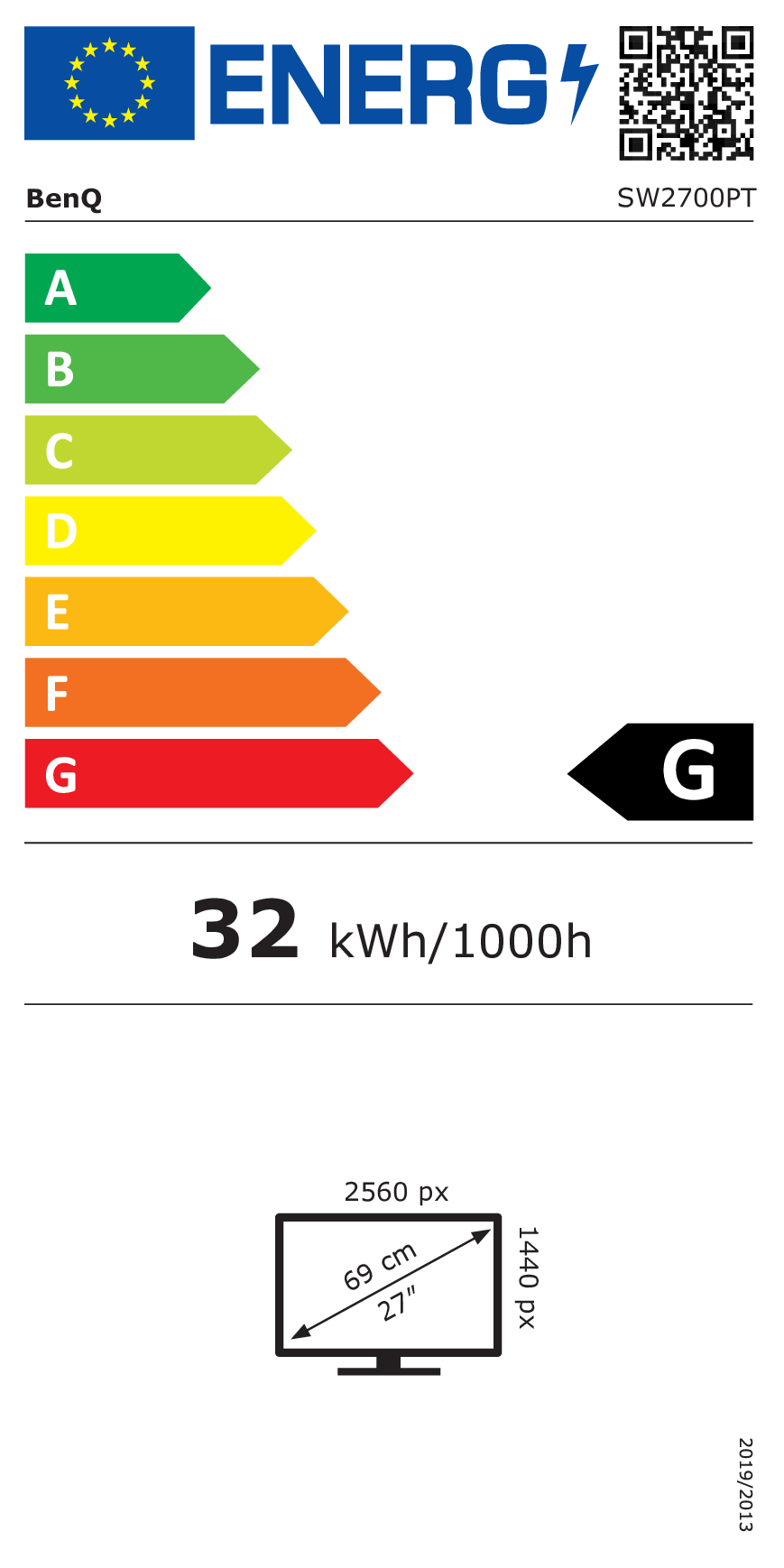
- Energy efficiency class (SDR)The energy efficiency rating of the device when operating in Standard Dynamic Range (SDR) mode, categorized from A to G.
- G
- Energy consumption (SDR) per 1000 hoursThe amount of electric energy consumed by the device during standard dynamic range (SDR) operation over a period of 1000 hours, measured in kilowatt-hours (kWh).
- 32 kWh
- Power consumption (typical)Amount of power consumed by this model, often expressed in watts (W). Typical values that manufacturers give are power consumption when off, standby/suspended mode, typical use, maximum usage.
- 36.7 W
- Power consumption (standby)The amount of electricity that is consumed when the product is on standby.
- 0.5 W
- Power consumption (off)The amount of electrical energy consumed by the device when it is switched off, measured in watts.
- 0.3 W
- AC input voltageThe voltage of the AC electricity that is inputted into the product.
- 90 - 264 V
- Energy efficiency scaleThe range of energy efficiency classes used to rate the product's power consumption, such as A to G.
- A to G
Security
- Cable lock slotHoles on the edge of devices through which a cable lock can be passed, so the device can be locked to a desk etc.
- Yes
Ergonomics
- Height adjustmentThe part of the device that can be adjusted to change the height.
- Yes
- Adjustable height (max)The maximum distance the unit can be raised vertically from its lowest position, measured in millimetres.
- 13 cm
- SwivellingIndicates whether the product has a mechanism that allows it to rotate horizontally.
- Yes
- Swivel angle rangeThe minimum and maximum degrees to which the unit can be rotated horizontally.
- -35 - 35°
- Tilt adjustmentThe tilt, which means the angle at which the device is pointing (up or down), can be changed.
- Yes
- Tilt angle rangeThe minimum and maximum angles at which the unit can be tilted, typically expressed in degrees.
- -3.5 - 20°
Management features
- On Screen Display (OSD)Indicates whether the device can display a graphical menu or information directly on the screen for adjusting settings and viewing status.
- Yes
- Number of OSD languagesThe total number of different languages available for the on-screen display menu (e.g. 15).
- 17
Features
- Windows operating systems supportedWindows vesions wich can be used with the device.
- Windows 10 Education, Windows 10 Education x64, Windows 10 Enterprise, Windows 10 Enterprise x64, Windows 10 Home, Windows 10 Home x64, Windows 10 IOT Core, Windows 10 Pro, Windows 10 Pro x64, Windows 7 Enterprise, Windows 7 Enterprise x64, Windows 7 Home Basic, Windows 7 Home Basic x64, Windows 7 Home Premium, Windows 7 Home Premium x64, Windows 7 Professional, Windows 7 Professional x64, Windows 7 Starter, Windows 7 Starter x64, Windows 7 Ultimate, Windows 7 Ultimate x64, Windows 8, Windows 8 Enterprise, Windows 8 Enterprise x64, Windows 8 Pro, Windows 8 Pro x64, Windows 8 x64, Windows 8.1, Windows 8.1 Enterprise, Windows 8.1 Enterprise x64, Windows 8.1 Pro, Windows 8.1 Pro x64, Windows 8.1 x64
Software
- Mac operating systems supportedMac operating systems e.g. OS X can be used with the device.
- Yes
Database Right data-sheet 2026 Icecat. All rights reserved. Provided “as is”, without warranty — check details with the store before buying.
Expert reviews
- –
techaddicts.uk2018
We have had a look at a great many screens over the years on Tech Addicts and it has to come to the point whereby a screen becomes the benchmark for others to aspire. The BenQ SW2700PT is that screen. A 27inch AHVA IPS panel and viewing angles of 178/178...
Read the review at techaddicts.uk ↗ - 100
itpro.co.uk2018
For a 2,560x1,440 display, the SW2700PT seems expensive, but you're paying for its colour accuracy and hardware calibration. For dedicated photo or video editors, these are features well worth paying for. And, comparing the SW2700PT to the main competi...
- +
- Outstanding colour accuracy, Great calibration tools, Highly adjustable
- −
- No integrated speakers
- 84
gadgetspeak.com2018
While this unit can operate as a standard panel for all the normal home and office tasks the extra top and side shields when fitted give that exact colour that the photographer craves.Having recently unhooked a 4K offering it's nice to be let down sligh...
Read the review at gadgetspeak.com ↗ - 100
expertreviews.co.uk2018
A great professional-level monitor for jobs that demand high colour accuracy...
- +
- Flexible stand, Excellent viewing angles, SD card slot
- −
- speakers
Price history (90 days, best daily price)
Price history is still being collected for this product — check back soon.
Alternative models

BenQ GW2270
computer monitor 54.6 cm (21.5") 1920 x 1080 pixels Full HD LED Black

BenQ BL2420Z
computer monitor 60.5 cm (23.8") 1920 x 1080 pixels Full HD LED Black

BenQ GW2270H
computer monitor 54.6 cm (21.5") 1920 x 1080 pixels Full HD LED Black

BenQ GL2250HM
computer monitor 54.6 cm (21.5") 1920 x 1080 pixels LED Black

BenQ DL2020
computer monitor 49.5 cm (19.5") 1366 x 768 pixels HD LED Black

BenQ VZ2470H
computer monitor 61 cm (24") 1920 x 1080 pixels Full HD LED White