
BenQ PV3200U computer monitor 80 cm (31.5") 3840 x 2160 pixels 4K Ultra HD LCD Grey
- Screen: 80 cm (31.5"), 3840 x 2160 pixels, IPS, Flat
- Refresh rate: 60 Hz, 5 ms response time
- Brightness: 350 cd/m²
- Ports: 3 × HDMI
- Stand: height-adjustable, tilt, VESA 100 x 100 mm
- Extras: speakers, USB hub
- Colour: Grey
Where to buy
We're not tracking prices for this product yet. Check current prices directly at:
We may earn a commission when you buy through links on this page — at no extra cost to you. Learn more
About this product
PV3200U | 32" 4K BenQ Monitor for Video Editing
Edit with Precision. Hear with Clarity.
No Surprises After Uploading
From the first edit to the final upload, your colors stay true, guided by accurate color and proper gamut that let you create with confidence and avoid over-editing.
95% P3 | 100% Rec.709 | 100% sRGB
See It Right, Share It Right
PV3200U delivers 100% Rec.709 and 95% P3 coverage, ensuring the right colors from editing to publishing. With the Wireless Hotkey Puck, you can switch color modes with a single tap, accurately preview your content before exporting, and avoid unexpected color shifts on YouTube, Vimeo, and other video platforms. What you see is what your audience gets.
iDevice Color Sync
Mobile Devices Color Preview
Take it a step further by previewing how colors will appear on mobile devices like iPhone and iPad before exporting. Ensure consistent visuals across screens.
iPad Color Preview
Open iDevice Color Sync, choose iPad, and preview video colors instantly.
iPhone Color Preview
Open iDevice Color Sync, select iPhone, and see how your video colors appear on screen.
Certified by Renowned Third-Party Authorities
Calman Verified
Every BenQ video editing monitor is fully Calman Verified. Creative professionals demand excellence, and BenQ delivers.
Colors You Can Trust
BenQ AQCOLOR ensures 'Accurate Reproduction,' delivering out-of-the-box color precision with Delta E≤2, corner-to-corner uniformity, and a factory calibration report. All features are rigorously tested for consistency, providing all types of creators with unparalleled precision and total color confidence.
Industry Standard
Experience broad coverage of in-demand color spaces, carefully calibrated for color temperature, gamma, and brightness.
Uniform Visuals
Work with consistent color uniformity from edge to edge on a single monitor or across multiple monitors.
Accuracy Guarantee
The assurance that your monitor accurately represents your intended colors, with third-party validation for precise reproduction.
Crisp Voices. Clear Mix. No Extra Gear.
Studio Mode
Let Your Audience Hear It Right
Designed for audio-focused video creators, Studio Mode delivers unprocessed true-to-source sound, preserving every voice, background sound, and effect without over-editing or heavy tuning. Your audience hears the true clarity of your work.
2.1ch Frequency Separation
Clear Voices, Balanced Bass
Edit with confidence, no more ear fatigue. Built-in dual 2W mid-high speakers and a dedicated 5W woofer deliver balanced sound. Unlike typical PC speakers, clear vocals stand out without muddy bass. Even without headphones, you can trust what you hear.
Get Projects Done Faster
Spend less time worrying about your gear and display, and focus on what truly matters.
BenQ Display Pilot 2
Customize Your Workspace, Stay in Control
With BenQ’s free Display Pilot 2 software you can easily organize essential functions like ICCsync, Color Modes, and Desktop Partition for a seamless editing experience. Keep your workflow efficient by tailoring the interface to your needs—less time navigating menus, more time creating.
M-book Mode: Mac Device Color Matching
Exclusive M-book mode ensures a perfect match with Mac and MacBook Pro colors. *Mac and MacBook are trademarks of Apple Inc.
ICCsync: Ensures Color Consistency
ICCsync automatically syncs ICC profiles between your Mac and BenQ monitor when switching color modes.
iKeyboard Control: Integrated MacBook Controls
Effortlessly adjust display brightness and volume using your Mac keyboard. *Only applicable to Mac devices using Display Pilot 2 software.
Wireless Hotkey Puck
Your Workflow Assistant
BenQ Hotkey Puck simplifies monitor control and integrates with Display Pilot 2 for effortless customization. You can easily assign shortcut functions and switch Color Modes or Audio Modes instantly. The rotating dial provides precise control over brightness, contrast, and volume—no menu browsing needed.
Mac & Windows Device Compatibility
All-in-One USB-C Connection
Quickly transfer data and deliver power up to 65W. Your Thunderbolt 3/4 devices are compatible with USB-C on BenQ displays, ensuring consistent and seamless work efficiency.
Fully Ergonomic Built-In Stand
With a variety of tilt, swivel, and pivot controls, whether you’re sitting or standing for hours of video editing, there’s always a perfect angle to keep you focused and comfortable.
From Solo Edits to Team Collabs
For video creators, color consistency is everything. Whether you're editing solo, working across dual monitors, or collaborating in a small studio setup, BenQ ensures cross-display color accuracy so your content looks the same across screens.
Achieve More Precise Color Matching with a Calibrator
Calibrate your monitor effortlessly with BenQ's exclusive and free calibration software, Palette Master Ultimate. Follow visual menus and clear prompts for software calibration that meets international standards.
Documents
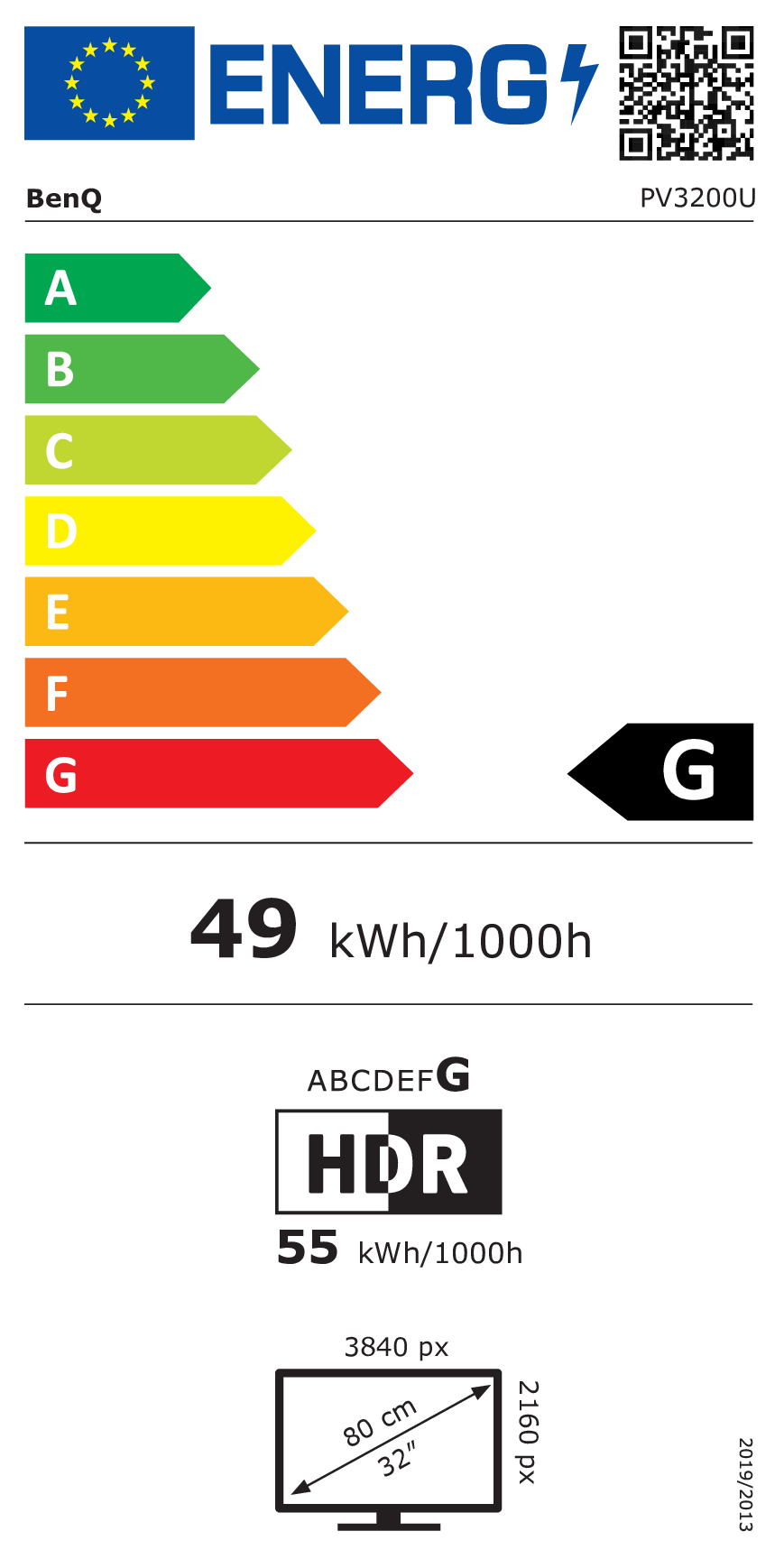
- Product information sheetEU Product Fiche ↗
Specifications
Key specifications
- Display diagonalSize of the display for this product, measured diagonally, usually in inches.
- 80 cm (31.5")
- Display resolutionThe number of distinct pixels in each dimension that can be displayed. It is usually quoted as width × height, with the units in pixels: for example, "1024 × 768" means the width is 1024 pixels and the height is 768 pixels. The higher the number of pixels, the sharper the image.
- 3840 x 2160 pixels
- Panel typeThe technology used to manufacture the panel, such as AMOLED or AH-IPS.
- IPS
- Screen shapeDescribes the physical curvature of the display panel, such as whether it is flat or curved.
- Flat
- Maximum refresh rateThe highest number of times per second the image is updated, measured in hertz (Hz).
- 60 Hz
- Response timeThe response time is the time difference between the moment that a source (for example a video card) sends a signal and that equipment (for example a monitor) receives or display the signal. (Used abbreviations: R/F = Rise and Fall.)
- 5 ms
- Display brightness (typical)Display brightness, measured by its Luminance, presented as a figure in nits. Typical brightness ratings for monitors range from 250 to 350 nits with a target value of between 80 to 120 nits being suitable for most displays in a normal viewing environment.
- 350 cd/m²
- HDMI ports quantityThe number of sockets (ports) for HDMI connections. HDMI (High-Definition Multimedia Interface) is a compact audio/video interface for transferring uncompressed video data and compressed/uncompressed digital audio data from a HDMI-compliant device ("the source device") to a compatible computer monitor, video projector, digital television, or digital audio device. HDMI is a digital replacement for…
- 3
- Height adjustmentThe part of the device that can be adjusted to change the height.
- Yes
- Tilt adjustmentThe tilt, which means the angle at which the device is pointing (up or down), can be changed.
- Yes
- Panel mounting interfaceThe product can be used wih VESA mounting interfaces.
- 100 x 100 mm
- Built-in speaker(s)The device contains speaker(s) to produce sound.
- Yes
- Built-in USB hubWhether or not the device features a USB hub to connect more than one other device via USB.
- Yes
- Product colourThe colour e.g. red, blue, green, black, white.
- Grey
Show all 75 specificationsShow key specifications only
Design
- VESA mountingIndicates whether the product supports the VESA mounting standard for attachment to compatible arms, brackets, or wall mounts.
- Yes
- Market positioningUnder which category can the device be positioned in the market, e.g. camera phone.
- Graphics design
- Product colourThe colour e.g. red, blue, green, black, white.
- Grey
- Panel mounting interfaceThe product can be used wih VESA mounting interfaces.
- 100 x 100 mm
Ports & interfaces
- Built-in USB hubWhether or not the device features a USB hub to connect more than one other device via USB.
- Yes
- Number of upstream portsThe total number of available ports used to connect the device to a computer or another network source.
- 3
- Number of downstream portsThe total number of available output ports used to connect additional peripheral devices to the unit.
- 1
- USB Type-C downstream ports quantityThe number of USB Type-C ports available for connecting peripheral devices to the unit.
- 1
- USB Type-C DisplayPort Alternate ModeIndicates whether the USB Type-C port supports the transmission of native DisplayPort video signals to an external display.
- Yes
- USB Power Delivery up toThe maximum amount of power the device can provide or receive via a USB connection, measured in watts.
- 65 W
- HDMIHDMI (High-Definition Multimedia Interface) is a compact audio/video interface for transferring uncompressed video data and compressed/uncompressed digital audio data from a HDMI-compliant device ("the source device") to a compatible computer monitor, video projector, digital television, or digital audio device. HDMI is a digital replacement for existing analog video standards.
- Yes
- HDMI ports quantityThe number of sockets (ports) for HDMI connections. HDMI (High-Definition Multimedia Interface) is a compact audio/video interface for transferring uncompressed video data and compressed/uncompressed digital audio data from a HDMI-compliant device ("the source device") to a compatible computer monitor, video projector, digital television, or digital audio device. HDMI is a digital replacement for…
- 3
- HDMI versionThe specific release version of the High-Definition Multimedia Interface standard supported by the device (e.g. 1.3 or 2.0).
- 2.0
- Headphone outThe socket for connecting headphones to the device.
- Yes
- HDCPHigh-bandwidth Digital Content Protection (HDCP) is a form of digital copy protection to prevent copying of digital audio and video content as it travels across connections.
- Yes
- HDCP versionThe version of the High-bandwidth Digital Content Protection standard supported by the device to prevent the unauthorized copying of digital audio and video content (e.g. 2.2).
- 2.2
Audio
- Built-in speaker(s)The device contains speaker(s) to produce sound.
- Yes
- Number of speakersThe quantity of speakers included in/with the product.
- 2
- RMS rated powerRMS (Root mean square) is a measure of the continuous power required by a device, in particular audio amplifiers and loudspeakers.
- 4 W
Display
- Display diagonalSize of the display for this product, measured diagonally, usually in inches.
- 80 cm (31.5")
- Display resolutionThe number of distinct pixels in each dimension that can be displayed. It is usually quoted as width × height, with the units in pixels: for example, "1024 × 768" means the width is 1024 pixels and the height is 768 pixels. The higher the number of pixels, the sharper the image.
- 3840 x 2160 pixels
- Native aspect ratioThe aspect ratio is the ratio of the width of an image to its height. The native aspect ratio is the one which the projector/display is particularly designed for. Images shown in native aspect ratio will utilize the entire resolution of the display and achieve maximum brightness. Images shown in other than native aspect ratio will always have less resolution and less brightness than images shown…
- 16:9
- Display technologyThe technology used in the display e.g. plasma, LED.
- LCD
- TouchscreenA screen of a laptop, smartphone, etc., that responds to touch so you can control the interface using your fingers.
- No
- Native refresh rateThe number of times per second the hardware updates, measured in hertz (Hz).
- 60 Hz
- HD typeType of supported High Definition (e.g. Full HD, 4K Ultra HD).
- 4K Ultra HD
- Panel typeThe technology used to manufacture the panel, such as AMOLED or AH-IPS.
- IPS
- LED backlightA backlight is a form of illumination used in liquid crystal displays (LCDs). One type of backlight is made by LEDs, which can be either white or RGB (red green blue). White LEDs are used most often in notebooks and desktop screens, and in virtually all mobile LCD screens. RGB LEDs for backlighting are found in high-end color proofing displays such as HP DreamColor LP2480zx monitor or selected HP…
- Yes
- Display brightness (typical)Display brightness, measured by its Luminance, presented as a figure in nits. Typical brightness ratings for monitors range from 250 to 350 nits with a target value of between 80 to 120 nits being suitable for most displays in a normal viewing environment.
- 350 cd/m²
- Response timeThe response time is the time difference between the moment that a source (for example a video card) sends a signal and that equipment (for example a monitor) receives or display the signal. (Used abbreviations: R/F = Rise and Fall.)
- 5 ms
- Response time measurement typeThe method used to measure the time it takes for a pixel to change colors, such as GTG (Gray to Gray) or BwB (Black-white-Black).
- GTG (Gray to Gray)
- Screen shapeDescribes the physical curvature of the display panel, such as whether it is flat or curved.
- Flat
- Contrast ratio (typical)The difference in light intensity between the brightest white and the darkest black.
- 1000:1
- Maximum refresh rateThe highest number of times per second the image is updated, measured in hertz (Hz).
- 60 Hz
- Viewing angle, horizontalMaximum horizontal angle at which a display can be viewed with acceptable visual performance.
- 178°
- Viewing angle, verticalMaximum vertical angle at which a display can be viewed with acceptable visual performance.
- 178°
- Display number of coloursThe total number of distinct colours that the device is capable of displaying (e.g. 1.07 billion colours).
- 1.07 billion colours
- Display diagonal (metric)This is the size of the display screen, measured diagonally.
- 80 cm
- High Dynamic Range (HDR) technologyThe specific standard or version of high contrast and color reproduction used to enhance the detail in the darkest and brightest areas of an image (e.g. DisplayHDR 600).
- DisplayHDR 400, High Dynamic Range 10 (HDR10)
- Colour depthThe number of bits used to represent the colour of a single pixel, which determines the total number of possible colours that can be displayed.
- 10 bit
- sRGB coverage (typical)The percentage of the sRGB color space that the device is capable of reproducing.
- 100%
Certificates
- CertificationSpecifies the official standards, safety approvals, or regulatory certifications the product has received.
- TUV
Packaging content
- Stand includedIndicates whether a support stand is supplied with the product.
- Yes
- Quick start guideInstructions, either online, as a computer program or in paper form, to allow you to set up and start using the product quickly.
- Yes
Weight & dimensions
- Width (with stand)The total horizontal measurement of the product when the supporting stand is attached, measured in millimetres.
- 714.5 mm
- Depth (with stand)The measurement of the product from front to back when any supporting accessory or base is attached, expressed in millimetres or centimetres.
- 210.5 mm
- Height (with stand)The total vertical measurement of the product including its base or support structure, expressed in millimetres or centimetres.
- 595.2 mm
- Weight (with stand)The total mass of the unit including its supporting base, measured in kilograms or grams.
- 8.73 kg
- Width (without stand)The horizontal measurement of the device excluding the base or support structure, expressed in millimetres.
- 714.5 mm
- Depth (without stand)The measurement of the product from front to back without its base or support, typically expressed in millimetres or centimetres.
- 67.8 mm
- Height (without stand)The vertical measurement of the device when the stand is removed, measured in mm.
- 443.9 mm
- Weight (without stand)The mass of the device excluding the support base, measured in g.
- 6 kg
Power
- Energy efficiency class (SDR)The energy efficiency rating of the device when operating in Standard Dynamic Range (SDR) mode, categorized from A to G.
- G
- Energy efficiency class (HDR)The energy efficiency rating of the device when High Dynamic Range (HDR) mode is active, ranging from A to G.
- G
- Energy consumption (SDR) per 1000 hoursThe amount of electric energy consumed by the device during standard dynamic range (SDR) operation over a period of 1000 hours, measured in kilowatt-hours (kWh).
- 49 kWh
- Energy consumption (HDR) per 1000 hoursThe amount of electrical energy consumed by the device when displaying High Dynamic Range (HDR) content over a period of 1000 hours, measured in kilowatt-hours (kWh).
- 55 kWh
- Power consumption (typical)Amount of power consumed by this model, often expressed in watts (W). Typical values that manufacturers give are power consumption when off, standby/suspended mode, typical use, maximum usage.
- 50 W
- Power consumption (standby)The amount of electricity that is consumed when the product is on standby.
- 0.5 W
- Power consumption (max)The maximum amount of power used by the device.
- 180 W
- Power consumption (off)The amount of electrical energy consumed by the device when it is switched off, measured in watts.
- 0.3 W
- Power supply typeThe type of power supply which this product uses.
- Internal
- USB Power Delivery (USB PD)Indicates whether the device supports the USB Power Delivery standard for faster charging and higher power levels.
- Yes
Ergonomics
- Height adjustmentThe part of the device that can be adjusted to change the height.
- Yes
- Adjustable height (max)The maximum distance the unit can be raised vertically from its lowest position, measured in millimetres.
- 11.5 cm
- PivotIndicates whether the device can be rotated 90 degrees to switch between landscape and portrait orientation.
- Yes
- Pivot angleThe range of motion available for rotating the unit around its vertical axis, typically measured in degrees.
- 0 - 90°
- SwivellingIndicates whether the product has a mechanism that allows it to rotate horizontally.
- Yes
- Swivel angle rangeThe minimum and maximum degrees to which the unit can be rotated horizontally.
- -15 - 15°
- Tilt adjustmentThe tilt, which means the angle at which the device is pointing (up or down), can be changed.
- Yes
- Tilt angle rangeThe minimum and maximum angles at which the unit can be tilted, typically expressed in degrees.
- -5 - 20°
- On Screen Display (OSD) languagesThe list of available languages for the device's display interface (e.g., AFR for Afrikaans, ARA for Arabic).
- Multi
Management features
- Number of OSD languagesThe total number of different languages available for the on-screen display menu (e.g. 15).
- 21
Performance
- Flicker-free technologyIndicates whether the device employs technology to reduce or eliminate screen flickering to decrease eye strain during prolonged use.
- Yes
- Low Blue Light technologyIndicates whether the product features technology designed to reduce the amount of harmful short-wave blue light emitted by the screen to decrease eye strain.
- Yes
- High Dynamic Range (HDR) supportedIndicates whether the device supports High Dynamic Range for improved contrast and a wider range of colours and luminosity.
- Yes
Database Right data-sheet 2026 Icecat. All rights reserved. Provided “as is”, without warranty — check details with the store before buying.
Price history (90 days, best daily price)
Price history is still being collected for this product — check back soon.
Alternative models

BenQ 23.8” 1080p FHD Business Monitor

BenQ EW2790Q
computer monitor 68.6 cm (27") 2560 x 1440 pixels Quad HD LED White
BenQ PV3200U
computer monitor 80 cm (31.5") 3840 x 2160 pixels 4K Ultra HD LCD Grey

BenQ PD3205U
computer monitor 80 cm (31.5") 3840 x 2160 pixels 4K Ultra HD LCD Black

BenQ GW2490C
computer monitor 60.5 cm (23.8") 1920 x 1080 pixels Full HD Black

BenQ GW2790QT
computer monitor 68.6 cm (27") 2560 x 1440 pixels Quad HD LED White
Accessories & compatible products

R-Go Tools Monitor arm R-Go Zepher Single, fully adjustable, 0-8 Kg load capacity, 100% circular, black

R-Go Tools Monitor arm R-Go Caparo Single, fully adjustable with gas spring, 3-9 kg load capacity, 100% circular, black

R-Go Tools Monitor arm R-Go Zepher Dual, for two monitors, fully adjustable, 0
8 kg load capacity, 100% circular, black
