
BenQ PD3200U computer monitor 81.3 cm (32") 3840 x 2160 pixels 4K Ultra HD LCD Black
- Screen: 81.3 cm (32"), 3840 x 2160 pixels, IPS, Flat
- Refresh rate: 60 Hz, 4 ms response time
- Brightness: 350 cd/m²
- Ports: 1 × HDMI, 1 × DisplayPort
- Stand: height-adjustable, tilt, VESA 100 x 100 mm
- Extras: USB hub
- Colour: Black
Where to buy
We're not tracking prices for this product yet. Check current prices directly at:
We may earn a commission when you buy through links on this page — at no extra cost to you. Learn more
About this product
Make Inspirations Come Alive
We know what it takes for ideas to become reality. BenQ Designer monitors come with an impressive range of modes to help you craft every detail until it leads to brilliant work.
Exceptional Color and Resolution
4K UHD Monitor
4K ultra HD resolution offers extraordinary clarity of fine details and textures for an optimal viewing and visual-intensive work experience.
Stunning Color Precision: 10-bit, 100% sRGB and Rec.709
Work confidently in the sRGB and Rec.709 color space from a wide viewing angle. All Designer monitors in the PD series are Technicolor Color Certified, ensuring consistent and accurate colors for an impressive color performance.
Fine details displayed for you
Darkroom Mode
Darkroom Mode adjusts the brightness and contrast of images giving clarity and sharpness to details, creating the optimal setting for work in darker post-processing environments.
CAD/CAM Mode
Never miss a detail again! Revolutionary CAD/CAM Mode offers superior contrast on lines and shapes of technical illustrations, bringing out the smallest details to view.
Animation Mode
Control and perfect every movement with our innovative Animation Mode. Lighten image areas with Animation Mode to better visualize the details hiding in dark shadows.
Work Efficiently and Comfortably with Intuitive Design
Keyboard Video Mouse (KVM) Switch
KVM Switch function allows users to display and control the contents from two different PC systems on one screen using just one set of keyboard and mouse to save space and boost work efficiency.
DualView
Improve your work flow and enhance productivity by switching on DualView to showcase designs in two modes (e.g. sRGB and CAD/CAM) side-by-side without the need for two screens.
Hotkey Puck
Switch between CAD/CAM, Animation and Low Blue Light Modes with a simple click of a button on the Hotkey Puck. Customize the buttons to map other modes or OSD settings such as brightness and contrast.
Ergonomics
Customize your workstation for the perfect user environment with an extensive range of height, tilt, pivot, stroke and swivel monitor adjustments. When using the display in a vertical orientation, the monitor’s smart screen orientation detector will auto-pivot screen contents so you can enjoy viewing pictures in its full context.
Caring for Your Eyes
Flicker-Free
Stable feedback technology prevents the harmful effects of flickering from tiring or damaging the eyes. Hours of working in front of your monitor can now be achieved without feeling fatigued or sore in the eyes.
Low Blue Light
BenQ’s Low Blue Light Technology is designed to filter out harmful blue light, effectively diminishing eye fatigue and irritation.
Documents
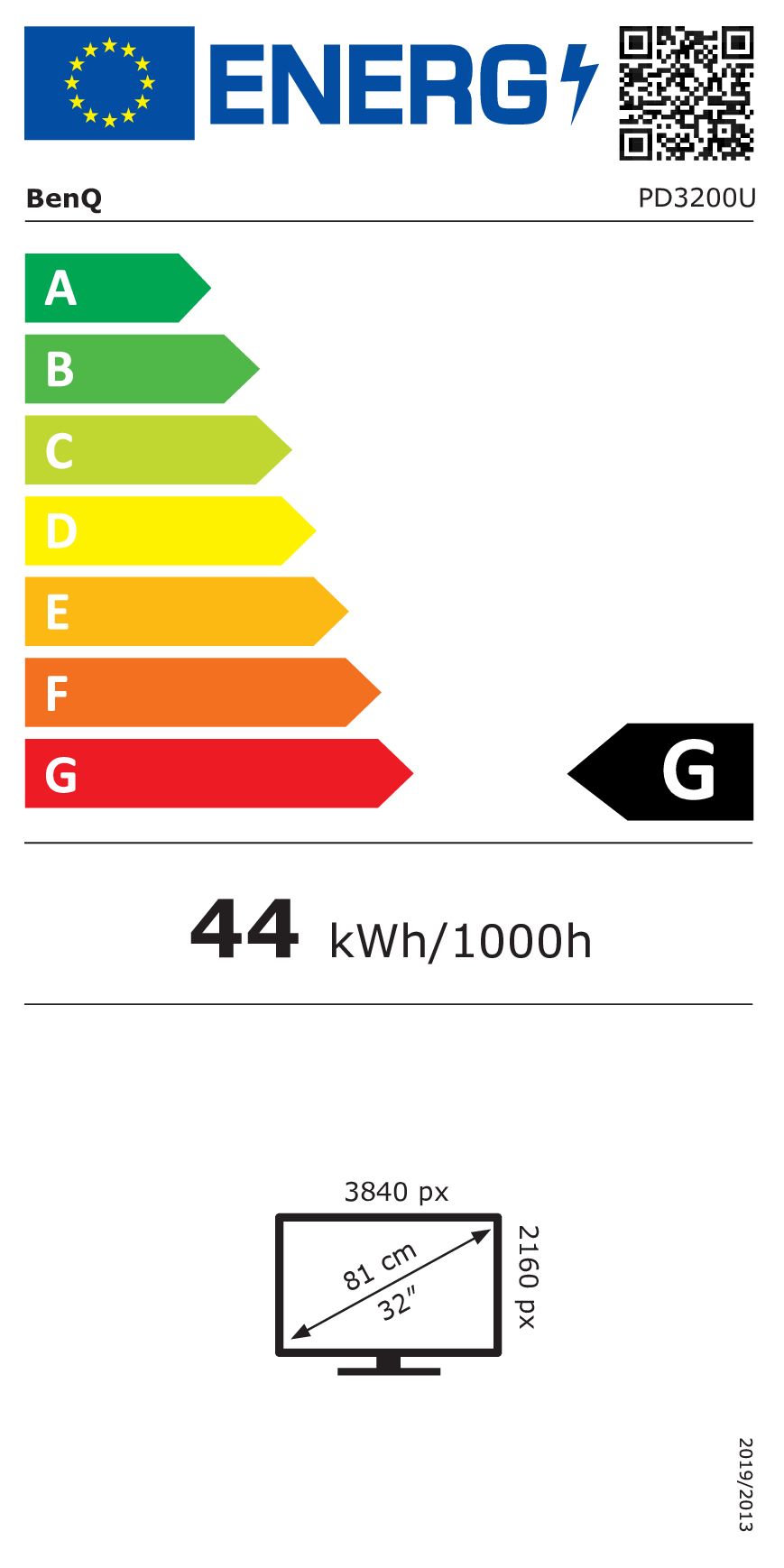
- Product information sheetEU Product Fiche ↗
Specifications
Key specifications
- Display diagonalSize of the display for this product, measured diagonally, usually in inches.
- 81.3 cm (32")
- Display resolutionThe number of distinct pixels in each dimension that can be displayed. It is usually quoted as width × height, with the units in pixels: for example, "1024 × 768" means the width is 1024 pixels and the height is 768 pixels. The higher the number of pixels, the sharper the image.
- 3840 x 2160 pixels
- Panel typeThe technology used to manufacture the panel, such as AMOLED or AH-IPS.
- IPS
- Screen shapeDescribes the physical curvature of the display panel, such as whether it is flat or curved.
- Flat
- Maximum refresh rateThe highest number of times per second the image is updated, measured in hertz (Hz).
- 60 Hz
- Response timeThe response time is the time difference between the moment that a source (for example a video card) sends a signal and that equipment (for example a monitor) receives or display the signal. (Used abbreviations: R/F = Rise and Fall.)
- 4 ms
- Display brightness (typical)Display brightness, measured by its Luminance, presented as a figure in nits. Typical brightness ratings for monitors range from 250 to 350 nits with a target value of between 80 to 120 nits being suitable for most displays in a normal viewing environment.
- 350 cd/m²
- HDMI ports quantityThe number of sockets (ports) for HDMI connections. HDMI (High-Definition Multimedia Interface) is a compact audio/video interface for transferring uncompressed video data and compressed/uncompressed digital audio data from a HDMI-compliant device ("the source device") to a compatible computer monitor, video projector, digital television, or digital audio device. HDMI is a digital replacement for…
- 1
- DisplayPorts quantityNumber of DisplayPorts. A DisplayPort is a digital display interface developed by the Video Electronics Standards Association (VESA). The interface is primarily used to connect a video source to a display device such as a computer monitor, though it can also be used to carry audio, USB, and other forms of data.
- 1
- Height adjustmentThe part of the device that can be adjusted to change the height.
- Yes
- Tilt adjustmentThe tilt, which means the angle at which the device is pointing (up or down), can be changed.
- Yes
- Panel mounting interfaceThe product can be used wih VESA mounting interfaces.
- 100 x 100 mm
- Built-in USB hubWhether or not the device features a USB hub to connect more than one other device via USB.
- Yes
- Product colourThe colour e.g. red, blue, green, black, white.
- Black
Show all 82 specificationsShow key specifications only
Design
- VESA mountingIndicates whether the product supports the VESA mounting standard for attachment to compatible arms, brackets, or wall mounts.
- Yes
- Market positioningUnder which category can the device be positioned in the market, e.g. camera phone.
- Graphics design
- Product colourThe colour e.g. red, blue, green, black, white.
- Black
- Panel mounting interfaceThe product can be used wih VESA mounting interfaces.
- 100 x 100 mm
- Feet colourThe colour of the feet, which are the projecting part on which a device/piece of furniture, or each of its legs, stands.
- Black
Ports & interfaces
- Built-in USB hubWhether or not the device features a USB hub to connect more than one other device via USB.
- Yes
- USB versionUniversal Serial Bus (USB) is an industry standard developed in the mid-1990s that defines the interface used for connection, communication and power supply between computers and electronic devices. Every new version - for example 1.1, 2.0, 3.0 - is much faster than the previous one.
- 3.2 Gen 1 (3.1 Gen 1)
- USB hub versionThe technical standard of the USB hub, if available, which determines the maximum data transfer speed (e.g., 3.2 Gen 1).
- 3.2 Gen 1 (3.1 Gen 1)
- HDMI ports quantityThe number of sockets (ports) for HDMI connections. HDMI (High-Definition Multimedia Interface) is a compact audio/video interface for transferring uncompressed video data and compressed/uncompressed digital audio data from a HDMI-compliant device ("the source device") to a compatible computer monitor, video projector, digital television, or digital audio device. HDMI is a digital replacement for…
- 1
- DisplayPorts quantityNumber of DisplayPorts. A DisplayPort is a digital display interface developed by the Video Electronics Standards Association (VESA). The interface is primarily used to connect a video source to a display device such as a computer monitor, though it can also be used to carry audio, USB, and other forms of data.
- 1
- Mini DisplayPorts quantityThe number of Mini DisplayPort interfaces available on the device for video and audio output.
- 1
- Headphone outputsNumber of sockets /ports where headphones are connected.
- 1
- Headphone connectivityHow headphones connect to a device e.g. wirelessly or via a cable and connector.
- 3.5 mm
- HDCPHigh-bandwidth Digital Content Protection (HDCP) is a form of digital copy protection to prevent copying of digital audio and video content as it travels across connections.
- Yes
Multimedia
- Built-in cameraThe product has an integrated camera.
- No
Display
- Display diagonalSize of the display for this product, measured diagonally, usually in inches.
- 81.3 cm (32")
- Display resolutionThe number of distinct pixels in each dimension that can be displayed. It is usually quoted as width × height, with the units in pixels: for example, "1024 × 768" means the width is 1024 pixels and the height is 768 pixels. The higher the number of pixels, the sharper the image.
- 3840 x 2160 pixels
- Native aspect ratioThe aspect ratio is the ratio of the width of an image to its height. The native aspect ratio is the one which the projector/display is particularly designed for. Images shown in native aspect ratio will utilize the entire resolution of the display and achieve maximum brightness. Images shown in other than native aspect ratio will always have less resolution and less brightness than images shown…
- 16:9
- Display technologyThe technology used in the display e.g. plasma, LED.
- LCD
- TouchscreenA screen of a laptop, smartphone, etc., that responds to touch so you can control the interface using your fingers.
- No
- Active display area (W x H)The width and height of the actual screen surface that can display images, measured in mm.
- 708.48 x 398.5 mm
- HD typeType of supported High Definition (e.g. Full HD, 4K Ultra HD).
- 4K Ultra HD
- Panel typeThe technology used to manufacture the panel, such as AMOLED or AH-IPS.
- IPS
- Backlight typeThe technology used to illuminate the display panel, such as CCFL or various LED configurations (e.g., Edge LED, Full-Array).
- LED
- Display brightness (typical)Display brightness, measured by its Luminance, presented as a figure in nits. Typical brightness ratings for monitors range from 250 to 350 nits with a target value of between 80 to 120 nits being suitable for most displays in a normal viewing environment.
- 350 cd/m²
- Response timeThe response time is the time difference between the moment that a source (for example a video card) sends a signal and that equipment (for example a monitor) receives or display the signal. (Used abbreviations: R/F = Rise and Fall.)
- 4 ms
- Screen shapeDescribes the physical curvature of the display panel, such as whether it is flat or curved.
- Flat
- Supported graphics resolutionsThe graphic resolutions that can be displayed by the device. The graphic resolution describes the width and height dimensions of a display, such as a computer monitor, measured in pixels.
- 1920 x 1080 (HD 1080), 3840 x 2160
- Supported video modesThe video modes that can be displayed by the device.
- 1080p, 2160p
- Contrast ratio (typical)The difference in light intensity between the brightest white and the darkest black.
- 1000:1
- Contrast ratio (dynamic)A property of a display system, defined as the ratio of the luminance of the brightest color (white) to that of the darkest color (black) that the system is capable of producing.
- 20000000:1
- Maximum refresh rateThe highest number of times per second the image is updated, measured in hertz (Hz).
- 60 Hz
- Viewing angle, horizontalMaximum horizontal angle at which a display can be viewed with acceptable visual performance.
- 178°
- Viewing angle, verticalMaximum vertical angle at which a display can be viewed with acceptable visual performance.
- 178°
- Display number of coloursThe total number of distinct colours that the device is capable of displaying (e.g. 1.07 billion colours).
- 1.073 billion colours
- Response time (fast)The minimum time it takes for a pixel to change from one color to another, measured in milliseconds.
- 4 ms
- Viewable size, horizontalThe viewable size is often somewhat smaller than the actual size of a monitor, because there is a border around the image.
- 70.8 cm
- Viewable size, verticalThe height of the screen area that can actually display an image, measured in millimetres or inches.
- 39.9 cm
- Colour gamut standardThe specific color space standard the device is designed to reproduce, such as Adobe RGB or DCI-P3.
- sRGB
- Colour gamutThe range of colours that the display can accurately reproduce, typically expressed as a percentage of a standard colour space (e.g. sRGB or Adobe RGB).
- 100%
Features
- Country of originCountry where the device is made. Aka Country of manufacture (COM).
- China
- Windows operating systems supportedWindows vesions wich can be used with the device.
- Windows 10 Education, Windows 10 Education x64, Windows 10 Enterprise, Windows 10 Enterprise x64, Windows 10 Home, Windows 10 Home x64, Windows 10 Pro, Windows 10 Pro x64, Windows 7 Enterprise, Windows 7 Enterprise x64, Windows 7 Home Basic, Windows 7 Home Basic x64, Windows 7 Home Premium, Windows 7 Home Premium x64, Windows 7 Professional, Windows 7 Professional x64, Windows 7 Starter, Windows 7 Starter x64, Windows 7 Ultimate, Windows 8, Windows 8 Enterprise, Windows 8 Enterprise x64, Windows 8 Pro, Windows 8 Pro x64, Windows 8 x64
Other features
- Compatible operating systemsList of desktop operating systems tested as compatible with this product.
- Windows 7/8/10
- BrightnessThe amount of light given by a light, TV, monitor etc.
- 300 cd/m²
- No flickeringIndicates whether the device is equipped with technology to reduce or eliminate the rapid fluctuations in brightness that can cause eye strain.
- Yes
- Supplied AC adapter typeThe type of power supply provided with the product to connect it to an alternating current source (e.g. AC).
- AC
Performance
- On/off switchThe button which is pressed to switch the device on or off.
- Yes
Certificates
- CertificationSpecifies the official standards, safety approvals, or regulatory certifications the product has received.
- TCO
Sustainability
- Sustainability certificatesThe environmental or ethical certifications the product has received to verify its sustainability standards (e.g., ASC or ACT Organic).
- EPEAT Bronze
Packaging content
- Stand includedIndicates whether a support stand is supplied with the product.
- Yes
- Cables includedSpecifies the types and quantities of connection cables provided with the product (e.g., 3.5 mm to 3.5 mm or SATA).
- DisplayPort, HDMI, Mini DisplayPort, USB
Weight & dimensions
- Weight (with stand)The total mass of the unit including its supporting base, measured in kilograms or grams.
- 13.2 kg
- Width (without stand)The horizontal measurement of the device excluding the base or support structure, expressed in millimetres.
- 740.3 mm
- Depth (without stand)The measurement of the product from front to back without its base or support, typically expressed in millimetres or centimetres.
- 223.6 mm
- Height (without stand)The vertical measurement of the device when the stand is removed, measured in mm.
- 491.7 mm
- Weight (without stand)The mass of the device excluding the support base, measured in g.
- 8.5 kg
Operational conditions
- Operating temperature (T-T)The minimum and maximum temperatures at which the product can be safely operated.
- 5 - 40 °C
- Storage temperature (T-T)The minimum and maximum temperatures at which the product can be safely stored.
- -20 - 60 °C
- Operating relative humidity (H-H)The range of relative humidity, expressed as a percentage, within which the device can function correctly without damage or performance loss.
- 20 - 90%
- Storage relative humidity (H-H)The permissible range of relative humidity, expressed as a percentage, within which the product can be stored without damage.
- 10 - 90%
Power
- Energy efficiency class (SDR)The energy efficiency rating of the device when operating in Standard Dynamic Range (SDR) mode, categorized from A to G.
- G
- Energy consumption (SDR) per 1000 hoursThe amount of electric energy consumed by the device during standard dynamic range (SDR) operation over a period of 1000 hours, measured in kilowatt-hours (kWh).
- 44 kWh
- Power consumption (typical)Amount of power consumed by this model, often expressed in watts (W). Typical values that manufacturers give are power consumption when off, standby/suspended mode, typical use, maximum usage.
- 44 W
- Power consumption (standby)The amount of electricity that is consumed when the product is on standby.
- 0.4 W
- Power consumption (off)The amount of electrical energy consumed by the device when it is switched off, measured in watts.
- 0.3 W
- AC input voltageThe voltage of the AC electricity that is inputted into the product.
- 90 - 264 V
- Energy efficiency scaleThe range of energy efficiency classes used to rate the product's power consumption, such as A to G.
- A to G
Security
- Cable lock slotHoles on the edge of devices through which a cable lock can be passed, so the device can be locked to a desk etc.
- No
Ergonomics
- Height adjustmentThe part of the device that can be adjusted to change the height.
- Yes
- Adjustable height (max)The maximum distance the unit can be raised vertically from its lowest position, measured in millimetres.
- 15 cm
- PivotIndicates whether the device can be rotated 90 degrees to switch between landscape and portrait orientation.
- Yes
- Pivot angleThe range of motion available for rotating the unit around its vertical axis, typically measured in degrees.
- 0 - 90°
- SwivellingIndicates whether the product has a mechanism that allows it to rotate horizontally.
- Yes
- Swivel angle rangeThe minimum and maximum degrees to which the unit can be rotated horizontally.
- -45 - 45°
- Tilt adjustmentThe tilt, which means the angle at which the device is pointing (up or down), can be changed.
- Yes
- Tilt angle rangeThe minimum and maximum angles at which the unit can be tilted, typically expressed in degrees.
- -5 - 20°
Management features
- Picture-in-PicturePicture-in-picture (PiP) is a feature of some television receivers and similar devices. One program (channel) is displayed on the full TV screen at the same time as one or more other programs are displayed in inset windows. Sound is usually from the main program only.
- Yes
- On Screen Display (OSD)Indicates whether the device can display a graphical menu or information directly on the screen for adjusting settings and viewing status.
- Yes
Storage
- Compatible memory cardsTypes of memory cards which can be used with this product.
- SD, SDHC, SDXC
Audio
- Number of speakersThe quantity of speakers included in/with the product.
- 2
- RMS rated powerRMS (Root mean square) is a measure of the continuous power required by a device, in particular audio amplifiers and loudspeakers.
- 10 W
Logistics data
- Harmonized System (HS) codeThe standardized numerical method of classifying traded products used by customs authorities around the world to identify goods for tariffs and statistics.
- 85285210
Database Right data-sheet 2026 Icecat. All rights reserved. Provided “as is”, without warranty — check details with the store before buying.
Expert reviews
- –
techaddicts.uk2018
For months we have been looking at monitors that have been categorised as fantastic for CAD, not great for gaming. Or Gaming is superb but day to day workings suffer. What if there as a Jack of all Trades and, whilst not a total ninja at all, about as clo...
Read the review at techaddicts.uk ↗ - 80
digitaltrends.com2017
Yes. If you're a professional looking for a display designed for creative use, you can't do much better than the BenQ PD3200U — not without spending an extra couple hundred dollars. At this price, the BenQ is a steal. If you need a new workhorse monitor a...
- +
- Solid build, Pitch-perfect color accuracy, Sharp visuals, Competitive price
- −
- Narrow AdobeRGB color gamut, Bulky design
- 90
techradar.com2017
Monitors like the BenQ PD3200U give us hope for a 4K future. It performs brilliantly, and the large screen size really gives you an insight into how a large 4K monitor can improve your productivity. Going back to a 1440p screen after experiencing 4K with...
- +
- 4K resolution, Large screen, Good price
- −
- Design may seem dull to some people, Some pro features a bit too niche, You'll need a big desk
Price history (90 days, best daily price)
Price history is still being collected for this product — check back soon.
Alternative models

BenQ PD3200Q
computer monitor 81.3 cm (32") 2560 x 1440 pixels Quad HD LCD Black

BenQ BL2706HT
computer monitor 68.6 cm (27") 1920 x 1080 pixels Full HD LED Black

BenQ BL2205PT
computer monitor 54.6 cm (21.5") 1920 x 1080 pixels Full HD LED Black

BenQ EW3270ZL
computer monitor 81.3 cm (32") 2560 x 1440 pixels Quad HD LED Black

BenQ BL2405PT
computer monitor 61 cm (24") 1920 x 1080 pixels Full HD LED Black
BenQ SW320
computer monitor 80 cm (31.5") 3840 x 2160 pixels 4K Ultra HD LED Grey