
ASUS USB-C Stand Dock DC310 Wired USB 3.2 Gen 2 (3.1 Gen 2) Type-C Black
- Product colour: Black
- AC adapter included
- Windows operating systems supported: Windows 10, Windows 11
- Mac operating systems supported
- Power source type: DC
- Power supply: 150 W
Where to buy
We're not tracking prices for this product yet. Check current prices directly at:
We may earn a commission when you buy through links on this page — at no extra cost to you. Learn more
About this product
Elevated comfort, Enhanced productivity
ASUS USB-C Stand Dock is a sleek and ergonomic 10-in-1 docking station designed for enhanced productivity. It serves as an adjustable stand, elevating laptops to an ideal position for comfortable viewing. A pair of HDMI ports help extend screens across two 4K 60Hz displays, while four high-speed USB Type-A ports, 100W of charging power, and additional connectivity options transform any setup into an extremely versatile workstation.
DESIGN
Ergonomic comfort
The ergonomic ASUS USB-C Stand Dock offers two adjustable elevated positions for comfortable viewing.
PRODUCTIVITY
Dual 4K visuals
Two HDMI 2.0 ports enable ASUS USB-C Stand Dock to support up to two 4K 60Hz displays for seamless, efficient multitasking.
CONNECTIVITY
Multi-device connections
A comprehensive array of ports makes it easy to keep essential devices connected. Four high-speed USB Type-A ports, a USB Type-C port, and a Gigabit Ethernet port seamlessly link peripherals and networks for streamlined workflows.1
SPEED
Fast transfers, powerful charging
Experience up to 10Gbps data transfers with USB 3.2 Gen 2 technology for seamless and efficient workflows. With up to 100W power delivery, ASUS USB-C Stand Dock keeps any connected laptop powered and ready for uninterrupted productivity.
SMART CONTROL
One-button wake-up & IT Management
With ASUS USB-C Stand Dock, it takes just one tap to wake a laptop and all connected displays — because the dock’s power button precisely mimics that of the laptop2. It also enables IT departments to remotely wake laptops that are in standby mode to apply updates and more, helping speed up routine admin and maintenance tasks.
One-button wake up
Pressing the dock’s power button wakes up the laptop and connected monitors.
Remote IT management
Wake-on-LAN (WoL), MAC Address Pass Through, and PXE can be enabled through the DC310 LAN port to allow easy remote device management.
Documents
- ManualUser manual ↗
Specifications
Key specifications
- Product colourThe colour e.g. red, blue, green, black, white.
- Black
- AC adapter includedIndicates whether a power supply unit for connecting the device to an AC outlet is provided in the package.
- Yes
- Windows operating systems supportedWindows vesions wich can be used with the device.
- Windows 10, Windows 11
- Mac operating systems supportedMac operating systems e.g. OS X can be used with the device.
- Yes
- Power source typeWhat the power source is.
- DC
- Power supplyThe way in which the product is powered e.g. rechargeable battery, mains electricity connected via a plug and cable.
- 150 W
- Output voltageThe electrical potential difference delivered by the device, typically expressed in volts (e.g. 24-48).
- 20 V
- Output currentThe maximum electrical current that the device can provide to a connected load, measured in amperes (A).
- 7.5 A
- USB cable lengthThe total length of the included USB cable, measured in metres.
- 0.65 m
- Data transfer rateRate at which data can be transferred, usually measured in units per second. May vary with network configurations.
- 10 Gbit/s
Show all 40 specificationsShow key specifications only
Design
- Product colourThe colour e.g. red, blue, green, black, white.
- Black
- Housing materialWhat the casing of the product is made of.
- Plastic, Metal
Packaging content
- AC adapter includedIndicates whether a power supply unit for connecting the device to an AC outlet is provided in the package.
- Yes
- Quantity per packThe number of individual units contained within a single sales package, measured in pc(s).
- 1 pc(s)
Weight & dimensions
- WidthThe measurement or extent of something from side to side.
- 334.9 mm
- DepthThe distance from the front to the back of something.
- 66.2 mm
- HeightThe measurement of the product from head to foot or from base to top.
- 29.6 mm
- WeightWeight of the product without packaging (net weight). If possible, the net weight is given including standard accessories and supplies. Please note that sometimes the manufacturer leaves out the weight of accessories and/or supplies.
- 422 g
Features
- Windows operating systems supportedWindows vesions wich can be used with the device.
- Windows 10, Windows 11
- Output voltageThe electrical potential difference delivered by the device, typically expressed in volts (e.g. 24-48).
- 20 V
- Data transfer rateRate at which data can be transferred, usually measured in units per second. May vary with network configurations.
- 10 Gbit/s
Software
- Mac operating systems supportedMac operating systems e.g. OS X can be used with the device.
- Yes
Power
- Power source typeWhat the power source is.
- DC
- Power supplyThe way in which the product is powered e.g. rechargeable battery, mains electricity connected via a plug and cable.
- 150 W
- Output currentThe maximum electrical current that the device can provide to a connected load, measured in amperes (A).
- 7.5 A
- USB cable lengthThe total length of the included USB cable, measured in metres.
- 0.65 m
- USB Power Delivery (USB PD)Indicates whether the device supports the USB Power Delivery standard for faster charging and higher power levels.
- Yes
- DC-in jackThe socket/plug where the DC electricity supply connects to the device.
- Yes
Storage
- Card reader integratedA card reader is a device that enables reading and, in some cases, writing data to and from a memory card.
- No
Display
- HD typeType of supported High Definition (e.g. Full HD, 4K Ultra HD).
- 4K Ultra HD
- Maximum refresh rateThe highest number of times per second the image is updated, measured in hertz (Hz).
- 60 Hz
Processor
- Maximum digital resolutionThe highest number of pixels that the device can output or support, typically expressed as width by height (e.g. 3840 x 2160).
- 3840 x 2160 pixels
Mounting
- Number of displays supportedThe number of displays that can be used with this product.
- 2
Security
- Cable lock slotHoles on the edge of devices through which a cable lock can be passed, so the device can be locked to a desk etc.
- Yes
- Cable lock slot typeThe standard of the security slot used to attach a physical locking cable to the device (e.g. Kensington or Noble).
- Kensington
Performance
- On/off switchThe button which is pressed to switch the device on or off.
- Yes
Network
- Ethernet LANAn Ethernet LAN (Local Area Network) interface is present, for a wired conection via a cable.
- Yes
- Ethernet LAN data ratesThe different speed levels of the Ethernet LAN connection.
- 10,1000,100 Mbit/s
- Wake-on-LAN readyIndicates whether the device can be turned on or woken up from a low-power state by a network message sent from another networked device.
- Yes
Ports & interfaces
- Ethernet LAN (RJ-45) portsNumber of Ethernet LAN (RJ-45) ports (connecting interfaces) in the device. Ethernet LAN (RJ-45) ports allow a computer to connect to the ethernet.
- 1
- Connectivity technologyThe technology that enables connectivity of the device, e.g. wired or wireless.
- Wired
- Host interfaceInterface that enables a host controller to communicate with a driver.
- USB 3.2 Gen 2 (3.1 Gen 2) Type-C
- USB 3.2 Gen 1 (3.1 Gen 1) Type-A ports quantityThe total number of available USB 3.2 Gen 1 (formerly 3.1 Gen 1) Type-A connection ports on the device.
- 2
- USB 3.2 Gen 2 (3.1 Gen 2) Type-A ports quantityThe total number of USB Type-A ports that support the 3.2 Gen 2 (formerly 3.1 Gen 2) standard for high-speed data transfer.
- 2
- USB 3.2 Gen 2 (3.1 Gen 2) Type-C ports quantityNumber of USB 3.1 (3.1 Gen 2) ports with Type-C connector. USB 3.1 (3.1 Gen 2) is USB interface version which supports transfer rate up to 10 Gbit/s (SuperSpeed+). USB Type-C connector has symmetrical design architecture and compatible with Thunderbolt 3 interface.
- 1
- USB Power Delivery up toThe maximum amount of power the device can provide or receive via a USB connection, measured in watts.
- 100 W
- HDMI ports quantityThe number of sockets (ports) for HDMI connections. HDMI (High-Definition Multimedia Interface) is a compact audio/video interface for transferring uncompressed video data and compressed/uncompressed digital audio data from a HDMI-compliant device ("the source device") to a compatible computer monitor, video projector, digital television, or digital audio device. HDMI is a digital replacement for…
- 2
- HDMI versionThe specific release version of the High-Definition Multimedia Interface standard supported by the device (e.g. 1.3 or 2.0).
- 2.0
- Microphone inThe socket where a microphone is connected to the device.
- No
- Combo headphone/mic portIndicates whether the device features a single integrated jack that supports both audio output for headphones and audio input for a microphone.
- Yes
Database Right data-sheet 2026 Icecat. All rights reserved. Provided “as is”, without warranty — check details with the store before buying.
Price history (90 days, best daily price)
Price history is still being collected for this product — check back soon.
Alternative models

ASUS Triple 4K Thunderbolt 4 Dock DC500 Wired Black

ASUS Triple Display USB-C Dock Duo DC301 Wired USB 3.2 Gen 2
(3.1 Gen 2) Type-C Black
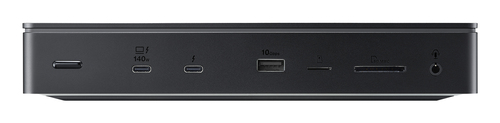
ASUS Master Thunderbolt 5 Dock DC510 Wired Black
ASUS Master Thunderbolt 5 Dock DC510 Wired Black

ASUS DC320 Docking USB 3.2 Gen 2
(3.1 Gen 2) Type-C Black
