
ASUS ZenScreen MB16AHT computer monitor 39.6 cm (15.6") 1920 x 1080 pixels Full HD Touchscreen Black
- Screen: 39.6 cm (15.6"), 1920 x 1080 pixels, IPS, Flat
- Refresh rate: 60 Hz, 5 ms response time
- Brightness: 250 cd/m²
- Stand: tilt
- Extras: speakers
- Colour: Black
Where to buy
We're not tracking prices for this product yet. Check current prices directly at:
We may earn a commission when you buy through links on this page — at no extra cost to you. Learn more
About this product
ASUS ZenScreen Touch MB16AHT Portable Monitor
Productivity at the tip of your fingers
ASUS ZenScreen Touch MB16AHT is a 15.6-inch IPS FHD portable monitor with responsive and intuitive 10-point touch functionality* that allows users to swipe, scroll, drag and pinch gestures to help you get tasks done more efficiently. Dual USB-C and mini-HDMI connectivity enables displaying content from a wide-range of devices, so you can enjoy an expansive view for the best work and entertainment experiences, wherever you go.
*10-point touch functionality depends on operating system.
Tap into productivity
With its interactive 10-point touchscreen, ZenScreen Touch offers highly-accurate, responsive and seamless touch experiences*, enabling you to edit documents, draw on slides or play games with your fingertips. It is Windows 11 compatible, allowing you to work smarter and more efficiently.
* Availability of 10-point touchscreen functionality depends on operating system.
Designed for comfortable viewing
A fold-out kickstand props ZenScreen Touch MB16AHT up on any flat surface and offers easy tilt adjustments to ensure comfortable viewing angles and working positions. In addition, a ¼ -inch threaded tripod socket at the rear lets you attach the monitor to a standard tripod* or table mount.
*Tripod stand not included.
Automatic screen orientation
When connected to a Windows PC, the ASUS DisplayWidget Lite tool* enables ZenScreen to sense its orientation and automatically switches the display between landscape and portrait modes. Landscape mode is ideal for presentations and spreadsheets, while portrait style provides the perfect long view for documents, books or websites.
*Software required. Auto-rotate function works only with the Windows operating system.
Rich connectivity
ZenScreen Touch MB16AHT includes a mini HDMI port and two USB-C* ports to allow audio-video signals, power input and data(for touch function) transmission.
*Make sure your device supports display/power delivery.
ASUS Ultra-Low Blue Light technology
The TÜV Rheinland-certified ASUS Blue Light Filter protects you from harmful blue light. It's easy to access, intuitive and flexible with seamless adjustment (0 to Maximum) via the OSD menu. ASUS displays has undergone stringent performance tests and has been certified by TÜV Rheinland laboratories, a global provider of technical, safety, and certification services.
Documents
- ManualUser manual ↗
- Product information sheetEU Product Fiche ↗
Specifications
Key specifications
- Display diagonalSize of the display for this product, measured diagonally, usually in inches.
- 39.6 cm (15.6")
- Display resolutionThe number of distinct pixels in each dimension that can be displayed. It is usually quoted as width × height, with the units in pixels: for example, "1024 × 768" means the width is 1024 pixels and the height is 768 pixels. The higher the number of pixels, the sharper the image.
- 1920 x 1080 pixels
- Panel typeThe technology used to manufacture the panel, such as AMOLED or AH-IPS.
- IPS
- Screen shapeDescribes the physical curvature of the display panel, such as whether it is flat or curved.
- Flat
- Maximum refresh rateThe highest number of times per second the image is updated, measured in hertz (Hz).
- 60 Hz
- Response timeThe response time is the time difference between the moment that a source (for example a video card) sends a signal and that equipment (for example a monitor) receives or display the signal. (Used abbreviations: R/F = Rise and Fall.)
- 5 ms
- Display brightness (typical)Display brightness, measured by its Luminance, presented as a figure in nits. Typical brightness ratings for monitors range from 250 to 350 nits with a target value of between 80 to 120 nits being suitable for most displays in a normal viewing environment.
- 250 cd/m²
- Tilt adjustmentThe tilt, which means the angle at which the device is pointing (up or down), can be changed.
- Yes
- Built-in speaker(s)The device contains speaker(s) to produce sound.
- Yes
- Product colourThe colour e.g. red, blue, green, black, white.
- Black
Show all 64 specificationsShow key specifications only
Ports & interfaces
- Built-in USB hubWhether or not the device features a USB hub to connect more than one other device via USB.
- No
- USB Type-C downstream ports quantityThe number of USB Type-C ports available for connecting peripheral devices to the unit.
- 2
- USB Type-C DisplayPort Alternate ModeIndicates whether the USB Type-C port supports the transmission of native DisplayPort video signals to an external display.
- Yes
- HDMIHDMI (High-Definition Multimedia Interface) is a compact audio/video interface for transferring uncompressed video data and compressed/uncompressed digital audio data from a HDMI-compliant device ("the source device") to a compatible computer monitor, video projector, digital television, or digital audio device. HDMI is a digital replacement for existing analog video standards.
- No
- Mini HDMI ports quantityThe new HDMI mini connector, next to the regular HDMI connector, is designed to be used with small portable devices such as camcorders and digital still cameras.
- 1
- Headphone outThe socket for connecting headphones to the device.
- Yes
- Headphone outputsNumber of sockets /ports where headphones are connected.
- 1
- HDCPHigh-bandwidth Digital Content Protection (HDCP) is a form of digital copy protection to prevent copying of digital audio and video content as it travels across connections.
- Yes
- HDCP versionThe version of the High-bandwidth Digital Content Protection standard supported by the device to prevent the unauthorized copying of digital audio and video content (e.g. 2.2).
- 1.4
Design
- Product colourThe colour e.g. red, blue, green, black, white.
- Black
Audio
- Built-in speaker(s)The device contains speaker(s) to produce sound.
- Yes
- Number of speakersThe quantity of speakers included in/with the product.
- 2
- RMS rated powerRMS (Root mean square) is a measure of the continuous power required by a device, in particular audio amplifiers and loudspeakers.
- 2 W
Multimedia
- Built-in cameraThe product has an integrated camera.
- No
Display
- Display diagonalSize of the display for this product, measured diagonally, usually in inches.
- 39.6 cm (15.6")
- Display resolutionThe number of distinct pixels in each dimension that can be displayed. It is usually quoted as width × height, with the units in pixels: for example, "1024 × 768" means the width is 1024 pixels and the height is 768 pixels. The higher the number of pixels, the sharper the image.
- 1920 x 1080 pixels
- Native aspect ratioThe aspect ratio is the ratio of the width of an image to its height. The native aspect ratio is the one which the projector/display is particularly designed for. Images shown in native aspect ratio will utilize the entire resolution of the display and achieve maximum brightness. Images shown in other than native aspect ratio will always have less resolution and less brightness than images shown…
- 16:9
- TouchscreenA screen of a laptop, smartphone, etc., that responds to touch so you can control the interface using your fingers.
- Yes
- Native refresh rateThe number of times per second the hardware updates, measured in hertz (Hz).
- 60 Hz
- HD typeType of supported High Definition (e.g. Full HD, 4K Ultra HD).
- Full HD
- Panel typeThe technology used to manufacture the panel, such as AMOLED or AH-IPS.
- IPS
- Backlight typeThe technology used to illuminate the display panel, such as CCFL or various LED configurations (e.g., Edge LED, Full-Array).
- LED
- Number of simultaneous touchpointsThe maximum number of individual points of contact that the touch-sensitive surface can detect and track at the same time.
- 10
- Display brightness (typical)Display brightness, measured by its Luminance, presented as a figure in nits. Typical brightness ratings for monitors range from 250 to 350 nits with a target value of between 80 to 120 nits being suitable for most displays in a normal viewing environment.
- 250 cd/m²
- Response timeThe response time is the time difference between the moment that a source (for example a video card) sends a signal and that equipment (for example a monitor) receives or display the signal. (Used abbreviations: R/F = Rise and Fall.)
- 5 ms
- Anti-glare screenAlways gives an optimal view, even in direct sunlight.
- Yes
- Screen shapeDescribes the physical curvature of the display panel, such as whether it is flat or curved.
- Flat
- Contrast ratio (typical)The difference in light intensity between the brightest white and the darkest black.
- 700:1
- Maximum refresh rateThe highest number of times per second the image is updated, measured in hertz (Hz).
- 60 Hz
- Viewing angle, horizontalMaximum horizontal angle at which a display can be viewed with acceptable visual performance.
- 170°
- Viewing angle, verticalMaximum vertical angle at which a display can be viewed with acceptable visual performance.
- 170°
- Display number of coloursThe total number of distinct colours that the device is capable of displaying (e.g. 1.07 billion colours).
- 262000 colours
- Pixel pitchThis is the parameter of a picture tube, which specifies the shortest distance between two dots of the same colour. The principle is: the smaller the dot pitch, the better sharpness of image.
- 0.179 x 0.179 mm
- Viewable size, horizontalThe viewable size is often somewhat smaller than the actual size of a monitor, because there is a border around the image.
- 34.4 cm
- Viewable size, verticalThe height of the screen area that can actually display an image, measured in millimetres or inches.
- 19.4 cm
- Digital horizontal frequencyThe range of horizontal scanning frequencies the device can support, measured in kHz.
- 24 - 83 kHz
- Digital vertical frequencyThe range of refresh rates the device can support when operating in digital mode, measured in Hertz (Hz).
- 50 - 61 Hz
Brand-specific features
- Brand specific technologiesProprietary features or technical innovations developed by the manufacturer to enhance performance or functionality (e.g. AI Vision or 3DWave).
- SPLENDID
Weight & dimensions
- Width (without stand)The horizontal measurement of the device excluding the base or support structure, expressed in millimetres.
- 359.9 mm
- Depth (without stand)The measurement of the product from front to back without its base or support, typically expressed in millimetres or centimetres.
- 11.9 mm
- Height (without stand)The vertical measurement of the device when the stand is removed, measured in mm.
- 226.8 mm
- Weight (without stand)The mass of the device excluding the support base, measured in g.
- 1.01 kg
Operational conditions
- Operating temperature (T-T)The minimum and maximum temperatures at which the product can be safely operated.
- 0 - 40 °C
- Operating relative humidity (H-H)The range of relative humidity, expressed as a percentage, within which the device can function correctly without damage or performance loss.
- 20 - 90%
Power
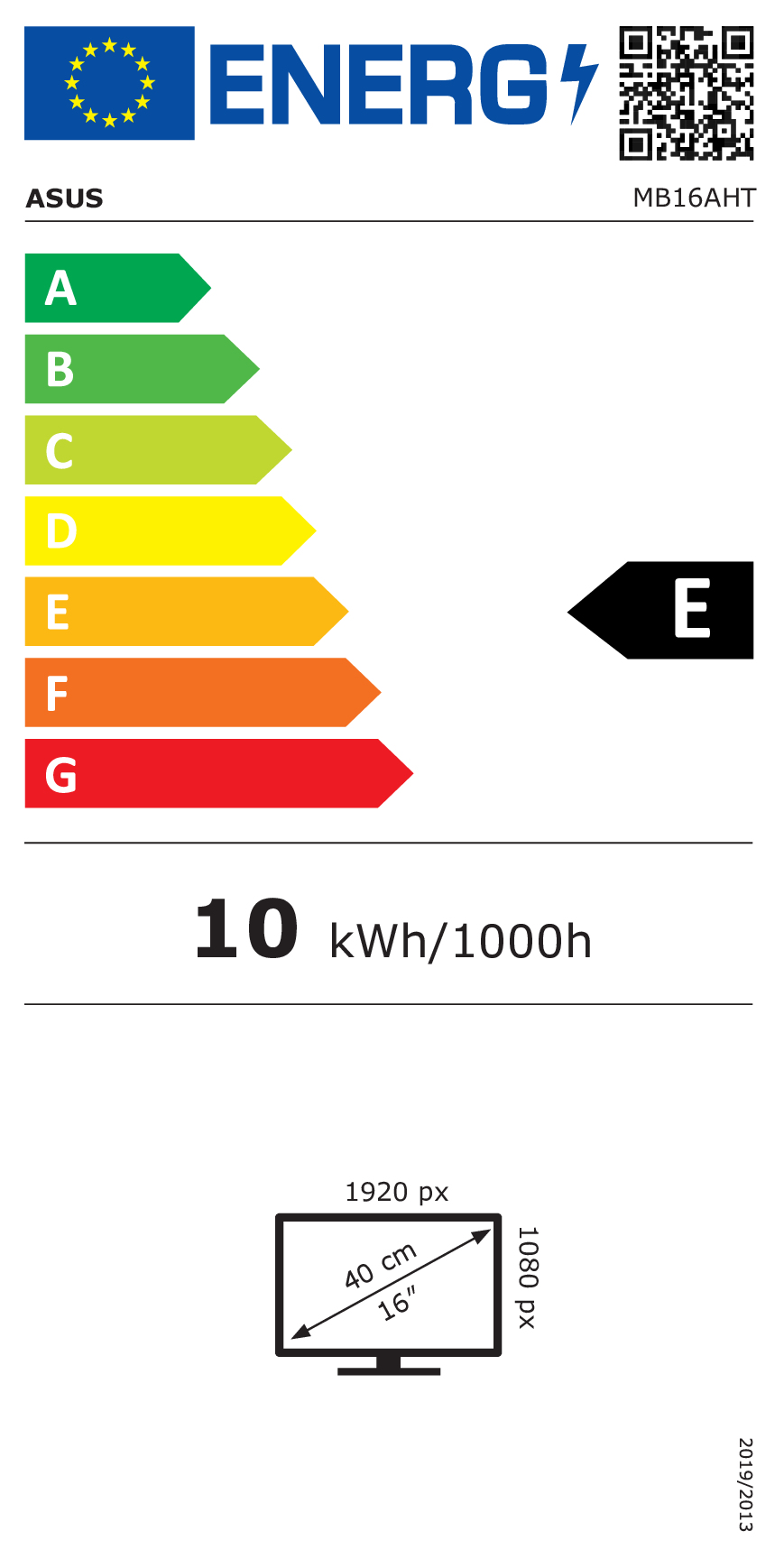
- Energy efficiency class (SDR)The energy efficiency rating of the device when operating in Standard Dynamic Range (SDR) mode, categorized from A to G.
- E
- Energy efficiency class (HDR)The energy efficiency rating of the device when High Dynamic Range (HDR) mode is active, ranging from A to G.
- Not available
- Power consumption (typical)Amount of power consumed by this model, often expressed in watts (W). Typical values that manufacturers give are power consumption when off, standby/suspended mode, typical use, maximum usage.
- 10 W
- Power consumption (standby)The amount of electricity that is consumed when the product is on standby.
- 0.5 W
- Power consumption (off)The amount of electrical energy consumed by the device when it is switched off, measured in watts.
- 0.3 W
- Power consumption (PowerSave)The amount of electrical energy consumed by the device when it is operating in a power-saving mode, measured in Watts.
- 0.5 W
- AC input voltageThe voltage of the AC electricity that is inputted into the product.
- 100 - 240 V
- AC input frequencyThe range of alternating current frequencies the device can accept from the power source, measured in hertz (e.g., 45 - 65).
- 50 - 60 Hz
- Power supply typeThe type of power supply which this product uses.
- External
Ergonomics
- Height adjustmentThe part of the device that can be adjusted to change the height.
- No
- Tilt adjustmentThe tilt, which means the angle at which the device is pointing (up or down), can be changed.
- Yes
- Tilt angle rangeThe minimum and maximum angles at which the unit can be tilted, typically expressed in degrees.
- 15 - 35°
Performance
- Flicker-free technologyIndicates whether the device employs technology to reduce or eliminate screen flickering to decrease eye strain during prolonged use.
- Yes
- Low Blue Light technologyIndicates whether the product features technology designed to reduce the amount of harmful short-wave blue light emitted by the screen to decrease eye strain.
- Yes
- Game modeIndicates whether the device has a dedicated preset that optimizes performance, such as reducing input lag or enhancing contrast, for gaming.
- Yes
Packaging data
- Package widthThe distance from one side of the packaging to the other.
- 485 mm
- Package depthThe distance from the front to the back of the packaging.
- 76 mm
- Package heightThe distance from the top to the bottom of the packaging.
- 305 mm
- Package weightWeight of the packaged product.
- 2.86 kg
- Package typeThe type of product package e.g. box.
- Box
Database Right data-sheet 2026 Icecat. All rights reserved. Provided “as is”, without warranty — check details with the store before buying.
Price history (90 days, best daily price)
Price history is still being collected for this product — check back soon.
Alternative models

ASUS ROG Swift XG27AQV
computer monitor 68.6 cm (27") 2560 x 1440 pixels Wide Quad HD Black

ASUS TUF Gaming VG27AQA1A
computer monitor 68.6 cm (27") 2560 x 1440 pixels Wide Quad HD Black

ASUS TUF Gaming VG27WQ
computer monitor 68.6 cm (27") 2560 x 1440 pixels Full HD LED Black

ASUS VA27ECPSN
computer monitor 68.6 cm (27") 1920 x 1080 pixels Full HD LED Black

ASUS ProArt PA248CRV
computer monitor 61.2 cm (24.1") 1920 x 1200 pixels WUXGA LCD Black, Silver

ASUS VP229HE
computer monitor 54.6 cm (21.5") 1920 x 1080 pixels Full HD LED Black