
ASUS MB16AC computer monitor 39.6 cm (15.6") 1920 x 1080 pixels Full HD LED Grey
- Screen: 39.6 cm (15.6"), 1920 x 1080 pixels, IPS, Flat
- Refresh rate: 5 ms response time
- Brightness: 220 cd/m²
- Colour: Grey
Where to buy
We're not tracking prices for this product yet. Check current prices directly at:
We may earn a commission when you buy through links on this page — at no extra cost to you. Learn more
About this product
Extend your vision. Free your world.
ASUS ZenScreen MB16AC is designed to keep you productive, wherever you are. It's the world's first portable monitor with a hybrid-signal solution, which means that it only needs a single USB connector cable to be fully compatible with almost any laptop. With a super-slim 8mm profile, and weighing just 0.78kg, ZenScreen MB16AC is also the world's lightest 15.6-inch companion display monitor.
Hybrid-signal solution: USB Type-A and Type-C support
ZenScreen MB16AC only requires a single USB connection for both power and video transmission from your host device. It features an innovative hybrid-signal solution with native support for USB Type-C (USB-C) connections, and uses an installed driver to support USB Type-A connectors for full compatibility. The reversible, any-way-up USB-C design enables quick, hassle-free connection to any device.
Slim and stylish ultraportable design
ZenScreen MB16AC is ideal for use as a secondary monitor for dual-monitor presentations, and its versatility helps you get things done more efficiently when you're on the go. It barely tips the scales at a lightweight 0.78kg, and with its ultra-slim 8mm profile it fits easily in any travel bag.
Automatic screen orientation
With DisplayWidget software*, ZenScreen MB16AC can automatically sense its orientation and switch the monitor between landscape and portrait modes. Landscape mode is ideal for presentations and Excel sheets, while Portrait mode gives you a perfect view of items such as documents, books or mobile websites.
*Driver required. Auto Rotate function only works with Windows OS.
Wide viewing angles
ZenScreen MB16AC features a Full HD panel that delivers stunning 1920 x 1080 resolution visuals with outstanding color reproduction. It uses IPS technology to give you more flexibility when extending your screen, so you still get superb color and contrast - even from extreme viewing positions.
Foldable smart case
An innovative foldable smart case protects ZenScreen MB16AC from dust and scratches. The case can be folded into a stand to prop the monitor up in either portrait or landscape orientation. ZenScreen MB16AC also has a smart pen hole in the bottom right-hand corner, where you can insert a pen to prop the screen up when not using the smart case.
ASUS Flicker-free technology
It's time to say goodbye to those tired, strained eyes. ZenScreen MB16AC features TÜV Rheinland-certified ASUS Flicker-free technology to reduce flicker for a comfortable viewing experience. This technology helps minimize instances of eyestrain and other damaging ailments, especially when you spend long, countless hours in front of a display watching favorite videos.
Documents
- ManualUser manual ↗
- Product information sheetEU Product Fiche ↗
Specifications
Key specifications
- Display diagonalSize of the display for this product, measured diagonally, usually in inches.
- 39.6 cm (15.6")
- Display resolutionThe number of distinct pixels in each dimension that can be displayed. It is usually quoted as width × height, with the units in pixels: for example, "1024 × 768" means the width is 1024 pixels and the height is 768 pixels. The higher the number of pixels, the sharper the image.
- 1920 x 1080 pixels
- Panel typeThe technology used to manufacture the panel, such as AMOLED or AH-IPS.
- IPS
- Screen shapeDescribes the physical curvature of the display panel, such as whether it is flat or curved.
- Flat
- Response timeThe response time is the time difference between the moment that a source (for example a video card) sends a signal and that equipment (for example a monitor) receives or display the signal. (Used abbreviations: R/F = Rise and Fall.)
- 5 ms
- Display brightness (typical)Display brightness, measured by its Luminance, presented as a figure in nits. Typical brightness ratings for monitors range from 250 to 350 nits with a target value of between 80 to 120 nits being suitable for most displays in a normal viewing environment.
- 220 cd/m²
- Product colourThe colour e.g. red, blue, green, black, white.
- Grey
Show all 55 specificationsShow key specifications only
Design
- VESA mountingIndicates whether the product supports the VESA mounting standard for attachment to compatible arms, brackets, or wall mounts.
- No
- Product colourThe colour e.g. red, blue, green, black, white.
- Grey
Audio
- Built-in speaker(s)The device contains speaker(s) to produce sound.
- No
Multimedia
- Built-in cameraThe product has an integrated camera.
- No
Performance
- NVIDIA G-SYNCIndicates whether the product supports NVIDIA G-SYNC technology to synchronize the display refresh rate with the GPU to eliminate screen tearing.
- No
- AMD FreeSyncThe product includes AMD Freesync Technology for the dynamic synchronization of the graphic card and the monitor in order to avoid screen tearing.
- No
- On/off switchThe button which is pressed to switch the device on or off.
- Yes
Display
- Display diagonalSize of the display for this product, measured diagonally, usually in inches.
- 39.6 cm (15.6")
- Display resolutionThe number of distinct pixels in each dimension that can be displayed. It is usually quoted as width × height, with the units in pixels: for example, "1024 × 768" means the width is 1024 pixels and the height is 768 pixels. The higher the number of pixels, the sharper the image.
- 1920 x 1080 pixels
- Native aspect ratioThe aspect ratio is the ratio of the width of an image to its height. The native aspect ratio is the one which the projector/display is particularly designed for. Images shown in native aspect ratio will utilize the entire resolution of the display and achieve maximum brightness. Images shown in other than native aspect ratio will always have less resolution and less brightness than images shown…
- 16:9
- Display technologyThe technology used in the display e.g. plasma, LED.
- LED
- TouchscreenA screen of a laptop, smartphone, etc., that responds to touch so you can control the interface using your fingers.
- No
- HD typeType of supported High Definition (e.g. Full HD, 4K Ultra HD).
- Full HD
- Panel typeThe technology used to manufacture the panel, such as AMOLED or AH-IPS.
- IPS
- Display brightness (typical)Display brightness, measured by its Luminance, presented as a figure in nits. Typical brightness ratings for monitors range from 250 to 350 nits with a target value of between 80 to 120 nits being suitable for most displays in a normal viewing environment.
- 220 cd/m²
- Response timeThe response time is the time difference between the moment that a source (for example a video card) sends a signal and that equipment (for example a monitor) receives or display the signal. (Used abbreviations: R/F = Rise and Fall.)
- 5 ms
- Display surfaceThe finish of the screen's outer layer, which determines how light reflects off the surface (e.g. Glossy, Matte, or Anti-glare).
- Gloss
- Screen shapeDescribes the physical curvature of the display panel, such as whether it is flat or curved.
- Flat
- Supported graphics resolutionsThe graphic resolutions that can be displayed by the device. The graphic resolution describes the width and height dimensions of a display, such as a computer monitor, measured in pixels.
- 1920 x 1080 (HD 1080)
- Contrast ratio (typical)The difference in light intensity between the brightest white and the darkest black.
- 800:1
- Viewing angle, horizontalMaximum horizontal angle at which a display can be viewed with acceptable visual performance.
- 178°
- Viewing angle, verticalMaximum vertical angle at which a display can be viewed with acceptable visual performance.
- 178°
- Display number of coloursThe total number of distinct colours that the device is capable of displaying (e.g. 1.07 billion colours).
- 262144 colours
- Pixel pitchThis is the parameter of a picture tube, which specifies the shortest distance between two dots of the same colour. The principle is: the smaller the dot pitch, the better sharpness of image.
- 0.179 x 0.179 mm
- Viewable size, horizontalThe viewable size is often somewhat smaller than the actual size of a monitor, because there is a border around the image.
- 34.4 cm
- Viewable size, verticalThe height of the screen area that can actually display an image, measured in millimetres or inches.
- 19.4 cm
Thin Client
- Thin client installedThe product includes a thin client, which is a computer or a computer program which depends heavily on some other computer (its server) to fulfill its computational roles. This is different from the traditional fat client, which is a computer designed to take on these roles by itself. The specific roles assumed by the server may vary, from providing data persistence (for example, for diskless nod…
- No
Ergonomics
- RotatingCapability to rotate device.
- Yes
Other features
- TV tuner integratedDevice has an in-built TV tuner.
- No
- No flickeringIndicates whether the device is equipped with technology to reduce or eliminate the rapid fluctuations in brightness that can cause eye strain.
- Yes
- Supplied AC adapter typeThe type of power supply provided with the product to connect it to an alternating current source (e.g. AC).
- AC
- 3DThe device can be used with 3D technology.
- No
Certificates
- CertificationSpecifies the official standards, safety approvals, or regulatory certifications the product has received.
- BSMI, CB, CCC, FCC, KCC, UkrSEPRO, UL/cUL, VCCI, WEEE, WHQL, Windows 10, Windows 8.1, Windows 7, RCM, TUV Flicker-free , TUV Low Blue Light, CU(EAC)
Sustainability
- Sustainability certificatesThe environmental or ethical certifications the product has received to verify its sustainability standards (e.g., ASC or ACT Organic).
- ENERGY STAR
Packaging content
- Cables includedSpecifies the types and quantities of connection cables provided with the product (e.g., 3.5 mm to 3.5 mm or SATA).
- USB Type-C
- Quick start guideInstructions, either online, as a computer program or in paper form, to allow you to set up and start using the product quickly.
- Yes
Weight & dimensions
- Width (without stand)The horizontal measurement of the device excluding the base or support structure, expressed in millimetres.
- 359.7 mm
- Depth (without stand)The measurement of the product from front to back without its base or support, typically expressed in millimetres or centimetres.
- 8 mm
- Height (without stand)The vertical measurement of the device when the stand is removed, measured in mm.
- 226.4 mm
- Weight (without stand)The mass of the device excluding the support base, measured in g.
- 800 g
Operational conditions
- Operating temperature (T-T)The minimum and maximum temperatures at which the product can be safely operated.
- 0 - 40 °C
Power
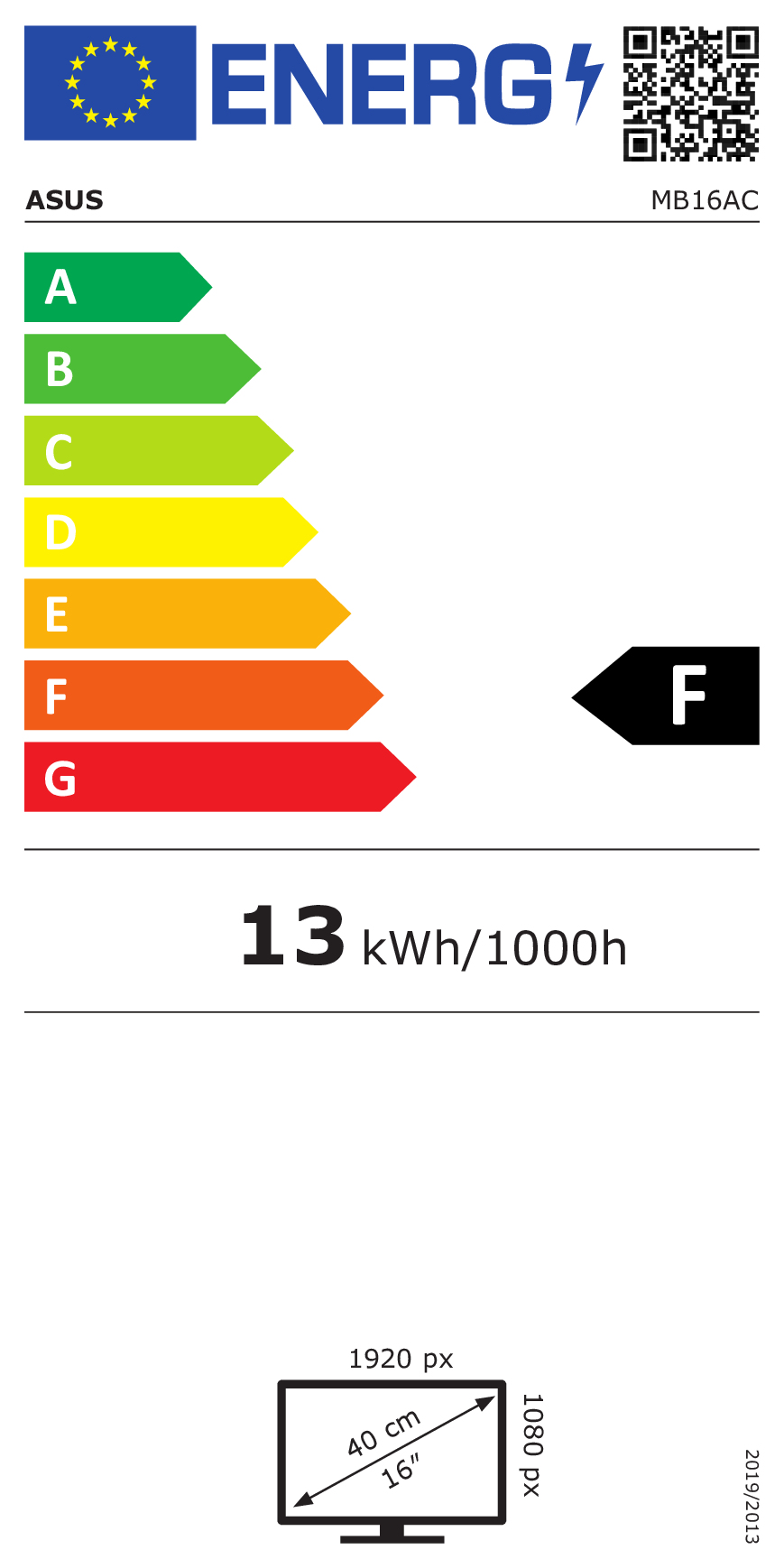
- Energy efficiency class (SDR)The energy efficiency rating of the device when operating in Standard Dynamic Range (SDR) mode, categorized from A to G.
- F
- Energy consumption (SDR) per 1000 hoursThe amount of electric energy consumed by the device during standard dynamic range (SDR) operation over a period of 1000 hours, measured in kilowatt-hours (kWh).
- 13 kWh
- Power consumption (typical)Amount of power consumed by this model, often expressed in watts (W). Typical values that manufacturers give are power consumption when off, standby/suspended mode, typical use, maximum usage.
- 8 W
- Power consumption (standby)The amount of electricity that is consumed when the product is on standby.
- 0.5 W
- Power consumption (off)The amount of electrical energy consumed by the device when it is switched off, measured in watts.
- 0.3 W
- Energy efficiency scaleThe range of energy efficiency classes used to rate the product's power consumption, such as A to G.
- A to G
Security
- Cable lock slotHoles on the edge of devices through which a cable lock can be passed, so the device can be locked to a desk etc.
- No
Ports & interfaces
- USB Type-C downstream ports quantityThe number of USB Type-C ports available for connecting peripheral devices to the unit.
- 1
- DVI portDigital Visual Interface (DVI) is a video display interface to connect a video source to a display device, such as a computer monitor.
- No
Packaging data
- Package widthThe distance from one side of the packaging to the other.
- 434 mm
- Package depthThe distance from the front to the back of the packaging.
- 76 mm
- Package heightThe distance from the top to the bottom of the packaging.
- 310 mm
- Package weightWeight of the packaged product.
- 3 kg
- Package typeThe type of product package e.g. box.
- Box
Database Right data-sheet 2026 Icecat. All rights reserved. Provided “as is”, without warranty — check details with the store before buying.
Expert reviews
- 90
kitguru.net2017
The ASUS ZenScreen MB16AC is an unusual product, and whilst not unique, a USB C screen is not something we have looked at before. But we have to admit being very impressed by what this display has to offer. It's thin and light enough to carry with you alo...
- +
- Thin and light – can be carried along with your ultraportable laptop, Power consumption sufficiently low that it doesn't kill your laptop's endurance, Easy connection for power and video signal via USB Type C port, Great colour accuracy, Fully featured OS...
- −
- Disappointing gamut, Not a touchscreen, Kitguru Says: The ASUS ZenScreen MB16AC is an excellent way to take a dual-screen setup on the road, with great colour accuracy and not a hideous impact on your laptop battery life either, Rating: 9.0, Pages: 1 2 3...
- 80
techradar.com2017
If you're regularly working on the road and need a second screen that's easy to carry and looks nice and stylish, the Asus ZenScreen MB16A Portable Monitor is an excellent accompaniment. Its light and slim design makes it easy to transport, and the screen...
- +
- Lovely design, Portable, USB-C connection, Good image quality, Cover doubles as a stand
- −
- Expensive, Low brightness
- –
ultrabookreview.com2017
I can't draw final conclusions on this AMD version of the Acer Swift 3 based on this sample that did not perform to the best of the platform's abilities.However, based on the few other reviews of these Raven Ridge builds available out there (one, two), th...
Read the review at ultrabookreview.com ↗
Price history (90 days, best daily price)
Price history is still being collected for this product — check back soon.
Alternative models

ASUS BE27AQLB
computer monitor 68.6 cm (27") 2560 x 1440 pixels Quad HD LED Black

ASUS VP247T
computer monitor 59.9 cm (23.6") 1920 x 1080 pixels Full HD Black

ASUS VG275Q
computer monitor 68.6 cm (27") 1920 x 1080 pixels Full HD LED Black

ASUS VA326H
computer monitor 80 cm (31.5") 1920 x 1080 pixels Full HD Black

ASUS VA327H
computer monitor 80 cm (31.5") 1920 x 1080 pixels Full HD LED Black

ASUS VZ249HE
computer monitor 60.5 cm (23.8") 1920 x 1080 pixels Full HD LED Black