
ASUS BE24DQLB computer monitor 60.5 cm (23.8") 1920 x 1080 pixels Full HD Black
- Screen: 60.5 cm (23.8"), 1920 x 1080 pixels, IPS, Flat
- Refresh rate: 5 ms response time
- Brightness: 250 cd/m²
- Ports: 1 × HDMI, 1 × DisplayPort
- Stand: height-adjustable, tilt, VESA 100 x 100 mm
- Extras: speakers, camera
- Colour: Black
All 77 specificationsProduct page at asus.com ↗
Versions
 Other
 Built-in USB hub
Where to buy
We're not tracking prices for this product yet. Check current prices directly at:
We may earn a commission when you buy through links on this page — at no extra cost to you. Learn more
About this product
BE24DQLB Video Conferencing Monitor
Make Communication More Effective
ASUS BE24DQLB is a 23.8-inch Full HD monitor that features an integrated Full HD (2MP) webcam, microphone array and stereo speakers for video conferencing and live-streaming. With Full HD resolution and an IPS panel for wide-angle viewing, it delivers incredibly sharp imagery and stunning video playback. Its ergonomic design with tilt, swivel, pivot and height adjustments provides a comfortable viewing experience, and compatibility with a standard 100 x 100mm VESA mount allows flexible wall mounting or installation on a display arm.
Lifelike imagery and 178° viewing angles
BE24DQLB offers Full HD resolution to deliver stunning clarity. The IPS panel provides 178° viewing angles, both horizontally and vertically, so you can enjoy its beautiful visuals from almost any direction.
Easy video streaming with integrated Full HD webcam
With a built-in 2MP Full HD webcam BE24DQLB is ready-made for web video-conferencing and live-streaming. The webcam's adjustable eye is easily rotated through 315°, and also offers 10° tilt in either direction — so it can capture the view you need. Built-in stereo speakers provide loud and clear audio through the monitor, and the webcam even has a sliding shutter to ensure total privacy when not in use.
Array mic that's perfect for Cortana and conferencing
BE24DQLB's beam-forming microphone array separates speech from background noise, so it's perfect for use with Cortana, the Windows 10 smart assistant. Intelligent echo-cancellation technology further enhances speech clarity, ensuring Cortana won't miss your commands. Physical buttons on the bezel for volume and mute make it easy to control these key features during video conferences.
Loaded with the latest connectivity
BE24DQLB features a host of connectivity options that include HDMI, DisplayPort, DVI-D, D-sub and two USB 3.0 ports, so hooks up easily to a wide variety of PCs, laptops, consoles, media boxes, keyboard and mice. It also has pass-through ports for the line-in and headphone jack inputs, putting the audio connections conveniently right in front of you.
Versatile, ergonomic stand for custom comfort
Because its ergonomic stand offers tilt, swivel, pivot, and height adjustments, BE24DQLB provides a superb range of viewing options for increased productivity and comfort. The screen can also be rotated vertically through 90° for use in Portrait mode, which is a great benefit when working with long documents, writing code or browsing lengthy websites.
Space-saving design for a clutter-free desktop
BE24DQLB is VESA-mountable, so it's easy to hang it on a wall or post. It also includes the ASUS-designed MKT01 mounting kit which allows you to attach a mini PC to the rear of the display to reduce unnecessary clutter in your workspace.
Protect your eyes with ASUS Eye Care technology
ASUS blue light filter
Exclusive ASUS bluelight filter protects you from harmful blue light. It offers four blue-light filter settings that are easily accessed through the onscreen display menu via the hotkey.
ASUS Flicker-free technology
It's time to say goodbye to those tired, strained eyes. Flicker-Free technology helps reduce onscreen flicker, giving you a more comfortable, movie-marathon-ready environment. It is designed to minimize eyestrain, headaches and eye fatigue when you spend long, countless hours in front of the display.
Exclusive ASUS features for added versatility
Splendid Video Intelligence Technology
BE24DQLB features ASUS Splendid technology that optimizes videos and images by enhancing color brightness, contrast and sharpness. It features a wide variety of modes — including Reading, Darkroom, Scenery, Standard, Theater, sRGB, Game and Night View.
ASUS MultiFrame Management software
ASUS MultiFrame keeps your desktop neat and organized, helping you manage multiple windows simultaneously.
Documents
- ManualUser manual ↗
- Product information sheetEU Product Fiche ↗
Specifications
Key specifications
- Display diagonalSize of the display for this product, measured diagonally, usually in inches.
- 60.5 cm (23.8")
- Display resolutionThe number of distinct pixels in each dimension that can be displayed. It is usually quoted as width × height, with the units in pixels: for example, "1024 × 768" means the width is 1024 pixels and the height is 768 pixels. The higher the number of pixels, the sharper the image.
- 1920 x 1080 pixels
- Panel typeThe technology used to manufacture the panel, such as AMOLED or AH-IPS.
- IPS
- Screen shapeDescribes the physical curvature of the display panel, such as whether it is flat or curved.
- Flat
- Response timeThe response time is the time difference between the moment that a source (for example a video card) sends a signal and that equipment (for example a monitor) receives or display the signal. (Used abbreviations: R/F = Rise and Fall.)
- 5 ms
- Display brightness (typical)Display brightness, measured by its Luminance, presented as a figure in nits. Typical brightness ratings for monitors range from 250 to 350 nits with a target value of between 80 to 120 nits being suitable for most displays in a normal viewing environment.
- 250 cd/m²
- HDMI ports quantityThe number of sockets (ports) for HDMI connections. HDMI (High-Definition Multimedia Interface) is a compact audio/video interface for transferring uncompressed video data and compressed/uncompressed digital audio data from a HDMI-compliant device ("the source device") to a compatible computer monitor, video projector, digital television, or digital audio device. HDMI is a digital replacement for…
- 1
- DisplayPorts quantityNumber of DisplayPorts. A DisplayPort is a digital display interface developed by the Video Electronics Standards Association (VESA). The interface is primarily used to connect a video source to a display device such as a computer monitor, though it can also be used to carry audio, USB, and other forms of data.
- 1
- Height adjustmentThe part of the device that can be adjusted to change the height.
- Yes
- Tilt adjustmentThe tilt, which means the angle at which the device is pointing (up or down), can be changed.
- Yes
- Panel mounting interfaceThe product can be used wih VESA mounting interfaces.
- 100 x 100 mm
- Built-in speaker(s)The device contains speaker(s) to produce sound.
- Yes
- Built-in cameraThe product has an integrated camera.
- Yes
- Product colourThe colour e.g. red, blue, green, black, white.
- Black
Show all 77 specificationsShow key specifications only
Design
- VESA mountingIndicates whether the product supports the VESA mounting standard for attachment to compatible arms, brackets, or wall mounts.
- Yes
- Market positioningUnder which category can the device be positioned in the market, e.g. camera phone.
- Business
- Product colourThe colour e.g. red, blue, green, black, white.
- Black
- Panel mounting interfaceThe product can be used wih VESA mounting interfaces.
- 100 x 100 mm
Audio
- Built-in speaker(s)The device contains speaker(s) to produce sound.
- Yes
- Number of speakersThe quantity of speakers included in/with the product.
- 2
- RMS rated powerRMS (Root mean square) is a measure of the continuous power required by a device, in particular audio amplifiers and loudspeakers.
- 4 W
Multimedia
- Built-in cameraThe product has an integrated camera.
- Yes
Display
- Display diagonalSize of the display for this product, measured diagonally, usually in inches.
- 60.5 cm (23.8")
- Display resolutionThe number of distinct pixels in each dimension that can be displayed. It is usually quoted as width × height, with the units in pixels: for example, "1024 × 768" means the width is 1024 pixels and the height is 768 pixels. The higher the number of pixels, the sharper the image.
- 1920 x 1080 pixels
- Native aspect ratioThe aspect ratio is the ratio of the width of an image to its height. The native aspect ratio is the one which the projector/display is particularly designed for. Images shown in native aspect ratio will utilize the entire resolution of the display and achieve maximum brightness. Images shown in other than native aspect ratio will always have less resolution and less brightness than images shown…
- 16:9
- TouchscreenA screen of a laptop, smartphone, etc., that responds to touch so you can control the interface using your fingers.
- No
- Active display area (W x H)The width and height of the actual screen surface that can display images, measured in mm.
- 527.04 x 296.46 mm
- HD typeType of supported High Definition (e.g. Full HD, 4K Ultra HD).
- Full HD
- Panel typeThe technology used to manufacture the panel, such as AMOLED or AH-IPS.
- IPS
- Display brightness (typical)Display brightness, measured by its Luminance, presented as a figure in nits. Typical brightness ratings for monitors range from 250 to 350 nits with a target value of between 80 to 120 nits being suitable for most displays in a normal viewing environment.
- 250 cd/m²
- Response timeThe response time is the time difference between the moment that a source (for example a video card) sends a signal and that equipment (for example a monitor) receives or display the signal. (Used abbreviations: R/F = Rise and Fall.)
- 5 ms
- Display surfaceThe finish of the screen's outer layer, which determines how light reflects off the surface (e.g. Glossy, Matte, or Anti-glare).
- Matt
- Screen shapeDescribes the physical curvature of the display panel, such as whether it is flat or curved.
- Flat
- Supported graphics resolutionsThe graphic resolutions that can be displayed by the device. The graphic resolution describes the width and height dimensions of a display, such as a computer monitor, measured in pixels.
- 1920 x 1080 (HD 1080)
- Contrast ratio (typical)The difference in light intensity between the brightest white and the darkest black.
- 1000:1
- Contrast ratio (dynamic)A property of a display system, defined as the ratio of the luminance of the brightest color (white) to that of the darkest color (black) that the system is capable of producing.
- 100000000:1
- Viewing angle, horizontalMaximum horizontal angle at which a display can be viewed with acceptable visual performance.
- 178°
- Viewing angle, verticalMaximum vertical angle at which a display can be viewed with acceptable visual performance.
- 178°
- Display number of coloursThe total number of distinct colours that the device is capable of displaying (e.g. 1.07 billion colours).
- 16.78 million colours
- Pixel pitchThis is the parameter of a picture tube, which specifies the shortest distance between two dots of the same colour. The principle is: the smaller the dot pitch, the better sharpness of image.
- 0.2745 x 0.2745 mm
- Digital horizontal frequencyThe range of horizontal scanning frequencies the device can support, measured in kHz.
- 30 - 83 kHz
- Digital vertical frequencyThe range of refresh rates the device can support when operating in digital mode, measured in Hertz (Hz).
- 49 - 76 Hz
Packaging content
- AC adapter includedIndicates whether a power supply unit for connecting the device to an AC outlet is provided in the package.
- Yes
- Stand includedIndicates whether a support stand is supplied with the product.
- Yes
- Cables includedSpecifies the types and quantities of connection cables provided with the product (e.g., 3.5 mm to 3.5 mm or SATA).
- AC, Audio (3.5mm), DisplayPort, USB, VGA
- Quick start guideInstructions, either online, as a computer program or in paper form, to allow you to set up and start using the product quickly.
- Yes
Camera
- Swivel webcamIndicates whether the integrated camera can be rotated horizontally to adjust the viewing angle.
- Yes
Other features
- Box dimensions (W x D x H)The external width, depth, and height of the packaging, measured in mm.
- 676 x 458 x 202 mm
- Supplied AC adapter typeThe type of power supply provided with the product to connect it to an alternating current source (e.g. AC).
- AC
Weight & dimensions
- Width (with stand)The total horizontal measurement of the product when the supporting stand is attached, measured in millimetres.
- 568.6 mm
- Depth (with stand)The measurement of the product from front to back when any supporting accessory or base is attached, expressed in millimetres or centimetres.
- 226.3 mm
- Height (with stand)The total vertical measurement of the product including its base or support structure, expressed in millimetres or centimetres.
- 399.1 mm
- Weight (with stand)The total mass of the unit including its supporting base, measured in kilograms or grams.
- 6.7 kg
- Width (without stand)The horizontal measurement of the device excluding the base or support structure, expressed in millimetres.
- 568.6 mm
- Depth (without stand)The measurement of the product from front to back without its base or support, typically expressed in millimetres or centimetres.
- 56.2 mm
- Height (without stand)The vertical measurement of the device when the stand is removed, measured in mm.
- 386.5 mm
- Weight (without stand)The mass of the device excluding the support base, measured in g.
- 3.91 kg
Power
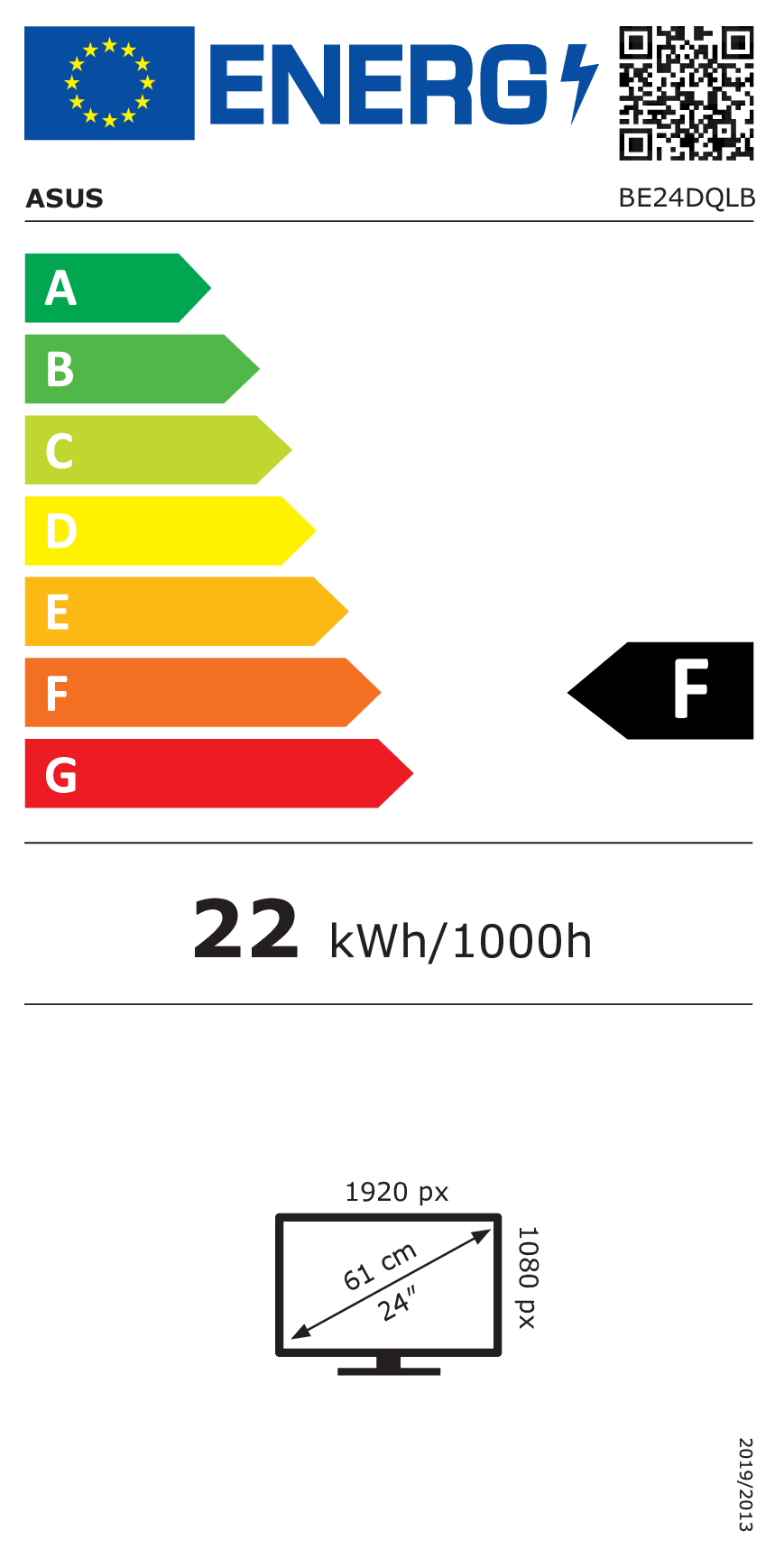
- Energy efficiency class (SDR)The energy efficiency rating of the device when operating in Standard Dynamic Range (SDR) mode, categorized from A to G.
- F
- Energy consumption (SDR) per 1000 hoursThe amount of electric energy consumed by the device during standard dynamic range (SDR) operation over a period of 1000 hours, measured in kilowatt-hours (kWh).
- 22 kWh
- Power consumption (typical)Amount of power consumed by this model, often expressed in watts (W). Typical values that manufacturers give are power consumption when off, standby/suspended mode, typical use, maximum usage.
- 19 W
- Power consumption (off)The amount of electrical energy consumed by the device when it is switched off, measured in watts.
- 0 W
- Power consumption (PowerSave)The amount of electrical energy consumed by the device when it is operating in a power-saving mode, measured in Watts.
- 0.5 W
- AC input voltageThe voltage of the AC electricity that is inputted into the product.
- 100 - 240 V
- AC input frequencyThe range of alternating current frequencies the device can accept from the power source, measured in hertz (e.g., 45 - 65).
- 50 - 60 Hz
- Energy efficiency scaleThe range of energy efficiency classes used to rate the product's power consumption, such as A to G.
- A to G
Security
- Cable lock slot typeThe standard of the security slot used to attach a physical locking cable to the device (e.g. Kensington or Noble).
- Kensington
Ergonomics
- Height adjustmentThe part of the device that can be adjusted to change the height.
- Yes
- Adjustable height (max)The maximum distance the unit can be raised vertically from its lowest position, measured in millimetres.
- 14.5 cm
- PivotIndicates whether the device can be rotated 90 degrees to switch between landscape and portrait orientation.
- Yes
- Pivot angleThe range of motion available for rotating the unit around its vertical axis, typically measured in degrees.
- -90 - 90°
- SwivellingIndicates whether the product has a mechanism that allows it to rotate horizontally.
- Yes
- Swivel angle rangeThe minimum and maximum degrees to which the unit can be rotated horizontally.
- -90 - 90°
- Tilt adjustmentThe tilt, which means the angle at which the device is pointing (up or down), can be changed.
- Yes
- Tilt angle rangeThe minimum and maximum angles at which the unit can be tilted, typically expressed in degrees.
- -5 - 35°
Ports & interfaces
- USB Type-A downstream ports quantityThe number of USB Type-A ports available for connecting peripheral devices to the unit.
- 2
- VGA (D-Sub) ports quantityNumber of VGA (D-Sub) ports (connecting interfaces) in the device. The VGA (D-Sub) connector is a 15 pin connector between a computer and a monitor. It was first introduced in 1987 by IBM.
- 1
- DVI portDigital Visual Interface (DVI) is a video display interface to connect a video source to a display device, such as a computer monitor.
- Yes
- DVI-D ports quantityThis is the amount of DVI-I interfaces. Digital Visual Interface (DVI) is a video display interface developed by the Digital Display Working Group (DDWG). The digital interface is used to connect a video source to a display device, such as a computer monitor. DVI-D means DVI digital, which means it can only support digital, but not analog.
- 1
- HDMI ports quantityThe number of sockets (ports) for HDMI connections. HDMI (High-Definition Multimedia Interface) is a compact audio/video interface for transferring uncompressed video data and compressed/uncompressed digital audio data from a HDMI-compliant device ("the source device") to a compatible computer monitor, video projector, digital television, or digital audio device. HDMI is a digital replacement for…
- 1
- DisplayPorts quantityNumber of DisplayPorts. A DisplayPort is a digital display interface developed by the Video Electronics Standards Association (VESA). The interface is primarily used to connect a video source to a display device such as a computer monitor, though it can also be used to carry audio, USB, and other forms of data.
- 1
- Audio inputThe type of audio input that the device requires, and the connection needed.
- Yes
- Audio outputThe type of audio output that the device produces, and the connector(s).
- Yes
- Headphone outThe socket for connecting headphones to the device.
- Yes
- Headphone outputsNumber of sockets /ports where headphones are connected.
- 1
- Headphone connectivityHow headphones connect to a device e.g. wirelessly or via a cable and connector.
- 3.5 mm
- Microphone inThe socket where a microphone is connected to the device.
- Yes
- HDCPHigh-bandwidth Digital Content Protection (HDCP) is a form of digital copy protection to prevent copying of digital audio and video content as it travels across connections.
- Yes
Picture quality
- Megapixel (approx.)The number (in millions) of light-sensitive picture elements known as pixels actually used by the camera's image sensor (CCD) to record light, and which are reflected to the final number of recorded pixels stored on the memory card.
- 2 MP
Performance
- Flicker-free technologyIndicates whether the device employs technology to reduce or eliminate screen flickering to decrease eye strain during prolonged use.
- Yes
- Low Blue Light technologyIndicates whether the product features technology designed to reduce the amount of harmful short-wave blue light emitted by the screen to decrease eye strain.
- Yes
Packaging data
- Package weightWeight of the packaged product.
- 9.1 kg
Database Right data-sheet 2026 Icecat. All rights reserved. Provided “as is”, without warranty — check details with the store before buying.
Expert reviews
- –
bit-tech.net2016
In terms of performance for the money, we can't help but like the Asus MG28UQ. For less than £400 you get a capable 4K TN panel, that doesn't have major shortcomings in image quality; any that there are can only be revealed using a calibrator. To the eye...
Read the review at bit-tech.net ↗ - –
tomshardware.com2016
More choices mean lower prices and the MG28UQ makes a great addition to the list of affordable Ultra HD monitors. Even without FreeSync, it's a very good display worthy of any desktop. As with any high-res display, you'll have to weigh your video card...
- +
- FreeSync, Ultra HD resolution, Value, Solid build, Fullyadjustable stand, Internal power supply, Wellimplemented overdrive
- −
- Outofbox accuracy, Middling contrast
- –
eteknix.com2016
PricingCurrently, the MG24UQ is only available in the US from one online store for $399.99 plus shipping. Sadly, there's no retail channels stocking the product throughout Europe. Saying that, I wouldn't expect this situation to continue for much longer g...
- +
- Clearly labelled connectors, Clever stand design, Excellent picture quality on both models without calibration, FreeSync provides an affordable gaming experience without stutter, Marvellous OSD layout, Matte black finish, Strong, visually attractive base,...
- −
- 24-inch model is difficult to purchase right now outside of the US, “The MG24UQ’s IPS panel performs brilliantly without calibration and features a superb colour gamut. Also, the MG28UQ is one of the best TN screens I’ve encountered which manages to maint...
Price history (90 days, best daily price)
Price history is still being collected for this product — check back soon.
Alternative models

ASUS VG278QR
computer monitor 68.6 cm (27") 1920 x 1080 pixels Full HD LED Black

ASUS BE24AQLB-G
computer monitor 61.2 cm (24.1") 1920 x 1200 pixels WUXGA LCD Grey

ASUS VG279Q
computer monitor 68.6 cm (27") 1920 x 1080 pixels Full HD LED Black

ASUS VP248QGL-P
computer monitor 61 cm (24") 1920 x 1080 pixels Full HD LED Black

ASUS VG258QR
computer monitor 62.2 cm (24.5") 1920 x 1080 pixels Full HD LED Black

ASUS VP248HL
computer monitor 61 cm (24") 1920 x 1080 pixels Full HD LED Black