
AOC G4 C32G42ZE computer monitor 80 cm (31.5") 1920 x 1080 pixels Full HD LED Black, Red
- Screen: 80 cm (31.5"), 1920 x 1080 pixels, VA, Curved
- Refresh rate: 260 Hz, 4 ms response time
- Brightness: 300 cd/m²
- Ports: 1 × HDMI, 1 × DisplayPort
- Stand: tilt, VESA 100 x 100 mm
- Colour: Black, Red
Where to buy
We're not tracking prices for this product yet. Check current prices directly at:
We may earn a commission when you buy through links on this page — at no extra cost to you. Learn more
About this product
Immerse yourself in smooth gameplay with the C32G42ZE, a curved 1500R monitor delivering 240Hz performance and vibrant visuals
The C32G42ZE Curved Gaming Monitor combines comfort and performance in a streamlined design. Its 1500R curve and VA panel provide deep contrast and a wide colour gamut for more immersive visuals. With a fast 240Hz refresh rate, 0.3ms MPRT, and AdaptiveSync, enjoy fluid, responsive action with minimal input lag. HDR10 support enhances brightness and detail, while G-Menu software offers easy customization.
1500R Curved
Curved design wraps around you putting you at the center of the action and provides an immersive gaming experience.
260Hz (OC240Native)
260Hz (OC,240Native) completely unleashes top end GPUs, bringing unprecedented fluidity to the picture on your screen. With every detail brought sharply into focus and every movement shown with crystal clarity, feel your reactions become one with the action and elevate your game.
WIDE COLOR GAMUT
When you are enjoying photos, videos or games, we want your screen content to look as lifelike as possible. That is why this display comes with Wide Colour Gamut technology, which means that it is able to display a lot more colours than conventional monitors. This is achieved through a special hardware solution, not through mere software adjustments. The result: true-to-life images with fine details that become visible thanks to the broader colour palette.
Low Input Lag
Unleash your reflexes by switching to the AOC Low Input Lag mode. Forget graphical frills: this mode rewires the monitor in favour of raw response time, giving the ultimate edge in hair trigger stand offs.
Live the game at its best with HDR10
HDR10 is here to enhance picture quality even further, improving the synchronization of your GPU or your console with the monitor. This creates a more realistic, immersive, and smooth gaming experience: You’ll feel like stepping in the game, frame by frame.
0.3ms MPRT Response Time
Feel the truly immersive gaming experience. Whether you're navigating through a fast-paced racing game or engaged in a high-stakes battle, every millisecond counts! The 0.3ms MPRT monitor could be your ticket to gaming excellence, with quick reaction times and smooth gameplay.
GMENU
AOC G-Menu is a free tool that you can install on your PC to have complete customization paired with maximum convenience.
Documents
- Product information sheetEU Product Fiche ↗
- ManualUser manual ↗
Specifications
Key specifications
- Display diagonalSize of the display for this product, measured diagonally, usually in inches.
- 80 cm (31.5")
- Display resolutionThe number of distinct pixels in each dimension that can be displayed. It is usually quoted as width × height, with the units in pixels: for example, "1024 × 768" means the width is 1024 pixels and the height is 768 pixels. The higher the number of pixels, the sharper the image.
- 1920 x 1080 pixels
- Panel typeThe technology used to manufacture the panel, such as AMOLED or AH-IPS.
- VA
- Screen shapeDescribes the physical curvature of the display panel, such as whether it is flat or curved.
- Curved
- Maximum refresh rateThe highest number of times per second the image is updated, measured in hertz (Hz).
- 260 Hz
- Response timeThe response time is the time difference between the moment that a source (for example a video card) sends a signal and that equipment (for example a monitor) receives or display the signal. (Used abbreviations: R/F = Rise and Fall.)
- 4 ms
- Display brightness (typical)Display brightness, measured by its Luminance, presented as a figure in nits. Typical brightness ratings for monitors range from 250 to 350 nits with a target value of between 80 to 120 nits being suitable for most displays in a normal viewing environment.
- 300 cd/m²
- HDMI ports quantityThe number of sockets (ports) for HDMI connections. HDMI (High-Definition Multimedia Interface) is a compact audio/video interface for transferring uncompressed video data and compressed/uncompressed digital audio data from a HDMI-compliant device ("the source device") to a compatible computer monitor, video projector, digital television, or digital audio device. HDMI is a digital replacement for…
- 1
- DisplayPorts quantityNumber of DisplayPorts. A DisplayPort is a digital display interface developed by the Video Electronics Standards Association (VESA). The interface is primarily used to connect a video source to a display device such as a computer monitor, though it can also be used to carry audio, USB, and other forms of data.
- 1
- Tilt adjustmentThe tilt, which means the angle at which the device is pointing (up or down), can be changed.
- Yes
- Panel mounting interfaceThe product can be used wih VESA mounting interfaces.
- 100 x 100 mm
- Product colourThe colour e.g. red, blue, green, black, white.
- Black, Red
Show all 107 specificationsShow key specifications only
Design
- VESA mountingIndicates whether the product supports the VESA mounting standard for attachment to compatible arms, brackets, or wall mounts.
- Yes
- Market positioningUnder which category can the device be positioned in the market, e.g. camera phone.
- Gaming
- Product colourThe colour e.g. red, blue, green, black, white.
- Black, Red
- Panel mounting interfaceThe product can be used wih VESA mounting interfaces.
- 100 x 100 mm
- Front bezel colourThe colour of the frame surrounding the front of the display (e.g. Black, Silver).
- Black
Ports & interfaces
- Built-in USB hubWhether or not the device features a USB hub to connect more than one other device via USB.
- No
- HDMIHDMI (High-Definition Multimedia Interface) is a compact audio/video interface for transferring uncompressed video data and compressed/uncompressed digital audio data from a HDMI-compliant device ("the source device") to a compatible computer monitor, video projector, digital television, or digital audio device. HDMI is a digital replacement for existing analog video standards.
- Yes
- HDMI ports quantityThe number of sockets (ports) for HDMI connections. HDMI (High-Definition Multimedia Interface) is a compact audio/video interface for transferring uncompressed video data and compressed/uncompressed digital audio data from a HDMI-compliant device ("the source device") to a compatible computer monitor, video projector, digital television, or digital audio device. HDMI is a digital replacement for…
- 1
- HDMI versionThe specific release version of the High-Definition Multimedia Interface standard supported by the device (e.g. 1.3 or 2.0).
- 2.0
- DisplayPorts quantityNumber of DisplayPorts. A DisplayPort is a digital display interface developed by the Video Electronics Standards Association (VESA). The interface is primarily used to connect a video source to a display device such as a computer monitor, though it can also be used to carry audio, USB, and other forms of data.
- 1
- DisplayPort versionThe specific release version of the DisplayPort standard supported by the device (e.g., 1.2 or 1.4).
- 1.4
- Audio outputThe type of audio output that the device produces, and the connector(s).
- Yes
- Headphone outThe socket for connecting headphones to the device.
- Yes
- Headphone outputsNumber of sockets /ports where headphones are connected.
- 1
- HDCPHigh-bandwidth Digital Content Protection (HDCP) is a form of digital copy protection to prevent copying of digital audio and video content as it travels across connections.
- Yes
- HDCP versionThe version of the High-bandwidth Digital Content Protection standard supported by the device to prevent the unauthorized copying of digital audio and video content (e.g. 2.2).
- 1.4/2.2
Audio
- Built-in speaker(s)The device contains speaker(s) to produce sound.
- No
Multimedia
- Built-in cameraThe product has an integrated camera.
- No
Display
- Display diagonalSize of the display for this product, measured diagonally, usually in inches.
- 80 cm (31.5")
- Display resolutionThe number of distinct pixels in each dimension that can be displayed. It is usually quoted as width × height, with the units in pixels: for example, "1024 × 768" means the width is 1024 pixels and the height is 768 pixels. The higher the number of pixels, the sharper the image.
- 1920 x 1080 pixels
- Native aspect ratioThe aspect ratio is the ratio of the width of an image to its height. The native aspect ratio is the one which the projector/display is particularly designed for. Images shown in native aspect ratio will utilize the entire resolution of the display and achieve maximum brightness. Images shown in other than native aspect ratio will always have less resolution and less brightness than images shown…
- 16:9
- Display technologyThe technology used in the display e.g. plasma, LED.
- LED
- TouchscreenA screen of a laptop, smartphone, etc., that responds to touch so you can control the interface using your fingers.
- No
- Native refresh rateThe number of times per second the hardware updates, measured in hertz (Hz).
- 60 Hz
- HD typeType of supported High Definition (e.g. Full HD, 4K Ultra HD).
- Full HD
- Panel typeThe technology used to manufacture the panel, such as AMOLED or AH-IPS.
- VA
- LED backlightA backlight is a form of illumination used in liquid crystal displays (LCDs). One type of backlight is made by LEDs, which can be either white or RGB (red green blue). White LEDs are used most often in notebooks and desktop screens, and in virtually all mobile LCD screens. RGB LEDs for backlighting are found in high-end color proofing displays such as HP DreamColor LP2480zx monitor or selected HP…
- Yes
- Backlight typeThe technology used to illuminate the display panel, such as CCFL or various LED configurations (e.g., Edge LED, Full-Array).
- W-LED
- Display brightness (typical)Display brightness, measured by its Luminance, presented as a figure in nits. Typical brightness ratings for monitors range from 250 to 350 nits with a target value of between 80 to 120 nits being suitable for most displays in a normal viewing environment.
- 300 cd/m²
- Response timeThe response time is the time difference between the moment that a source (for example a video card) sends a signal and that equipment (for example a monitor) receives or display the signal. (Used abbreviations: R/F = Rise and Fall.)
- 4 ms
- Response time measurement typeThe method used to measure the time it takes for a pixel to change colors, such as GTG (Gray to Gray) or BwB (Black-white-Black).
- GTG (Gray to Gray)
- Response time (MPRT)The time it takes for a pixel to change from one color to another, measured in ms.
- 0.3 ms
- Anti-glare screenAlways gives an optimal view, even in direct sunlight.
- Yes
- Screen shapeDescribes the physical curvature of the display panel, such as whether it is flat or curved.
- Curved
- Screen curvature ratingThe radius of the curve of the screen, expressed in millimetres (e.g. 1500R), where a smaller number indicates a more pronounced curve.
- 1500R
- Contrast ratio (typical)The difference in light intensity between the brightest white and the darkest black.
- 3500:1
- Dynamic contrast ratio marketing nameThe proprietary brand name used by the manufacturer to describe the technology that automatically adjusts the backlight to improve the contrast ratio (e.g., ASUS Smart Contrast Ratio).
- Mega DCR
- Maximum refresh rateThe highest number of times per second the image is updated, measured in hertz (Hz).
- 260 Hz
- Viewing angle, horizontalMaximum horizontal angle at which a display can be viewed with acceptable visual performance.
- 178°
- Viewing angle, verticalMaximum vertical angle at which a display can be viewed with acceptable visual performance.
- 178°
- Display number of coloursThe total number of distinct colours that the device is capable of displaying (e.g. 1.07 billion colours).
- 16.7 million colours
- Pixel pitchThis is the parameter of a picture tube, which specifies the shortest distance between two dots of the same colour. The principle is: the smaller the dot pitch, the better sharpness of image.
- 69.93 x 69.93 mm
- Pixel densityThe number of individual pixels displayed per inch of linear screen space, measured in pixels per inch (ppi).
- 0.36375 ppi
- Viewable size, horizontalThe viewable size is often somewhat smaller than the actual size of a monitor, because there is a border around the image.
- 69.8 cm
- Viewable size, verticalThe height of the screen area that can actually display an image, measured in millimetres or inches.
- 39.3 cm
- Digital horizontal frequencyThe range of horizontal scanning frequencies the device can support, measured in kHz.
- 30 - 290 kHz
- Digital vertical frequencyThe range of refresh rates the device can support when operating in digital mode, measured in Hertz (Hz).
- 48 - 260 Hz
- Display diagonal (metric)This is the size of the display screen, measured diagonally.
- 80 cm
- High Dynamic Range (HDR) technologyThe specific standard or version of high contrast and color reproduction used to enhance the detail in the darkest and brightest areas of an image (e.g. DisplayHDR 600).
- High Dynamic Range 10 (HDR10)
- Colour gamut standardThe specific color space standard the device is designed to reproduce, such as Adobe RGB or DCI-P3.
- Adobe RGB, DCI-P3, sRGB
- sRGB coverage (typical)The percentage of the sRGB color space that the device is capable of reproducing.
- 118.3%
- NTSC coverage (typical)The percentage of the NTSC color gamut that the device is capable of reproducing.
- 93%
- Adobe RGB coverageThe percentage of the Adobe RGB color space that the device is capable of displaying.
- 87.7%
- DCI-P3 coverageThe percentage of the DCI-P3 color gamut that the device is capable of displaying.
- 86.4%
Brand-specific features
- Brand specific technologiesProprietary features or technical innovations developed by the manufacturer to enhance performance or functionality (e.g. AI Vision or 3DWave).
- Crosshair
Other features
- Low input lagIndicates whether the device minimizes the delay between the time a user input is registered and the time it is reflected on the screen.
- Yes
- FPS counterIndicates whether the device has a built-in display that shows the current number of frames per second (FPS) during operation.
- Yes
- Dial pointIndicates whether the device features a physical dial or pointer for navigating on-screen menus.
- Yes
- Shadow controlIndicates whether the device has a feature to enhance visibility and detail in dark areas of the image.
- Yes
- Motion blur reductionIndicates whether the device features technology designed to reduce smearing or ghosting of fast-moving objects on the screen.
- Yes
- Local dimmingThis means that LEDs can be controlled individually (or in clusters) to control the level of light/color intensity in a given part of the screen.
- Yes
- Warranty periodThe length of time the manufacturer guarantees the product against defects, typically expressed in months or years.
- 3 year(s)
- Bezel thickness typeThe design style of the outer border surrounding the screen, ranging from standard widths to minimal designs (e.g., Frameless or Ultra Narrow).
- Frameless
Certificates
- Compliance certificatesIndicates which regulatory, safety, and environmental standards the product complies with, as verified by recognized authorities or certification bodies.
- CE
- CertificationSpecifies the official standards, safety approvals, or regulatory certifications the product has received.
- WEEE,REACH compliant,RoHs compliant,CB,TUV-Bauart-Mark,ISO 9241-307,EAC,FCC
Packaging content
- Cables includedSpecifies the types and quantities of connection cables provided with the product (e.g., 3.5 mm to 3.5 mm or SATA).
- AC, HDMI, DisplayPort
- DisplayPort cable lengthThe total length of the DisplayPort cable, measured in metres.
- 1.8 m
- HDMI cable lengthThe total length of the included high-definition multimedia interface cable, measured in metres.
- 1.8 m
Weight & dimensions
- Width (with stand)The total horizontal measurement of the product when the supporting stand is attached, measured in millimetres.
- 709.4 mm
- Depth (with stand)The measurement of the product from front to back when any supporting accessory or base is attached, expressed in millimetres or centimetres.
- 265.3 mm
- Height (with stand)The total vertical measurement of the product including its base or support structure, expressed in millimetres or centimetres.
- 523.8 mm
- Weight (with stand)The total mass of the unit including its supporting base, measured in kilograms or grams.
- 6.92 kg
- Width (without stand)The horizontal measurement of the device excluding the base or support structure, expressed in millimetres.
- 425.2 mm
- Depth (without stand)The measurement of the product from front to back without its base or support, typically expressed in millimetres or centimetres.
- 94.7 mm
- Height (without stand)The vertical measurement of the device when the stand is removed, measured in mm.
- 425.2 mm
- Weight (without stand)The mass of the device excluding the support base, measured in g.
- 5.83 kg
Operational conditions
- Operating temperature (T-T)The minimum and maximum temperatures at which the product can be safely operated.
- 0 - 40 °C
- Storage temperature (T-T)The minimum and maximum temperatures at which the product can be safely stored.
- -25 - 55 °C
- Operating relative humidity (H-H)The range of relative humidity, expressed as a percentage, within which the device can function correctly without damage or performance loss.
- 10 - 85%
- Storage relative humidity (H-H)The permissible range of relative humidity, expressed as a percentage, within which the product can be stored without damage.
- 5 - 93%
- Operating altitudeThe maximum and minimum height above sea level at which the device can function correctly, measured in m.
- 0 - 5000 m
- Non-operating altitudeThe maximum and minimum altitude at which the unit can be stored or transported without sustaining damage, measured in metres.
- 0 - 12192 m
Power
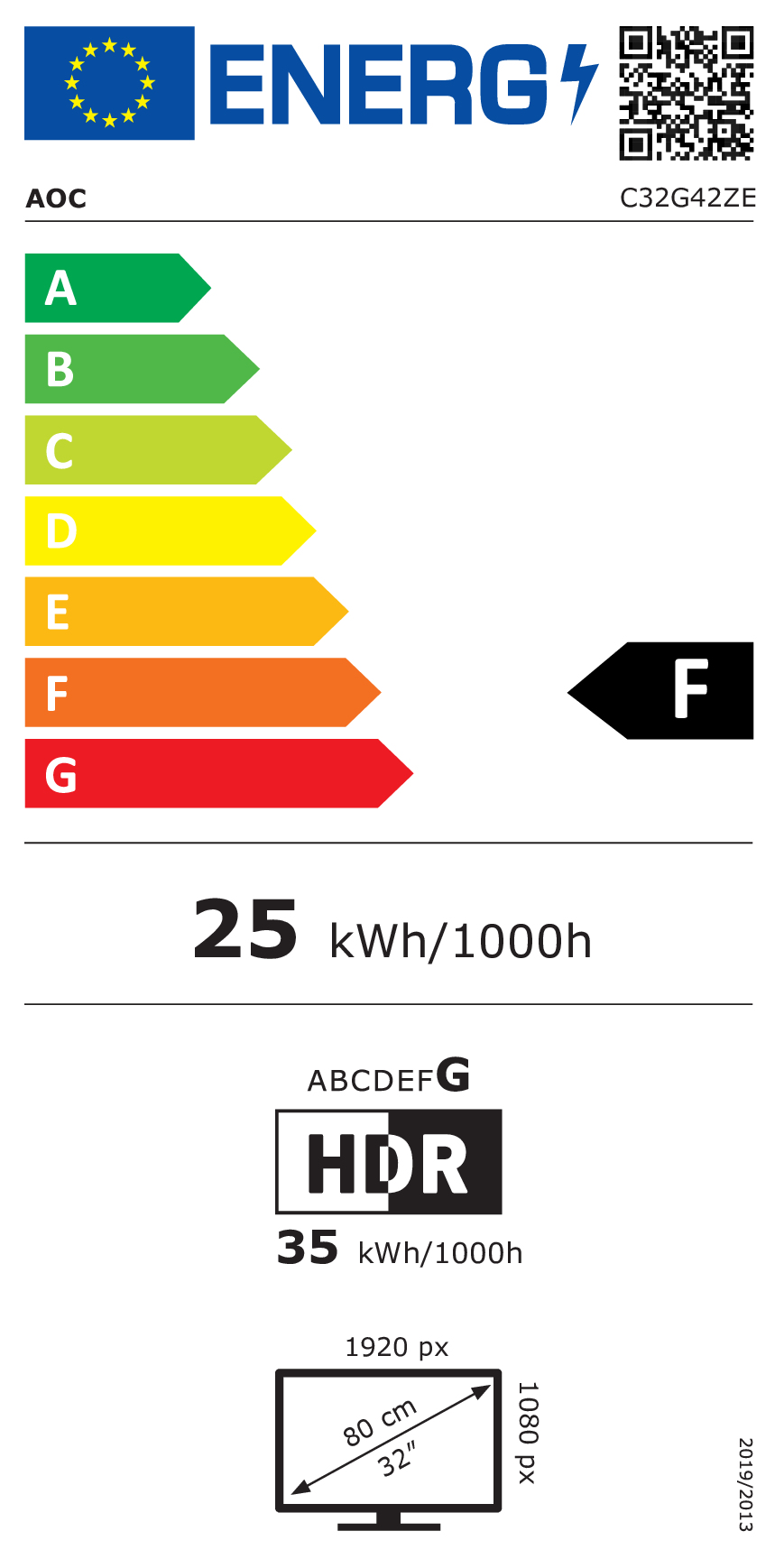
- Energy efficiency class (SDR)The energy efficiency rating of the device when operating in Standard Dynamic Range (SDR) mode, categorized from A to G.
- F
- Energy efficiency class (HDR)The energy efficiency rating of the device when High Dynamic Range (HDR) mode is active, ranging from A to G.
- G
- Energy consumption (SDR) per 1000 hoursThe amount of electric energy consumed by the device during standard dynamic range (SDR) operation over a period of 1000 hours, measured in kilowatt-hours (kWh).
- 25 kWh
- Energy consumption (HDR) per 1000 hoursThe amount of electrical energy consumed by the device when displaying High Dynamic Range (HDR) content over a period of 1000 hours, measured in kilowatt-hours (kWh).
- 35 kWh
- Power consumption (typical)Amount of power consumed by this model, often expressed in watts (W). Typical values that manufacturers give are power consumption when off, standby/suspended mode, typical use, maximum usage.
- 25 W
- Power consumption (standby)The amount of electricity that is consumed when the product is on standby.
- 0.3 W
- Power consumption (max)The maximum amount of power used by the device.
- 46 W
- Power consumption (off)The amount of electrical energy consumed by the device when it is switched off, measured in watts.
- 0.3 W
- AC input voltageThe voltage of the AC electricity that is inputted into the product.
- 100 - 240 V
- AC input frequencyThe range of alternating current frequencies the device can accept from the power source, measured in hertz (e.g., 45 - 65).
- 50/60 Hz
- Input currentThe amount of electrical current drawn by the device during operation, typically measured in amperes (A) or milliamperes (mA).
- 1.5 A
- Power supply typeThe type of power supply which this product uses.
- Internal
- Energy efficiency scaleThe range of energy efficiency classes used to rate the product's power consumption, such as A to G.
- A to G
Ergonomics
- Height adjustmentThe part of the device that can be adjusted to change the height.
- No
- Tilt adjustmentThe tilt, which means the angle at which the device is pointing (up or down), can be changed.
- Yes
- Tilt angle rangeThe minimum and maximum angles at which the unit can be tilted, typically expressed in degrees.
- -3 - 21°
Performance
- VESA Adaptive Sync supportIndicates whether the device supports the VESA Adaptive-Sync standard to synchronize the refresh rate with the GPU to reduce screen tearing.
- Yes
- Flicker-free technologyIndicates whether the device employs technology to reduce or eliminate screen flickering to decrease eye strain during prolonged use.
- Yes
- Low Blue Light technologyIndicates whether the product features technology designed to reduce the amount of harmful short-wave blue light emitted by the screen to decrease eye strain.
- Yes
- Game modeIndicates whether the device has a dedicated preset that optimizes performance, such as reducing input lag or enhancing contrast, for gaming.
- Yes
- High Dynamic Range (HDR) supportedIndicates whether the device supports High Dynamic Range for improved contrast and a wider range of colours and luminosity.
- Yes
Packaging data
- Package widthThe distance from one side of the packaging to the other.
- 840 mm
- Package depthThe distance from the front to the back of the packaging.
- 188 mm
- Package heightThe distance from the top to the bottom of the packaging.
- 527 mm
- Package weightWeight of the packaged product.
- 9.87 kg
Database Right data-sheet 2026 Icecat. All rights reserved. Provided “as is”, without warranty — check details with the store before buying.
Price history (90 days, best daily price)
Price history is still being collected for this product — check back soon.
Alternative models

AOC B3 CU34B3E
computer monitor 86.4 cm (34") 3440 x 1440 pixels Wide Quad HD LED Black

AOC G4 27G4ZRE
computer monitor 68.6 cm (27") 1920 x 1080 pixels Full HD LED Black, Red

AOC B3 Q24B36X
computer monitor 60.5 cm (23.8") 2560 x 1440 pixels Quad HD LED Black

AOC G4 27G4ZR
computer monitor 68.6 cm (27") 1920 x 1080 pixels Full HD LED Black, Red

AOC B3 Q27B36X
computer monitor 68.6 cm (27") 2560 x 1440 pixels Quad HD LED Black

AOC 24P4CV
computer monitor 60.5 cm (23.8") 1920 x 1080 pixels Full HD LED Black
Accessories & compatible products

R-Go Tools Monitor arm R-Go Zepher Single, fully adjustable, 0-8 Kg load capacity, 100% circular, black

R-Go Tools Monitor arm R-Go Caparo Single, fully adjustable with gas spring, 3-9 kg load capacity, 100% circular, black

R-Go Tools Monitor arm R-Go Zepher Dual, for two monitors, fully adjustable, 0
8 kg load capacity, 100% circular, black
