
Acer H7 H277HUsmidpx computer monitor 68.6 cm (27") 2560 x 1440 pixels LED Black, Silver
- Screen: 68.6 cm (27"), 2560 x 1440 pixels, IPS
- Refresh rate: 4 ms response time
- Brightness: 350 cd/m²
- Ports: 1 × HDMI, 1 × DisplayPort
- Stand: tilt
- Extras: speakers
- Colour: Black, Silver
Where to buy
We're not tracking prices for this product yet. Check current prices directly at:
We may earn a commission when you buy through links on this page — at no extra cost to you. Learn more
About this product
Sharp visuals, progressive styling
An Acer H7 Series monitor oozes style and quality. It combines an eye-pleasing and premium brushed-metal stand, a “zero-frame” screen, and a glossy back panel to create a truly lustrous effect. Its WQHD display, superior audio, and superfast HDMI 2.0 port makes it ideal for immersing you in perfectly portrayed high-resolution movies.
Style icon
The H7 monitor incorporates attractive design and premium finishes for a high-class look and feel. From the perfectly crafted brushed-metal stand (we smooth its edges with diamond cutters to make it beautiful), to the glossy rear panel and stylish aluminum front framing, the H7 exudes design excellence and quality.
Sophisticated imaging
This monitor’s WQHD display shows four times more detail than an HD display. IPS technology[1] ensures you can see all that detail from very wide viewing angles. Colors are perfect because the H7 reproduces 100% of the sRGB color gamut, while 6-axis color control allows you to easily adjust color, color temperature and saturation.
Exceptional sound
The H7 has a premium speaker and features DTS Sound audio enhancements and Acer TrueHarmony technology, which enhances bass and limits distortion, ensuring that movies come to life, songs have more depth, and games are even more engaging.
Kind to your eyes
Looking at traditional monitors for long periods can strain your eyes because these monitors often “flicker” imperceptibly, radiate blue light, reflect background light, and shine too brightly. H7 monitors help your eyes with a built-in blue-light filter, Flicker-less technology (reduces flickering), Acer ComfyView technology (reduces screen glare) and low-dimming (dims to only 15% of brightness).
[1] IPS stands for In-Plane Switching. All brands and product names mentioned herein include trademarks of their respective companies and are used solely to describe or identify the products.
Documents
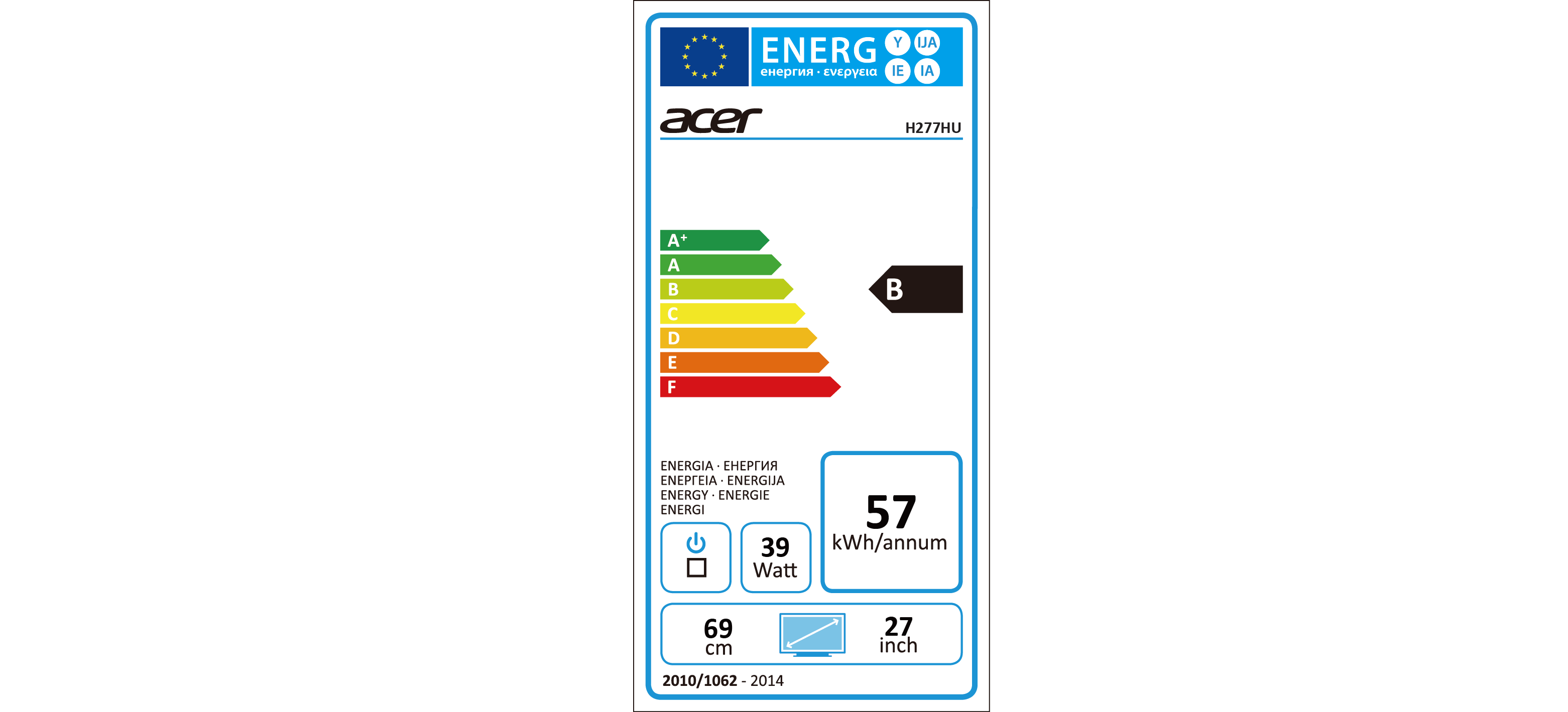
- Product information sheetEU Product Fiche ↗
Specifications
Key specifications
- Display diagonalSize of the display for this product, measured diagonally, usually in inches.
- 68.6 cm (27")
- Display resolutionThe number of distinct pixels in each dimension that can be displayed. It is usually quoted as width × height, with the units in pixels: for example, "1024 × 768" means the width is 1024 pixels and the height is 768 pixels. The higher the number of pixels, the sharper the image.
- 2560 x 1440 pixels
- Panel typeThe technology used to manufacture the panel, such as AMOLED or AH-IPS.
- IPS
- Response timeThe response time is the time difference between the moment that a source (for example a video card) sends a signal and that equipment (for example a monitor) receives or display the signal. (Used abbreviations: R/F = Rise and Fall.)
- 4 ms
- Display brightness (typical)Display brightness, measured by its Luminance, presented as a figure in nits. Typical brightness ratings for monitors range from 250 to 350 nits with a target value of between 80 to 120 nits being suitable for most displays in a normal viewing environment.
- 350 cd/m²
- HDMI ports quantityThe number of sockets (ports) for HDMI connections. HDMI (High-Definition Multimedia Interface) is a compact audio/video interface for transferring uncompressed video data and compressed/uncompressed digital audio data from a HDMI-compliant device ("the source device") to a compatible computer monitor, video projector, digital television, or digital audio device. HDMI is a digital replacement for…
- 1
- DisplayPorts quantityNumber of DisplayPorts. A DisplayPort is a digital display interface developed by the Video Electronics Standards Association (VESA). The interface is primarily used to connect a video source to a display device such as a computer monitor, though it can also be used to carry audio, USB, and other forms of data.
- 1
- Tilt adjustmentThe tilt, which means the angle at which the device is pointing (up or down), can be changed.
- Yes
- Built-in speaker(s)The device contains speaker(s) to produce sound.
- Yes
- Product colourThe colour e.g. red, blue, green, black, white.
- Black, Silver
Show all 47 specificationsShow key specifications only
Design
- VESA mountingIndicates whether the product supports the VESA mounting standard for attachment to compatible arms, brackets, or wall mounts.
- No
- Product colourThe colour e.g. red, blue, green, black, white.
- Black, Silver
Audio
- Built-in speaker(s)The device contains speaker(s) to produce sound.
- Yes
- Number of speakersThe quantity of speakers included in/with the product.
- 2
- RMS rated powerRMS (Root mean square) is a measure of the continuous power required by a device, in particular audio amplifiers and loudspeakers.
- 3 W
Multimedia
- Built-in cameraThe product has an integrated camera.
- No
Display
- Display diagonalSize of the display for this product, measured diagonally, usually in inches.
- 68.6 cm (27")
- Display resolutionThe number of distinct pixels in each dimension that can be displayed. It is usually quoted as width × height, with the units in pixels: for example, "1024 × 768" means the width is 1024 pixels and the height is 768 pixels. The higher the number of pixels, the sharper the image.
- 2560 x 1440 pixels
- Native aspect ratioThe aspect ratio is the ratio of the width of an image to its height. The native aspect ratio is the one which the projector/display is particularly designed for. Images shown in native aspect ratio will utilize the entire resolution of the display and achieve maximum brightness. Images shown in other than native aspect ratio will always have less resolution and less brightness than images shown…
- 16:9
- Display technologyThe technology used in the display e.g. plasma, LED.
- LED
- TouchscreenA screen of a laptop, smartphone, etc., that responds to touch so you can control the interface using your fingers.
- No
- Panel typeThe technology used to manufacture the panel, such as AMOLED or AH-IPS.
- IPS
- Display brightness (typical)Display brightness, measured by its Luminance, presented as a figure in nits. Typical brightness ratings for monitors range from 250 to 350 nits with a target value of between 80 to 120 nits being suitable for most displays in a normal viewing environment.
- 350 cd/m²
- Response timeThe response time is the time difference between the moment that a source (for example a video card) sends a signal and that equipment (for example a monitor) receives or display the signal. (Used abbreviations: R/F = Rise and Fall.)
- 4 ms
- Aspect ratioThe aspect ratio is the ratio of the width of a shape to its height. For example, 4:3 is common for standard displays and 16:9 is the ratio for Widescreen TV.
- 16:9
- Contrast ratio (dynamic)A property of a display system, defined as the ratio of the luminance of the brightest color (white) to that of the darkest color (black) that the system is capable of producing.
- 100000000:1
- Viewing angle, horizontalMaximum horizontal angle at which a display can be viewed with acceptable visual performance.
- 178°
- Viewing angle, verticalMaximum vertical angle at which a display can be viewed with acceptable visual performance.
- 178°
- Display number of coloursThe total number of distinct colours that the device is capable of displaying (e.g. 1.07 billion colours).
- 16.78 million colours
- Pixel pitchThis is the parameter of a picture tube, which specifies the shortest distance between two dots of the same colour. The principle is: the smaller the dot pitch, the better sharpness of image.
- 0.233 x 0.233 mm
- Horizontal scan rangeThe range of horizontal frequencies the device can process and display, measured in kHz.
- 87 - 90 kHz
- Vertical scan rangeThe range of vertical frequencies the device can process and display, measured in hertz (Hz).
- 59 - 61 Hz
- Viewable size, verticalThe height of the screen area that can actually display an image, measured in millimetres or inches.
- 59.7 cm
- Viewable size diagonalThe diagonal length of the screen area that can actually display an image, measured in mm.
- 33.6 cm
Thin Client
- Thin client installedThe product includes a thin client, which is a computer or a computer program which depends heavily on some other computer (its server) to fulfill its computational roles. This is different from the traditional fat client, which is a computer designed to take on these roles by itself. The specific roles assumed by the server may vary, from providing data persistence (for example, for diskless nod…
- No
Performance
- On/off switchThe button which is pressed to switch the device on or off.
- Yes
Other features
- TV tuner integratedDevice has an in-built TV tuner.
- No
- Supplied AC adapter typeThe type of power supply provided with the product to connect it to an alternating current source (e.g. AC).
- LED
Power
- Energy efficiency class (legacy scale)The energy efficiency rating of the product based on the previous labeling scale (e.g. A+++).
- B
- Power consumption (typical)Amount of power consumed by this model, often expressed in watts (W). Typical values that manufacturers give are power consumption when off, standby/suspended mode, typical use, maximum usage.
- 39 W
- Power consumption (standby)The amount of electricity that is consumed when the product is on standby.
- 0.5 W
- AC input voltageThe voltage of the AC electricity that is inputted into the product.
- 100 - 240 V
- AC input frequencyThe range of alternating current frequencies the device can accept from the power source, measured in hertz (e.g., 45 - 65).
- 50 - 60 Hz
Sustainability
- Sustainability certificatesThe environmental or ethical certifications the product has received to verify its sustainability standards (e.g., ASC or ACT Organic).
- ENERGY STAR
Weight & dimensions
- Width (without stand)The horizontal measurement of the device excluding the base or support structure, expressed in millimetres.
- 613 mm
- Depth (without stand)The measurement of the product from front to back without its base or support, typically expressed in millimetres or centimetres.
- 363 mm
- Height (without stand)The vertical measurement of the device when the stand is removed, measured in mm.
- 352 mm
- Weight (without stand)The mass of the device excluding the support base, measured in g.
- 3.7 kg
Security
- Cable lock slotHoles on the edge of devices through which a cable lock can be passed, so the device can be locked to a desk etc.
- Yes
- Cable lock slot typeThe standard of the security slot used to attach a physical locking cable to the device (e.g. Kensington or Noble).
- Kensington
Ergonomics
- Height adjustmentThe part of the device that can be adjusted to change the height.
- No
- Tilt adjustmentThe tilt, which means the angle at which the device is pointing (up or down), can be changed.
- Yes
- Tilt angle rangeThe minimum and maximum angles at which the unit can be tilted, typically expressed in degrees.
- -5 - 15°
Ports & interfaces
- DVI portDigital Visual Interface (DVI) is a video display interface to connect a video source to a display device, such as a computer monitor.
- Yes
- HDMI ports quantityThe number of sockets (ports) for HDMI connections. HDMI (High-Definition Multimedia Interface) is a compact audio/video interface for transferring uncompressed video data and compressed/uncompressed digital audio data from a HDMI-compliant device ("the source device") to a compatible computer monitor, video projector, digital television, or digital audio device. HDMI is a digital replacement for…
- 1
- DisplayPorts quantityNumber of DisplayPorts. A DisplayPort is a digital display interface developed by the Video Electronics Standards Association (VESA). The interface is primarily used to connect a video source to a display device such as a computer monitor, though it can also be used to carry audio, USB, and other forms of data.
- 1
- Audio outputThe type of audio output that the device produces, and the connector(s).
- Yes
Database Right data-sheet 2026 Icecat. All rights reserved. Provided “as is”, without warranty — check details with the store before buying.
Price history (90 days, best daily price)
Price history is still being collected for this product — check back soon.
Alternative models

Acer H7 H277HU
computer monitor 68.6 cm (27") 2560 x 1440 pixels Quad HD LED Silver

Acer V6 V206WQL bd
computer monitor 49.5 cm (19.5") 1440 x 900 pixels HD LED Black

Acer Predator X34
computer monitor 86.4 cm (34") 3440 x 1440 pixels UltraWide Quad HD LED Black, Silver

Acer K2 K242HQL Bbid
computer monitor 59.9 cm (23.6") 1920 x 1080 pixels Full HD LED Black

Acer KA240HQ
computer monitor 59.9 cm (23.6") 1920 x 1080 pixels Full HD LED Black

Acer Predator XZ350CUbmijphz
computer monitor 88.9 cm (35") 2560 x 1080 pixels UW-UXGA LED Black, Silver