
Acer CB2 CB242Y computer monitor 60.5 cm (23.8") 1920 x 1080 pixels Full HD LED Black
- Screen: 60.5 cm (23.8"), 1920 x 1080 pixels, IPS, Flat
- Refresh rate: 75 Hz, 1 ms response time
- Brightness: 250 cd/m²
- Ports: 1 × DisplayPort
- Stand: height-adjustable, tilt, VESA 100 x 100 mm
- Extras: speakers
- Colour: Black
All 34 specificationsProduct page at acer.com ↗
Versions
 AMD FreeSync · Black
 AMD FreeSync · Black, Silver
Where to buy
We're not tracking prices for this product yet. Check current prices directly at:
We may earn a commission when you buy through links on this page — at no extra cost to you. Learn more
About this product
Incredible Images, Edge-to-Edge
Whether you’re watching movies, playing games, or getting some work done, you’ll get amazing visuals with up to UHD resolution. Enjoy more monitor real estate with an up to 34” ZeroFrame display, allowing you to see more and do more.
See From Every Angle
See what’s on the screen clearly at up to 178° whether viewed from an angle or front and center. Viewing from an angle is made possible via the IPS (In-plane Switching) panel and technology while maintaining the same level of high-quality color.
Vivid HDR
When you decide to unwind and relax, do so in front of a display with images that realistic and natural—with HDR. Acer’s HDR 10 displays utilize an edge array with global dimming which increase the overall contrast, making black areas darker and white areas bright.
No Screen Tearing
Say goodbye to stuttering and tearing with AMD FreeSync. Video playback is quicker, easier and smoother as the monitor’s refresh rate is synched to your computer’s framerate.
High-speed Response
Enjoy clear, blur-free images even when the action speeds up with the 1ms Visual Response Boost. A rapid response time ensures images appear clearly as they quickly move across the display, providing more immersive viewing.
Eye Safety First
Protect your eyes from unnecessary strain by utilizing Acer BlueLightShield and Flickerless technologies. View your monitor for longer with reduced glare and eye fatigue thanks to Acer ComfyView and Low Dimming.
Impeccable Placement
No matter where you’ve decided to place your display, finding that perfect position is easy with the adjustable stand. Go on and tilt, swivel, pivot, and adjust the height to hit that ergonomic sweet spot.
Documents
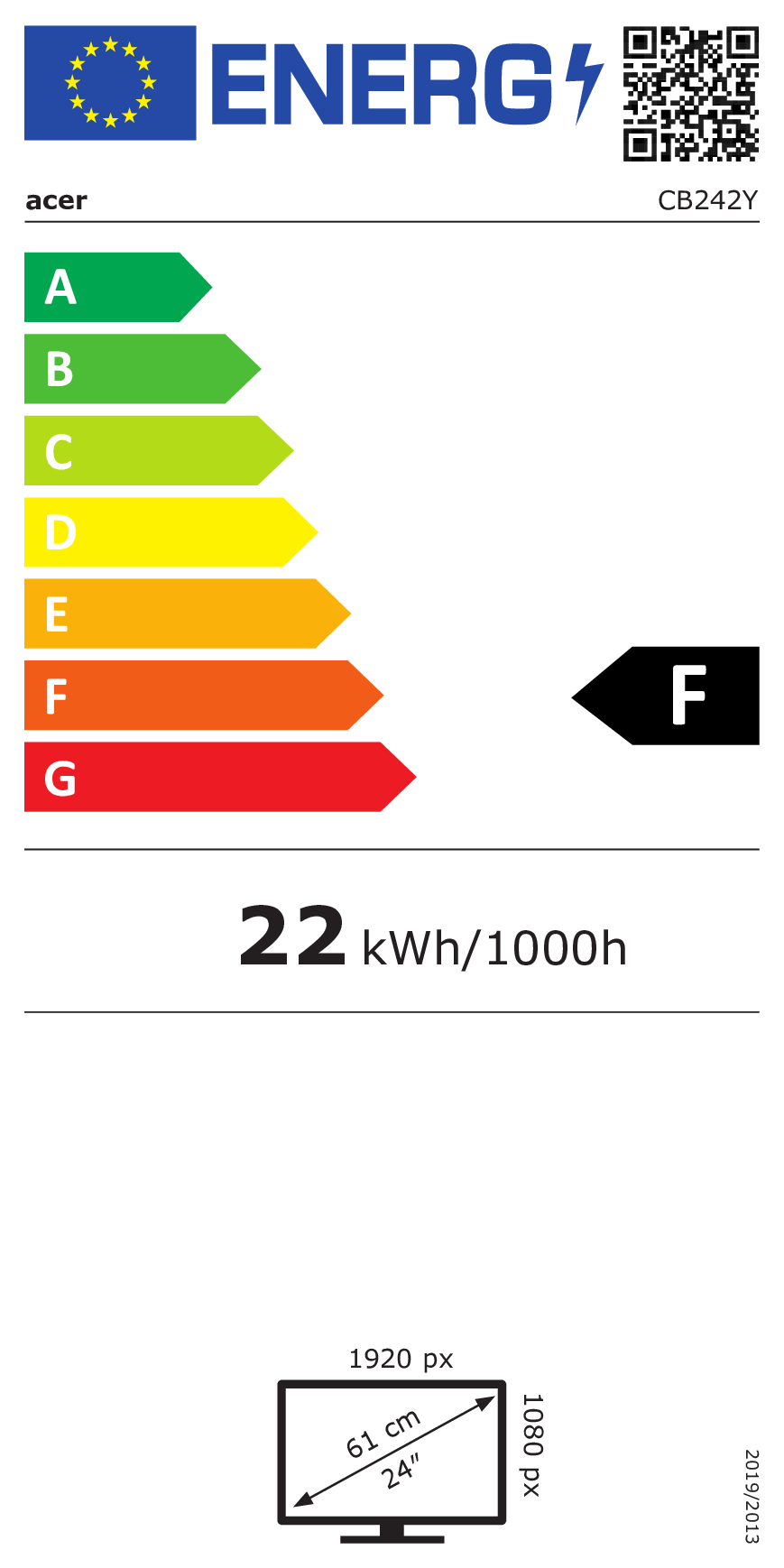
- Product information sheetEU Product Fiche ↗
Specifications
Key specifications
- Display diagonalSize of the display for this product, measured diagonally, usually in inches.
- 60.5 cm (23.8")
- Display resolutionThe number of distinct pixels in each dimension that can be displayed. It is usually quoted as width × height, with the units in pixels: for example, "1024 × 768" means the width is 1024 pixels and the height is 768 pixels. The higher the number of pixels, the sharper the image.
- 1920 x 1080 pixels
- Panel typeThe technology used to manufacture the panel, such as AMOLED or AH-IPS.
- IPS
- Screen shapeDescribes the physical curvature of the display panel, such as whether it is flat or curved.
- Flat
- Maximum refresh rateThe highest number of times per second the image is updated, measured in hertz (Hz).
- 75 Hz
- Response timeThe response time is the time difference between the moment that a source (for example a video card) sends a signal and that equipment (for example a monitor) receives or display the signal. (Used abbreviations: R/F = Rise and Fall.)
- 1 ms
- Display brightness (typical)Display brightness, measured by its Luminance, presented as a figure in nits. Typical brightness ratings for monitors range from 250 to 350 nits with a target value of between 80 to 120 nits being suitable for most displays in a normal viewing environment.
- 250 cd/m²
- DisplayPorts quantityNumber of DisplayPorts. A DisplayPort is a digital display interface developed by the Video Electronics Standards Association (VESA). The interface is primarily used to connect a video source to a display device such as a computer monitor, though it can also be used to carry audio, USB, and other forms of data.
- 1
- Height adjustmentThe part of the device that can be adjusted to change the height.
- Yes
- Tilt adjustmentThe tilt, which means the angle at which the device is pointing (up or down), can be changed.
- Yes
- Panel mounting interfaceThe product can be used wih VESA mounting interfaces.
- 100 x 100 mm
- Built-in speaker(s)The device contains speaker(s) to produce sound.
- Yes
- Product colourThe colour e.g. red, blue, green, black, white.
- Black
Show all 34 specificationsShow key specifications only
Design
- VESA mountingIndicates whether the product supports the VESA mounting standard for attachment to compatible arms, brackets, or wall mounts.
- Yes
- Market positioningUnder which category can the device be positioned in the market, e.g. camera phone.
- Business
- Product colourThe colour e.g. red, blue, green, black, white.
- Black
- Panel mounting interfaceThe product can be used wih VESA mounting interfaces.
- 100 x 100 mm
Audio
- Built-in speaker(s)The device contains speaker(s) to produce sound.
- Yes
- Number of speakersThe quantity of speakers included in/with the product.
- 2
- RMS rated powerRMS (Root mean square) is a measure of the continuous power required by a device, in particular audio amplifiers and loudspeakers.
- 2 W
Display
- Display diagonalSize of the display for this product, measured diagonally, usually in inches.
- 60.5 cm (23.8")
- Display resolutionThe number of distinct pixels in each dimension that can be displayed. It is usually quoted as width × height, with the units in pixels: for example, "1024 × 768" means the width is 1024 pixels and the height is 768 pixels. The higher the number of pixels, the sharper the image.
- 1920 x 1080 pixels
- Native aspect ratioThe aspect ratio is the ratio of the width of an image to its height. The native aspect ratio is the one which the projector/display is particularly designed for. Images shown in native aspect ratio will utilize the entire resolution of the display and achieve maximum brightness. Images shown in other than native aspect ratio will always have less resolution and less brightness than images shown…
- 16:9
- Display technologyThe technology used in the display e.g. plasma, LED.
- LED
- TouchscreenA screen of a laptop, smartphone, etc., that responds to touch so you can control the interface using your fingers.
- No
- HD typeType of supported High Definition (e.g. Full HD, 4K Ultra HD).
- Full HD
- Panel typeThe technology used to manufacture the panel, such as AMOLED or AH-IPS.
- IPS
- Display brightness (typical)Display brightness, measured by its Luminance, presented as a figure in nits. Typical brightness ratings for monitors range from 250 to 350 nits with a target value of between 80 to 120 nits being suitable for most displays in a normal viewing environment.
- 250 cd/m²
- Response timeThe response time is the time difference between the moment that a source (for example a video card) sends a signal and that equipment (for example a monitor) receives or display the signal. (Used abbreviations: R/F = Rise and Fall.)
- 1 ms
- Screen shapeDescribes the physical curvature of the display panel, such as whether it is flat or curved.
- Flat
- Contrast ratio (dynamic)A property of a display system, defined as the ratio of the luminance of the brightest color (white) to that of the darkest color (black) that the system is capable of producing.
- 100000000:1
- Maximum refresh rateThe highest number of times per second the image is updated, measured in hertz (Hz).
- 75 Hz
- Viewing angle, horizontalMaximum horizontal angle at which a display can be viewed with acceptable visual performance.
- 178°
- Viewing angle, verticalMaximum vertical angle at which a display can be viewed with acceptable visual performance.
- 178°
- Display number of coloursThe total number of distinct colours that the device is capable of displaying (e.g. 1.07 billion colours).
- 16.78 million colours
Packaging content
- Stand includedIndicates whether a support stand is supplied with the product.
- Yes
- Cables includedSpecifies the types and quantities of connection cables provided with the product (e.g., 3.5 mm to 3.5 mm or SATA).
- AC, HDMI, USB
Power
- Energy efficiency class (SDR)The energy efficiency rating of the device when operating in Standard Dynamic Range (SDR) mode, categorized from A to G.
- F
- Energy consumption (SDR) per 1000 hoursThe amount of electric energy consumed by the device during standard dynamic range (SDR) operation over a period of 1000 hours, measured in kilowatt-hours (kWh).
- 22 kWh
- Energy efficiency scaleThe range of energy efficiency classes used to rate the product's power consumption, such as A to G.
- A to G
Ergonomics
- Height adjustmentThe part of the device that can be adjusted to change the height.
- Yes
- Adjustable height (max)The maximum distance the unit can be raised vertically from its lowest position, measured in millimetres.
- 12 cm
- Tilt adjustmentThe tilt, which means the angle at which the device is pointing (up or down), can be changed.
- Yes
- Tilt angle rangeThe minimum and maximum angles at which the unit can be tilted, typically expressed in degrees.
- -5 - 25°
Ports & interfaces
- VGA (D-Sub) ports quantityNumber of VGA (D-Sub) ports (connecting interfaces) in the device. The VGA (D-Sub) connector is a 15 pin connector between a computer and a monitor. It was first introduced in 1987 by IBM.
- 1
- DisplayPorts quantityNumber of DisplayPorts. A DisplayPort is a digital display interface developed by the Video Electronics Standards Association (VESA). The interface is primarily used to connect a video source to a display device such as a computer monitor, though it can also be used to carry audio, USB, and other forms of data.
- 1
- Headphone outThe socket for connecting headphones to the device.
- Yes
Database Right data-sheet 2026 Icecat. All rights reserved. Provided “as is”, without warranty — check details with the store before buying.
Expert reviews
- –
monitornerds.com2020
The Acer CB242Y is an excellent all-arounder that doesn't cost a fortune that offers a good looking screen and decent functionality. You won't need to calibrate the screen for typical use since its already balanced out of the box. We appreciate that it ha...
- +
- Attractive Design, Fully Adjustable Stand, Decent Color Quality Out of the Box, Low Input Lag,
- −
- VRB Feature Adds Visible Flicker, Poor Panel Uniformity, Affordable, But Price is Close to 144Hz Options
Price history (90 days, best daily price)
Price history is still being collected for this product — check back soon.
Alternative models
Acer CB2 CB272
computer monitor 68.6 cm (27") 1920 x 1080 pixels Full HD LED Black

Acer B7 B277
computer monitor 68.6 cm (27") 1920 x 1080 pixels Full HD LED Black

Acer Nitro KG2 KG272
computer monitor 68.6 cm (27") 1920 x 1080 pixels Full HD LED Black

Acer V6 V246HQL
computer monitor 59.9 cm (23.6") 1920 x 1080 pixels Full HD LED Black

Acer R240Ysmix
computer monitor 60.5 cm (23.8") 1920 x 1080 pixels Full HD Black, Silver
Acer V6 V246HQL
computer monitor 59.9 cm (23.6") 1920 x 1080 pixels Full HD Black
Accessories & compatible products

R-Go Tools Monitor arm R-Go Zepher Single, fully adjustable, 0-8 Kg load capacity, 100% circular, black

R-Go Tools Monitor arm R-Go Caparo Single, fully adjustable with gas spring, 3-9 kg load capacity, 100% circular, black

R-Go Tools Monitor arm R-Go Zepher Dual, for two monitors, fully adjustable, 0
8 kg load capacity, 100% circular, black
